VeryPDF Sign vs Traditional E-Signature Platforms: A Practical Guide to Secure Legal Document Signing Workflows Across the US and Europe
Digital signature workflow for legal document signing , if you handle contracts daily, you already know the pain.
Have you ever waited three days just to get one signature?
Have you chased executives for approvals while a deal sat frozen?
Have you printed a contract, signed it, scanned it, emailed it back only to realise someone signed the wrong page?
I have. More times than I’d like to admit.
And here’s the uncomfortable truth: most document signing problems today are not legal problems. They’re workflow problems.
HR teams struggle with onboarding paperwork.
Sales teams lose momentum waiting for contracts.
Legal departments worry about compliance and audit trails.
Operations teams drown in approval emails.
The issue isn’t signing documents. The issue is how signing fits into modern business workflows.
This is exactly where VeryPDF Sign changes the game.
The Real Problems Behind Modern Document Signing
Before talking about tools, let’s talk about reality.
Because nearly every organisation , from startups to multinational companies , faces the same three challenges.
1. Slow Manual Signing Still Exists (Yes, Even in 2026)
You’d think paper workflows disappeared years ago.
They didn’t.
I still see teams doing this:
-
Export contract
-
Print document
-
Sign physically
-
Scan document
-
Email PDF
-
Wait for next signer
-
Repeat process
Each step adds friction.
Each friction point kills speed.
I once worked with a sales team closing enterprise deals across Europe. Contracts regularly took 710 days just to circulate signatures. Not because negotiations were hard , but because signing workflows were broken.
Deals don’t fail because of pricing.
They fail because momentum dies.
2. No Visibility Into Who Signed (or Didn’t)
This one drives teams crazy.
You send a contract and then silence.
Questions start piling up:
-
Did they receive it?
-
Did legal review it?
-
Is finance holding it?
-
Who is the blocker?
Traditional email-based approvals give zero transparency.
Without real-time tracking, people resort to chasing updates manually. That’s lost productivity disguised as communication.
3. Security and Compliance Risks Keep Growing
Here’s where things get serious.
Legal documents aren’t just files , they’re evidence.
Businesses today must comply with:
-
ESIGN Act requirements in the United States
-
eIDAS regulations across Europe
-
GDPR data protection standards
-
Internal audit and compliance rules
Yet many organisations still store signed PDFs in random email threads or shared folders.
No audit trail.
No encryption clarity.
No verification history.
That’s a compliance nightmare waiting to happen.
Why I Started Looking for a Better Signing Workflow
After dealing with repeated delays, I realised something important:
The best signing tool isn’t the one with the most features.
It’s the one people actually use without training.
That’s when I discovered:
VeryPDF Sign
Instead of trying to replicate complex enterprise systems, VeryPDF Sign focuses on one mission:
Make secure document signing effortless.
And honestly, that simplicity is its biggest advantage.
What Makes VeryPDF Sign Different
VeryPDF Sign is a cloud-based electronic contract signing platform designed for individuals, teams, and developers who need secure, legally valid digital signature workflows without complexity.
Everything happens inside a browser.
No installations.
No downloads.
No learning curve.
You upload a document and sign it , often in under a minute.
How VeryPDF Sign Solves Real Workflow Problems
Let me break down how it tackles the exact issues businesses face every day.
Send Documents for Secure Electronic Signatures in Seconds
The workflow is refreshingly simple.
Step 1 , Upload Your Document
Upload almost anything:
-
PDF
-
Word
-
Excel
-
PowerPoint
-
Images
-
Scanned contracts
The system automatically converts files into secure PDFs.
Step 2 , Create Your Signature
You can:
-
Draw a handwritten signature
-
Type your name with professional script fonts
-
Upload a real signature image
Your signature saves automatically for future use.
Step 3 , Place & Finalise
Drag and drop:
-
Signature fields
-
Initials
-
Dates
-
Checkboxes
-
Form fields
No formatting headaches.
Step 4 , Download or Send for Signing
Either sign instantly yourself or send secure signature requests to multiple parties.
Done.
No printing. No scanning. No delay.
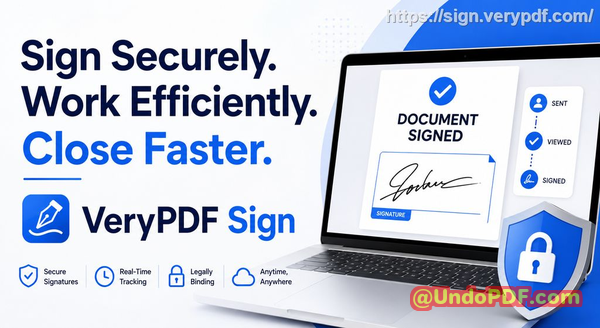
Real-Time Tracking With Full Audit Trails
This feature alone changed how I manage approvals.
Instead of guessing, I can see:
-
Who received the document
-
Who opened it
-
Who signed it
-
Who is pending
Every action is recorded automatically.
That audit trail becomes critical for legal verification and compliance reviews.
When auditors ask for proof?
You already have it.
Legally Valid, Encrypted, Tamper-Proof Signatures
Security isn’t an add-on. It’s built into the workflow.
VeryPDF Sign provides:
-
256-bit SSL encryption
-
Secure cloud processing
-
Automatic file deletion after one hour
-
Certificate-backed signatures
-
ESIGN, UETA, and eIDAS compliance
-
GDPR-aligned data protection
This means documents signed through the platform hold legal weight across both US and European jurisdictions.
For legal teams, that peace of mind is huge.
Real Stories: Where Digital Signing Changed Everything
Let me share situations I’ve personally seen.
Story 1: HR Onboarding That Took Days , Now Takes Minutes
An HR manager told me onboarding used to involve:
-
Sending contracts by email
-
Printing at home
-
Scanning documents
-
Resending forms
New hires sometimes delayed start dates because paperwork wasn’t completed.
After switching to VeryPDF Sign:
-
Contracts sent instantly
-
Employees signed on mobile
-
HR tracked completion live
Onboarding time dropped from three days to under one hour.
Story 2: Sales Deals Closing Faster
Sales momentum is fragile.
One company I worked with lost multiple deals simply because contracts arrived late.
Using VeryPDF Sign:
-
Agreements were sent immediately after calls
-
Clients signed from phones
-
Notifications confirmed completion instantly
Result?
Deals closed the same day instead of next week.
Cash flow improved without changing pricing or strategy , only the signing workflow.
Story 3: Compliance Anxiety Disappeared
Legal departments worry about document authenticity.
Before adopting structured digital signing, teams relied on emailed PDFs with unclear signing histories.
With audit logs and secure verification:
-
Every action became traceable
-
Compliance reviews became simple
-
Legal risk dropped dramatically
That alone justified adoption.
Feature Overview: What You Actually Get
Here’s what stands out most in daily use.
Instant E-Signing
Upload Sign Download within seconds.
Zero learning curve.
Works on Any Device
Mac, Windows, Linux, iOS, Android.
If you have a browser, you can sign.
Multiple Signature Styles
-
Draw
-
Type
-
Upload handwritten signature
-
Save for reuse
Full Form Filling
Add text fields, dates, initials, or checkboxes anywhere.
Not just signatures , full document completion.
Request Signatures From Multiple Parties
Perfect for:
-
Legal contracts
-
Vendor agreements
-
HR onboarding
-
Procurement approvals
Team Access Control
Manage roles, permissions, and collaboration securely.
Supports SAML SSO login for enterprise environments.
API & Embedded Signing
Developers can integrate signing directly into apps or customer portals.
No redirects. Fully branded experience.
Cloud-Based Processing
Always updated. No maintenance required.
Who Should Use VeryPDF Sign?
I recommend it especially for:
-
HR teams managing employee contracts
-
Legal professionals handling agreements and compliance
-
Sales teams closing deals remotely
-
Operations managers running approval workflows
-
Finance departments approving vendor paperwork
-
Startups and SMEs needing enterprise-grade signing without enterprise complexity
-
Developers embedding e-signature workflows into software products
If documents require approval, this tool fits naturally.
Practical Use Cases You’ll Recognise Immediately
HR Teams
Speed up employee onboarding and policy acknowledgements.
Legal Departments
Maintain secure, compliant signing records.
Sales Organisations
Close contracts instantly after negotiations.
Remote Teams
Sign documents from anywhere globally.
Cross-Border Agreements
Support GDPR-compliant digital signing across Europe and North America.
Education & Training Providers
Sign enrollment agreements or certification forms digitally.
Core Advantages That Matter Daily
Let’s cut through marketing language.
Here’s why I genuinely recommend VeryPDF Sign:
-
No installation required
-
Fastest signing workflow I’ve used
-
Legally binding worldwide
-
Real-time visibility
-
Enterprise security without enterprise complexity
-
Unlimited e-signatures
-
Clean, distraction-free interface
-
Eco-friendly paperless workflows
It removes friction instead of adding features nobody asked for.
Step-by-Step Tips to Optimise Your Digital Signature Workflow
If you want maximum efficiency, here’s what I suggest:
Standardise Your Templates
Create reusable contract templates so teams don’t rebuild documents each time.
Define Signing Order
Set signer sequences clearly:
-
Legal Finance Client Executive
Use Real-Time Tracking
Stop chasing emails. Monitor status inside the platform.
Enable Branding
Add company logo and email identity for higher trust.
Automate Repetitive Work
Integrate signing into CRM or workflow tools using APIs.
Encourage Mobile Signing
Most clients sign faster from phones than desktops.
Small adjustments create massive time savings.
VeryPDF Sign vs Traditional Enterprise Platforms
Many teams compare solutions like DocuSign when evaluating tools.
Here’s my honest perspective.
Enterprise platforms often prioritise complexity:
-
Long setup processes
-
Expensive licensing tiers
-
Heavy configuration
-
Training requirements
VeryPDF Sign focuses on speed and accessibility.
You get:
-
Comparable legal compliance
-
Strong encryption
-
Workflow automation
-
Faster adoption across teams
In real-world usage, simplicity often wins.
Why Simplicity Wins in Legal Document Signing
Technology shouldn’t slow people down.
The best tools disappear into workflows.
What I appreciate most about VeryPDF Sign is that non-technical users understand it immediately.
No manuals.
No onboarding sessions.
No IT dependency.
Just upload, sign, and move forward.
Target Keywords
-
secure legal document signing workflow
-
GDPR compliant digital signature software
-
electronic contract signing for HR teams
-
online document approval system
-
digital signature workflow for legal agreements
-
secure electronic signatures for business contracts
-
cross-border digital contract signing US Europe
Final Thoughts: Why I Recommend VeryPDF Sign
After years of watching teams struggle with approvals, I’ve learned something simple:
Speed equals revenue.
Visibility equals control.
Security equals confidence.
VeryPDF Sign delivers all three.
It removes paper delays, simplifies approvals, and protects documents with enterprise-grade security , without overwhelming users.
I highly recommend this for anyone handling contracts and approvals daily.
If your organisation still prints contracts or chases signatures manually, upgrading your workflow might be the easiest productivity win you’ll ever implement.
Try it now and streamline your document signing workflow: https://sign.verypdf.com/
Start your free trial today and eliminate paper-based signing delays.
A modern digital signature workflow for legal document signing isn’t optional anymore , it’s how efficient organisations operate.
Frequently Asked Questions
Is an electronic signature legally valid?
Yes. VeryPDF Sign supports legally binding signatures compliant with ESIGN, UETA, and eIDAS regulations, making them valid across the US and Europe.
Can multiple parties sign the same document?
Absolutely. You can send a single document to multiple recipients and define signing order or allow parallel signing.
Can I track who has signed and who hasn’t?
Yes. Real-time tracking shows document status, signer activity, and completion history with full audit trails.
Does it support mobile signing?
Yes. Documents can be signed from smartphones, tablets, or desktops using any modern web browser.
How secure are digitally signed documents?
Documents are protected with 256-bit SSL encryption, secure cloud processing, and tamper-proof audit logs.
Do recipients need an account to sign?
No. Recipients can sign securely through emailed links without creating an account, reducing friction.
Can I integrate signing into my own software?
Yes. VeryPDF Sign offers API and embedded signing capabilities, allowing businesses to build digital signature workflows directly into their applications.
Secure legal document signing workflow starts with removing friction , and VeryPDF Sign makes that transformation surprisingly simple.