UndoPDF

Your organization cannot track who accessed or shared sensitive PDF files

How to Stop Sensitive PDF Reports from Leaking and Protect Your Business

Last month, I discovered that a market research report I sent to a client had been forwarded to a competitor, costing us a major contract. I felt frustrated, knowing that months of research, strategy, and resources had been effectively handed to someone who could use it against us. If this has ever happened to youor you fear it couldyou know the real cost isn’t just lost revenue; it’s client trust, competitive advantage, and years of intellectual property investment. Protecting business reports and proprietary documents isn’t optional anymoreit’s essential.
Your organization cannot track who accessed or shared sensitive PDF files

In our increasingly digital world, sensitive business content like market research, financial analyses, and strategy plans can spread far faster than intended. Even internal leaks can lead to external exposure if PDFs are shared, copied, or converted without authorization. This is where strong PDF protection and DRM solutions come into play, preventing unauthorized access and securing confidential data.

One of the biggest challenges companies face is the inability to track who accessed or shared a PDF. Unlike physical documents, PDFs can be forwarded, printed, or converted without any warning. Once that information is out, there’s no turning back. For example, a product strategy report leaked to competitors could delay your launch or impact pricing decisions, costing thousandsor even millionsof dollars in lost opportunities.

Another major pain point is document conversion. PDFs can be converted into editable Word, Excel, or image files, making it easy for unauthorized parties to extract and misuse your content. This isn’t hypotheticalit happens every day in corporate environments, especially when external partners, freelancers, or even internal employees mishandle files. Losing control of sensitive business data puts your organization at competitive risk and exposes it to potential financial and reputational damage.

Printing is another area where businesses face hidden losses. Once someone prints a confidential report, physical copies can circulate without oversight. While digital tracking may alert you to unauthorized access, printed copies are much harder to control. This is particularly dangerous when reports contain pricing strategies, client lists, or intellectual property.

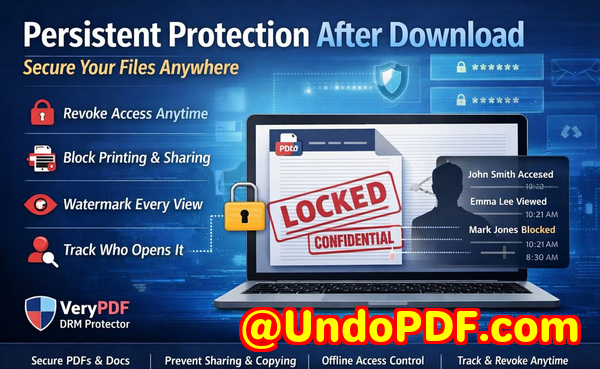
So how can you regain control and protect your business content effectively? I turned to VeryPDF DRM Protector, a solution specifically designed to secure business PDFs from unauthorized access, copying, printing, and conversion. The tool allows you to define exactly who can view a document, what actions they can take, and even prevent forwarding outside your organization. It gives you complete control over sensitive business content, from internal strategy reports to client-facing market research.

Here’s how it helps in real business scenarios:

  • Restrict access to authorized users only You can assign permissions based on teams, departments, or individual employees, ensuring that only those who need the information can see it. For instance, your R&D team can access proprietary product research while external partners see only approved summaries.

  • Prevent printing, copying, or forwarding Even if someone has access to a PDF, they cannot print it, copy content, or forward it to unauthorized parties. This prevents leaks before they happen.

  • Stop document conversion DRM protection ensures PDFs cannot be converted into editable Word, Excel, or image files, stopping unauthorized reuse and resale.

  • Track usage and activity You can see exactly who accessed each document and when, helping you respond quickly if suspicious activity occurs.

One practical example: a colleague in my team was preparing a market research report for a high-profile client. Using VeryPDF DRM Protector, we restricted access to the client’s team and added conversion and printing restrictions. A week later, we detected a colleague attempting to forward the file outside the organization. The DRM restrictions blocked this immediately, preventing potential revenue loss and safeguarding our client relationship.

Another case involved internal strategy documents. Previously, these PDFs could be downloaded and stored on personal devices, creating uncontrolled copies. After applying DRM protection, only authorized employees could access them from secure devices, and attempts to print or copy content were blocked. Not only did this reduce the risk of leaks, but it also simplified document management and compliance reporting.

Implementing this protection is straightforward. Start by selecting the PDFs you want to secure. Assign permissions based on users or groups, choose restrictions for printing, copying, or conversion, and then distribute securely. The interface is designed to be user-friendly, even for non-technical staff, which means your business can protect critical content without slowing down workflows.

The anti-piracy benefits are tangible. Once a PDF is protected with DRM, unauthorized users cannot bypass the security or convert files to other formats for resale or misuse. This protects both your revenue and your intellectual property. You retain full control over who sees your reports, ensuring sensitive business information never falls into the wrong hands.

For businesses that rely heavily on market research, strategy, or proprietary reports, this level of protection can make a measurable difference. Not only are leaks prevented, but staff and clients also feel confident that their information is secure. This builds trust and ensures that valuable insights remain exclusive to your organization.

From my experience, even small leaks can have significant consequences. By investing in a DRM solution like VeryPDF DRM Protector, you protect your bottom line, maintain client confidence, and safeguard the intellectual property that sets your business apart.

I highly recommend this to anyone distributing confidential business documents who wants to avoid costly leaks. Try it now and protect your business reports: https://drm.verypdf.com. Start your free trial today and keep your market research secure from leaks or misuse.

Frequently Asked Questions

How can I limit access to confidential business documents to prevent revenue loss?

You can restrict PDF access to specific users, teams, or departments. DRM protection ensures that only authorized parties can open or view documents.

Can I stop others from copying, printing, or converting my reports into editable formats?

Yes. VeryPDF DRM Protector allows you to block printing, copying, forwarding, and file conversions like Word, Excel, or images.

How do I track who accessed my business reports and when?

DRM tools provide usage logs, showing who accessed a PDF, when it was opened, and what actions were attempted, allowing you to detect suspicious activity quickly.

Does DRM technology prevent unauthorized sharing of PDFs outside my organization?

Absolutely. DRM restrictions can prevent forwarding, downloading, and conversion, ensuring sensitive content stays with authorized users only.

How easy is it to securely distribute protected business reports to clients or colleagues without risk?

Very easy. You can assign permissions, set restrictions, and distribute PDFs securely. The process is straightforward and does not disrupt regular workflows.

Can this solution protect market research reports from being resold by unauthorized users?

Yes. By blocking conversions and enforcing access control, DRM ensures your reports cannot be copied or sold outside your intended audience.

Will this solution work for both internal and external documents?

Yes. DRM protection is flexible enough to secure internal strategy reports and client-facing materials alike, maintaining control over all sensitive content.

Tags/Keywords:

protect business reports, secure market research, prevent PDF piracy, stop unauthorized access, protect confidential PDFs, prevent PDF conversion, safeguard business data, prevent document leaks, DRM PDF protection, control PDF distribution
UndoPDF

Internal research documents are copied and reused in external projects

When Internal Reports Leak: How to Protect Business Documents from Unauthorized Use

Last month, I experienced a situation that every business manager dreads. A market research report I carefully prepared for a client somehow ended up in the hands of a competitor. Not only did we risk losing a crucial contract, but our reputation as a trusted partner took a hit. It was a stark reminder that internal documentsstrategy reports, research studies, financial analysescan become a liability if not properly protected. The stakes are real: lost revenue, compromised intellectual property, and weakened client trust.

Internal research documents are copied and reused in external projects

Many businesses underestimate how easily confidential PDFs can be copied, forwarded, or converted into editable formats like Word or Excel. One small oversight can cascade into a significant financial loss. That’s why implementing a robust PDF protection strategy is no longer optionalit’s essential.

Real Business Risks of Unprotected Documents

  1. Market research and strategy leaks

    Imagine your company spends months analyzing market trends, competitor activity, and customer insights. These reports are shared with a few trusted partners or internal teams. But if someone outside your organization gets accesseven unintentionallyyour competitive advantage evaporates. Contracts can be lost, and your company’s credibility is undermined.

  2. Unauthorized printing, copying, and conversions

    A PDF sent to a client might seem secure, but without proper restrictions, it can be printed, copied, or even converted into Word, Excel, or image formats. Once that happens, you lose control over your data entirely. Competitors can repurpose your insights, clients may leak information, and your intellectual property is effectively stolen.

  3. Loss of control over sensitive business data

    Not knowing who accessed your files or how they were used exposes your business to risks beyond revenue loss. Confidential strategies, financial projections, and proprietary methodologies can be exposed, putting your entire operation at a disadvantage.

How VeryPDF DRM Protector Solves These Problems

After dealing with document leaks firsthand, I started exploring solutions that could provide real, actionable protection. That’s when I discovered VeryPDF DRM Protector. This tool isn’t just about locking PDFsit’s about giving you control, tracking, and peace of mind.

  • Restrict access to authorized users: Only specific teams, departments, or clients can open your documents. You can even set expiration dates or revoke access at any time.

  • Prevent copying, printing, and forwarding: DRM Protector enforces strict usage rules so your documents remain exactly where you intend them to be. No more worrying about accidental forwarding or internal leaks.

  • Stop PDF conversion: Your research reports or strategy documents cannot be converted to Word, Excel, or images, which protects them from being repurposed or resold.

Real-World Scenarios Where DRM Protection Matters

  • Securing market research reports: One colleague had a situation where a pricing study was forwarded without permission. By implementing DRM restrictions, they ensured only approved teams could view it, preventing further leaks.

  • Managing confidential content across teams: Sharing strategic plans with multiple departments can be risky. DRM Protector allows document owners to set team-specific access levels and usage restrictions.

  • Saving money and protecting IP: In one case, a firm avoided a potential lawsuit and lost revenue because DRM tracking revealed an unauthorized access attempt before any sensitive content was leaked.

Practical Steps to Protect Your PDFs

  1. Install VeryPDF DRM Protector and upload the PDFs you need to secure.

  2. Assign access rights: define who can open the document, when, and for how long.

  3. Enable anti-copying and anti-printing restrictions.

  4. Use DRM logs to track who opens your reports and when.

  5. Revoke access if a risk is detected, keeping sensitive content in your control.

This approach turns a potentially chaotic situation into a controlled, trackable process, ensuring that your business insights stay confidential.

Benefits Beyond Security

  • Stop unauthorized PDF sharing: You prevent documents from circulating outside your organization, safeguarding client trust.

  • Maintain operational control: Every document has clear access rules, so employees or partners know exactly what they can and cannot do.

  • Prevent revenue leakage: By controlling document usage, you reduce the risk of losing contracts or intellectual property.

I’ve seen firsthand how implementing DRM can transform document management. Teams feel more confident sharing content internally and externally because they know it’s secure. Business owners can sleep better knowing that proprietary reports aren’t silently slipping into competitors’ hands.

Conclusion

In today’s business environment, controlling who accesses your documents isn’t a luxuryit’s a necessity. VeryPDF DRM Protector offers a simple yet powerful way to protect market research, strategy documents, and proprietary materials. It prevents unauthorized copying, printing, and conversions, while giving you full control over distribution.

I highly recommend this to anyone distributing confidential business documents who wants to avoid costly leaks. Try it now and protect your business reports: https://drm.verypdf.com. Start your free trial today and keep your market research secure from leaks or misuse.

FAQs

Q1: How can I limit access to confidential business documents to prevent revenue loss?

A1: VeryPDF DRM Protector allows you to set user-specific access permissions, including expiration dates, so only authorized personnel can view your documents.

Q2: Can I stop others from copying, printing, or converting my reports into editable formats?

A2: Yes, DRM Protector enforces anti-copying, anti-printing, and anti-conversion restrictions, keeping your reports in their original protected format.

Q3: How do I track who accessed my business reports and when?

A3: The tool provides detailed logs of every document access, showing who opened it, when, and from which device.

Q4: Does DRM technology prevent unauthorized sharing of PDFs outside my organization?

A4: Absolutely. DRM restrictions prevent forwarding, external access, and any attempt to bypass protections, securing sensitive data.

Q5: How easy is it to securely distribute protected business reports to clients or colleagues without risk?

A5: It’s straightforward: upload your PDF, set access controls, and share the protected file. Recipients can view it without compromising security.

Q6: Can I revoke access if a document is at risk?

A6: Yes, you can instantly revoke access for any user, ensuring sensitive information remains under your control.

Q7: Is it suitable for multiple types of business documents?

A7: VeryPDF DRM Protector works with market research reports, financial analyses, strategy documents, and any proprietary PDFs.

Tags/Keywords

protect business reports, secure market research, prevent PDF piracy, stop unauthorized access, protect confidential PDFs, prevent PDF conversion, DRM for business, secure client reports, protect proprietary documents, anti-piracy PDF solutions

UndoPDF

A supplier forwards confidential agreements to third parties without authorization

When a Supplier Leaks Confidential Agreements: How to Protect Your Business Reports

I never thought it would happen to usuntil it did. Last quarter, a key supplier forwarded one of our confidential agreements to a third party without permission. That single action put months of negotiation at risk, jeopardized client trust, and could have cost us a six-figure deal. For any business relying on proprietary documents, market research, or sensitive contracts, this scenario isn’t just a nightmareit’s a real risk that can happen at any time.

A supplier forwards confidential agreements to third parties without authorization

Many businesses underestimate the consequences of unsecured PDFs. A forwarded agreement, a copied strategy document, or an exported market analysis can lead to lost revenue, leaked intellectual property, and long-term reputational damage. Protecting your confidential business reports isn’t optional; it’s essential.

The challenge is that traditional PDF protection isn’t enough. Passwords are easily shared, and once a PDF is downloaded, control is gone. This is where VeryPDF DRM Protector becomes a game-changer.


Imagine this: your team creates a comprehensive market research report for a client. Weeks of research, detailed analysis, and proprietary insightsall packed into a single PDF. You share it with your client, but a few days later, you hear it’s been forwarded to a competitor. That document, which should have been tightly controlled, is now at risk of misuse, replication, or resale.

This isn’t hypothetical. Businesses face three major pain points every day:

  • Unauthorized Sharing and Forwarding: When PDFs are shared beyond the intended audience, companies face lost contracts, damaged client relationships, and exposure of sensitive strategies. One forwarded report can ripple into serious financial loss.

  • Copying, Printing, or Conversion to Other Formats: PDFs converted into Word, Excel, or images can be reused, repackaged, or even sold. This not only steals intellectual property but creates revenue leakage from your proprietary insights.

  • Loss of Control Over Sensitive Data: Without real-time monitoring or access restrictions, there’s no way to know who opened your documents, when they accessed them, or if they’re being distributed outside your organization. Competitors gain an unfair advantage, and your risk multiplies with every unprotected document.


Here’s where VeryPDF DRM Protector addresses these issues head-on. Unlike standard password protection, DRM control lets you manage documents dynamically.

  • Restrict Access to Authorized Users: Only designated employees, clients, or departments can open a PDF. You control who sees what, ensuring sensitive content never leaves approved hands.

  • Prevent Unauthorized Actions: Printing, copying, forwarding, or converting your PDFs becomes impossible without permission. This stops revenue leakage and protects intellectual property.

  • Track and Monitor Usage: Every access is logged. You’ll know who opened a report, when, and from which device. If a document is being misused, you have the visibility to act immediately.

  • Protect Market Research and Proprietary Reports: Strategic business documents, pricing models, and research findings remain secured even after sharing. You maintain full control without slowing down legitimate business processes.


Real-world examples highlight how practical DRM protection is:

  • A consulting firm prevented sensitive client proposals from being forwarded outside the organization. Previously, junior staff often sent documents via email attachments, but DRM controls restricted access to approved recipients only.

  • A market research agency saved thousands in potential revenue loss when a major competitor tried to use an exported PDF. VeryPDF DRM Protector blocked conversion attempts to Word and Excel, keeping proprietary insights safe.

  • A technology startup shared product strategy documents with investors while keeping full control over usage. Even when investors attempted to download or print sections for personal reference, DRM rules ensured only authorized actions were allowed.

Using VeryPDF DRM Protector is straightforward:

  1. Upload your PDF document to the DRM platform.

  2. Set access permissions by user, team, or department.

  3. Choose restrictions (printing, copying, forwarding, conversion).

  4. Distribute securely with a link or protected file.

  5. Monitor access and usage in real-time dashboards.

By taking these steps, you stop unauthorized sharing in its tracks, prevent accidental leaks, and protect your company’s reputation and revenue.


When I first implemented VeryPDF DRM Protector, the impact was immediate. Documents that were once at risk of being copied or forwarded were now fully controlled. I didn’t have to chase emails or worry about leaked attachments. Our clients appreciated the professionalism, and our internal teams had a simple, reliable method to share confidential reports. The ROI wasn’t just financialit was peace of mind.

I highly recommend this to anyone distributing confidential business documents who wants to avoid costly leaks. Protecting your PDFs doesn’t just safeguard data; it safeguards contracts, client relationships, and the competitive edge you’ve worked hard to build.

Try it now and protect your business reports: https://drm.verypdf.com

Start your free trial today and keep your market research secure from leaks or misuse.


Frequently Asked Questions

Q1: How can I limit access to confidential business documents to prevent revenue loss?

A1: VeryPDF DRM Protector allows you to restrict PDF access to specific users, teams, or departments. You can also set expiration dates and revoke access anytime, ensuring only authorized parties can view your content.

Q2: Can I stop others from copying, printing, or converting my reports into editable formats?

A2: Yes. DRM restrictions prevent unauthorized printing, copying, or conversion to Word, Excel, or image files, ensuring your proprietary content remains secure.

Q3: How do I track who accessed my business reports and when?

A3: The platform logs all access attempts, showing who opened each document, the time of access, and the device used. This helps monitor potential misuse in real-time.

Q4: Does DRM technology prevent unauthorized sharing of PDFs outside my organization?

A4: Absolutely. Even if a PDF is forwarded or downloaded, only authorized users can open it. Attempted access by unapproved recipients is blocked immediately.

Q5: How easy is it to securely distribute protected business reports to clients or colleagues without risk?

A5: VeryPDF DRM Protector makes distribution simpleupload the PDF, set access permissions, and share via secure links. No technical expertise is required, and the document remains fully protected.

Q6: Can DRM protection prevent accidental leaks by internal staff?

A6: Yes. By restricting actions such as forwarding or printing, even internal staff cannot unintentionally distribute sensitive documents beyond approved recipients.

Q7: Will this help maintain my company’s competitive advantage?

A7: Definitely. Protecting confidential business documents ensures that proprietary insights, pricing strategies, and market research reports stay internal, preventing competitors from gaining unauthorized advantages.


Keywords: protect business reports, secure market research, prevent PDF piracy, stop unauthorized access, protect confidential PDFs, prevent PDF conversion, safeguard business data, prevent document leaks, control PDF distribution, secure proprietary reports

UndoPDF

Your companys pricing strategy documents are shared externally, weakening your competitive position

How Leaked Pricing and Strategy Documents Can Cost Your Business Millions

Imagine this: last quarter, one of our most detailed market research reports ended up in the hands of a competitor. We had spent weeks analyzing customer behavior, pricing trends, and strategic opportunities, only to watch a potential contract slip away because the client inadvertently shared our report with others. This kind of leak isn’t just embarrassingit’s expensive. Lost revenue, diminished client trust, and weakened competitive advantage are real consequences of unprotected business documents.

Your companys pricing strategy documents are shared externally, weakening your competitive position

In today’s fast-paced business environment, securing confidential data isn’t optional. Market research reports, pricing strategies, and proprietary business materials are the lifeblood of decision-making. If these documents are shared without control, your company risks losing more than moneyyou could lose your market position. Fortunately, tools like VeryPDF DRM Protector give business owners, managers, and content creators a practical way to protect confidential PDFs and prevent unauthorized access or piracy.

The Hidden Costs of Unprotected Business Reports

Businesses often underestimate how quickly sensitive information can leak. Consider these common scenarios:

  • Market research falling into the wrong hands: A competitor receives a forwarded market report and adjusts their pricing or marketing strategy ahead of you, leading to lost contracts or diminished market share.

  • Unauthorized printing or copying: Employees or partners print, copy, or convert PDFs into editable formats like Word or Excel. These files can be redistributed or resold, directly affecting your revenue and intellectual property.

  • Loss of document control: Without restrictions, you can’t track who accessed your reports, when they did, or what actions they took. The uncertainty leaves your business vulnerable to strategic exposure.

These aren’t abstract risksthey happen every day. I’ve seen teams spend months on market analysis only to have that work diluted or misused due to lax document security. It’s a hard lesson that every business owner or manager should heed.

Protecting Business Documents with DRM Technology

This is where VeryPDF DRM Protector comes in. Unlike simple password protection, DRM (Digital Rights Management) gives you full control over who can access, view, or use your PDFs. Here’s how it addresses real-world business pain points:

  • Restrict access: Limit your documents to authorized users, teams, or departments. Only those you specify can open and view the content.

  • Prevent printing, copying, and forwarding: Stop PDFs from being printed, copied, or shared externally. Even if a file ends up on the wrong device, unauthorized use is blocked.

  • Maintain operational control: Protect proprietary content like market research, pricing strategies, and internal analyses in real operational contexts.

Anti-Piracy Benefits You Can See

Beyond internal controls, VeryPDF DRM Protector also safeguards your business against external threats:

  • Stop unauthorized conversion: PDFs can’t be converted into Word, Excel, or images for redistribution. This prevents competitors or bad actors from profiting from your hard work.

  • Track document activity: Know exactly who accessed your report and when. This audit trail reduces uncertainty and strengthens accountability.

  • Preserve revenue and IP: By stopping leaks before they happen, you avoid costly lost contracts and safeguard intellectual property that could otherwise be exploited.

I recall a colleague in a consulting firm who used VeryPDF DRM Protector on a critical client proposal. A team member accidentally sent the draft to an external vendor, but the document was fully protected. The vendor couldn’t copy, print, or share it, and the project stayed on track without risk of IP theft. The peace of mind was priceless.

Practical Steps to Protect Your PDFs Today

Here’s how I implement DRM protection for business-critical documents:

  1. Identify sensitive content: Market research reports, pricing strategies, investor presentations, and internal analyses should all be considered for protection.

  2. Assign permissions carefully: Only give access to team members who need it. Use role-based restrictions to avoid accidental exposure.

  3. Enable anti-copy and anti-print settings: Prevent unauthorized duplication and maintain control over document distribution.

  4. Monitor usage: Check activity logs to ensure compliance and quickly respond to suspicious access attempts.

  5. Communicate with stakeholders: Inform clients and partners that files are protected. It reassures them while preventing unauthorized sharing.

These steps may seem straightforward, but the impact is substantial. By proactively controlling document access, you can prevent revenue loss, protect intellectual property, and maintain trust with clients.

Why Every Business Should Consider DRM Protection

Every day, unprotected PDFs are a hidden vulnerability. When market research reports or strategy documents are leaked:

  • Competitors gain an advantage without any investment in research.

  • Clients lose confidence in your ability to safeguard information.

  • Teams face increased administrative overhead trying to manage versions and track access manually.

Using VeryPDF DRM Protector addresses all of these risks with minimal disruption. From preventing unauthorized forwarding to stopping conversion into editable formats, the tool makes protecting your business documents practical and effective.

I highly recommend this to anyone distributing confidential business documents who wants to avoid costly leaks. The combination of ease of use, control, and anti-piracy measures ensures that your company maintains a competitive edge without the constant fear of information leakage.

Try it now and protect your business reports: https://drm.verypdf.com

Start your free trial today and keep your market research secure from leaks or misuse.

Frequently Asked Questions

How can I limit access to confidential business documents to prevent revenue loss?

VeryPDF DRM Protector allows you to set access restrictions by user, team, or department. Only authorized individuals can open the PDF, ensuring sensitive content never reaches unintended recipients.

Can I stop others from copying, printing, or converting my reports into editable formats?

Yes. DRM Protector prevents printing, copying, forwarding, and conversion into Word, Excel, or image files, protecting your IP and stopping unauthorized redistribution.

How do I track who accessed my business reports and when?

You can monitor document activity through built-in logs that track user access and actions, providing a clear audit trail for accountability and risk management.

Does DRM technology prevent unauthorized sharing of PDFs outside my organization?

Absolutely. Protected PDFs cannot be opened, printed, copied, or forwarded by unauthorized users, ensuring your confidential information stays within your controlled network.

How easy is it to securely distribute protected business reports to clients or colleagues without risk?

It’s straightforward. You simply assign access permissions and share the PDF. Users can view the content securely without the risk of unauthorized copying or sharing.

Can I protect multiple documents at once?

Yes. VeryPDF DRM Protector allows batch protection, making it efficient to secure large sets of reports, strategy documents, or proprietary materials quickly.

Is the system suitable for remote teams and external partners?

Yes. You can grant temporary access or limited permissions to external collaborators, ensuring they can view the necessary files without compromising security.

Tags / Keywords:

protect business reports, secure market research, prevent PDF piracy, stop unauthorized access, protect confidential PDFs, prevent PDF conversion, secure client reports, prevent IP theft, restrict PDF access, manage confidential data

UndoPDF

A merger document is leaked before official announcement, affecting stock value and negotiations

When a Merger Plan Leaks Early: Protect Business Reports and Market Research from Unauthorized Access

Last month, I experienced a situation that kept me awake for nights. A strategic merger document I had carefully prepared and shared with a select group of executives somehow ended up circulating outside our organization. By the time we realized it, the news had reached our competitors, and the company’s stock value had wavered. Beyond the financial hit, client trust and negotiation leverage were at risk. This scenario isn’t hypotheticalbusiness professionals face similar crises daily, especially when sensitive reports, market research, or proprietary materials fall into the wrong hands.

A merger document is leaked before official announcement, affecting stock value and negotiations

In a world where PDFs are the standard for business reports, ensuring they don’t leak or get misused is critical. Without proper protection, your hard work could easily be forwarded, copied, or even converted into editable formats, exposing your company to tangible losses. That’s where a tool like VeryPDF DRM Protector becomes essential.


Real Business Pain Points You Might Be Facing

One of the most common headaches for business owners and managers is the unauthorized distribution of sensitive content. Consider these scenarios:

  • Market research reports shared externally: Imagine spending weeks compiling an in-depth competitor analysis or a consumer trend report, only to have it forwarded to a competitor. This can result in lost contracts, compromised strategy, and reduced client confidence.

  • Unauthorized printing or conversion: PDFs might be shared internally, but employees or collaborators can still print, copy, or convert them to Word, Excel, or images. This seemingly small leak can snowball into stolen intellectual property or reports being sold or misused by others.

  • Loss of control over confidential data: In complex projects, multiple teams access sensitive documents. Without proper restrictions, anyone with a PDF copy can redistribute it outside the organization, creating competitive risks and potential revenue loss.


How VeryPDF DRM Protector Solves These Problems

After encountering document leaks, I knew we needed a solution that wasn’t just about password protection. VeryPDF DRM Protector provides a practical way to manage access while preventing unauthorized distribution. Here’s how it addresses real-world business risks:

  • Restrict access to authorized users: You can define who sees your documentsspecific employees, teams, or departmentsensuring that sensitive data never reaches unauthorized eyes.

  • Prevent printing, copying, or forwarding: Even if someone has access, they cannot print or copy content, nor can they remove DRM restrictions. This stops casual leaks before they happen.

  • Protect against PDF conversion: With DRM restrictions, your reports cannot be converted into Word, Excel, or images, eliminating the risk of repurposing or resale by third parties.

  • Maintain full control over distribution: You can track usage, monitor document activity, and revoke access if necessary, providing peace of mind in high-stakes business operations.


Real-World Examples of DRM Protection in Action

When I first implemented VeryPDF DRM Protector, the results were immediate. A marketing analysis PDF that had previously been forwarded without authorization was now securely shared.

  • Preventing leaks to competitors: One of our regional strategy reports was accessed by a partner who had no clearance to share externally. DRM protection ensured they could view it without copying or forwarding, preventing a potential competitive breach.

  • Simplifying management of confidential content: Instead of chasing down misplaced or misused files, our team could securely distribute reports, knowing that only authorized personnel could access them.

  • Saving money and protecting IP: By preventing unauthorized PDF conversions, we avoided costly losses from someone repackaging our proprietary templates and selling them externally.

The process is straightforward. Here’s a step-by-step example of how we secured a market research report:

  1. Upload the PDF to VeryPDF DRM Protector.

  2. Set access restrictions: designate who can open the file.

  3. Enable anti-copying and anti-printing settings.

  4. Share the protected link with your team or clients.

  5. Monitor document activity and revoke access if necessary.

This method ensured that our reports stayed internal, our IP remained secure, and our competitive advantage intact.


Why Anti-Piracy Measures Are Critical for Your Business

PDF leaks are not just inconvenientthey have measurable consequences. Without proper DRM, your reports can:

  • Be copied and converted into editable formats for resale or misuse.

  • Be forwarded to competitors or unauthorized partners, undermining negotiations.

  • Reduce client trust when confidential information is mishandled.

VeryPDF DRM Protector mitigates these risks by stopping unauthorized users from bypassing PDF security. The tool ensures that each document remains within its intended audience, maintaining control over your distribution network. For businesses dealing with sensitive market research or strategic plans, this is a game-changer.


Tips for Protecting Business Reports

  • Always define clear access permissions for sensitive documents.

  • Use DRM protection rather than simple passwordsthey are far more secure.

  • Regularly audit who has access to critical reports.

  • Educate your team about the risks of sharing PDFs externally.

  • Implement tracking features to see who accesses each document and when.

By following these practices, you create multiple layers of security around your most important business assets.


Conclusion: Protect Your Business Reports with Confidence

Experiencing a leak firsthand showed me how vulnerable sensitive business information can be. VeryPDF DRM Protector offers a simple yet powerful solution to these risks, ensuring that market research, strategy documents, and proprietary materials remain secure.

I highly recommend this to anyone distributing confidential business documents who wants to avoid costly leaks, lost revenue, and compromised client trust. Try it now and protect your business reports: https://drm.verypdf.com

Start your free trial today and keep your market research secure from leaks or misuse.


Frequently Asked Questions (FAQs)

1. How can I limit access to confidential business documents to prevent revenue loss?

You can restrict PDFs to specific users or teams using DRM technology, ensuring only authorized personnel can open and view files.

2. Can I stop others from copying, printing, or converting my reports into editable formats?

Yes. DRM protection prevents printing, copying, and conversion to Word, Excel, or images, safeguarding intellectual property and sensitive content.

3. How do I track who accessed my business reports and when?

VeryPDF DRM Protector includes activity monitoring, allowing you to see which users accessed documents and their actions within the file.

4. Does DRM technology prevent unauthorized sharing of PDFs outside my organization?

Absolutely. It enforces access controls and anti-forwarding measures, making it impossible for unauthorized users to share files externally.

5. How easy is it to securely distribute protected business reports to clients or colleagues without risk?

It’s straightforward. You can upload the PDF, apply DRM settings, and send a secure link. Only intended recipients can access the document.

6. Can DRM protect both internal and client-facing documents?

Yes, you can tailor access for internal teams and external clients, ensuring security for all sensitive materials.

7. What types of business documents benefit most from DRM protection?

Market research reports, strategy documents, proprietary templates, financial reports, and any confidential PDFs are ideal candidates for DRM protection.


Tags / Keywords

protect business reports, secure market research, prevent PDF piracy, stop unauthorized access, protect confidential PDFs, prevent PDF conversion, safeguard business documents, anti-leak PDF, secure proprietary reports, protect intellectual property