UndoPDF

How to Batch Redact Sensitive Information from Large PDF Archives Using AI Command Line Tool

Securely Redact Sensitive Data from Large PDF Archives with AI Command Line

Last month, we shared a PDF report with a partner, only to realize it still contained unredacted employee social security numbers and client contact details. That small oversight could have triggered a serious GDPR violation and damaged our reputation overnight. If this sounds familiar, you’re not alonemany businesses struggle with safely sharing documents without exposing confidential information.

How to Batch Redact Sensitive Information from Large PDF Archives Using AI Command Line Tool

In today’s fast-paced corporate environment, the risk of accidentally leaking sensitive data is higher than ever. Financial reports, HR records, contracts, and legal agreements often contain personal identifiable information (PII), business secrets, or confidential clauses. Even a single misstep, like sending an unredacted PDF to the wrong recipient, can have costly consequencesregulatory fines, legal disputes, or loss of client trust. Traditional redaction methods, whether manual or online, are often unreliable. Blacked-out text can sometimes be copied or recovered, and uploading sensitive files to online tools exposes them to third-party servers.

This is where VeryPDF AI PDF Redaction Tool Command Line comes in. Designed for business professionals and compliance teams, it allows you to batch redact sensitive data in large PDF archives securely, accurately, and completely offline.

Many businesses face recurring pain points when handling sensitive PDFs:

  • Accidental exposure of sensitive information: Employee IDs, financial figures, or client emails can slip through during document sharing, risking GDPR or HIPAA violations.

  • Manual redaction errors: Highlighting or blacking out text in PDFs doesn’t always remove underlying data. Tools like Adobe Acrobat sometimes leave text layers intact, making sensitive information recoverable.

  • Risks of online redaction tools: Employees sometimes upload confidential files to free web services, unknowingly sharing private data with third-party servers.

Using VeryPDF AI PDF Redaction Tool Command Line, these risks are eliminated. Here’s how it helps businesses solve these problems:

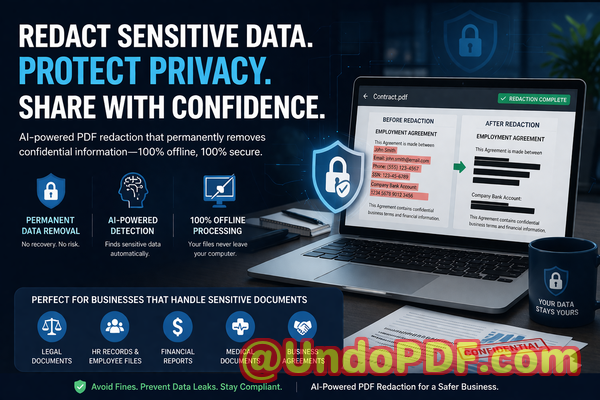
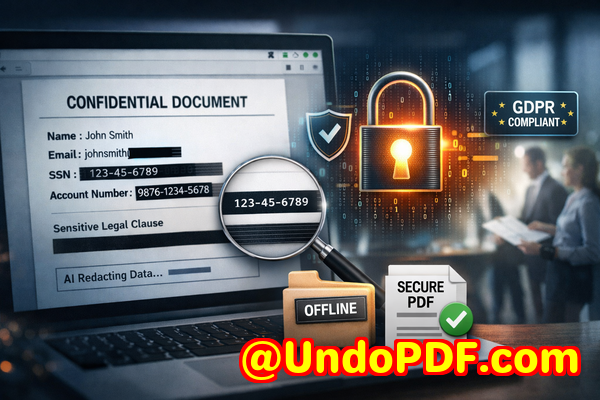
  • Automatic detection and redaction: The AI identifies names, phone numbers, emails, addresses, IDs, and even sensitive business clauses. You no longer have to comb through pages manually.

  • Permanent removal of data: Unlike visual redactions, the tool permanently deletes sensitive content from the document, leaving no recoverable text behind.

  • Fully offline processing: All files remain on your local system, ensuring that confidential information never leaves your network.

Consider a real-world scenario: a mid-sized law firm regularly shares contracts containing client personal data. Previously, staff manually redacted documents, leading to occasional mistakes and near-misses with compliance requirements. After adopting VeryPDF AI PDF Redaction Tool Command Line, they automated redaction across thousands of documents in a single batch. Sensitive clauses were reliably removed, and all data remained within their secure networkcompletely offline. This reduced errors, saved hours of manual work, and eliminated potential legal exposure.

Here’s an example workflow for secure redaction:

  1. Load PDFs: Select individual files or entire archives.

  2. Detect sensitive information: AI scans for PII, financial data, business secrets, and legal clauses.

  3. Review suggested redactions: You can approve or adjust redactions for accuracy.

  4. Apply redaction: Sensitive data is permanently removed.

  5. Export clean PDFs: Share safely without worrying about accidental leaks.

Common types of data to redact include:

  • Personal Identifiable Information (names, addresses, social security numbers)

  • Financial data (account numbers, salaries, transaction records)

  • Business secrets (proprietary strategies, client lists)

  • Legal clauses and confidential agreements

Many companies also appreciate the compliance benefits. For instance, HR departments handling payroll records or medical forms can now share documents securely without risking GDPR or HIPAA violations. Similarly, financial teams can circulate reports without exposing account details or confidential projections.

One practical example comes from a consulting firm handling multiple client contracts. By using VeryPDF’s command-line tool, they automated the redaction of hundreds of PDFs in a single operation. Not only did it prevent accidental data exposure, but it also created a verifiable audit trail showing that sensitive information was permanently removed before sharing.

The security advantages are equally compelling:

  • Prevent data leaks: Sensitive information can’t be accessed by unauthorized parties.

  • Reduce compliance risk: Fully offline processing ensures no accidental exposure to third-party servers.

  • Save time and resources: Batch processing large document archives eliminates hours of manual redaction.

I highly recommend this to anyone who needs to share documents safely without risking data leaks or compliance issues. Try it now and securely redact your PDFs: https://veryutils.com/smart-redact-server-ai-powered-pdf-redaction-software. Start your free trial today and ensure your sensitive data is permanently removed before sharing.

Frequently Asked Questions

1. How can I permanently remove sensitive data from a PDF instead of just hiding it?

VeryPDF AI PDF Redaction Tool Command Line permanently deletes sensitive information, ensuring it cannot be recovered, unlike visual redaction which may leave hidden text layers.

2. Can others recover redacted information from my PDF?

No. Once redacted using VeryPDF AI PDF Redaction, the data is fully removed, making recovery impossible.

3. Is it safe to use online PDF redaction tools?

Online tools carry risk because documents are uploaded to third-party servers. Confidential data could be stored or exposed. Using a fully offline tool eliminates this risk.

4. Does this tool work completely offline?

Yes. All processing happens locally on your machine. No data leaves your network, ensuring complete privacy.

5. What types of sensitive data can be automatically detected and removed?

AI can detect names, emails, phone numbers, social security numbers, financial info, business secrets, and legal clauses.

6. How does it help with GDPR compliance?

By permanently removing PII from PDFs, it prevents accidental data exposure and supports adherence to GDPR and other privacy regulations.

7. Can I process multiple PDFs at once?

Absolutely. The command-line tool supports batch processing, saving significant time for large document archives.

8. Do I need technical skills to use the tool?

Minimal technical knowledge is needed. The tool is designed for business professionals, with clear commands and workflow guidance.

9. How do I review redactions before applying them?

The software allows you to preview suggested redactions so you can approve or adjust them, ensuring accuracy and completeness.

10. What industries benefit most from this tool?

Legal, HR, finance, healthcare, consulting, and any business handling sensitive documents benefit from secure, automated redaction.

11. Can this tool replace manual redaction completely?

Yes. AI-powered detection and batch processing make manual redaction largely unnecessary, reducing errors and saving time.

12. How does it improve document sharing security?

By permanently removing confidential data and keeping files offline, it ensures documents can be shared safely without risk of leaks.

Tags/Keywords:

redact sensitive data, remove confidential information, PDF redaction tool, protect privacy in PDFs, prevent data leaks, offline PDF redaction, secure document sharing, AI PDF redaction, GDPR compliance, batch PDF redaction
UndoPDF

AI PDF Redaction Tool for Universities to Protect Student Data and Research Documents Without Cloud Upload

Securely Redact Sensitive PDFs Without Cloud Upload to Prevent Data Leaks

Last month, we shared a PDF containing client contracts with a partner, only to realize afterward that it still included unredacted personal data. Names, emails, and even contract terms were visibleputting us at serious risk of a GDPR violation and potential legal exposure. Situations like this aren’t rare. Many businesses face the same problem: they need to share documents quickly, but ensuring that all sensitive data is permanently removed can feel like a daunting task.

AI PDF Redaction Tool for Universities to Protect Student Data and Research Documents Without Cloud Upload

Sensitive data in PDFswhether client information, employee records, or research findingscan easily slip through if redaction isn’t done correctly. Manually blacking out text often fails; the information remains in the file, accessible to anyone with a little technical know-how. Using online tools seems convenient, but that can mean uploading confidential documents to third-party servers, creating a whole new set of privacy risks.

This is where VeryPDF AI PDF Redaction Tool Command Line comes in. It’s designed to permanently remove confidential information before sharing, all while keeping your documents offline and secure.

Many businesses struggle with these challenges every day:

  • Accidental exposure of sensitive information Names, emails, financial details, and IDs are often left in PDFs shared with clients or partners. This oversight can trigger GDPR violations, legal liabilities, or reputational damage.

  • Ineffective manual redaction Highlighting or blacking out text doesn’t always remove the underlying data. Even a redacted PDF can sometimes be copied, extracted, or recovered, leaving your business vulnerable.

  • Unsafe online redaction tools Uploading documents to online services might seem easy, but it exposes confidential files to third-party servers. A simple mistake can lead to irreversible data leaks.

With VeryPDF AI PDF Redaction Tool Command Line, these risks are addressed in a practical, scenario-driven way. Here’s how it works:

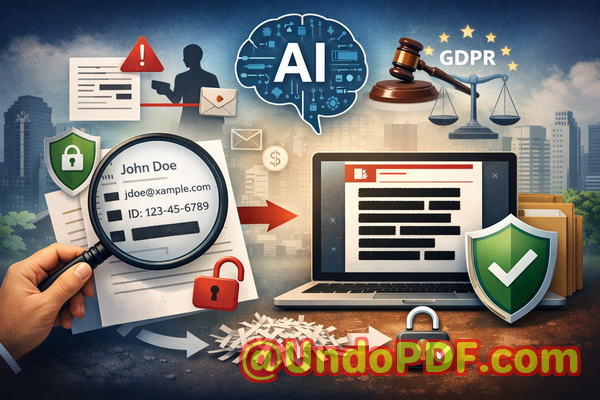
  • AI-powered detection of sensitive data Automatically identify personal identifiable information (PII), financial data, phone numbers, IDs, and other confidential content.

  • Permanent removal of sensitive information The tool doesn’t just mask data; it ensures that the content is completely deleted from the file, so it cannot be recovered.

  • Fully offline processing Your documents never leave your computer, eliminating any chance of exposure to external servers.

Imagine a legal team preparing contract documents for multiple clients. Using VeryPDF, they can load a PDF, automatically detect sensitive clauses, review suggested redactions, apply them, and export a clean, shareable PDFall without risking a leak. The workflow is simple, efficient, and, most importantly, secure.

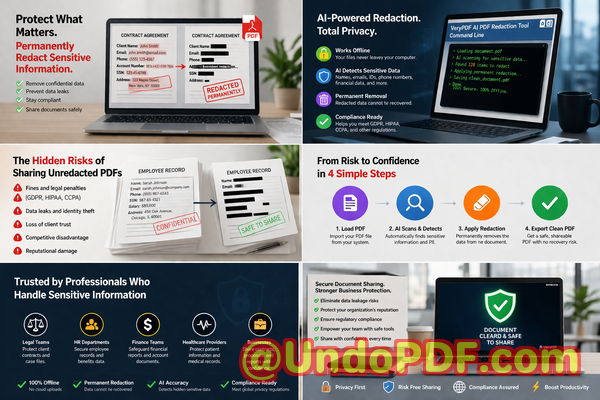
Here’s a typical workflow:

  1. Load the PDF document into the software.

  2. Use AI to automatically detect sensitive data.

  3. Review the highlighted items to ensure accuracy.

  4. Apply the redaction to permanently remove confidential information.

  5. Export the redacted PDF ready for secure sharing.

Common types of sensitive data to redact include:

  • Personal identifiable information (PII) Names, emails, phone numbers, addresses, IDs.

  • Financial data Bank account numbers, invoices, credit card information.

  • Business secrets Proprietary formulas, project plans, internal strategies.

  • Legal/confidential clauses Contract terms, client agreements, research findings.

Real-world examples highlight the value of a secure redaction tool:

  • A mid-sized consultancy avoided a GDPR fine when it realized some employee data had accidentally been included in a PDF report sent to a client. By switching to VeryPDF’s offline AI redaction, they prevented the exposure entirely.

  • An R&D department working with sensitive product designs previously used online redaction tools. One mistake could have leaked trade secrets to a competitor. Using an offline, AI-powered solution eliminated that risk.

  • A law firm needed to share documents with external partners while keeping client information confidential. Automated redaction ensured that all PII and sensitive clauses were permanently removed, giving the team peace of mind.

Using VeryPDF AI PDF Redaction Tool Command Line doesn’t just prevent data leaks; it improves operational efficiency. You no longer need to manually hunt through PDFs for sensitive content. The AI does the heavy lifting, suggesting redactions with accuracy and speed, while you maintain full control over the process.

For teams handling sensitive financial reports, HR records, or medical documents, the benefits are tangible:

  • Prevent accidental data leaks that could lead to fines or legal exposure.

  • Eliminate risk of sensitive files being uploaded to unknown servers, protecting company confidentiality.

  • Ensure compliance with GDPR and other data protection regulations, keeping your organization audit-ready.

I’ve seen firsthand how switching from manual or online redaction tools to an offline AI-powered solution transforms document handling. The peace of mind is invaluable, and the workflow becomes streamlined without compromising security.

I highly recommend this to anyone who needs to share documents safely without risking data leaks or compliance issues. Try it now and securely redact your PDFs: https://veryutils.com/smart-redact-server-ai-powered-pdf-redaction-software

Start your free trial today and ensure your sensitive data is permanently removed before sharing.

Frequently Asked Questions

  1. How can I permanently remove sensitive data from a PDF instead of just hiding it?

    The tool completely deletes detected content at the file level, ensuring it cannot be recovered.

  2. Can others recover redacted information from my PDF?

    No. Once applied, the redaction is permanent and the underlying data is removed.

  3. Is it safe to use online PDF redaction tools?

    Using online tools risks uploading confidential data to third-party servers. Offline AI redaction is safer for sensitive files.

  4. Does this tool work completely offline?

    Yes. All processing happens locally on your machine, ensuring 100% privacy.

  5. What types of sensitive data can be automatically detected and removed?

    Names, emails, phone numbers, IDs, financial data, legal clauses, and proprietary information.

  6. How can I ensure compliance with GDPR when sharing documents?

    By permanently removing PII and sensitive information before sharing, you reduce the risk of violations and demonstrate proactive compliance.

  7. Is manual review still necessary after AI detection?

    Yes. AI highlights potential sensitive content, but a quick review ensures accuracy and context-specific decisions.

  8. Can this tool handle multiple PDFs at once?

    Yes. Batch processing is supported for efficiency when dealing with large volumes of documents.

  9. Will redaction affect the PDF’s formatting or readability?

    No. Only the sensitive content is removed; formatting and remaining content remain intact.

  10. What industries benefit most from this tool?

    Legal, finance, HR, healthcare, education, R&D, and any sector dealing with sensitive or regulated information.

  11. How easy is it to integrate into existing workflows?

    The command line interface allows seamless integration into automated or manual workflows for teams of any size.

Tags / Keywords

redact sensitive data, remove confidential information, PDF redaction tool, protect privacy in PDFs, prevent data leaks, offline PDF redaction, secure document sharing, AI-powered PDF redaction, GDPR compliance, sensitive data removal

UndoPDF

How to Redact Personally Identifiable Information from Government Records Using AI Offline Software

How to Safely Redact Sensitive Data from PDFs and Protect Privacy in Business Documents

Last month, we were preparing a batch of HR records to share with an external audit firm. Everything seemed straightforward until someone noticed that a few PDFs still contained employees’ personal emails and ID numbers. A single oversight like this could have triggered a compliance nightmarethink GDPR fines, reputational damage, or worse, a legal dispute. That moment was a wake-up call: even experienced teams can accidentally expose sensitive data if PDFs aren’t properly redacted.

How to Redact Personally Identifiable Information from Government Records Using AI Offline Software

Sensitive information leaks aren’t just theoreticalthey happen every day. Contracts, HR documents, financial reports, or even internal memos can carry names, emails, phone numbers, social security numbers, and confidential business strategies. Sharing these PDFs without proper redaction puts your organization at serious risk. But manually blacking out text or using unreliable online tools isn’t enough. Here’s how AI-powered PDF redaction, done entirely offline, can solve these problems and safeguard your business.

Why Manual Redaction Fails and How Businesses Risk Exposure

Many teams still rely on old-school methods: opening a PDF, drawing black boxes over text, and calling it a day. Unfortunately, this approach is deceptively dangerous.

  • Recoverable data: Simply covering text doesn’t remove it. Anyone with basic PDF tools can copy and paste the underlying information. A blacked-out social security number? Still accessible to prying eyes.

  • Human error: Manually searching for every email, phone number, or sensitive clause is tedious. Miss one line, and you could be in violation of data protection laws.

  • Online redaction tools: It’s tempting to upload PDFs to web-based services, but you’re essentially handing your confidential information to a third party. Even if the service claims privacy, your files leave your control.

These scenarios are more than hypothetical. A financial firm I worked with once sent a batch of investment contracts to a partner. They had attempted manual redaction, but the partner discovered recoverable client bank account numbers. Not only did this trigger an internal investigation, but it also risked regulatory penalties.

The Practical Solution: AI-Powered PDF Redaction Offline

This is where VeryPDF AI PDF Redaction Tool Command Line comes in. Unlike traditional methods, it automatically detects and permanently removes sensitive information, all while keeping your documents offline.

How it solves real business risks:

  • Automatic detection of sensitive data: Names, emails, phone numbers, addresses, IDs, financial informationAI scans the document intelligently to find what you need to remove.

  • Permanent removal: No more visual black boxes that leave underlying text exposed. The confidential data is fully deleted, leaving a clean PDF ready to share.

  • Offline processing: All documents stay on your computer. There’s no risk of accidentally uploading sensitive files to an unknown server, ensuring 100% privacy.

Real Business Examples

  1. Legal Documents: A law firm needed to share case files with multiple partners but wanted to avoid disclosing client identities. By running the files through VeryPDF AI PDF Redaction Tool Command Line, they automatically masked all client names and contact information while keeping the document usable.

  2. HR Records: A company preparing payroll PDFs for internal audit realized that manual redaction could miss social security numbers. The offline AI tool identified and redacted these sensitive fields in seconds, preventing potential fines.

  3. Financial Reports: A finance team wanted to share quarterly reports but needed to protect sensitive revenue figures and client details. The AI tool permanently removed confidential numbers, enabling secure sharing without compromising privacy.

How to Redact PDFs Safely: Step-by-Step Workflow

  1. Load PDF: Open the PDF in VeryPDF AI PDF Redaction Tool Command Line.

  2. Detect Sensitive Data: Let the AI scan for PII, financial info, legal clauses, and business secrets.

  3. Review: Check which items will be redacted. You retain control and can adjust if needed.

  4. Apply Redaction: The tool permanently removes all flagged information.

  5. Export Clean PDF: Share confidently, knowing the document no longer contains recoverable sensitive data.

Common Types of Data to Redact

  • Personal Identifiable Information (PII): Names, emails, phone numbers, addresses

  • Financial data: Bank accounts, credit card numbers, salary info

  • Business secrets: Strategy documents, pricing models, proprietary workflows

  • Legal/confidential clauses: Contracts, NDAs, client agreements

Using AI-powered tools ensures nothing slips through. Employees no longer have to hunt line by line or risk human error.

Privacy and Compliance Benefits

  • Prevent data leaks: Permanent removal of sensitive info protects against accidental exposure.

  • Avoid fines or legal exposure: Ensures compliance with GDPR, HIPAA, or other local data protection laws.

  • Offline security: Files never leave your computer, eliminating the risk of third-party breaches.

  • Time efficiency: What once took hours manually now takes minutes, freeing teams to focus on business priorities.

My Recommendation

I highly recommend VeryPDF AI PDF Redaction Tool Command Line to anyone who handles sensitive documents regularly. Switching from manual methods or online redaction tools to this AI-powered offline solution has saved businesses from potential fines, client trust issues, and embarrassing data leaks.

Try it now and securely redact your PDFs: https://veryutils.com/smart-redact-server-ai-powered-pdf-redaction-software

Start your free trial today and ensure your sensitive data is permanently removed before sharing.

FAQs

1. How can I permanently remove sensitive data from a PDF instead of just hiding it?

Use AI-powered redaction tools like VeryPDF AI PDF Redaction Tool Command Line, which fully deletes the data rather than covering it visually.

2. Can others recover redacted information from my PDF?

No. When redacted properly with this tool, the sensitive data is permanently removed and cannot be restored.

3. Is it safe to use online PDF redaction tools?

Online tools risk uploading confidential information to third-party servers. Fully offline solutions are safer for sensitive documents.

4. Does this tool work completely offline?

Yes. All processing occurs on your local machine, ensuring that your documents never leave your control.

5. What types of sensitive data can be automatically detected and removed?

Names, emails, phone numbers, addresses, financial information, legal clauses, and business secrets can all be detected by AI.

6. Can I review the redactions before applying them?

Absolutely. The tool allows you to review and approve detected sensitive information before final redaction.

7. How does this tool help with GDPR compliance?

By permanently removing PII from documents, it ensures that shared PDFs do not contain sensitive personal data, reducing compliance risk.

8. Will this affect the readability of my PDFs?

No. The tool preserves the original layout and content of non-sensitive information while removing confidential data.

9. Can it handle large batches of documents?

Yes. The command line interface supports bulk processing, making it ideal for legal, HR, and finance departments.

10. Is technical expertise required to use this tool?

Minimal. While it offers command line flexibility, the workflow is intuitive and designed for business professionals.

11. What types of documents are suitable for redaction?

Contracts, HR records, financial reports, medical files, internal memos, and any PDF containing confidential information.

Keywords

redact sensitive data, remove confidential information, PDF redaction tool, protect privacy in PDFs, prevent data leaks, offline PDF redaction, secure document sharing, AI PDF redaction, GDPR compliance, confidential PDF protection

UndoPDF

Best Practices for Secure PDF Redaction Using AI Tools Without Leaving Hidden Data Behind

Securely Redacting PDFs: How AI Tools Prevent Data Leaks and Protect Confidential Information

Last month, we shared a PDF contract with a new partner, only to discover later that it still contained unredacted personal information about our employeesnames, emails, and even partial Social Security numbers. That oversight put us at immediate risk of GDPR violations and potential legal repercussions. It was a wake-up call: even routine document sharing can expose sensitive data if proper precautions aren’t taken. For many businesses, this scenario isn’t hypotheticalit happens more often than we think.

Best Practices for Secure PDF Redaction Using AI Tools Without Leaving Hidden Data Behind

Accidental exposure of confidential information isn’t just embarrassing; it carries real financial and reputational consequences. Compliance violations, fines, and eroded client trust are very real outcomes when sensitive data isn’t handled correctly. For professionals managing contracts, HR records, or financial statements, ensuring that all confidential data is fully removed from shared PDFs is non-negotiable.

One solution that has transformed how companies protect sensitive information is VeryPDF AI PDF Redaction Tool Command Line. This AI-powered software permanently removes confidential data from PDFs while keeping your documents secure and offline. Unlike traditional “blackout” methods, which can leave recoverable text behind, this tool ensures that once data is redacted, it cannot be retrieved by unauthorized parties.


Many businesses still underestimate the risks tied to improper redaction. Here are some common pain points that we’ve seen firsthand:

1. Sensitive data accidentally exposed

It’s easy to assume that highlighting and blacking out a name or number is enough. But in many cases, the original text remains in the PDF layer, allowing anyone with basic knowledge or tools to copy or recover it. Exposure of personal identifiable information (PII), financial details, or internal identifiers can lead to severe compliance issues.

2. Manual redaction errors

Manual redaction is tedious and prone to mistakes. Missed lines, overlapping content, or incorrect formatting can leave confidential data partially visible. Even a single overlooked email address or client account number can trigger a data breach investigation.

3. Unsafe online tools

Many employees turn to free online PDF editors, unaware that uploading sensitive documents to third-party servers carries inherent risk. Once files leave your local environment, you lose control over them, opening doors to data theft, accidental leaks, or misuse by external parties.


VeryPDF AI PDF Redaction Tool Command Line solves these challenges directly. Here’s how it protects businesses and sensitive information:

Automatic Detection and Redaction

The AI engine scans PDFs for sensitive data such as names, emails, phone numbers, financial details, and identification numbers. You no longer need to manually search for every instanceAI identifies patterns and ensures nothing is missed.

Permanent Removal, Not Just Hiding

Traditional redaction tools often only obscure text visually. VeryPDF AI PDF Redaction goes further, permanently removing the underlying content. Once redacted, the data cannot be recovered, even with advanced extraction methods.

Fully Offline Processing

All redaction occurs locally on your computer. Documents never leave your system, ensuring 100% privacy and eliminating the risk associated with cloud-based services or online editors.


Real-World Scenarios Where Proper Redaction Matters

  • A financial services firm avoided a GDPR penalty by redacting client data before sharing monthly reports with third-party auditors. The AI tool flagged every personal identifier, ensuring compliance.

  • An HR team switched from a free online PDF editor to an offline AI solution. Previously, resumes and employee records were uploaded externally, posing a potential leak risk. With offline redaction, all sensitive data stays internal.

  • A law firm preparing case summaries for a client review accidentally left internal notes visible. Using the AI PDF Redaction tool, all confidential legal clauses were permanently removed before sending, preventing exposure to competitors.


Step-by-Step Redaction Workflow for Business PDFs

  1. Load your PDF Open the document in VeryPDF AI PDF Redaction Tool Command Line.

  2. Detect sensitive data Let the AI scan for names, emails, phone numbers, IDs, and financial details.

  3. Review identified content Confirm what should be redacted; adjust as needed.

  4. Apply redaction Permanently remove the selected content.

  5. Export clean PDF Share the document confidently, knowing all confidential data is irrecoverable.

Types of Data You Should Always Redact

  • Personal Identifiable Information (PII) Names, email addresses, phone numbers, Social Security numbers.

  • Financial Data Bank accounts, credit card numbers, internal budget figures.

  • Business Secrets Trade secrets, project plans, strategic communications.

  • Legal and Confidential Clauses Contractual obligations, non-disclosure terms, or internal memos.


Using VeryPDF AI PDF Redaction Tool Command Line is not just about complianceit’s about building trust with clients, partners, and employees. By eliminating hidden risks in shared PDFs, companies safeguard their reputation, avoid costly fines, and ensure confidential information stays secure.

I highly recommend this to anyone who needs to share documents safely without risking data leaks or compliance issues. It’s straightforward, AI-powered, and fully offline. For businesses handling sensitive documents daily, this tool is indispensable.

Try it now and securely redact your PDFs: https://veryutils.com/smart-redact-server-ai-powered-pdf-redaction-software

Start your free trial today and ensure your sensitive data is permanently removed before sharing.


Frequently Asked Questions

1. How can I permanently remove sensitive data from a PDF instead of just hiding it?

Use an AI-powered tool like VeryPDF AI PDF Redaction Tool Command Line, which completely deletes the underlying content, not just the visible text.

2. Can others recover redacted information from my PDF?

Not if the redaction is applied with a tool that permanently removes data. Visual-only methods can leave data recoverable.

3. Is it safe to use online PDF redaction tools?

No. Uploading documents to third-party servers exposes sensitive information to potential leaks. Offline tools are safer.

4. Does this tool work completely offline?

Yes, all processing occurs locally on your computer, ensuring maximum privacy.

5. What types of sensitive data can be automatically detected and removed?

Names, emails, phone numbers, social security numbers, financial information, business secrets, and confidential clauses.

6. How does AI improve redaction accuracy?

AI can detect patterns and instances humans might miss, reducing the risk of accidental exposure.

7. Can I review detected data before redaction?

Yes, the tool allows you to review and adjust redaction selections before applying them.

8. Will redaction affect the formatting of my PDF?

No, the tool preserves the document layout while removing sensitive content.

9. Does this help with GDPR or other compliance regulations?

Absolutely. By permanently removing PII, it supports GDPR, HIPAA, and other privacy compliance requirements.

10. Can this tool be used for large volumes of PDFs?

Yes, the command line interface is designed for batch processing, making it efficient for large-scale document redaction.

11. How is this different from blacking out text manually?

Manual blackouts leave the underlying data intact. AI redaction permanently deletes the content, eliminating recovery risk.

12. Is the tool suitable for legal, financial, and HR documents?

Yes, it’s ideal for contracts, financial reports, HR records, and any document containing confidential information.


Tags / Keywords

redact sensitive data, remove confidential information, PDF redaction tool, protect privacy in PDFs, prevent data leaks, offline PDF redaction, secure document sharing, AI PDF redaction, GDPR compliance, confidential document protection

UndoPDF

AI PDF Redaction Tool for Automatically Removing Customer Information from PDF Reports in Bulk Processing

Secure Your Business PDFs: Automatically Redact Sensitive Data to Prevent Leaks

Last month, our legal team shared a PDF report with an external partner, only to realize later that it still contained client names, financial information, and internal notes. The thought of a potential GDPR violation or accidental leak of confidential business data kept me awake for days. For companies handling sensitive documents daily, this is not a rare scenarioit’s a real, tangible risk that can cost reputations, money, and legal standing.

AI PDF Redaction Tool for Automatically Removing Customer Information from PDF Reports in Bulk Processing

Sensitive data slipping through the cracks in PDFs is more common than most business professionals realize. From contracts and HR files to financial reports and client communications, the moment you share a document, there’s a risk. Even if you believe redaction has been done manually or with standard tools, errors often remaintext can be copied, images can reveal hidden information, and online tools might unknowingly upload your files to external servers.

This is where AI-powered PDF redaction becomes not just a convenience but a necessity. With tools like VeryPDF AI PDF Redaction Tool Command Line, you can automatically detect and permanently remove confidential data before it leaves your organization, keeping sensitive information safe and ensuring compliance.


Common Business Pain Points Around PDF Redaction

Many businesses encounter similar challenges when dealing with sensitive documents:

  • Accidental Exposure of Sensitive Data: Names, emails, financial details, and client IDs can appear in reports shared internally or externally. One misstep can create GDPR violations or legal exposure. For example, a financial services firm once sent an audit PDF to a client containing employee Social Security numbers that weren’t properly redacted, resulting in immediate regulatory scrutiny.

  • Ineffective Manual Redaction: Employees often black out text in PDFs with standard editing tools. However, such methods frequently leave underlying data recoverable. Copy-paste, OCR, or PDF extraction can reveal “hidden” information that appeared visually redacted.

  • Unsafe Online Tools: Many teams use free web-based PDF redaction tools to save time. While convenient, uploading sensitive documents to unknown servers introduces serious privacy risks. One HR department experienced a minor leak when a vendor accessed an unsecured document while testing an online toolfortunately, it was caught quickly, but the potential for larger exposure was significant.

These pain points are not just theoreticalthey represent tangible risks that businesses face every day.


How AI PDF Redaction Solves These Problems

VeryPDF AI PDF Redaction Tool Command Line addresses these business challenges directly. Here’s how:

  • Automated Detection of Sensitive Information: AI identifies names, emails, phone numbers, IDs, financial data, and other confidential elements automatically. You no longer need to comb through hundreds of pages manually, reducing human error and saving significant time.

  • Permanent Removal, Not Just Visual Masking: Unlike manual blackouts, the tool removes confidential information from the PDF completely. Once redacted, data cannot be copied, extracted, or recovered, ensuring true privacy protection.

  • Fully Offline Processing: Sensitive documents never leave your computer, eliminating the risk of accidental uploads to third-party servers. This guarantees 100% control over your data and compliance with strict privacy standards.

By using AI-powered redaction offline, you protect your business against potential leaks, compliance fines, and reputational damage.


Real-Life Scenarios Where Redaction Matters

  • Legal Departments: A law firm handling merger agreements must share sensitive client information with multiple stakeholders. Using AI redaction ensures only the necessary details are shared, preventing accidental disclosure of financial or strategic data.

  • HR Teams: When sharing employee records for audits or payroll reviews, PII must be removed. AI-powered redaction can automatically detect Social Security numbers, bank account details, and other sensitive identifiers, avoiding compliance violations.

  • Financial Reporting: A finance team preparing quarterly reports for board members can use AI redaction to ensure client or employee data doesn’t leak in public-facing summaries or internal drafts.

  • Medical or Compliance Records: Health institutions sharing patient information for research or reporting can safely redact personal health data, maintaining HIPAA or GDPR compliance.

Switching from manual or online redaction to an AI-powered, offline solution can save your company from costly mistakes while streamlining workflows.


Step-by-Step Workflow for AI PDF Redaction

Using VeryPDF AI PDF Redaction Tool Command Line is straightforward:

  1. Load the PDF Document: Start with the file that needs redaction.

  2. Detect Sensitive Data: AI automatically scans and identifies confidential elements.

  3. Review Redaction Suggestions: Optional review ensures no critical data is missed.

  4. Apply Redaction: Permanently removes selected information.

  5. Export Clean PDF: Share the fully sanitized document with confidence.

Types of Data to Redact Automatically:

  • Personal identifiable information (PII) names, addresses, emails, phone numbers

  • Financial data bank details, credit card numbers, payroll figures

  • Business secrets strategic plans, internal notes, pricing models

  • Legal and confidential clauses contract terms, NDAs, sensitive agreements

Using a structured approach ensures nothing sensitive slips through while minimizing manual effort.


Privacy and Compliance Benefits You Can Measure

  • Prevent Accidental Data Leaks: Redacted PDFs cannot expose confidential information, reducing the risk of fines or legal action.

  • No Risk from Online Services: Since processing occurs offline, sensitive documents remain under your control at all times.

  • Regulatory Compliance: Helps meet GDPR, HIPAA, and other data protection requirements by ensuring PII or confidential data is permanently removed.

  • Reduced Operational Risk: Teams save time while minimizing human error, avoiding costly mistakes that could impact your company’s reputation.

For example, a multinational consulting firm avoided a GDPR violation after switching from online redaction tools to VeryPDF AI PDF Redaction Tool Command Line. The AI detected client names and financial identifiers that manual redaction had missed, preventing potential legal exposure.


Why Offline AI Redaction Outperforms Traditional Methods

  • Accuracy: AI algorithms detect sensitive patterns that humans often overlook.

  • Permanence: Data is truly removed, not hidden beneath visual overlays.

  • Security: Offline processing ensures documents never leave your system, maintaining confidentiality.

  • Efficiency: Bulk processing allows entire libraries of documents to be sanitized quickly, saving hours of manual work.

Many organizations underestimate the risk posed by partial redaction or online tools. By implementing a fully offline, AI-driven process, you gain both security and efficiency.


Conclusion: Protect Your Business by Redacting PDFs Correctly

Over the years, I’ve seen firsthand how redaction mistakes can expose businesses to compliance issues, client dissatisfaction, and financial risk. VeryPDF AI PDF Redaction Tool Command Line solves these challenges with a practical, reliable approach. Its AI-powered detection, permanent data removal, and fully offline processing provide peace of mind while allowing your teams to work efficiently.

I highly recommend this to anyone who needs to share documents safely without risking data leaks or compliance issues. Try it now and securely redact your PDFs: https://veryutils.com/smart-redact-server-ai-powered-pdf-redaction-software. Start your free trial today and ensure your sensitive data is permanently removed before sharing.


Frequently Asked Questions

  1. How can I permanently remove sensitive data from a PDF instead of just hiding it?

    AI redaction permanently deletes data at the file level, not just visually masking it. Once applied, information cannot be recovered.

  2. Can others recover redacted information from my PDF?

    No. Unlike manual blackouts or some online tools, AI redaction ensures data is completely removed and unrecoverable.

  3. Is it safe to use online PDF redaction tools?

    Online tools pose a risk because your documents may be uploaded to third-party servers, potentially exposing sensitive information.

  4. Does this tool work completely offline?

    Yes, VeryPDF AI PDF Redaction Tool Command Line processes PDFs entirely on your computer, maintaining full privacy and control.

  5. What types of sensitive data can be automatically detected and removed?

    Names, emails, phone numbers, IDs, financial details, business secrets, legal clauses, and other PII or confidential information.

  6. Can I process multiple PDFs in bulk?

    Absolutely. The tool is designed for batch processing, saving time while ensuring consistent redaction across documents.

  7. How does this help with GDPR compliance?

    By permanently removing personal data before sharing documents, the tool reduces the risk of GDPR violations and fines.

  8. Do I need technical skills to use this tool?

    No. While command line operations are required, clear documentation and step-by-step workflows make it accessible to business professionals.

  9. What industries benefit most from AI PDF redaction?

    Legal, HR, finance, healthcare, consulting, and any business handling sensitive client or employee information.

  10. Can AI redaction miss confidential information?

    AI is highly accurate, but reviewing suggested redactions ensures no critical data is overlooked before finalizing the PDF.

  11. Is the original PDF preserved?

    Yes. You can retain a copy of the original while exporting a redacted version for safe sharing.

  12. Does it work with scanned PDFs?

    Yes. AI can detect and redact text in scanned images using OCR capabilities.


Tags/Keywords

redact sensitive data, remove confidential information, PDF redaction tool, protect privacy in PDFs, prevent data leaks, offline PDF redaction, secure document sharing, AI PDF redaction, GDPR compliance, sensitive document protection