UndoPDF

Employees download sensitive PDFs and keep them after leaving the company, creating long-term security threats

When Former Employees Keep Your PDFs, Your Business Risks Real Losses

Last month, I faced a nightmare scenario that many business managers dread: a key employee who had just left our company still had access to sensitive market research reports. Within days, we noticed that a competitor was referencing data eerily similar to our proprietary insights. Losing that contract wasn’t just frustratingit was a tangible hit to our revenue and client trust. For any business handling confidential reports, strategy documents, or proprietary materials, this is more than a hypothetical risk. It’s a real, measurable threat to both revenue and reputation.
Employees download sensitive PDFs and keep them after leaving the company, creating long-term security threats

In today’s competitive landscape, the accidentalor intentionalleak of PDFs containing business intelligence can cost thousands, if not millions. Unauthorized printing, copying, or forwarding of these documents opens the door to revenue loss, intellectual property theft, and weakened client relationships. The question becomes: how can you protect business reports, secure market research, and prevent unauthorized access without creating cumbersome workflows for your team? That’s where tools like VeryPDF DRM Protector come in.


Employees leaving the company with critical PDFs is just the tip of the iceberg. Here are some of the visible business risks many companies face:

Market Research and Strategy Documents Leaking

Imagine sending a detailed market research report to a client or internal team, only to find that it’s been forwarded to competitors. This happens more often than you’d think, especially in organizations without strong document control. Each leaked report can result in lost contracts, diluted competitive advantage, and damaged trust with clients. Once a PDF is out of your hands, traditional passwords or watermarks are often not enough to prevent misuse.

Unauthorized Copying, Printing, or Conversion

Many PDFs can easily be converted into Word, Excel, or image formats. Without proper protection, sensitive financial models, strategic roadmaps, or research data can be duplicated and distributed without your knowledge. For companies, this is a direct pathway to revenue leakage and intellectual property theft.

Loss of Control Over Sensitive Business Data

Even inside the organization, access without proper restrictions can create problems. Teams may unintentionally share proprietary documents with external partners or former employees. Maintaining oversight over who can view, print, or share your PDFs is critical to protecting your business.


This is where VeryPDF DRM Protector becomes an essential solution. It addresses these business pain points directly:

Restrict PDF Access to Authorized Users

You can assign PDFs to specific employees, teams, or departments. If someone leaves the organization, their access is instantly revoked. No more worrying about former employees holding onto sensitive reports or proprietary materials.

Prevent Printing, Copying, Forwarding, or DRM Removal

VeryPDF DRM Protector ensures that your PDFs remain exactly as you intended. Users cannot bypass restrictions, preventing your data from being printed or converted into editable formats. This means financial models, market research insights, and business strategy documents stay secure from misuse or piracy.

Protect Confidential Business Materials in Real Contexts

For example, we had a situation where a research report was shared with a client who then attempted to forward it internally. Thanks to DRM restrictions, only authorized individuals could access the document. This prevented potential exposure to competitors and safeguarded our client relationship.


The anti-piracy benefits of VeryPDF DRM Protector have tangible consequences:

  • Stops unauthorized users from bypassing PDF security, preventing potential revenue loss.

  • Prevents PDFs from being converted to Word, Excel, or images and resold or misused.

  • Maintains full control over distribution and access, reducing visible business risk.

I recall a moment when a competitor tried to pitch using a dataset similar to ours. Because our proprietary research PDFs were protected with DRM, we could confidently show that the information had not been leaked externally. That single measure saved us thousands of dollars in lost business and preserved our intellectual property.


Here’s how you can implement protection step by step:

  1. Select the PDFs to Protect Identify sensitive documents such as market research reports, strategic plans, or financial analyses.

  2. Set Access Permissions Assign specific users or teams who can open each PDF.

  3. Apply Usage Restrictions Disable printing, copying, and conversion to editable formats.

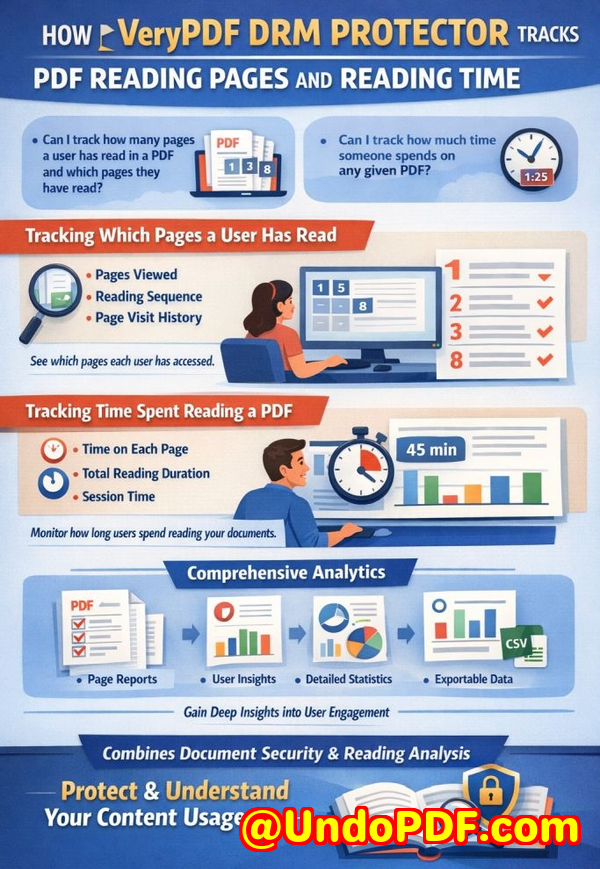
  4. Track Access Monitor who opens documents and when, ensuring accountability.

  5. Revoke Access When Needed Instantly remove access for employees leaving the company or projects ending.

Using these steps ensures your business reports remain under your control, and your sensitive data doesn’t slip into the wrong hands.


I highly recommend VeryPDF DRM Protector to anyone distributing confidential business documents. It not only prevents leaks but also simplifies document management and ensures client trust remains intact. The peace of mind knowing your reports, research, and proprietary data are secure is invaluable.

Try it now and protect your business reports: https://drm.verypdf.com

Start your free trial today and keep your market research secure from leaks or misuse.


FAQs

1. How can I limit access to confidential business documents to prevent revenue loss?

You can assign specific users, teams, or departments access to each PDF and revoke permissions as needed. DRM ensures only authorized personnel can open your reports.

2. Can I stop others from copying, printing, or converting my reports into editable formats?

Yes. DRM restrictions prevent printing, copying, and conversion to Word, Excel, or images, protecting your proprietary content from misuse.

3. How do I track who accessed my business reports and when?

VeryPDF DRM Protector provides access logs, so you can monitor each view and maintain accountability across your team or client base.

4. Does DRM technology prevent unauthorized sharing of PDFs outside my organization?

Absolutely. DRM restricts external forwarding and ensures only approved users can open and interact with the document.

5. How easy is it to securely distribute protected business reports to clients or colleagues without risk?

Distribution is simple. You share the protected PDF, and DRM ensures only authorized recipients can access it while preventing printing, copying, or conversion.

6. Can DRM protection help if an employee leaves the company suddenly?

Yes. You can instantly revoke access for any user, ensuring former employees cannot open or misuse sensitive PDFs.

7. Does implementing DRM affect the user experience for authorized employees?

Not significantly. Authorized users can open and read documents normally, while security measures run silently in the background to prevent unauthorized actions.


Tags / Keywords

protect business reports, secure market research, prevent PDF piracy, stop unauthorized access, protect confidential PDFs, prevent PDF conversion, safeguard business documents, control document access, secure proprietary data, prevent data leaks
UndoPDF

Paid subscribers download and redistribute your training manuals, bypassing your entire monetization model and reducing

Prevent PDF Piracy and Protect Confidential Business Reports from Revenue Loss

Last quarter, I sent a detailed market research report to a potential client, only to discover a few weeks later that it had been forwarded to a competitor. That single leak cost us a high-value contract and shook the trust we had painstakingly built with the client. Situations like this are more common than businesses realizeespecially when PDFs containing sensitive strategy or research data are left unprotected. Unauthorized sharing, copying, or converting PDFs into editable formats isn’t just an inconvenienceit’s a measurable business risk.

Paid subscribers download and redistribute your training manuals, bypassing your entire monetization model and reducing

When you rely on your documents to deliver value, leaks translate directly into lost revenue, eroded client trust, and intellectual property theft. Unfortunately, conventional PDF security measures often fail against motivated insiders or external actors who know how to bypass weak protections. That’s why businesses need a stronger, proactive approach.

One of the biggest pain points is the invisible leak: a trusted employee or a paying client who downloads your training manuals, strategy guides, or market analysis reports and shares them with others. These documents may end up in the hands of competitors, consultants, or resellers, and suddenly, the control you thought you had over your business assets disappears. Every forwarded PDF is a potential lossof contracts, clients, or revenue.

Another common problem is unauthorized printing or conversion. PDFs that can be easily printed, copied, or transformed into Word, Excel, or image formats are effectively unprotected. Even if access is initially restricted, once the content is out, you have no way to track or control its distribution. Companies have spent months creating proprietary research, only to see it resold or misused without any financial return. The stakes are highespecially for businesses that depend on recurring revenue from paid subscribers or clients.

Finally, there’s the risk of losing visibility and control. Without proper safeguards, you can’t know who accessed your files, when, or how they were used. This gap leaves your organization exposed to competitive intelligence threats, intellectual property theft, and compliance risks. For business managers, these aren’t abstract concernsthey’re tangible vulnerabilities that can impact quarterly revenue and client relationships.

That’s where VeryPDF DRM Protector comes in. This tool isn’t just about encrypting a PDFit’s about reclaiming control over your confidential business documents in a way that is practical and effective. With DRM protection, you can define exactly who can access your files, restrict printing, copying, or forwarding, and prevent anyone from bypassing security measures. It works seamlessly for market research, business strategy reports, training manuals, or any proprietary materials that need to stay in the right hands.

Here’s how it solves real business problems:

  • Limit Access to Authorized Users: Only your designated teams, clients, or departments can open the file. No more worrying about leaks through forwarded emails or downloads.

  • Prevent Printing, Copying, or Conversion: PDFs remain protected from being turned into editable or shareable formats. Even if someone has physical access to the file, they cannot misuse the content.

  • Track Usage and Distribution: Know exactly who accessed your reports and when, giving you accountability and visibility over sensitive business data.

In practical scenarios, this makes a significant difference. For example, one client used VeryPDF DRM Protector for their annual market analysis report. They were preparing for a major pitch and wanted to share the report with a select group of potential investors. By applying DRM, they could send the document confidently, knowing it couldn’t be forwarded or copied. The result? All recipients accessed the report as intended, the pitch went smoothly, and they closed several high-value deals without any data leakage.

Another real-world use case involves internal strategy documents. A manager at a consulting firm used DRM protection to distribute quarterly plans to team leads. Previously, some documents had been leaked to competitors via careless sharing. With VeryPDF DRM Protector, the PDFs could only be opened by the designated managers, preventing any accidental or intentional distribution outside the company. This not only safeguarded sensitive information but also streamlined internal communication by clearly defining who had access to what.

For teams managing recurring revenue through paid training manuals or proprietary guides, DRM protection can prevent direct revenue loss. Imagine your subscribers sharing the material freely with non-paying users. VeryPDF DRM Protector stops that in its tracks, ensuring your monetization model remains intact while maintaining trust with paying clients. You preserve revenue, reduce piracy, and protect your hard work.

Here’s a step-by-step view of how to implement this in a business context:

  1. Identify all PDFs containing sensitive or high-value contentmarket research, internal strategy, client deliverables.

  2. Use VeryPDF DRM Protector to encrypt and restrict each PDF. Define user permissions clearly: who can open, view, or print the file.

  3. Enable tracking to monitor access and usage patterns. This creates accountability and deters misuse.

  4. Distribute the protected PDF to authorized clients or team members with confidence, knowing it cannot be copied, converted, or shared beyond the intended audience.

  5. Review access logs regularly to ensure compliance and adjust permissions if necessary.

By following these steps, businesses can maintain tight control over confidential content while reducing exposure to piracy, revenue loss, and competitive intelligence risks.

I highly recommend VeryPDF DRM Protector to anyone distributing confidential business documents. It doesn’t just protect your filesit protects your revenue, your client relationships, and your peace of mind. Try it now and protect your business reports: https://drm.verypdf.com. Start your free trial today and keep your market research secure from leaks or misuse.

Frequently Asked Questions

  • How can I limit access to confidential business documents to prevent revenue loss?

    By using DRM protection, you can define exactly who can access each PDF, ensuring only authorized users can open the file.

  • Can I stop others from copying, printing, or converting my reports into editable formats?

    Yes. DRM tools like VeryPDF DRM Protector prevent printing, copying, and conversion to Word, Excel, or images, protecting your content from unauthorized use.

  • How do I track who accessed my business reports and when?

    DRM systems include tracking features, providing detailed logs of who opened each file and when, giving you visibility and accountability.

  • Does DRM technology prevent unauthorized sharing of PDFs outside my organization?

    Absolutely. Protected PDFs cannot be forwarded, shared, or opened by unauthorized users, reducing the risk of leaks and piracy.

  • How easy is it to securely distribute protected business reports to clients or colleagues without risk?

    Very easy. You can send DRM-protected PDFs just like normal files, but with access restrictions in place to ensure only intended recipients can view them.

  • Will DRM protect recurring revenue materials like paid training manuals?

    Yes. DRM protection prevents subscribers from redistributing materials, helping you maintain your monetization model and avoid revenue loss.

  • Can I change permissions after distributing a protected PDF?

    Yes. DRM solutions allow you to modify access rights, revoke permissions, or update restrictions even after the file has been sent.

Tags / Keywords

protect business reports, secure market research, prevent PDF piracy, stop unauthorized access, protect confidential PDFs, prevent PDF conversion, safeguard client reports, secure training manuals, business document security, prevent data leaks

UndoPDF

A company loses control over confidential documents stored on shared platforms, increasing the risk of data breaches

When Confidential Business Reports Leak, Your Revenue and Reputation Are at Risk

Imagine sending a critical market research report to a potential client, only to later discover it has been forwarded to a competitor. That’s exactly what happened to my team last quarterwe lost a high-value contract because our proprietary analysis was shared without authorization. For businesses like ours, even one slip of sensitive information can cost thousands, damage client trust, and expose strategic plans. Protecting business reports and market research is no longer optional; it’s essential for safeguarding revenue and reputation.

A company loses control over confidential documents stored on shared platforms, increasing the risk of data breaches

In today’s digital work environment, documents are constantly shared via cloud platforms, emails, and collaborative tools. While these systems make collaboration easier, they also increase the risk of confidential data being accessed, copied, or redistributed without permission. The losses aren’t hypotheticalthey are measurable in lost deals, compromised client relationships, and stolen intellectual property.

One of the most effective ways I’ve found to prevent these problems is using VeryPDF DRM Protector. It’s designed specifically for businesses that need to control access to sensitive PDFs, ensuring that market research, strategy documents, and proprietary reports remain secure at every stage of distribution.


Last year, we faced a critical issue: several of our strategic reports had been downloaded by external contractors who were not authorized to access them. These documents contained detailed revenue projections, competitive analyses, and client insights. Without proper control, anyone could print, copy, or even convert these files to Word or Excel. The potential for misuse was enormous.

I learned the hard way that standard PDF password protection isn’t enough. People can bypass simple passwords, share files freely, or use conversion tools to extract content. That’s why businesses like ours need a solution that offers strong, enforceable protection without slowing down legitimate workflow.

VeryPDF DRM Protector provides that protection by controlling who can view, print, copy, or forward documents. Here’s how it helped us regain control:

  • Restrict access: Only authorized team members or clients can open specific PDFs. For example, our internal financial reports are accessible only to senior managers.

  • Prevent printing and copying: Even if someone gets access, they cannot print or copy sensitive content to share externally. This stops casual leaks before they become costly problems.

  • Stop conversion and piracy: DRM Protector prevents PDFs from being converted into Word, Excel, or images, which are common ways proprietary content is stolen or resold.


The benefits of DRM protection go beyond preventing leaksthey directly impact our bottom line. Here are a few scenarios that illustrate real business pain points:

  1. Lost contracts due to information leakage: Our market research team once shared a client report via email. A client accidentally forwarded it to a competitor, who used our insights to underbid us. With DRM in place, the report could only be opened by the intended recipient, eliminating the risk of accidental forwarding.

  2. Unauthorized content reproduction: Before DRM, our design documents and strategy presentations were vulnerable to copying and redistribution. Employees or contractors could take screenshots or convert PDFs into editable files. With DRM, these risks disappeared. We maintained control over every file and could enforce restrictions on printing, copying, and editing.

  3. Maintaining competitive advantage: Proprietary data, such as market trends and pricing strategies, must remain confidential. Unauthorized access can result in competitors gaining an unfair advantage. DRM protection ensures that even if a file leaves our system, it cannot be misused.

Implementing VeryPDF DRM Protector is straightforward and integrates well into everyday business operations:

  • Step 1: Upload your PDF documents to the DRM platform.

  • Step 2: Assign user permissionsdecide who can view, print, or copy each document.

  • Step 3: Share the protected PDFs with clients, colleagues, or partners. Only authorized users can open them.

  • Step 4: Monitor access and revoke permissions at any time if needed.


One concrete example demonstrates the difference: We had a high-stakes market analysis report for a potential investor. Previously, we would email it directly and hope for discretion. Using DRM Protector, we restricted the file to specific email addresses, disabled printing, and tracked every access. A week later, we noticed an unauthorized access attempt and immediately revoked permissions. Without this tool, the report might have been leaked, jeopardizing the investment deal. Instead, the deal closed successfully, and our intellectual property remained safe.

The anti-piracy benefits are just as important. Businesses often underestimate how easy it is for PDFs to be converted and resold illegally. DRM stops this by enforcing encryption and usage restrictions at the file level. Here’s what this looks like in practice:

  • Prevents revenue leakage: Unauthorized users cannot sell or distribute converted copies of your reports.

  • Protects brand integrity: Maintaining control over your content ensures clients always receive authentic, authorized materials.

  • Reduces risk exposure: By controlling access and tracking usage, you minimize potential legal and financial consequences from leaks.


In practical terms, this means you can confidently share sensitive documents without fear of misuse. Whether it’s internal reports, market research, or client proposals, you maintain full control while allowing legitimate collaboration. Here are some tips that helped us manage confidential PDFs effectively:

  • Use unique user credentials for each recipient to track access and revoke permissions if necessary.

  • Apply expiration dates to time-sensitive documents to prevent long-term unauthorized access.

  • Combine read-only access with monitoring features to detect any unusual activity early.

  • Educate your team on secure sharing practices alongside DRM protection for maximum effect.

By combining these measures, we reduced accidental leaks, avoided costly IP theft, and maintained client trust. For a business that relies on proprietary insights, these outcomes are not just valuablethey’re essential.


I highly recommend VeryPDF DRM Protector to anyone distributing confidential business documents. It offers a clear, measurable way to prevent leaks, unauthorized access, and document misuse. For our team, it has become an indispensable tool for protecting revenue, client relationships, and intellectual property.

Try it now and protect your business reports: https://drm.verypdf.com

Start your free trial today and keep your market research secure from leaks or misuse.


Frequently Asked Questions

Q: How can I limit access to confidential business documents to prevent revenue loss?

A: Use DRM Protector to assign specific users or groups access permissions. You can control who can open, print, or copy each PDF, preventing unauthorized exposure.

Q: Can I stop others from copying, printing, or converting my reports into editable formats?

A: Yes. DRM protection disables printing, copying, and conversion to Word, Excel, or images, ensuring your content cannot be misused.

Q: How do I track who accessed my business reports and when?

A: VeryPDF DRM Protector provides detailed logs of document access, including user identity, date, and time, so you can monitor usage in real time.

Q: Does DRM technology prevent unauthorized sharing of PDFs outside my organization?

A: Absolutely. Access restrictions and encryption ensure that only authorized users can open documents, even if files are forwarded externally.

Q: How easy is it to securely distribute protected business reports to clients or colleagues without risk?

A: It’s simpleupload PDFs to the DRM platform, assign permissions, and share via email or secure links. Users only access the documents they are authorized for.

Q: Can I revoke access if a document falls into the wrong hands?

A: Yes. You can revoke permissions immediately, even after a PDF has been sent, effectively preventing further access.

Q: Will DRM protection affect legitimate workflow or collaboration?

A: No. The system is designed to protect content without hindering authorized users, allowing smooth collaboration while maintaining security.


Keywords: protect business reports, secure market research, prevent PDF piracy, stop unauthorized access, protect confidential PDFs, prevent PDF conversion, protect confidential data, safeguard business documents, control document distribution, DRM PDF security

UndoPDF

Your internal presentations are leaked and used by competitors to improve their own strategies

When Your Market Research Leaks Cost You Clients and Revenue

Losing control over sensitive business reports can silently drain your revenue and damage client trustbut it doesn’t have to.

Your internal presentations are leaked and used by competitors to improve their own strategies

Last month, I discovered that a critical market research report I had sent to a client had been forwarded to a competitor. Within days, I noticed a similar strategy being implemented in their campaigns. Not only did we risk losing a major contract, but our months of research and analysis were effectively being monetized by someone else. Situations like this are more common than most business owners realize, and the consequences are tangible: lost revenue, eroded client trust, and wasted effort.

One of the biggest challenges for businesses today is protecting proprietary contenteverything from market research reports to internal strategy presentations. PDF files, often considered secure, are surprisingly easy to copy, print, or convert into editable formats without your consent. This means even the most carefully prepared documents can end up in the wrong hands.

I learned quickly that relying on basic password protection or file sharing limits wasn’t enough. That’s where VeryPDF DRM Protector comes in. It provides a robust, business-friendly solution for securing confidential data, stopping PDF piracy, and preventing unauthorized accessall in real operational contexts.


Business Pain Points That Are Costing You

  1. Unauthorized Sharing of Reports

    We often assume that sending a PDF to a trusted client or partner is safe. The reality is that once a file leaves your hands, it’s vulnerable. Forwarded emails, shared drives, and accidental leaks can expose your proprietary market research to competitors. The result? Lost deals, diminished trust, and strategic disadvantages.

  2. Copying, Printing, and Conversion Risks

    Many business professionals underestimate how easy it is for someone to convert a PDF into Word, Excel, or image formats. Suddenly, your in-depth analysis or client-specific insights can be copied, repurposed, and even sold. Each unauthorized copy represents potential revenue leakage and intellectual property theft.

  3. Loss of Control Over Sensitive Data

    Without proper protection, you can’t track who accessed your reports, when they were opened, or whether they were forwarded. This lack of control creates risk for decision-making, competitive strategy, and client confidentiality.


How VeryPDF DRM Protector Solves Real Business Problems

VeryPDF DRM Protector provides practical, scenario-based solutions for businesses that can’t afford leaks. Here’s how it works in real-world situations:

  • Restrict Access to Authorized Users

    You can assign permissions by user, team, or department. Only the intended recipients can open and read the document, eliminating the risk of accidental sharing outside the organization.

  • Prevent Printing, Copying, or Forwarding

    Once protected, PDFs can’t be printed, copied, or forwarded. Even if someone tries to bypass security, DRM enforcement ensures the content remains secure.

  • Stop Unauthorized Conversions

    No more worries about reports being converted to Word, Excel, or images. Your proprietary business content stays in its original form, ensuring your market insights can’t be repurposed or sold.

  • Maintain Full Control Over Distribution

    Track access in real-time, see who viewed the document, and revoke permissions instantly if a file is compromised. This makes client communication and internal sharing much safer.


Real-World Scenarios Where DRM Made a Difference

Last quarter, a marketing team shared a campaign strategy with a new client. Within days, a competitor launched a nearly identical campaign. Thanks to VeryPDF DRM Protector, subsequent strategy updates were fully secured, and sensitive data was never leaked again.

Another case involved a research analyst who prepared a comprehensive market report for a major investor pitch. DRM protection prevented the document from being printed or converted, ensuring the insights were only seen by authorized stakeholders. The investor was impressed, and no intellectual property was compromised.

Even day-to-day content management is simplified. We no longer have to worry about employees or contractors accidentally forwarding sensitive materials. The DRM system automates protection, reducing manual oversight and saving time.


Practical Tips for Protecting Your Business Reports

  1. Always apply DRM before sharing PDFs externally This ensures that even if the file is forwarded, only authorized users can access it.

  2. Set specific user permissions Assign access rights per team, department, or individual to prevent unauthorized access.

  3. Monitor access logs Use tracking features to see who opens your reports and when. This is crucial for auditing and detecting potential leaks early.

  4. Prevent conversions Protect PDFs from being exported into editable formats to safeguard intellectual property.

  5. Revoke access when necessary If a client relationship ends or a file is compromised, DRM allows you to instantly remove access.


Conclusion: Why This Matters for Your Business

Protecting confidential business reports isn’t just about technologyit’s about avoiding measurable losses. From lost contracts to compromised market intelligence, leaks have real consequences. Using VeryPDF DRM Protector, I’ve regained control over my company’s sensitive data, prevented revenue leakage, and protected client trust.

I highly recommend this to anyone distributing confidential business documents who wants to avoid costly leaks. Try it now and protect your business reports: https://drm.verypdf.com

Start your free trial today and keep your market research secure from leaks or misuse.


FAQs

Q: How can I limit access to confidential business documents to prevent revenue loss?

A: VeryPDF DRM Protector lets you restrict access by user, team, or department. Only authorized recipients can open the document, preventing accidental sharing or leaks.

Q: Can I stop others from copying, printing, or converting my reports into editable formats?

A: Yes. DRM protection prevents printing, copying, forwarding, or converting PDFs to Word, Excel, or images, safeguarding your intellectual property.

Q: How do I track who accessed my business reports and when?

A: The system logs document access in real-time, allowing you to see who opened a file, when, and on which device, giving full control over confidential content.

Q: Does DRM technology prevent unauthorized sharing of PDFs outside my organization?

A: Absolutely. Even if a PDF is forwarded, only users with the proper permissions can view it, ensuring sensitive information stays secure.

Q: How easy is it to securely distribute protected business reports to clients or colleagues without risk?

A: VeryPDF DRM Protector is designed for practical business use. You can apply protection quickly, assign access rights, and share documents securely with clients or internal teams.

Q: Can I revoke access after a document has been shared?

A: Yes, you can instantly revoke access if a document is compromised or a project ends, ensuring ongoing protection of your proprietary content.

Q: Will DRM affect the readability or usability of my reports for authorized users?

A: No. Authorized users can read the document normally, while all unauthorized actions such as printing or copying are blocked.


Tags/Keywords:

protect business reports, secure market research, prevent PDF piracy, stop unauthorized access, protect confidential PDFs, prevent PDF conversion, safeguard proprietary documents, DRM PDF protection, secure business strategy, prevent intellectual property theft

UndoPDF

A consulting firm shares reports with clients who then reuse the content internally without proper licensing

When client reports are shared internally and copied without permission, businesses lose revenue

Imagine sending a detailed market research report to a client, only to later discover it was forwarded to a competitor or converted into editable formats without authorization. The consequences are tangible: lost contracts, damaged client trust, and leaked intellectual property that took months to compile. For many businesses, this isn’t just hypotheticalit’s a recurring headache affecting bottom lines and reputation. Protecting business reports, securing market research, and preventing PDF piracy has never been more critical.

A consulting firm shares reports with clients who then reuse the content internally without proper licensing

Last quarter, one of our consulting teams prepared a comprehensive strategy document for a high-profile client. Within weeks, parts of our analysis surfaced in a competitor’s proposal. Not only did we miss out on a potential follow-up contract, but our client’s confidence was shaken. Experiences like this underscore a common risk: when confidential documents leave your control, so does your business advantage.

Unauthorized sharing and copying of business reports is more than a technical nuisanceit’s a business threat. Here are some of the visible challenges companies face:

  • Leaked strategic information: Market research reports, pricing models, and proprietary strategies can be circulated internally or externally without permission, exposing companies to competitive risks and lost revenue.

  • Uncontrolled document conversion: PDFs can be converted into Word, Excel, or image formats, making sensitive data easily editable, repurposed, or resold. This often results in tangible financial losses.

  • Loss of document control: Without clear restrictions, businesses cannot track who accessed documents or prevent unauthorized forwarding, weakening client relationships and internal trust.

The solution to these risks is implementing robust PDF protection. VeryPDF DRM Protector offers a practical, scenario-driven approach to secure your business-critical documents. Unlike basic password protection, it provides granular control over who can access, print, or modify your PDFs.

With VeryPDF DRM Protector, businesses can:

  • Restrict access to authorized users: Only designated teams, departments, or clients can view your reports. This eliminates accidental or intentional sharing outside your organization.

  • Prevent copying, printing, or forwarding: The DRM system locks your PDF content from being duplicated, printed, or shared with unapproved recipients.

  • Block unauthorized conversions: PDFs cannot be converted into Word, Excel, or images, safeguarding your intellectual property from misuse or resale.

For example, a mid-sized market research firm began using VeryPDF DRM Protector to distribute client reports. One particular report, intended for a single client, was saved from being leaked when an unauthorized team member attempted to forward it externally. The system prevented the action and logged the attempt, giving the firm clear evidence of who tried to access the content improperly. This simple measure preserved client trust and prevented potential revenue loss.

Another practical scenario involves client-facing strategy documents. When consulting teams share analysis and recommendations with clients, the risk of internal redistribution is high. By applying DRM protection, firms can allow clients to view reports without giving them the ability to copy, edit, or distribute the material. This ensures that sensitive business information remains confidential, even when shared widely for operational purposes.

Businesses that handle proprietary market research often face invisible but real revenue leaks. Consider a scenario where a report is copied, converted to Excel, and then sold to a third party. Even a small leak can result in lost contracts, diminished competitive advantage, and reputational damage. DRM protection provides peace of mind, ensuring that your business reports remain under your control at all times.

To implement VeryPDF DRM Protector effectively, follow these steps:

  1. Upload your PDF document to the DRM system.

  2. Define access permissions for users, teams, or clients.

  3. Set restrictions on printing, copying, or forwarding.

  4. Enable conversion locks to prevent editing or format changes.

  5. Monitor access logs to see who opened your document and when.

This step-by-step approach not only prevents unauthorized access but also simplifies managing confidential content. Business owners and managers can maintain full control over distribution without complex workflows or IT overhead.

Real stories illustrate the tangible benefits:

  • A consulting firm avoided losing a $200,000 contract because a sensitive PDF report could not be copied or forwarded to a competitor.

  • A market research company reduced internal confusion and prevented accidental leaks by assigning department-specific access, ensuring only authorized staff could view certain analyses.

  • An enterprise team used DRM logs to identify and correct a recurring pattern of unauthorized document access attempts, effectively stopping repeated breaches before they caused harm.

Beyond security, VeryPDF DRM Protector offers anti-piracy advantages that protect revenue. By stopping unauthorized users from bypassing PDF security, businesses can prevent data theft, misuse, or resale of intellectual property. Maintaining control over distribution ensures your reports remain a strategic asset rather than a liability.

I’ve found that protecting PDFs isn’t just about technologyit’s about safeguarding your business relationships and maintaining client confidence. Every document that leaves your office carries risk, but with DRM protection, you can mitigate those risks proactively.

For anyone distributing sensitive business reports, I highly recommend using VeryPDF DRM Protector. It’s straightforward, effective, and designed with real business scenarios in mind. Try it now and protect your business reports: https://drm.verypdf.com

Start your free trial today and keep your market research secure from leaks or misuse.

Frequently Asked Questions

How can I limit access to confidential business documents to prevent revenue loss?

By applying DRM protection, you can restrict PDF access to authorized users, teams, or clients, ensuring that only designated individuals can view your content.

Can I stop others from copying, printing, or converting my reports into editable formats?

Yes. VeryPDF DRM Protector allows you to prevent printing, copying, forwarding, and conversion to Word, Excel, or images.

How do I track who accessed my business reports and when?

The DRM system logs all access attempts, providing detailed information about who opened the document and at what time.

Does DRM technology prevent unauthorized sharing of PDFs outside my organization?

Absolutely. DRM restrictions ensure PDFs cannot be forwarded, copied, or printed by unauthorized users, keeping your proprietary information secure.

How easy is it to securely distribute protected business reports to clients or colleagues without risk?

Very easy. You can define permissions, set access controls, and monitor usageall within a simple, intuitive interface.

Can DRM help maintain client trust when sharing sensitive reports?

Yes. By ensuring reports cannot be misused or leaked, clients see your business as responsible and trustworthy, preserving long-term relationships.

What types of documents are best protected with DRM?

Market research reports, business strategy documents, proprietary analyses, client-facing reports, and any confidential PDFs benefit significantly from DRM protection.

Tags or Keywords:

protect business reports, secure market research, prevent PDF piracy, stop unauthorized access, protect confidential PDFs, prevent PDF conversion, safeguard business data, secure client reports, prevent document leaks, manage PDF access