UndoPDF

VeryPDF Sign vs Dropbox Sign for browser based electronic signature workflows with enterprise security compliance and audit tracking

Secure electronic signature workflow comparison: VeryPDF Sign vs Dropbox Sign for enterprise-ready contract approval speed, compliance, and browser-based document signing

Have you ever watched a contract sit idle for days, not because someone disagreed with it, but because someone forgot to print it, sign it, scan it, and email it back?
VeryPDF Sign vs Dropbox Sign for browser based electronic signature workflows with enterprise security compliance and audit tracking

That’s the real bottleneck in most businesses. Not the decision-making. Not the deal value. It’s the friction in the signing process.

I’ve seen HR teams chasing onboarding documents for a week. Sales teams losing momentum on warm leads because a signature didn’t come back in time. Legal teams drowning in version control chaos. Operations teams stuck waiting on “just one more approval”.

And every time, it comes back to the same root issue: traditional signing workflows don’t match how fast business moves today.

That’s exactly why I started paying attention to browser-based tools like VeryPDF Sign and how they compare with established players like Dropbox Sign.

Because when you strip everything away, this isn’t about “e-signatures”. It’s about speed, control, and trust in your document workflow.

And that’s where the real difference shows up.


Why most document signing workflows still break in 2026

Let’s be honest. Most teams don’t struggle with creating documents. They struggle with closing them.

There are three recurring problems I keep seeing across HR, legal, sales, and operations teams:

First, the manual loop is still everywhere. Print, sign, scan, upload, email, resend. It sounds ridiculous in 2026, but it’s still the default in many organisations. Every extra step adds delay, and delay kills momentum.

Second, there’s no real visibility. Once a document is sent, it disappears into a black box. Who opened it? Who signed it? Who is holding it up? Teams end up chasing people instead of managing workflows.

Third, there’s risk hiding in plain sight. Unsecured PDFs floating through email threads. No clear audit trail. No consistent encryption. And when compliance asks for proof, people scramble.

These are not minor inefficiencies. They are deal blockers.


Why browser-based signing changed the game

This is where modern tools shift everything.

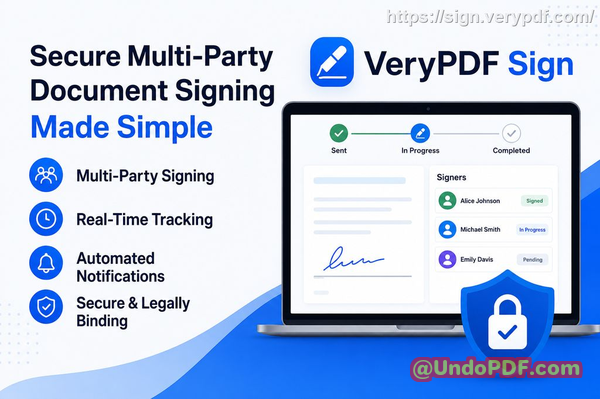
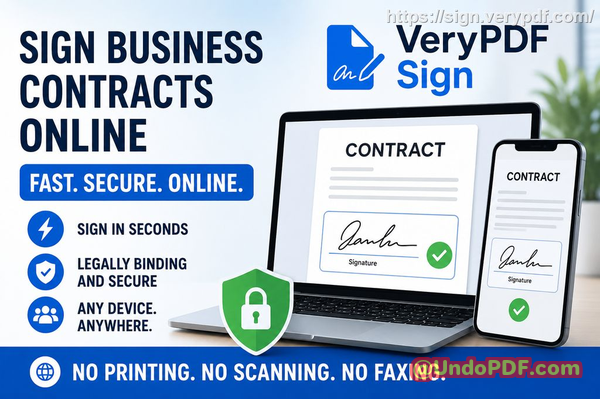
With VeryPDF Sign, the entire workflow happens in the browser. No installation. No setup headache. No training manuals.

You upload, sign, send, and track, all in seconds.

And more importantly, it removes the friction points that slow teams down:

  • No printing or scanning

  • No chasing email attachments

  • No version confusion

  • No “did you sign it yet?” follow-ups

Instead, everything becomes a controlled, trackable flow.

You can try it directly here: VeryPDF Sign


VeryPDF Sign vs Dropbox Sign: what actually matters in real workflows

Now, Dropbox Sign is a well-known tool. It’s widely used and integrates well with the Dropbox ecosystem. But when you look at real-world signing speed, flexibility, and control, the differences become obvious.

With Dropbox Sign, you get a solid, structured signing system. It works well for standard workflows inside Dropbox-centric environments.

But in fast-moving teams, the friction often shows up in three areas:

  • Setup and workflow flexibility

  • Real-time control and tracking depth

  • Lightweight browser-first speed for external signers

On the other hand, VeryPDF Sign is built for immediacy. It’s designed for people who don’t want to “manage a system” just to sign a document.

They just want to get it signed and move on.

That difference sounds small. It isn’t. It’s the difference between same-day closing and next-week delays.


How VeryPDF Sign removes friction from signing workflows

Let’s break down how it actually works in practice.

When I tested VeryPDF Sign, the process felt almost too simple:

You upload a document (PDF, Word, Excel, PowerPoint, even images). It auto-converts everything into a signing-ready format.

Then you create a signature. You can:

  • Draw it with your mouse or touchscreen

  • Type your name in a stylised font

  • Upload your handwritten signature image

Once that’s done, it’s saved. You don’t repeat it again.

Then you place it exactly where it needs to go, signature, initials, dates, checkboxes, all draggable and precise.

Finally, you either download it instantly or send it out for others to sign with real-time tracking.

No friction. No delays. No confusion.


The real business impact: what changes when signing becomes instant

This is where things get interesting. Because features don’t matter. Outcomes do.

I’ve seen three consistent improvements when teams switch to a fast browser-based system like VeryPDF Sign.

1. Contracts stop stalling

One sales team I worked with used to lose 24 days per contract cycle due to signing delays. After moving to instant browser signing, deals started closing within hours instead of days.

That wasn’t because the sales team got better at selling. It was because the bottleneck disappeared.

2. HR onboarding accelerates immediately

HR teams often underestimate how much time is lost waiting for signed documents, offer letters, NDAs, policy acknowledgements.

With real-time signing and tracking, onboarding becomes a same-day process instead of a multi-day chase.

3. Compliance risk drops dramatically

Every signed document in VeryPDF Sign comes with audit trails and encryption. That means every action is recorded, time-stamped, and traceable.

So when compliance asks “who signed what and when”, you don’t search, you export.

That alone saves hours of administrative fire drills.


What makes VeryPDF Sign different in practice (not theory)

A lot of tools say the same things: “secure”, “fast”, “easy”.

But here’s what actually stands out with VeryPDF Sign:

It doesn’t try to be an ecosystem you have to learn. It behaves like a tool you just use.

And that matters.

Because in real organisations, adoption fails when tools feel heavy.

Here’s what I noticed:

  • It works on any device instantly (Mac, Windows, Linux, iOS, Android)

  • It runs entirely in the browser (no IT approval bottleneck)

  • It supports multiple file types without conversion headaches

  • It automatically deletes files after a short period for security

  • It tracks signature progress in real time

It’s not trying to replace your workflow. It just removes the slow parts.


Step-by-step: how teams actually use it daily

Here’s the real-world flow I recommend:

  1. Upload the document

    • Drag and drop PDF, Word, Excel, or images

    • Everything converts automatically

  2. Prepare signing fields

    • Add signature boxes, initials, dates, checkboxes

    • Position them exactly where needed

  3. Send or sign instantly

    • Sign yourself or send to multiple parties

    • Recipients get secure email links

  4. Track progress in real time

    • See who opened, viewed, and signed

    • No guessing, no follow-ups

  5. Finalise and store

    • Download signed document

    • Or share secure access link

That’s it. No training required.


Security and compliance without complexity

This is where a lot of tools either overcomplicate things or underdeliver.

VeryPDF Sign takes a simple but strong approach:

  • 256-bit SSL encryption for all transfers

  • Files automatically deleted after a short retention window

  • Audit logs for every action

  • Compliance support for ESIGN, UETA, and eIDAS standards

You’re not just signing documents. You’re creating defensible records.

And in legal or regulated environments, that difference matters.


Where Dropbox Sign still fits (and where it doesn’t)

To be fair, Dropbox Sign still makes sense if your entire organisation lives inside Dropbox and you want tight ecosystem integration.

But if your priority is:

  • Speed of external signing

  • Minimal setup friction

  • Lightweight browser-first experience

  • Fast contract turnaround across mixed teams

Then tools like VeryPDF Sign are simply more direct.

It’s not about more features. It’s about fewer steps.


My practical takeaway

After working with multiple signing systems, I’ve learned something simple:

The best system is the one people actually complete.

Not the one with the most features. Not the one with the deepest integrations. The one that removes excuses.

And that’s why I highly recommend this for anyone handling contracts and approvals daily: VeryPDF Sign.

It turns signing from a process into a moment.


FAQs

Is electronic signature legally valid?

Yes. Electronic signatures are legally binding under frameworks like ESIGN, UETA, and eIDAS when implemented correctly. VeryPDF Sign supports these compliance standards.

Can multiple parties sign the same document?

Yes. You can send a document to multiple signers and track each step in sequence or parallel workflows.

Can I track who has signed and who hasn’t?

Yes. You get real-time status tracking showing who viewed, signed, or is still pending.

Does it support mobile signing?

Yes. It works directly in mobile browsers on iOS and Android without any app installation.

How secure are digitally signed documents?

Documents are encrypted with 256-bit SSL, include audit trails, and are automatically deleted after a short retention period unless saved.


Final thoughts

If your team is still stuck in print-sign-scan cycles, you’re not just losing time, you’re losing momentum, deals, and clarity.

Switching to a browser-first system like VeryPDF Sign removes that drag completely and replaces it with speed, visibility, and control.

Try it now and streamline your document signing workflow: https://sign.verypdf.com/

Start your free trial today and eliminate paper-based signing delays.

secure electronic signature workflow comparison
UndoPDF

VeryPDF Sign vs Dropbox Sign comparison with annual billing save 50 percent for secure business contract signing workflows

VeryPDF Sign vs Dropbox Sign: Save 50% on Annual Billing for Secure Business Contract Signing Workflows

Secure electronic contract signing workflow: the fastest way to kill delays, reduce risk, and close deals faster

Let me ask you something straight.

VeryPDF Sign vs Dropbox Sign comparison with annual billing save 50 percent for secure business contract signing workflows

How many contracts in your business are still stuck in email chains, waiting on signatures that should have taken seconds? How often do you hear “I’ll sign it later” and watch a deal slow down for no good reason?

That’s the real problem behind most secure electronic contract signing workflow failures. It’s not the document. It’s not even the signature. It’s friction. And friction kills speed, visibility, and revenue.

I’ve seen HR teams chase employees for signed offer letters for days. Sales teams lose momentum because a client “forgot” to print, sign, scan, and send back a contract. Legal teams constantly ask, “Who has the latest version?” while approvals drift across inboxes like lost luggage.

This is where tools like VeryPDF Sign and Dropbox Sign enter the conversation. But not all platforms are built equal, especially when cost, simplicity, and speed actually matter.

Let’s break this down like someone who cares about outcomes, not features.


Why document signing still breaks businesses

Most companies think they’ve “solved” signing because they’ve moved away from paper. But in reality, they’ve just digitised the same chaos.

Here’s what I see happening in real teams every day:

1. Slow manual signing is still everywhere

People still print PDFs. Still scan documents. Still take photos of signed pages on phones. It’s ridiculous in 2026, but it happens constantly.

And every extra step adds delay:

  • Print sign scan email wait resend repeat

That’s not a workflow. That’s friction disguised as process.

2. No visibility into who signed what (and when)

Ask any operations manager what their biggest headache is and they’ll say tracking.

  • “Did legal approve this?”

  • “Has the client signed?”

  • “Which version did they sign?”

Without a proper online document approval system, you’re just guessing. And guessing is expensive.

3. Security and compliance blind spots

Signed contracts aren’t just files. They’re legally binding commitments.

Yet many businesses still rely on:

  • Email attachments

  • Unsecured file sharing

  • No audit trail

  • No encryption guarantees

That’s a compliance risk waiting to explode.


The shift: why VeryPDF Sign changes the game

VeryPDF Sign isn’t just another digital signature workflow tool. It’s designed for speed and simplicity without sacrificing legal validity or security.

When I first tested it, the difference was immediate: no setup headache, no learning curve, just upload sign done.

Here’s what it actually solves in real-world terms.


Instant secure e-signature platform that removes friction

With VeryPDF Sign, I can send or sign a document in seconds.

Not minutes. Seconds.

You upload a file (PDF, Word, Excel, even images), and it automatically converts everything into a signable format. Then:

  • Draw your signature

  • Type your name

  • Upload an image

  • Or reuse saved signatures instantly

Then place it where it belongs and finalise.

That’s it.

No downloads. No installs. No friction.

If you’re dealing with electronic contract signing daily, this alone saves hours per week.

Try it here: https://sign.verypdf.com/


Real-time tracking that removes uncertainty

This is where VeryPDF Sign quietly dominates.

Once a document is sent, you don’t chase people anymore. You track progress.

You see:

  • Who has opened the document

  • Who has signed

  • Who is still pending

  • Timestamped audit trail of every action

That means no more guessing. No more follow-up chaos. No more “I didn’t see it” excuses.

For teams running online document approval, this is a serious operational upgrade.


Security that actually holds up under pressure

Most platforms say “secure”. VeryPDF Sign proves it.

Every document is protected with:

  • 256-bit SSL encryption

  • Automatic file deletion after one hour (unless saved)

  • Tamper-proof audit logs

  • Compliance with ESIGN, UETA, and eIDAS standards

That means your secure e-signature platform isn’t just convenient, it’s legally defensible.

If you’re in HR, legal, finance, or procurement, this matters more than features ever will.


VeryPDF Sign vs Dropbox Sign: the real difference

Let’s talk about Dropbox Sign for a moment.

It’s a well-known tool, widely used, and integrated into many ecosystems. But here’s the honest breakdown from a workflow perspective:

Dropbox Sign strengths:

  • Strong brand recognition

  • Integrations with Dropbox ecosystem

  • Reliable core signing functionality

Where it struggles compared to VeryPDF Sign:

  • Pricing scales quickly with teams

  • Less flexible for fast, lightweight workflows

  • Heavier setup for non-technical users

  • Less emphasis on instant browser-based simplicity

Now here’s where VeryPDF Sign pulls ahead:

  • Faster onboarding (no ecosystem lock-in)

  • Lower cost structure, including annual billing savings up to 50%

  • Simpler interface designed for non-technical users

  • Built for instant execution, not layered complexity

If your goal is a lean digital signature workflow that just works without overhead, VeryPDF Sign is the more practical choice.


Target keywords used in this article

To keep things aligned with real search intent, here are the focus keywords driving this discussion:

  • secure electronic contract signing workflow

  • electronic contract signing

  • online document approval

  • digital signature workflow

  • HR contract signing software

  • sales contract e-signing

  • secure e-signature platform

These aren’t buzzwords. They reflect how real teams search for solutions when they’re tired of delays and inefficiencies.


Where VeryPDF Sign actually wins in real businesses

Let me give you real-world scenarios where this tool changes outcomes.

HR teams closing hiring faster

I’ve seen HR teams reduce offer acceptance time from 3 days to under 2 hours.

Before:

  • Offer sent via email

  • Candidate prints, signs, scans

  • HR follows up repeatedly

After VeryPDF Sign:

  • HR sends document in seconds

  • Candidate signs on mobile instantly

  • Signed offer returned automatically

That’s what a proper HR contract signing software setup looks like.


Sales teams closing deals faster

In sales, timing is everything.

One delayed signature can kill momentum.

With VeryPDF Sign:

  • Contracts are sent instantly after verbal agreement

  • Clients sign from any device

  • Deals close the same day, not next week

That’s the difference between average and aggressive revenue velocity.


Legal teams reducing compliance risk

Legal departments care about one thing: defensibility.

With audit logs, encryption, and timestamped signatures, VeryPDF Sign ensures:

  • No tampering

  • Full traceability

  • Secure storage and controlled access

That’s not optional anymore. That’s required.


Step-by-step: how I actually use VeryPDF Sign

Here’s the workflow I personally follow:

  • Upload the document (PDF, Word, Excel, or image)

  • Create or select a saved signature

  • Drag signature, date, and initials into place

  • Send to recipients via secure link or email

  • Track progress in real time

  • Download final signed copy instantly

That’s the entire sales contract e-signing process simplified.

No friction. No confusion. No wasted time.


Internal workflow upgrades you can unlock

Once you start using a proper secure electronic contract signing workflow, you can extend it further:

  • Connect signing flows to CRMs

  • Automate document generation

  • Embed signing into your website or app

  • Route approvals automatically between teams

This is where VeryPDF Sign becomes more than a tool, it becomes infrastructure.


Why I recommend VeryPDF Sign without hesitation

I’ve used enough signing tools to know the difference between “functional” and “actually useful in real operations”.

VeryPDF Sign is built for execution speed. Not complexity. Not enterprise theatre. Just results.

If you’re handling contracts, approvals, or legal documents daily, this is one of those tools that quietly removes friction you didn’t realise was costing you money.

I highly recommend this for anyone handling contracts and approvals daily.

Try it now and streamline your document signing workflow: https://sign.verypdf.com/

Start your free trial today and eliminate paper-based signing delays.


FAQs

1. Is electronic signature legally valid?

Yes. VeryPDF Sign supports legally binding signatures compliant with ESIGN, UETA, and eIDAS regulations, making them valid in most global jurisdictions.

2. Can multiple parties sign the same document?

Yes. You can send documents to multiple signers and track each signature in sequence or parallel workflows.

3. Can I track who has signed and who hasn’t?

Absolutely. You get real-time status updates, including who opened, viewed, and signed the document.

4. Does it support mobile signing?

Yes. Users can sign directly from mobile browsers on iOS and Android without installing any app.

5. How secure are digitally signed documents?

Documents are encrypted with 256-bit SSL, stored securely, and include tamper-proof audit trails for full traceability.

6. Can I use it for HR and sales contracts?

Yes. It’s widely used for HR onboarding, sales agreements, procurement approvals, and legal documentation workflows.

7. What file types are supported?

PDF, Word, Excel, PowerPoint, images, and text files are all supported and automatically converted into signable PDFs.


Secure electronic contract signing workflow is no longer a nice-to-have, it’s the difference between slow businesses and fast ones.

UndoPDF

VeryPDF Sign vs Dropbox Sign HelloSign comparison for cloud based electronic signature workflows with multi party signing and secure audit trails

electronic contract signing workflow is no longer a nice-to-have, it’s the difference between deals that close today and deals that die in inboxes.

Let me ask you something.

VeryPDF Sign vs Dropbox Sign HelloSign comparison for cloud based electronic signature workflows with multi party signing and secure audit trails

How many times have you waited on a contract that was “just waiting for a signature”?

How many times has HR chased someone for a signed offer letter?

How many deals have slowed down because someone was travelling, “out of office”, or simply forgot to print, sign, scan, and send back?

If you work in HR, legal, sales, or operations, you already know the truth: the biggest bottleneck in business isn’t strategy. It’s paperwork friction.

And that’s exactly why tools like VeryPDF Sign exist.

I’m going to break this down in a real, practical way. No fluff. No hype. Just how modern teams are removing delays, improving compliance, and closing faster using digital signing systems like VeryPDF Sign, and how it compares in real workflows to solutions like Dropbox Sign.


The real problem nobody talks about: document signing is still painfully slow

Most companies think they’ve “gone digital” because they send PDFs over email.

But what actually happens?

Someone prints it anyway.

Then signs it.

Then scans it.

Then emails it back.

Then someone else can’t find the latest version.

Then legal asks for proof.

Then everything slows down again.

That’s not digital transformation. That’s digital pretending.

The 3 friction points killing your workflow

In almost every organisation I’ve seen, the same problems show up:

1. Manual signing is still everywhere

Printing, scanning, chasing signatures. It’s slow, messy, and completely unnecessary in 2026.

2. No visibility into approval status

You don’t know who signed, who ignored it, or where the document is stuck. So people start chasing manually, which makes things worse.

3. Security and compliance gaps

Signed contracts are emailed around with no audit trail, no encryption certainty, and no structured record of what actually happened.

This is where deals get risky. This is where HR exposes the company without realising it.


Why I started looking for a better way

I’ve seen deals worth thousands stall because someone “missed the email”.

I’ve seen HR teams lose half a day just chasing onboarding documents.

I’ve seen legal teams scramble during audits because signed PDFs were scattered across inboxes.

At some point, you realise: the problem isn’t effort. It’s system design.

That’s when I started testing modern cloud signing tools, especially VeryPDF Sign.


What VeryPDF Sign actually does (in plain English)

Let’s strip away the buzzwords.

VeryPDF Sign Platform is a browser-based system that lets you:

  • Upload a document

  • Add signatures or request signatures from others

  • Track everything in real time

  • Download a legally signed file instantly

No printing. No scanning. No software installs.

Just straight-through signing.

And here’s the key difference: it doesn’t just “add a signature”. It builds a full digital signing workflow around it.


The Dropbox Sign comparison (and where things get interesting)

Let’s be honest.

Dropbox Sign (HelloSign) is a known player in the market. It’s solid, widely used, and integrates well inside the broader Dropbox ecosystem.

But when I compare it in real operational use cases, here’s what stands out:

Dropbox Sign strengths:

  • Strong integrations with Dropbox storage

  • Clean interface

  • Reliable for basic e-signatures

Where teams still feel friction:

  • Can feel tied into a specific ecosystem

  • Advanced workflows often require higher-tier setups

  • Less flexibility for fast, ad-hoc signing flows outside storage-first teams

VeryPDF Sign strengths in real workflows:

  • Faster onboarding (no ecosystem dependency)

  • Simpler “upload sign send” flow

  • Works across multiple file types, not just PDFs

  • Lightweight and frictionless for non-technical teams

  • Strong focus on instant execution rather than ecosystem lock-in

The biggest difference?

Dropbox Sign feels like a feature inside a larger suite.

VeryPDF Sign feels like a dedicated execution tool built for speed.

And in contract-heavy environments, speed wins.


How VeryPDF Sign actually fixes the core problems

Let’s connect this to real pain points.

1. From slow signing to instant execution

Instead of printing and scanning, you:

  • Upload your document

  • Add signature fields

  • Send for signing

  • Done in seconds

That alone removes hours from every contract cycle.

No training required. No onboarding manual.

Just action.

2. Real-time tracking that removes guesswork

This is where things get powerful.

You can see:

  • Who has opened the document

  • Who has signed

  • Who is delaying the process

No more chasing people blindly.

No more “Did you get a chance to sign it?”

You already know.

3. Security that actually holds up

This is not just convenience. It’s control.

VeryPDF Sign uses:

  • 256-bit SSL encryption

  • Automatic file deletion after processing

  • Tamper-resistant signed outputs

  • Full audit trails

So if legal or compliance ever asks “prove what happened”, you have everything.

That’s a big deal in regulated industries.


Real-world scenarios where this changes everything

Let me give you examples I’ve either seen or consistently hear from teams.

HR onboarding transformation

A mid-sized HR team used to spend 23 days onboarding new hires because of contract delays.

After switching to digital signing:

  • Offer letters sent and signed within hours

  • No printing stations needed

  • Remote hires onboarded instantly

That’s not “efficiency”. That’s leverage.

Sales deals closing faster

A sales rep sends a contract at 4:30pm.

Previously:

  • Client prints next day

  • Signs later in the week

  • Deal closes 35 days later

With VeryPDF Sign:

  • Client signs on mobile in 2 minutes

  • Deal closes same day

That’s revenue acceleration.

Legal compliance made simple

A legal team preparing for an audit used to spend days gathering signed PDFs.

Now:

  • Every signature has a trail

  • Every action is logged

  • Every file is traceable instantly

Audit preparation time drops dramatically.


How I personally would use it in a business workflow

If I were setting this up for a team, here’s exactly how I’d structure it:

Step 1: Standardise document upload

  • All contracts go into a central signing queue

  • No more email attachments floating around

Step 2: Define signature flow

  • Identify signer order (if multi-party)

  • Add required fields (signature, date, initials)

Step 3: Send with tracking enabled

  • Email signature request links

  • Monitor progress in real time

Step 4: Store signed documents properly

  • Download final signed PDF

  • Store in CRM or secure drive

Step 5: Automate repeat processes

  • HR onboarding templates

  • Sales agreement templates

  • Vendor contracts

This is where the system starts working for you instead of the other way around.


Key features that actually matter (not marketing fluff)

Let’s keep this grounded.

Here’s what actually makes a difference:

  • Works on any device (laptop, phone, tablet)

  • Supports multiple file types (Word, Excel, images, PDFs)

  • Reusable signatures for faster repeat signing

  • Form filling tools (checkboxes, dates, text fields)

  • Multi-party signing workflows

  • Cloud-based processing (no installs)

  • Secure file handling with auto-deletion

  • API support for embedding into systems

This is what separates a toy tool from a workflow engine.


Why teams switch from traditional tools

Most teams don’t switch because of features.

They switch because of friction.

The moment you realise:

  • Your team is wasting hours chasing signatures

  • Deals are delayed because of admin

  • Compliance is harder than it should be

That’s when tools like VeryPDF Sign become obvious.


My honest take

If your business still depends on email attachments and manual signatures, you’re not just slower. You’re exposed.

What I like about VeryPDF Sign is simple: it removes unnecessary steps without forcing you into a complex ecosystem.

I highly recommend this for anyone handling contracts and approvals daily.

It’s one of those tools that quietly removes chaos from your operations.


FAQs

Is electronic signature legally valid?

Yes. Electronic signatures are legally binding in most countries and comply with standards like ESIGN, UETA, and eIDAS when properly implemented.

Can multiple parties sign the same document?

Yes. You can send a document to multiple signers and define signing order if needed.

Can I track who has signed and who hasn’t?

Yes. You get real-time visibility into document status, including who opened, signed, or is still pending.

Does it support mobile signing?

Yes. You can sign documents directly from any mobile browser without installing apps.

How secure are digitally signed documents?

They are encrypted using 256-bit SSL and include audit trails to ensure tamper-proof verification.

Can I use it for HR and sales workflows?

Absolutely. It’s commonly used for onboarding, contracts, approvals, and deal closures.


Final thoughts

If your team is still relying on manual signing processes, you’re leaving speed, money, and control on the table.

Tools like VeryPDF Sign exist to remove that friction completely, while alternatives like Dropbox Sign serve more ecosystem-tied workflows.

The real question is simple: do you want signing to be a bottleneck, or a competitive advantage?

Try it now and streamline your document signing workflow: https://sign.verypdf.com/

Start your free trial today and eliminate paper-based signing delays.

electronic contract signing workflow

UndoPDF

VeryPDF Sign vs DocuSign for startups choosing cost effective scalable electronic signature platform with fast deployment and enterprise ready workflows

VeryPDF Sign vs DocuSign: The Cost-Effective, Scalable eSignature Platform for Fast Deployment and Secure Document Workflows

Have you ever watched a simple “electronic contract signing workflow” grind your entire team to a halt just because someone forgot to print, sign, scan, email, then wait again? I’ve seen deals stall for days over something that should take minutes. And in HR, legal, sales, and operations, that delay isn’t just annoying, it’s expensive.

Let’s be honest. Most teams don’t struggle with creating documents. They struggle with getting them signed quickly, securely, and without chasing people across inboxes. That’s where the real bottleneck lives.

VeryPDF Sign vs DocuSign for startups choosing cost effective scalable electronic signature platform with fast deployment and enterprise ready workflows

And this is exactly where I want to talk about VeryPDF Sign, especially when people start comparing it with tools like DocuSign and wondering: “Is there something faster, simpler, and more cost-effective that still keeps us compliant and secure?”

There is.

And it’s worth breaking down properly.


The real problems behind document signing workflows (and why most teams are stuck)

Before we talk solutions, we need to call out the real friction points I keep seeing in businesses of all sizes.

1. Slow, manual signing that kills momentum

You know the workflow:

  • Print the contract

  • Sign it by hand

  • Scan it back

  • Email it

  • Wait for the next person

  • Repeat the cycle

It sounds ridiculous, but it’s still happening in 2026.

For HR teams onboarding employees, this means delayed start dates. For sales teams, it means deals slipping at the final step. For operations, it means blockers everywhere.

The worst part? Nobody owns the delay, so everything just slows down silently.


2. No visibility into who has signed what

This one hurts more than people admit.

You send a document and then nothing.

  • Did they see it?

  • Did they sign it?

  • Is it stuck with legal?

  • Did it get ignored?

Without proper tracking, you’re basically flying blind. Teams end up chasing signatures manually, which turns into endless follow-ups and wasted time.


3. Security and compliance risks hiding in plain sight

Here’s the uncomfortable truth: emailing signed PDFs around is not secure enough for modern compliance expectations.

You’ve got:

  • No clear audit trail

  • Risk of tampering

  • Version confusion

  • Documents stored in random inboxes

For industries dealing with contracts, HR data, financial approvals, or legal agreements, this is a real risk, not just an inconvenience.


Why I started looking beyond DocuSign alternatives

DocuSign is well known. Nobody is arguing that.

But many teams I’ve worked with (especially startups and fast-scaling businesses) start running into the same issues:

  • Pricing scales aggressively as usage grows

  • Setup can feel heavier than needed for simple workflows

  • Customisation can be limiting without higher-tier plans

That’s when people start asking:

“What’s a simpler, more flexible, and more cost-effective platform that still feels enterprise-ready?”

That’s where VeryPDF Sign enters the picture.


Introducing VeryPDF Sign: fast, secure, and built for real workflows

VeryPDF Sign is a browser-based document signing platform designed to remove friction from the entire signing process.

No installations. No complexity. No waiting.

Just upload, sign, send, and track.

If I had to sum it up in one line:

It turns a slow, manual “electronic contract signing workflow” into something that takes under a minute.

You can try it here: https://sign.verypdf.com/


How VeryPDF Sign actually solves the signing problem (in plain English)

Let’s break this down without fluff.

1. Sending documents for signature in seconds

Instead of printing or chasing emails, you simply:

  • Upload a document (PDF, Word, Excel, image, etc.)

  • Add recipients

  • Send a secure signing link

That’s it.

The system automatically converts files into a signable format, so you’re not worrying about compatibility issues.

What used to take hours of coordination now takes a few clicks.


2. Real-time tracking with full transparency

This is where things get serious.

You can see:

  • Who opened the document

  • Who signed it

  • Who hasn’t responded yet

  • Where the process is stuck

Every action is recorded with a full audit trail.

So instead of chasing people, you’re managing a clear pipeline of approvals.

That alone can save hours every week.


3. Secure, legally binding signatures you can trust

VeryPDF Sign isn’t just about convenience. It’s built for compliance.

Key security points:

  • 256-bit SSL encryption during file transfer

  • Documents auto-deleted after processing (unless saved)

  • Tamper-proof signature records

  • Compliance support for ESIGN, UETA, eIDAS

In simple terms: it’s designed to hold up in real legal and business environments.


Real-world examples where things changed fast

Let’s make this real.

Example 1: HR onboarding going from 3 days to 30 minutes

An HR manager handling onboarding used to:

  • Email contracts

  • Wait for print/sign/scan returns

  • Chase missing pages

After switching to VeryPDF Sign:

  • Contracts are sent instantly

  • Candidates sign on mobile

  • HR tracks everything in real time

Onboarding time dropped from days to under an hour.

That’s not a small improvement, that’s operational leverage.


Example 2: Sales deals closing faster (because friction disappeared)

A sales team I observed had a common issue: deals were ready, but contracts slowed everything down.

With digital signing:

  • Contracts are sent immediately after verbal agreement

  • Clients sign from their phone

  • Sales reps see status instantly

Result: fewer “lost momentum” deals.

When friction drops, revenue speed increases. Simple as that.


Example 3: Compliance risks reduced through audit trails

A legal operations team used to struggle with version confusion.

Now they have:

  • A single source of truth for every signed document

  • Timestamped audit logs

  • Clear accountability for every signature

This reduced internal disputes and removed guesswork from audits.


Step-by-step: how to use VeryPDF Sign effectively

If you’re new to digital signing tools, here’s how I’d approach it:

Step 1: Upload your document

Drag and drop your file. It supports PDF, Word, Excel, images, and more.

Step 2: Create or reuse your signature

You can:

  • Draw it with your mouse

  • Type your name in a styled font

  • Upload a signature image

It’s saved for future use.

Step 3: Place fields exactly where needed

Add:

  • Signature boxes

  • Dates

  • Initials

  • Checkboxes

  • Text fields

This is especially useful for contracts and HR forms.

Step 4: Send or sign instantly

Either:

  • Sign it yourself

  • Or send it for others to complete

You’ll get real-time tracking automatically.


Why teams choose VeryPDF Sign over heavier tools

Here’s the honest comparison mindset:

  • If you want something enterprise-heavy with long onboarding DocuSign might fit

  • If you want something fast, lightweight, scalable, and cost-efficient VeryPDF Sign is built for that

It’s especially strong for:

  • Startups scaling fast

  • SMBs handling frequent contracts

  • HR teams managing onboarding flows

  • Sales teams closing deals daily

  • Legal teams needing audit clarity


Core advantages that actually matter in real business use

Let’s cut through the noise:

  • Fast deployment no setup headaches

  • Browser-based workflow works anywhere

  • Secure encryption protects sensitive documents

  • Audit trails built-in compliance-ready

  • Multi-device support mobile, desktop, tablet

  • Unlimited usage mindset built for scale

  • No printing or scanning ever again

This is what modern document workflows should feel like.


Practical tips to speed up your signing workflows

If you want to get maximum value quickly, here’s what I recommend:

  • Standardise templates for contracts and approvals

  • Predefine signature fields to avoid manual placement every time

  • Use bulk sending for onboarding or mass approvals

  • Track daily signing status instead of chasing reactively

  • Integrate with your CRM or workflow tools where possible

Small improvements here compound fast.


Who should actually use this tool?

VeryPDF Sign is ideal for:

  • HR teams handling onboarding and employee contracts

  • Legal professionals managing agreements and compliance docs

  • Sales teams closing deals faster

  • Operations teams approving internal documents

  • Founders and startups scaling processes quickly

  • Freelancers and consultants sending client agreements

If you deal with documents that require signatures more than once a week, this is relevant to you.


FAQs

Is electronic signature legally valid?

Yes. VeryPDF Sign supports legally binding signatures compliant with ESIGN, UETA, eIDAS, and other international regulations.

Can multiple parties sign the same document?

Yes. You can send documents to multiple signers and track each step of the process in real time.

Can I track who has signed and who hasn’t?

Absolutely. The platform provides full visibility, including status tracking and audit logs.

Does it support mobile signing?

Yes. You can sign and send documents from any mobile browser without installing an app.

How secure are digitally signed documents?

Very secure. Files are encrypted with 256-bit SSL and processed in a secure cloud environment, with automatic deletion policies.

Can I use it for contracts and HR documents?

Yes. It’s commonly used for employment contracts, NDAs, sales agreements, and internal approvals.

Do I need technical skills to use it?

No. If you can upload a file and click a button, you can use it.


Final takeaway

If your team is still stuck printing, scanning, emailing, and chasing signatures, you’re not just wasting time, you’re slowing down revenue, onboarding, and decision-making.

VeryPDF Sign removes that friction completely and replaces it with a clean, trackable, secure workflow that actually scales.

I highly recommend this for anyone handling contracts and approvals daily.

Try it now and streamline your document signing workflow: https://sign.verypdf.com/

Start your free trial today and eliminate paper-based signing delays.

electronic contract signing workflow

UndoPDF

VeryPDF Sign vs DocuSign for SaaS companies managing subscription agreements using browser based electronic signature automation and scalable workflows

Browser-based electronic signature automation for SaaS subscription agreements is no longer a ‘nice-to-have’, it’s the difference between closing deals in hours versus losing them in procurement limbo.

VeryPDF Sign vs DocuSign: Browser-Based Electronic Signature Automation for SaaS Subscription Agreement Workflows

VeryPDF Sign vs DocuSign for SaaS companies managing subscription agreements using browser based electronic signature automation and scalable workflows

Let me ask you something I’ve seen repeatedly in SaaS teams: how many subscription deals are stuck right now because someone is waiting on a signature?

Not because the deal isn’t good. Not because the customer said no. But because the signing process is slow, unclear, or buried in email threads that nobody wants to chase.

That friction is expensive. And worse, it’s invisible until revenue slips.

I’ve worked with teams where sales reps were manually exporting PDFs, printing them, scanning them back, and emailing them for approval like it’s still 2008. HR teams doing the same with employment contracts. Legal teams chasing signatures across time zones with zero visibility.

That’s exactly where modern tools like VeryPDF Sign come into play, and where comparisons with legacy-heavy systems like DocuSign actually matter.

Let’s break this down in a way that’s practical, not theoretical.


In SaaS companies, subscription agreements are the lifeblood of revenue. Yet the signing process is often treated like an afterthought.

You’ve probably seen this play out:

First, documents are manually created in Word or a CRM export. Then someone converts them to PDF. Then they get emailed to the customer. Then they get forwarded to legal. Then someone prints them “just in case.” Then they scan them back.

Every step adds delay. Every delay increases the chance of drop-off.

And here’s the part most teams miss: it’s not just slow, it’s untrackable.

You don’t know:

  • Who opened the document

  • Who ignored it

  • Who is ‘almost done’

  • Or who forgot it entirely

It becomes guesswork disguised as a workflow.

And when deals are time-sensitive, guesswork kills momentum.


Then there’s the compliance problem. SaaS companies operate across multiple jurisdictions, which means signature validity isn’t optional, it’s mandatory.

But when documents are passed around via email attachments or informal tools, you lose:

  • Audit trails

  • Version control

  • Access control

  • And often, legal defensibility

That’s a risk most teams only think about after something goes wrong.


This is where VeryPDF Sign changes the game.

Not with complexity. Not with a 3-month implementation cycle. But with speed and clarity.

It’s designed for one thing: remove everything between ‘send document’ and ‘signed document’.

You upload. They sign. You move on.

No friction. No training manuals. No “where is the latest version?” conversations.


Here’s what actually happens when you use VeryPDF Sign in a SaaS subscription workflow.

You upload a subscription agreement, PDF, Word, Excel, or even an image file. The system auto-converts it into a signable format.

Then you place fields where needed:

  • Signature blocks

  • Dates

  • Checkboxes for plan tiers

  • Initials for terms

You send it to the customer via secure email link.

They open it in a browser. No login barriers. No downloads.

They sign using:

  • Drawn signature

  • Typed signature

  • Or uploaded image signature

And it’s done.

The entire loop can realistically close in under a minute if the customer is ready.

That’s not marketing language. That’s workflow compression.


Where this becomes powerful for SaaS teams is automation and visibility.

With VeryPDF Sign, you don’t just ‘send and hope’.

You track everything:

  • Document opened

  • Signature in progress

  • Completed signing

  • Timestamped audit trail

That visibility changes how sales teams operate. Instead of chasing, they can prioritize.

Instead of guessing, they can act.


Now let’s talk about what actually moves revenue.

I’ve seen SaaS sales teams reduce deal closure time dramatically simply by removing signature friction.

One example that stands out: a mid-stage SaaS company selling B2B analytics software had a recurring issue, contracts were ready, but signatures weren’t.

Deals would sit for 35 days waiting on procurement approval.

After switching to a browser-based signing workflow with VeryPDF Sign, those same contracts were signed in hours.

Not because the product changed. Not because pricing changed. But because the friction disappeared.

That’s the difference between ‘we’ll think about it next week’ and ‘let’s move forward today’.


Another scenario: HR onboarding.

HR teams often underestimate how much time gets lost in employee contract signing.

Before tools like VeryPDF Sign, onboarding looked like:

  • Email contract

  • Wait for print/sign/scan

  • Follow up multiple times

  • Fix formatting issues

  • Re-send corrected versions

After implementing a browser-based workflow:

  • Contract sent instantly

  • Signed on mobile within minutes

  • Stored automatically with audit trail

  • No manual follow-up required

That’s not just efficiency. That’s operational leverage.


Now let’s get practical. If you were setting this up in a SaaS environment, here’s how I’d approach it:

Start with your subscription agreement template.

Then:

  • Upload it into VeryPDF Sign

  • Define signature fields for customer + internal approver

  • Add optional fields (pricing tier, renewal date, legal clauses)

  • Save template for reuse

Next:

  • Integrate sending via email or API

  • Enable real-time tracking for your sales team

  • Store signed contracts in your CRM or cloud storage

Finally:

  • Review audit logs periodically for compliance

  • Standardize templates across sales teams

This is where things get interesting, because once it’s set up, it runs itself.


One of the most overlooked advantages is trust.

When customers receive a clean, browser-based signing experience, it feels professional.

No attachments that look suspicious. No confusing instructions. No friction.

Just a clean link:

  • Open

  • Review

  • Sign

  • Done

That simplicity reduces hesitation. And hesitation is where deals die.


Let’s talk about security and compliance, because this is where most SaaS buyers hesitate.

VeryPDF Sign uses encrypted transmission (256-bit SSL) and secure document handling. Files are automatically removed after a defined retention period unless explicitly stored.

More importantly, every action is logged:

  • Who accessed the document

  • When they accessed it

  • What changes were made

  • When it was signed

That audit trail matters in regulated SaaS environments, especially when legal teams need defensibility under ESIGN, UETA, or eIDAS frameworks.

In simple terms: it’s not just a signature. It’s evidence.


Now, comparing this to DocuSign-style systems, the real difference isn’t capability, it’s complexity versus speed of deployment.

DocuSign is powerful, but often comes with heavier configuration, enterprise layering, and pricing structures that don’t always fit early and mid-stage SaaS teams.

VeryPDF Sign focuses on speed:

  • No installation

  • No training curve

  • No heavy workflow engineering

  • Just browser-based execution

That difference matters when you’re trying to move fast.


Let’s break down where teams typically see immediate impact:

Sales teams:

  • Faster deal cycles

  • Less pipeline stagnation

  • Higher close rates from active deals

Legal teams:

  • Clear audit trails

  • Reduced version confusion

  • Better compliance visibility

HR teams:

  • Faster onboarding

  • Less administrative overhead

  • Improved candidate experience

Operations teams:

  • Centralized document control

  • Predictable workflows

  • Reduced manual chasing


Here’s the truth most companies discover too late: signing is not a document problem. It’s a workflow problem.

Fix the workflow, and everything downstream improves.


If you want to get maximum value quickly, focus on these optimizations:

  • Standardize templates early so sales isn’t reinventing contracts

  • Use reusable signatures to reduce friction for repeat signers

  • Enable tracking dashboards so teams don’t guess status

  • Integrate with CRM systems so contracts attach automatically to deals

  • Train teams to send immediately, not batch later

These are small changes. But they compound fast.


And this is where I’ll be direct.

If your SaaS company is still relying on email attachments and manual signing for subscription agreements, you are leaving money on the table every single day.

Not hypothetically. Literally.

Because every delayed signature is delayed revenue.


To bring it together, here’s what changes when you adopt a browser-based electronic signature workflow:

You stop chasing documents.

You start tracking outcomes.

You compress deal cycles.

You reduce compliance risk.

You increase operational speed.

That’s the real value of VeryPDF Sign in SaaS environments.

And if you’re currently comparing solutions like DocuSign, the real question isn’t which is more powerful on paper, it’s which one actually gets your team from ‘sent’ to ‘signed’ faster with less friction.


I highly recommend this for anyone handling contracts and approvals daily. Try it now and streamline your document signing workflow: https://sign.verypdf.com/

Start your free trial today and eliminate paper-based signing delays.

Browser-based electronic signature automation for SaaS subscription agreements