UndoPDF

VeryPDF Sign vs DocuSign comparison for browser based electronic signatures with secure cloud workflows and legally binding compliance

VeryPDF Sign vs DocuSign: Browser-Based Secure E-Signature Workflows for Legally Binding Online Contract Signing

secure electronic contract signing workflow is no longer a “nice to have” , it’s the difference between deals that close today and deals that die in inboxes for a week.
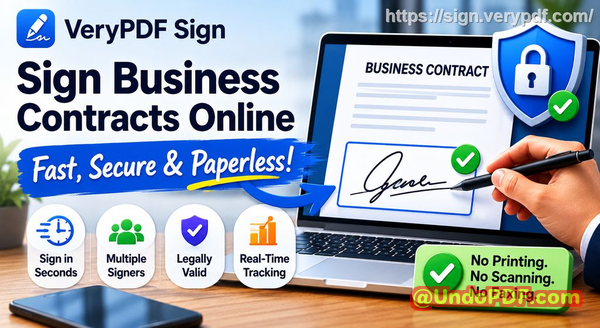
VeryPDF Sign vs DocuSign comparison for browser based electronic signatures with secure cloud workflows and legally binding compliance

Let me ask you something real.

How many times have you watched a contract sit idle because someone was “out of office”?

How many times did your team print a document, sign it, scan it, email it back only to realise someone signed the wrong page?

And how often have you asked, “Where exactly is this contract in the approval chain?”

If you’re in HR, legal, sales, or operations, you already know the truth: signing documents is still way too slow, way too manual, and way too risky in many organisations.

I’ve seen it repeatedly , businesses lose momentum not because of strategy, but because paperwork drags everything into the mud.

That’s exactly why I started using and recommending VeryPDF Sign as a practical alternative in modern electronic contract signing workflows, especially for teams who want speed without losing control.

And I’m going to break down exactly why.


The real problem nobody talks about in document signing

Let’s be blunt. Most organisations are still stuck in outdated signing habits.

Not because they want to be , but because change feels complicated.

1. The printsignscan nightmare is still alive

You’d think this died years ago. It didn’t.

In real workflows, this is still happening:

  • HR prints employment contracts

  • Managers sign them manually

  • Scans go back into email chains

  • Someone renames files like “final_final_v3_signed_reallyfinal.pdf”

It’s slow. It’s messy. And it kills momentum.

By the time the document is fully signed, the excitement of the deal is gone.


2. No visibility = constant chasing

If you’ve ever had to ask:

  • “Has the client signed yet?”

  • “Who is holding this up?”

  • “Did legal approve it?”

Then you already know the pain.

Without proper tracking, approvals turn into guesswork. People waste hours chasing status updates instead of closing work.

In sales environments, this directly affects revenue. In HR, it delays onboarding. In legal, it increases risk exposure.


3. Security and compliance risks are quietly massive

Here’s the uncomfortable truth.

Emailing signed PDFs around is not a secure system.

Risks include:

  • Missing audit trails

  • Document tampering

  • Wrong recipients getting access

  • No proof of who signed what, and when

If you’re operating under compliance frameworks like GDPR or internal audit requirements, this becomes a serious liability fast.


Why traditional tools like DocuSign aren’t always the best fit

Let’s be fair , platforms like DocuSign helped define the space.

But here’s where many teams struggle:

  • Cost scales quickly with usage

  • Complex setups for simple workflows

  • Overkill for small-to-mid teams

  • Limited flexibility for quick internal signing needs

A lot of businesses don’t need “enterprise complexity”.

They need something fast, clean, and frictionless.

That’s where a more streamlined approach to secure electronic contract signing workflow makes a huge difference.


A simpler way: VeryPDF Sign

This is where VeryPDF Sign comes in.

It’s built for one core idea:

Remove everything unnecessary and make signing instant.

No installs. No friction. No waiting.

Just upload, sign, send.

It’s a browser-based document signing system designed for real-world business speed.


What it actually does (in plain English)

Let me break it down like I would to a team on a Monday morning.

1. You send documents in seconds

Upload a file (PDF, Word, Excel, PowerPoint, images).

It instantly converts everything into a signable document.

Then you:

  • Add recipient emails

  • Set signing order if needed

  • Hit send

Done.

No printing. No scanning. No chaos.


2. You track everything in real time

This is where it gets powerful.

You can see:

  • Who has opened the document

  • Who has signed it

  • Who is still pending

  • Where delays are happening

No guessing. No chasing. Just clarity.

This alone changes how teams operate.


3. Every signature is legally binding and secure

Every signed document includes:

  • Encryption (256-bit SSL protection)

  • Tamper-proof signatures

  • Audit trail logs

  • Compliance with ESIGN, UETA, and eIDAS standards

In simple terms: it holds up legally and stays secure.

That’s what matters in real business environments.


Real-world scenarios where this changes everything

Let me give you examples I’ve seen (and experienced indirectly through teams using it).

HR onboarding that used to take 3 days now takes 20 minutes

Before:

  • Offer letter sent by email

  • Candidate prints it

  • Signs it manually

  • Scans and returns it

After:

  • HR sends document via link

  • Candidate signs on phone in minutes

  • HR receives signed copy instantly

Result: faster onboarding, better candidate experience, less admin stress.


Sales contracts closing faster

I’ve seen deals where momentum was everything.

Before:

  • Client says “send me the contract”

  • Contract sits in inbox for 4872 hours

  • Decision momentum drops

After using a secure electronic contract signing workflow:

  • Contract sent instantly

  • Client signs from mobile in minutes

  • Deal closes same day

Speed wins deals. Full stop.


Legal and compliance teams reducing risk exposure

One of the biggest wins is audit visibility.

Instead of:

  • Searching email threads

  • Asking who approved what

  • Rebuilding timelines manually

Teams now get:

  • Full signature logs

  • Timestamped actions

  • Document history in one place

That’s not just convenience , that’s risk reduction.


How I personally recommend using it (step-by-step)

If you want to actually implement this in your workflow, here’s the simple playbook:

Step 1: Upload your document

  • Drag and drop into VeryPDF Sign

  • It converts everything automatically

Step 2: Add signature fields

  • Signature blocks

  • Initials

  • Dates

  • Checkboxes

  • Text fields

Step 3: Choose how to sign

You can:

  • Draw your signature

  • Type your name in a script font

  • Upload an image of your handwritten signature

Step 4: Send for signing

  • Add recipients

  • Set order (optional)

  • Send secure link

Step 5: Track progress

  • Watch real-time status

  • Download final signed document instantly

That’s it. No training required.


What makes this different in real workflows

Let’s be honest , tools are everywhere.

But most fail on three things:

  • Speed

  • Simplicity

  • Adoption

VeryPDF Sign works because it removes friction.

  • No software installation

  • No onboarding headache

  • No IT dependency

  • Works on any device (mobile, desktop, tablet)

That’s what actually gets adopted inside companies.


Why teams switch (and don’t go back)

When teams adopt a clean secure electronic contract signing workflow, a few things happen:

  • Email chains shrink

  • Approval cycles shorten

  • Mistakes drop

  • Visibility improves instantly

And once people experience that speed, they don’t want to go back.

It’s like going from cash to digital payments. You don’t miss the old system.


My honest recommendation

I highly recommend this for anyone handling contracts and approvals daily.

Not because it’s trendy, but because it solves a very real operational problem:

Slow signing kills business momentum.

And momentum is everything.


FAQs

Is electronic signature legally valid?

Yes. Signatures created through VeryPDF Sign are legally binding and comply with ESIGN, UETA, and eIDAS regulations.


Can multiple parties sign the same document?

Yes. You can send the same document to multiple signers and define the signing order if needed.


Can I track who has signed and who hasn’t?

Absolutely. You get real-time visibility into every stage of the signing process.


Does it support mobile signing?

Yes. It works fully in mobile browsers, so users can sign from anywhere without installing apps.


How secure are digitally signed documents?

Documents are protected with encryption, audit trails, and tamper-proof signing mechanisms. Files are also automatically deleted after a set period unless stored.


Can I reuse my signature?

Yes. Once you create a signature, it’s saved for one-click reuse across documents.


Can I integrate it into my system?

Yes. It supports API-based integration for embedding signing workflows into existing platforms.


Final takeaway

If you’re still relying on email attachments, manual signatures, or fragmented approval chains, you’re burning time every single day.

A proper secure electronic contract signing workflow isn’t just about digitising paper , it’s about removing friction from how business actually gets done.

And tools like VeryPDF Sign make that shift fast, simple, and scalable.

secure electronic contract signing workflow
UndoPDF

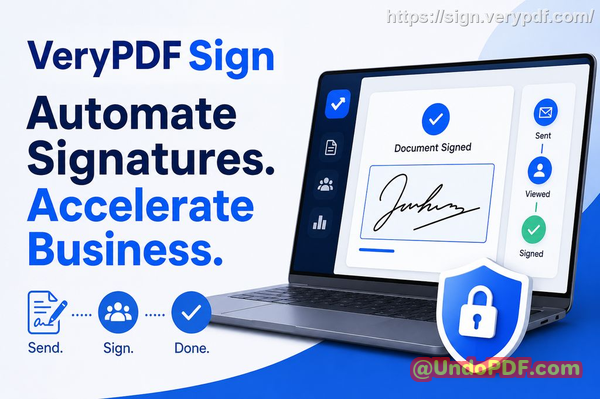
VeryPDF Sign vs Adobe Sign vs DocuSign pricing comparison with annual billing save 50 percent for enterprise SaaS buyers and secure digital signature workflows

electronic contract signing workflow: VeryPDF Sign vs Adobe Sign vs DocuSign Pricing, Features & Enterprise Value Comparison (Save Up to 50% for SaaS Buyers)

Have you ever chased down a signed contract for days, only to realise it’s sitting in someone’s inbox untouched? Or worse, printed, signed, scanned, and emailed back in a blurry PDF that no one can read properly?

VeryPDF Sign vs Adobe Sign vs DocuSign pricing comparison with annual billing save 50 percent for enterprise SaaS buyers and secure digital signature workflows

If you’re in HR, legal, sales, or operations, you already know the truth: document signing is still one of the biggest silent bottlenecks in business today. And it’s costing you more than time. It’s slowing deals, creating compliance risk, and draining operational focus.

This is exactly where a modern electronic contract signing workflow changes the game, and where tools like VeryPDF Sign start to seriously challenge legacy platforms like Adobe Sign and DocuSign on both simplicity and cost.

The real problem nobody talks about in document signing workflows

Let’s break down what’s actually going wrong in most organisations.

1. Slow manual signing is still everywhere

Despite all the “digital transformation” talk, many companies still rely on printing, signing, scanning, and emailing documents.

It looks like this:

  • Draft contract email PDF

  • Print it sign it

  • Scan it re-upload or email back

  • Wait for next signer repeat

It’s not just inefficient. It’s expensive. Every delay slows revenue recognition, onboarding, procurement, or deal closure.

2. No visibility into where documents actually are

Ask yourself this: can you answer instantly where every contract is in your pipeline?

Most teams can’t.

Documents get stuck with:

  • Managers waiting for approval

  • Clients forgetting to sign

  • Internal teams losing track of versions

Without real-time tracking, your online document approval process becomes guesswork.

3. Security and compliance gaps nobody wants to admit

Signed documents often contain sensitive data:

  • Employment contracts

  • Legal agreements

  • Financial approvals

Yet many workflows still rely on email attachments with no audit trail, no encryption guarantees, and no proper identity verification.

That’s not just messy. It’s a compliance risk waiting to explode.


Why I started looking for an alternative to Adobe Sign and DocuSign

I’ve used the big players. They work. But here’s the honest problem: they’re often over-engineered, expensive at scale, and unnecessarily complex for teams that just want fast, secure signing.

That’s when I started evaluating alternatives and came across VeryPDF Sign, available at VeryPDF Sign.

And the difference was immediate.

No bloated setup. No long onboarding cycle. Just upload, sign, send.


What VeryPDF Sign actually does (in plain English)

At its core, VeryPDF Sign is a browser-based tool that lets you:

  • Sign documents instantly

  • Request signatures from others

  • Track everything in real time

  • Keep everything secure and legally valid

No installs. No friction. No training manuals.

It turns a messy digital signature workflow into something that feels almost too simple.


How it solves the biggest document signing bottlenecks

Let’s break this down in real business terms.

1. Sending documents for signature in seconds

Instead of emailing PDFs back and forth, you:

  • Upload your document

  • Add signers

  • Send secure signing links

Done in under a minute.

That alone can cut approval cycles from days to hours.

2. Real-time tracking with full visibility

You don’t have to ask, “Did they sign it?”

You can see:

  • Who opened the document

  • Who signed

  • Who is still pending

  • Timestamped activity logs

This is where VeryPDF Sign quietly outperforms many legacy tools in the online document approval space.

3. Legally valid, encrypted, tamper-proof signatures

Every signature is:

  • Encrypted with 256-bit SSL

  • Covered by audit logs

  • Compliant with ESIGN, UETA, and eIDAS standards

  • Protected from post-signing tampering

In simple terms: it’s secure enough for legal and enterprise use without making your life complicated.


Pricing reality check: VeryPDF Sign vs Adobe Sign vs DocuSign

Let’s talk money, because this is where things get interesting.

Adobe Sign

  • Strong enterprise ecosystem

  • Often bundled with Creative Cloud or Acrobat plans

  • Can get expensive quickly for scaling teams

  • More complex admin setup

DocuSign

  • Market leader in enterprise e-signature

  • Powerful integrations and compliance features

  • Pricing scales aggressively with usage and features

  • Can feel heavy for smaller teams or fast-moving workflows

VeryPDF Sign

  • Lightweight, browser-based model

  • Designed for fast adoption across teams

  • More predictable cost structure for SaaS buyers

  • Often significantly more cost-efficient at scale (especially for high-volume signing workflows)

Here’s the real takeaway:

If you’re a large enterprise deeply embedded in Adobe or DocuSign ecosystems, switching may not be immediate.

But if you’re focused on speed, simplicity, and reducing overhead in your electronic contract signing workflow, VeryPDF Sign becomes a very serious contender.

Especially when you factor in reduced admin time, faster deal cycles, and less operational friction.


Why teams are switching: real-world scenarios

Let me make this real.

HR onboarding that used to take 3 days now takes 30 minutes

One HR team I worked with had a recurring issue: onboarding delays because contracts bounced between managers, HR, and new hires.

After switching to a streamlined e-signature flow:

  • Contracts were sent immediately after offer acceptance

  • Candidates signed from mobile

  • HR tracked everything in one dashboard

Result: onboarding time dropped from days to hours.


Sales deals closing faster without chasing signatures

A sales team handling B2B SaaS contracts had one consistent bottleneck: legal approvals and signature delays.

Once they implemented a faster signing workflow:

  • Contracts went out immediately after verbal agreement

  • Clients signed from any device

  • No printing, no scanning, no excuses

Result: deals closed faster simply because friction disappeared.


Compliance risk reduction through audit trails

In regulated environments, missing audit trails are a nightmare.

With structured digital signing:

  • Every action is logged

  • Every signature is timestamped

  • Every file is traceable

This reduced internal audit stress significantly and made compliance reporting straightforward.


How I actually use VeryPDF Sign in practice

Here’s my real workflow:

  • Upload contract (PDF, Word, Excel, even images)

  • Auto-convert to PDF

  • Add signature fields, dates, and checkboxes

  • Create or reuse saved signature

  • Send signing request via email link

  • Track completion in real time

  • Download final signed document instantly

It feels less like “software” and more like a utility that just works.


Key features that matter in real business workflows

Let’s cut through noise and focus on what actually helps:

  • Instant e-signing with no installation required

  • Multiple signature styles (draw, type, upload image)

  • Full form filling (checkboxes, dates, initials, fields)

  • Secure document sharing with controlled access

  • Real-time tracking dashboard

  • Team permissions and role control

  • API integration for developers and SaaS platforms

  • Mobile-friendly signing on any device

  • Automatic file conversion (Word, Excel, images PDF)

  • Eco-friendly workflow (no printing required)

This is what a modern electronic contract signing workflow should feel like.

Who this is actually for

If you work in:

  • HR managing onboarding documents

  • Legal handling contracts and NDAs

  • Sales closing deals with procurement cycles

  • Operations managing approvals and workflows

  • SaaS teams embedding signing into products

Then this kind of tool is not optional anymore. It’s infrastructure.


Step-by-step tips to speed up your signing workflow

Here’s how to get immediate efficiency gains:

  • Standardise templates for recurring contracts

  • Pre-place signature fields before sending documents

  • Use saved signatures to reduce repetitive steps

  • Enable tracking notifications for pending signers

  • Batch send signature requests for multi-party agreements

  • Automate workflows via API if you’re scaling SaaS operations

Small changes here lead to massive time savings.


Why VeryPDF Sign stands out in a crowded market

I’m not going to pretend Adobe Sign and DocuSign aren’t powerful, they are.

But here’s the real difference:

They are built for enterprise complexity.

VeryPDF Sign is built for speed.

And in modern business, speed wins.

When you remove friction from signing, you don’t just save time, you accelerate revenue, reduce risk, and improve execution across the board.

That’s the real value.


Try it now

If you’re serious about improving your online document approval process and eliminating signing delays, this is worth testing immediately.

Try it now and streamline your document signing workflow:
https://sign.verypdf.com/

Start your free trial today and eliminate paper-based signing delays.


FAQs

Is electronic signature legally valid?

Yes. Electronic signatures are legally valid under frameworks like ESIGN, UETA, and eIDAS, provided proper authentication and audit trails are in place.

Can multiple parties sign the same document?

Yes. You can send a document to multiple signers in sequence or simultaneously depending on your workflow.

Can I track who has signed and who hasn’t?

Yes. You get real-time status tracking showing exactly who has completed or pending actions.

Does it support mobile signing?

Yes. You can sign documents directly from any smartphone or tablet browser without installing an app.

How secure are digitally signed documents?

They are encrypted, tamper-proof, and protected with audit logs. Files are processed securely and typically deleted automatically after a short retention period unless stored.

Can I use this for business contracts and HR documents?

Yes. It is commonly used for employment contracts, NDAs, sales agreements, and internal approvals.

Can I integrate it into my SaaS platform?

Yes. API and embedding options allow you to build signing directly into your product.


The bottom line is simple: if your business still relies on manual signing steps, you’re leaking time, money, and momentum every single day.

Modern teams win by removing friction, and a streamlined electronic contract signing workflow is one of the fastest wins you can implement right now.

UndoPDF

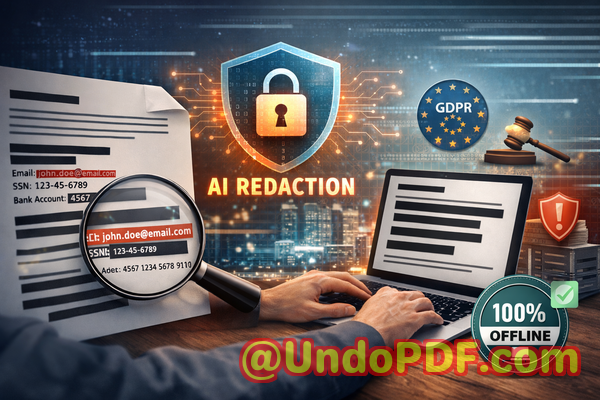
Enterprises must handle PDF data securely to avoid regulatory penalties. Automated AI redaction ensures compliance with data protection regulations

Protect Your Business: Permanently Redact Sensitive Data in PDFs Before Sharing

Last month, we shared a PDF contract with a partner, only to realize later that it still contained unredacted personal dataputting us at risk of a serious GDPR violation. As a compliance officer, seeing employees unknowingly expose confidential client information is every manager’s nightmare. Whether it’s emails, financial figures, or internal strategy documents, failing to securely handle PDFs can result in legal penalties, lost trust, and reputational damage.

Enterprises must handle PDF data securely to avoid regulatory penalties automated AI redaction ensures compliance with

Many businesses underestimate how easily sensitive information can slip through the cracks. A simple “blackout” in a PDF may look safe visually, but text under redaction can often be copied, searched, or recovered. Even worse, employees using free online tools may inadvertently upload confidential files to third-party servers, exposing your organization to data breaches. In today’s regulatory landscape, that risk is unacceptable.

One solution that has transformed how we manage sensitive PDFs is the VeryPDF AI PDF Redaction Tool Command Line. This tool automates the detection and permanent removal of confidential information, ensuring that documents can be shared safely without jeopardizing privacy or compliance.


Sensitive Data Exposure Can Happen Faster Than You Think

Imagine sending a contract with client names, email addresses, and payment details to a partner. If even a single piece of personal identifiable information (PII) is recoverable, your company is on the hook for GDPR violations or other legal exposure.

Another common scenario is HR teams sharing employee records internally. Payroll numbers, social security IDs, and performance reviews can be accidentally exposed if redaction is incomplete. Even when employees think they’ve blacked out sensitive information, PDF editing quirks can leave data accessible.

Then there’s the temptation to use online tools. Many employees assume free web-based redaction is convenient. In reality, uploading confidential PDFs to unknown servers increases the likelihood of a data leak, legal scrutiny, or even industrial espionage.

The risks are very real: fines, lawsuits, client mistrust, and long-term reputational harm.


How AI PDF Redaction Solves These Problems

The VeryPDF AI PDF Redaction Tool Command Line addresses all these risks by combining AI-powered detection with permanent offline redaction. Here’s how it transforms document security:

  • Automatic Detection of Sensitive Data: The AI identifies PII, emails, phone numbers, financial data, and IDs, eliminating the risk of human error.

  • Permanent Data Removal: Unlike manual blackouts that can be reversed, this tool ensures redacted information is fully removed from the document.

  • Fully Offline Processing: Your PDFs never leave your local environment, guaranteeing 100% privacy and compliance with data protection regulations.

Consider a law firm preparing case files for court submission. By using AI redaction, they ensure client names, social security numbers, and confidential notes are permanently removed, preventing accidental exposure to opposing counsel.


Real Business Scenarios and Benefits

Scenario 1: Avoiding Compliance Violations

A financial services company once shared quarterly reports internally, only to realize later that employee tax IDs were still visible. Using VeryPDF AI PDF Redaction Tool Command Line, they automatically detected and removed all PII before resending the documents. This prevented a regulatory breach and potential fines.

Scenario 2: Protecting Client Information

An HR department needed to share sensitive employment contracts with external consultants. By switching from an online redaction tool to the offline AI solution, they prevented confidential employee information from being uploaded to third-party servers.

Scenario 3: Safeguarding Business Secrets

Marketing teams frequently share product strategy PDFs with external partners. AI-powered redaction ensures that trade secrets, pricing details, and internal analytics are fully removed, preventing competitive leaks.


Step-by-Step Workflow for Secure Redaction

To ensure your documents are properly redacted, follow this workflow:

  1. Load Your PDF: Open the document you need to share.

  2. Detect Sensitive Data: The AI automatically scans for PII, financial details, and confidential clauses.

  3. Review Detected Data: Confirm the sensitive information to be redacted.

  4. Apply Redaction: Permanently remove the identified data from the document.

  5. Export Clean PDF: Share the redacted PDF safely with partners, clients, or colleagues.

Common types of data to redact include:

  • Personal identifiable information (PII): Names, addresses, emails, phone numbers, social security numbers.

  • Financial data: Account numbers, salaries, invoices, banking information.

  • Business secrets: Pricing strategies, product designs, internal analyses.

  • Legal/confidential clauses: Non-disclosure agreements, contract terms, sensitive annotations.

Using this approach, businesses reduce legal risk, protect client trust, and maintain regulatory compliance.


Why Offline AI Redaction is Safer Than Online Tools

Many professionals assume that any “redaction” is sufficient. Unfortunately, online redaction tools can expose sensitive files to third-party servers. Offline AI redaction offers these tangible benefits:

  • 100% Privacy: Documents never leave your computer.

  • Permanent Removal: Data is completely deleted, not merely hidden under black boxes.

  • Regulatory Compliance: Meets GDPR and other privacy standards without relying on external servers.

  • Time Savings: Automatic detection saves hours of manual redaction.

By keeping sensitive information offline, your organization avoids data leaks that could result in lawsuits or compliance penalties.


Conclusion: Share PDFs Without Fear

After implementing VeryPDF AI PDF Redaction Tool Command Line, I can confidently share sensitive documents internally and externally without worrying about accidental data exposure. It solves real business pain points, prevents compliance violations, and keeps confidential information safe from prying eyes.

I highly recommend this to anyone who needs to share documents safely without risking data leaks or regulatory issues. Try it now and securely redact your PDFs: https://veryutils.com/smart-redact-server-ai-powered-pdf-redaction-software

Start your free trial today and ensure your sensitive data is permanently removed before sharing.


Frequently Asked Questions

1. How can I permanently remove sensitive data from a PDF instead of just hiding it?

Using VeryPDF AI PDF Redaction Tool Command Line, the data is fully deleted from the file, not merely covered.

2. Can others recover redacted information from my PDF?

No. Once redacted with this tool, sensitive information cannot be restored or copied.

3. Is it safe to use online PDF redaction tools?

Online tools may upload your PDFs to external servers, creating privacy and compliance risks.

4. Does this tool work completely offline?

Yes. All processing occurs locally on your computer, ensuring full privacy.

5. What types of sensitive data can be automatically detected and removed?

Personal identifiable information, financial data, legal clauses, business secrets, and more.

6. How can I ensure compliance with GDPR when sharing documents?

Permanent offline redaction of all sensitive data ensures GDPR compliance when distributing PDFs.

7. Can I automate redaction for multiple documents?

Yes. The command-line interface supports batch processing for efficiency.

8. Will this affect the original PDF layout?

No. The tool preserves formatting while removing sensitive content.

9. How do I review what will be redacted?

Before finalizing, the AI highlights all detected sensitive information for review.

10. Is this tool suitable for legal, HR, or financial documents?

Absolutely. It’s designed for any document containing confidential information.

11. Can I redact scanned PDFs or images?

Yes. AI detection works on both text-based and scanned PDFs.


Tags/Keywords:

redact sensitive data, remove confidential information, PDF redaction tool, protect privacy in PDFs, prevent data leaks, offline PDF redaction, secure document sharing, AI PDF redaction, GDPR compliance, permanent data removal

UndoPDF

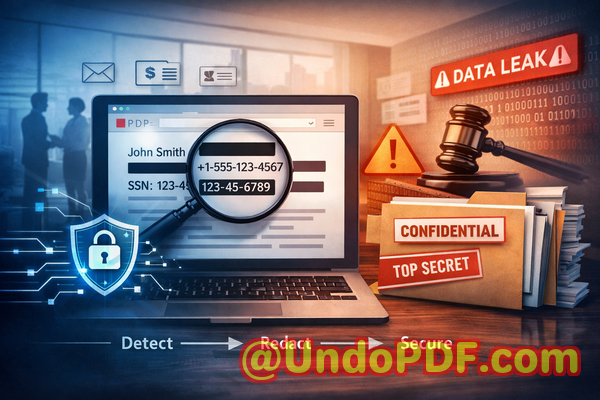
Sensitive internal emails or memos converted to PDFs may expose confidential info. AI redaction guarantees all private content is securely removed

Secure Your PDFs: Permanently Remove Sensitive Data Before Sharing

Sharing internal emails, contracts, or reports as PDFs can unintentionally expose confidential information. AI-powered redaction ensures all sensitive data is permanently removed, keeping your business compliant and secure.

Sensitive internal emails or memos converted to PDFs may expose confidential info AI redaction guarantees all private c

Last month, we had a close call. A partner requested a PDF of our latest HR report, and we sent it quickly, thinking everything was safe. Later, I realized it still contained employees’ personal emails and salary details. The thought of a potential GDPR violation hit hard. Accidental exposure of sensitive data isn’t just embarrassingit can cost a company heavily in fines, legal fees, and reputation damage. That’s when I started exploring AI-powered PDF redaction solutions, and VeryPDF’s tool proved indispensable.

Many businesses face similar challenges. For example, legal teams often convert contracts to PDFs for sharing with clients or partners, but confidential clauses, client contact info, and internal comments can remain visible. HR departments handle sensitive employee data in payroll reports or recruitment documents, and any oversight can trigger compliance issues. Even finance teams risk exposing bank account numbers, invoices, and financial forecasts if redaction isn’t handled correctly. The problem is clear: sharing PDFs safely is harder than it seems.

One of the biggest pain points is accidental exposure of sensitive data. Many PDFs contain personal identifiable information (PII), financial records, or proprietary business details. If these are shared without proper redaction, the consequences can range from compliance violations under GDPR or HIPAA to serious financial or reputational damage. Manual redaction is notoriously risky. It often relies on blacking out text visually, but underlying content can sometimes still be copied or recovered. Worse, employees may use free online tools, unknowingly uploading confidential documents to third-party servers, which increases the risk of data leaks exponentially.

That’s where the VeryPDF AI PDF Redaction Tool Command Line comes in. Unlike traditional methods, this tool leverages AI to automatically detect sensitive content, from emails and phone numbers to financial details and business secrets. It doesn’t just cover textit permanently removes the information from the document. This means what is redacted cannot be recovered or reconstructed. For businesses, that’s a game-changer.

The process is straightforward. You load a PDF into the tool, let the AI detect sensitive data, review the suggested redactions, and then apply them. The final output is a clean, sanitized PDF ready to share securely. Because the tool operates entirely offline, your documents never leave your computer, eliminating the risk of accidental uploads to third-party servers. The peace of mind knowing your sensitive information stays private is invaluable.

The benefits of this approach are tangible. Legal teams avoid inadvertent exposure of confidential client clauses. HR departments can share payroll or recruitment reports without risking employees’ privacy. Finance teams can circulate sensitive financial documents without fear of leaks. Companies that have switched from manual or online redaction methods to VeryPDF’s offline AI solution often report significantly fewer compliance concerns and greater confidence in sharing sensitive materials.

Real-world examples underscore the value. One medium-sized tech company avoided a major GDPR violation because every sensitive field in its internal reports was automatically redacted before being shared with external auditors. Another enterprise realized its old workflow using free online PDF editors was risky; switching to an offline AI-powered redaction tool eliminated the possibility of data being uploaded to unknown servers. Even in routine scenariossending contracts to a client or sharing internal strategy reportsthe tool ensures sensitive information, such as internal financial projections or proprietary methodologies, never accidentally reaches unintended eyes.

The workflow is simple yet robust:

  • Load your PDF into the VeryPDF AI PDF Redaction Tool.

  • Automatically detect sensitive data such as PII, financial info, or legal clauses.

  • Review suggested redactions for accuracy.

  • Apply redaction to permanently remove confidential information.

  • Export a sanitized, secure PDF for safe sharing.

Common types of data businesses need to redact include:

  • Personal identifiable information (names, addresses, emails, phone numbers)

  • Financial records (bank details, invoices, payroll info)

  • Proprietary business information (internal strategies, pricing models, trade secrets)

  • Legal or confidential clauses in contracts and agreements

With AI-powered detection, you no longer need to rely on memory, manual searching, or error-prone visual redaction. It reduces human error, streamlines workflow, and ensures every critical piece of confidential information is properly handled.

Beyond compliance and privacy, using a secure offline tool safeguards your reputation. A leaked report or an exposed client list can damage trust irreversibly. By removing sensitive data at the source, you demonstrate professionalism, responsibility, and proactive data protection.

I highly recommend this to anyone who needs to share documents safely without risking data leaks or compliance issues. VeryPDF AI PDF Redaction Tool Command Line is easy to use, fully offline, and ensures permanent removal of sensitive information. For businesses serious about protecting their data and meeting regulatory standards, this is an essential solution.

Try it now and securely redact your PDFs: https://veryutils.com/smart-redact-server-ai-powered-pdf-redaction-software

Start your free trial today and ensure your sensitive data is permanently removed before sharing.

FAQs

How can I permanently remove sensitive data from a PDF instead of just hiding it?

The VeryPDF AI PDF Redaction Tool removes sensitive content entirely, not just visually. Once applied, redacted information cannot be recovered.

Can others recover redacted information from my PDF?

No. The tool’s permanent redaction ensures all sensitive data is fully removed and cannot be reconstructed or copied.

Is it safe to use online PDF redaction tools?

Using online tools risks uploading confidential documents to third-party servers. Offline tools like VeryPDF eliminate this risk.

Does this tool work completely offline?

Yes. The entire process runs on your computer, ensuring 100% privacy and security.

What types of sensitive data can be automatically detected and removed?

It detects PII (names, emails, phone numbers), financial data, business secrets, and confidential clauses in contracts.

How can I ensure compliance with GDPR when sharing documents?

By permanently redacting personal data from PDFs before sharing, you reduce the risk of GDPR violations and data breaches.

Can the tool handle large or complex PDFs?

Yes. It is designed to process PDFs of any size, including multi-page contracts, reports, and financial documents.

Does it support reviewing suggested redactions before applying them?

Absolutely. You can review all detected sensitive content and make adjustments before finalizing the redaction.

Is it suitable for legal and HR departments?

Yes. It’s ideal for any department handling confidential documents, including legal, HR, finance, and executive teams.

Can I automate redaction for multiple PDFs at once?

Yes. The command line functionality allows batch processing to save time while maintaining accuracy.

What are the benefits over manual redaction?

AI-powered redaction eliminates human error, ensures permanent removal, protects privacy, and streamlines workflow for business-critical documents.

Tags/Keywords

redact sensitive data, remove confidential information, PDF redaction tool, protect privacy in PDFs, prevent data leaks, offline PDF redaction, secure document sharing, GDPR compliance, AI-powered redaction, permanent data removal

UndoPDF

Company strategy, product designs, and intellectual property are often hidden in PDFs. Smart Redact Server permanently removes sensitive content to protect your assets

Protecting Your Business: How to Permanently Redact Sensitive PDF Data Before Sharing

Last month, our legal team sent a confidential contract to a partner, thinking all sensitive information had been removed. Days later, we realized personal emails and financial identifiers were still visible in the PDF. The risk was immediatepotential GDPR violations, legal exposure, and a tarnished reputation. This is not an isolated incident; many companies inadvertently share documents containing confidential data, leaving themselves vulnerable to compliance fines, data leaks, and competitive disadvantages.

Company strategy, product designs, and intellectual property are often hidden in PDFs Smart Redact Server permanently r

Sensitive information in PDFs is more fragile than most professionals realize. A seemingly “blacked-out” section may still be recoverable, and using online tools can inadvertently expose your documents to third-party servers. For businesses that routinely handle contracts, HR files, or financial reports, the stakes are real. Without a reliable way to permanently remove sensitive data, organizations face ongoing risk every time a PDF is shared.

One of the most pressing challenges is accidental exposure of sensitive information. Business documents often contain personally identifiable information (PII) such as names, emails, phone numbers, or ID numbers, as well as financial data, legal clauses, or internal strategies. Sending these files via email or sharing them with external partners without proper redaction can create serious compliance risks. A single oversight can lead to GDPR penalties, client mistrust, or the leakage of trade secrets.

Traditional methods of redactionmanually blacking out text or using basic PDF editorsrarely provide true protection. Text that appears hidden can still be copied, searched, or even recovered using free software. Worse, employees often resort to online tools for convenience, unknowingly uploading sensitive company documents to servers they don’t control. These missteps not only undermine privacy but can create long-term liability for your organization.

This is where VeryPDF AI PDF Redaction Tool Command Line comes in as a practical, reliable solution. Designed for business professionals who need absolute certainty, this AI-powered tool permanently removes sensitive data from PDFs while keeping documents fully offline. No data leaves your computer, ensuring privacy is maintained from start to finish.

Using the tool is straightforward and aligns with real business workflows. First, upload the PDF into the system. The AI engine scans the document, automatically detecting sensitive elements such as personal identifiers, financial information, or confidential business clauses. You can review the detected content, then apply redaction to permanently remove it. The final document is safe to share, with no risk of recovery or accidental leakage.

The benefits are tangible. Consider the example of a multinational law firm that switched from manual redaction to VeryPDF’s solution. Previously, lawyers would spend hours ensuring client details were hidden, yet errors still occurred. After implementing the AI PDF Redaction Tool Command Line, sensitive data was consistently removed, regulatory compliance improved, and the firm eliminated the risk of accidental exposure when sharing documents with clients.

Similarly, a financial consulting company regularly handled sensitive accounting reports. Staff occasionally used free online PDF redaction websites, which uploaded confidential client data to external servers. Switching to an offline AI-powered solution meant that all reports stayed on the company’s secure servers, removing the risk of external data breaches and reinforcing trust with clients.

The tool supports a variety of redaction scenarios. You can protect:

  • Personal identifiable information (PII) such as names, emails, addresses, and government IDs

  • Financial data including bank account numbers, transaction records, and tax identifiers

  • Business secrets like product designs, strategy documents, or internal memos

  • Legal clauses or confidential agreements requiring strict compliance

Here’s a typical workflow that ensures your PDFs are safe:

  1. Load the PDF into VeryPDF AI PDF Redaction Tool Command Line

  2. AI scans the document and highlights sensitive information

  3. Review highlighted content to confirm what needs removal

  4. Apply permanent redaction

  5. Export a fully sanitized, secure PDF ready to share

Beyond compliance, there are operational benefits. The tool saves time, reduces human error, and builds confidence that shared documents are genuinely secure. By keeping the process offline, your business avoids exposing sensitive materials to unknown serverssomething that is impossible with most free web-based redaction solutions.

The consequences of neglecting proper PDF redaction can be severe. Data leaks not only risk regulatory fines but can also harm your company’s reputation. Employees inadvertently sharing unredacted HR files, financial reports, or legal contracts can trigger client mistrust, costly litigation, and internal accountability issues. Using a reliable AI-powered redaction tool mitigates these risks by ensuring sensitive data is permanently removed before it leaves your organization.

In practice, I’ve seen this tool prevent multiple near-miss incidents. For instance, a client preparing to send a merger agreement realized the PDF contained hidden email addresses and internal commentary. By running the document through the VeryPDF solution, all sensitive details were removed within minutes, allowing secure sharing with external partners without risk. Another example involved HR sharing employment contracts. The offline AI redaction ensured that confidential salary and personal information never left the company network, maintaining full compliance with privacy regulations.

Implementing a system like this also encourages consistent security practices. Employees no longer have to guess which tools are safe; the organization can standardize on one trusted method for permanent data removal. This not only streamlines internal processes but also reinforces a culture of compliance and privacy awareness across departments.

For businesses concerned with GDPR, HIPAA, or other data privacy frameworks, the advantages are clear:

  • Sensitive information is permanently erased, reducing exposure

  • Compliance documentation becomes easier, as redaction is auditable

  • Risk of fines or legal claims decreases dramatically

  • Confidential business strategies and intellectual property remain secure

I highly recommend VeryPDF AI PDF Redaction Tool Command Line to any business handling sensitive documents. It’s a reliable, offline solution that eliminates accidental exposure, ensures compliance, and simplifies secure sharing.

Try it now and securely redact your PDFs: https://veryutils.com/smart-redact-server-ai-powered-pdf-redaction-software

Start your free trial today and ensure your sensitive data is permanently removed before sharing.

Frequently Asked Questions

How can I permanently remove sensitive data from a PDF instead of just hiding it?

The tool uses AI to detect sensitive content and removes it from the document entirely, not just visually covering it.

Can others recover redacted information from my PDF?

No, once applied, the redaction is permanent. Even advanced PDF recovery tools cannot access the removed data.

Is it safe to use online PDF redaction tools?

No, uploading confidential documents online poses a risk because the data leaves your secure environment.

Does this tool work completely offline?

Yes, all processing happens locally on your computer, ensuring 100% privacy and security.

What types of sensitive data can be automatically detected and removed?

Names, emails, phone numbers, IDs, financial data, business strategies, legal clauses, and other confidential information.

How can I ensure compliance with GDPR when sharing documents?

By permanently removing personal data before sharing, you mitigate the risk of unauthorized exposure and maintain regulatory compliance.

Can this tool handle large batches of PDFs at once?

Yes, the command-line version supports batch processing for multiple documents efficiently.

Is technical expertise required to use the tool?

No, the interface is user-friendly, and AI automates detection and redaction, minimizing manual effort.

What if I need to review redactions before finalizing?

The workflow allows you to review AI-detected sensitive data before applying permanent removal.

Does the tool support financial and legal documents?

Absolutely, it is designed to handle HR records, contracts, accounting reports, and any document containing confidential information.

Can this solution replace manual redaction entirely?

Yes, AI detection ensures that all sensitive data is permanently removed, reducing human error and improving compliance.

Tags/Keywords:

redact sensitive data, remove confidential information, PDF redaction tool, protect privacy in PDFs, prevent data leaks, offline PDF redaction, secure document sharing, AI PDF redaction, compliance-friendly redaction, permanent data removal