UndoPDF

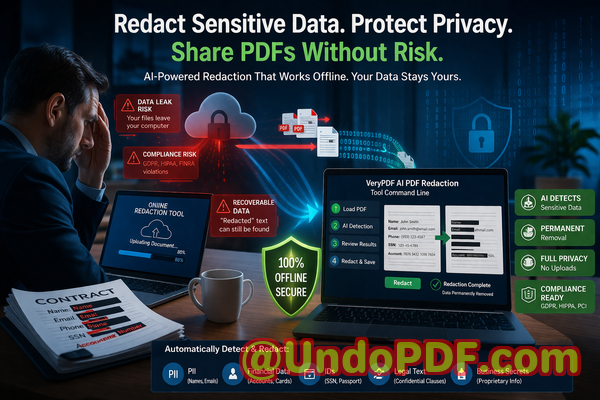
Sharing PDF reports externally without proper redaction risks exposing sensitive financial and strategic data. AI redaction ensures all confidential information is securely removed before distribution

Sharing Sensitive PDFs Safely: How AI Redaction Prevents Data Leaks

Last month, our legal team shared a PDF contract with a potential partner. Everything seemed routine until we realized the document still contained unredacted employee personal information and client financial details. That single oversight could have triggered a GDPR violation, not to mention reputational damage. For any business handling sensitive information, this scenario is all too realand preventable.
Sharing PDF reports externally without proper redaction risks exposing sensitive financial and strategic data AI redact

The risks are everywhere. Financial reports, HR records, contracts, and strategic plans often contain confidential data. Sending them externally without proper protection can expose your company to regulatory fines, client trust issues, and even legal action. The challenge is that traditional methods of redactionblack boxes, manual editing, or basic online toolsoften fail to completely remove sensitive information.

That’s where AI-powered PDF redaction comes in. Tools like VeryPDF AI PDF Redaction Tool Command Line can permanently remove confidential information from PDFs, ensuring that documents are safe to share.


Imagine this: your team prepares an investor report containing salary data, customer emails, and internal projections. You think you’ve blacked out the sensitive parts, but a competitor who receives the PDF could still extract that data using simple copy-paste or PDF recovery tools. These kinds of data leaks happen far more often than businesses realize.

Some of the most common pain points we encounter include:

  • Accidental exposure of sensitive data: Names, emails, IDs, financial figures, and business secrets often remain visible if redaction is incomplete. Compliance violations, like GDPR fines or contractual breaches, can follow immediately.

  • Manual redaction mistakes: Even when using black boxes or strikethroughs, the underlying text may remain in the PDF, recoverable by anyone with basic technical know-how.

  • Unsafe online redaction tools: Employees sometimes upload confidential files to third-party websites without realizing the risk. These servers may store your sensitive information, potentially creating massive privacy breaches.

VeryPDF’s AI PDF Redaction Tool Command Line addresses these issues directly.

Instead of relying on visual “cover-ups,” this AI-powered solution detects sensitive data automatically and permanently removes it. Names, emails, phone numbers, IDs, financial records, and even legal clauses can be identified and redacted without any manual guesswork. Because the tool works entirely offline, your documents never leave your computer, ensuring 100% privacy.

Consider a real scenario: a mid-sized consulting firm regularly shares client reports containing financial metrics and proprietary strategies. Previously, they relied on manual redaction, which resulted in an inadvertent disclosure of client revenue figures. After adopting VeryPDF AI PDF Redaction Tool, the tool automatically scanned every document, flagged sensitive data, and applied permanent redaction before sharing. The firm avoided a potential breach and reinforced client trust.

Here’s why offline AI redaction is a game-changer:

  • Prevents accidental leaks: Sensitive information is removed completely, not just hidden.

  • Eliminates third-party risk: No online upload means no chance of exposing your documents to unknown servers.

  • Ensures regulatory compliance: GDPR, HIPAA, and other data protection regulations require that personal and confidential data be irrecoverably removed.

Let’s break down a practical workflow:

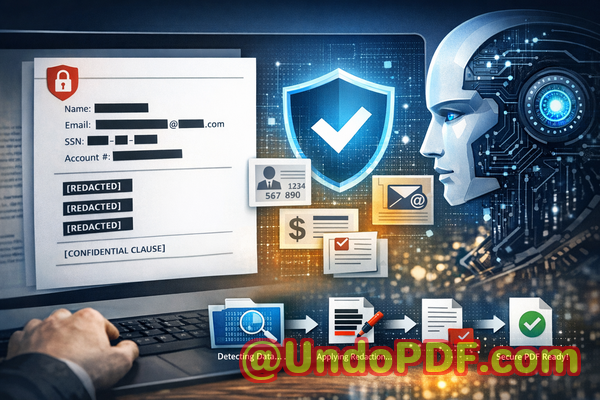
  1. Load your PDF: Start by selecting the document you want to share.

  2. Detect sensitive data: AI scans for personal identifiers, financial details, and confidential clauses.

  3. Review suggestions: The tool allows you to confirm what should be redacted, providing control over the final output.

  4. Apply redaction: Sensitive information is permanently removed, not just visually obscured.

  5. Export clean PDF: You now have a document safe to share with partners, clients, or regulators.

Common types of data that businesses often need to redact include:

  • Personal Identifiable Information (PII) such as names, addresses, phone numbers, and IDs

  • Financial data like bank details, salaries, and invoices

  • Business secrets, strategies, and internal project notes

  • Legal and confidential clauses within contracts or agreements

Switching from traditional or online redaction methods to a fully offline, AI-powered solution dramatically reduces risk. One HR department we worked with avoided exposing employee social security numbers and salary information by simply implementing this tool into their standard document workflow. Another marketing firm, previously concerned about accidentally sharing client lists in PDF reports, was able to continue sharing materials confidently after automated AI redaction.

The bottom line is that every PDF you share carries potential risk if sensitive information is not properly removed. AI redaction not only protects your data but also streamlines your workflow, reducing human error and saving time.

I highly recommend this to anyone who needs to share documents safely without risking data leaks or compliance issues. Try it now and securely redact your PDFs: https://veryutils.com/smart-redact-server-ai-powered-pdf-redaction-software. Start your free trial today and ensure your sensitive data is permanently removed before sharing.


Frequently Asked Questions

  1. How can I permanently remove sensitive data from a PDF instead of just hiding it?

    The AI redaction tool identifies and permanently deletes sensitive information at the data layer, ensuring it cannot be recovered.

  2. Can others recover redacted information from my PDF?

    No. Unlike simple black boxes, the AI tool removes the underlying text completely, making recovery impossible.

  3. Is it safe to use online PDF redaction tools?

    Online tools may store your documents on third-party servers, creating privacy and compliance risks. Offline tools are much safer.

  4. Does this tool work completely offline?

    Yes, your documents never leave your computer, guaranteeing full privacy and data security.

  5. What types of sensitive data can be automatically detected and removed?

    Names, emails, phone numbers, IDs, financial information, business secrets, and confidential clauses can all be detected.

  6. How can I ensure compliance with GDPR when sharing documents?

    Permanently redacting all personal and sensitive data before sharing helps you meet GDPR requirements.

  7. Can I review what is being redacted before finalizing?

    Yes, the tool allows you to review and approve redactions, ensuring accuracy.

  8. Does AI redaction save time compared to manual methods?

    Absolutely. It scans entire PDFs in seconds and identifies all sensitive data automatically.

  9. Can this tool handle large batches of PDFs?

    Yes, command-line support allows processing multiple documents efficiently.

  10. What industries benefit most from AI PDF redaction?

    Legal, HR, finance, healthcare, consulting, marketing, and any business handling confidential information.

  11. Are the redacted PDFs fully compliant for client sharing?

    Yes, since sensitive data is permanently removed, the documents are safe for external distribution.

  12. Does it support all PDF types?

    The tool works with standard PDFs, scanned documents, and complex multi-page reports.


Keywords

redact sensitive data, remove confidential information, PDF redaction tool, protect privacy in PDFs, prevent data leaks, offline PDF redaction, secure document sharing, AI-powered PDF redaction, GDPR compliance, permanent data removal
UndoPDF

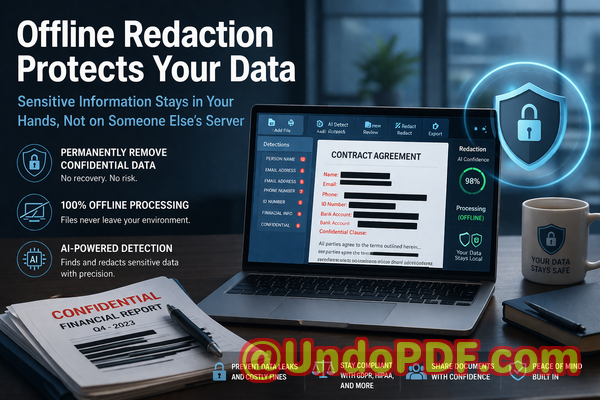
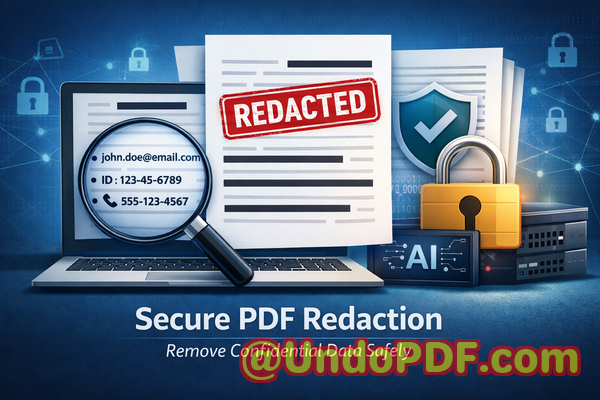
HR, legal, and finance teams require fast, accurate redaction of confidential PDFs. Smart Redact Server automates this process, ensuring all sensitive information is securely removed

Fast, Accurate PDF Redaction for HR, Legal, and Finance Teams to Protect Sensitive Data

In today’s fast-paced business environment, sharing documents is routinebut even a small mistake can have major consequences. Last month, our finance team sent a PDF report to a partner company, only to discover later that it still contained unredacted employee personal information. The oversight not only exposed sensitive data but also put us at risk of serious GDPR violations and potential legal repercussions. For HR, legal, and finance teams, this type of scenario isn’t hypotheticalit’s a real and growing risk.

HR, legal, and finance teams require fast, accurate redaction of confidential PDFs Smart Redact Server automates this p

Accidental exposure of confidential information can happen in a split second: an email sent to the wrong recipient, a contract shared without proper redaction, or a document reviewed on a shared computer. The consequences are tangibleregulatory fines, legal disputes, loss of client trust, and damage to your company’s reputation.

The Hidden Risks of PDF Sharing in Business

Even when documents seem “safe,” several pain points make sensitive data vulnerable:

  • Unintentional leaks of confidential data: PDFs often contain personal information, financial details, or legal clauses that employees may overlook. Sharing these without proper redaction can result in compliance violations or breaches of privacy agreements.

  • Ineffective manual redaction: Many teams still rely on blacking out text with PDF editors. However, underlying data may still be accessible if someone copies text, searches through metadata, or uses recovery toolsmaking “visual redaction” insufficient.

  • Unsafe online redaction tools: To save time, employees sometimes upload PDFs to free online tools. While convenient, this exposes sensitive files to unknown servers, creating a new privacy risk.

For businesses handling HR records, legal contracts, financial statements, or medical information, these risks are anything but hypothetical. A single exposed document could trigger regulatory scrutiny or even lawsuits.

How AI-Powered PDF Redaction Solves Real Business Problems

This is where the VeryPDF AI PDF Redaction Tool Command Line becomes essential. Designed specifically for enterprise teams, it addresses all the critical gaps traditional methods leave open. Here’s how it protects your business:

  • Automatic detection of sensitive data: Using AI, the tool identifies personal identifiable information (PII), emails, phone numbers, social security numbers, financial data, and even business secrets, reducing the chance of human error.

  • Permanent removal, not just masking: Unlike simple blackouts, the tool completely removes confidential information from PDFs, ensuring that redacted data cannot be recovered.

  • Fully offline processing: All operations happen locally on your machine. Your confidential documents never leave your network, eliminating risks associated with cloud-based or online tools.

Imagine preparing a contract with multiple confidential clauses. The AI redaction tool scans the entire PDF, flags all sensitive content, and lets you review before applying permanent redaction. The result? A clean, shareable document that keeps your business and clients safe.

Real-Life Business Scenarios Where Redaction Matters

  • Avoiding compliance violations: A medium-sized law firm recently switched from manual redaction to VeryPDF AI redaction. By doing so, they eliminated errors that had previously exposed client names and case numbers. The result: zero compliance complaints after months of document sharing.

  • Improving internal workflows: HR departments handling payroll or employee records no longer need to worry about sending files with unredacted personal information. Offline AI redaction ensures sensitive data is fully removed before distribution.

  • Protecting business intelligence: Finance teams sharing quarterly reports or acquisition documents can securely remove confidential figures or strategic plans without risking exposure to competitors.

Practical Workflow for Secure Redaction

  1. Load PDF: Start by opening the document in the AI PDF redaction tool.

  2. Detect sensitive data: The tool scans the file for PII, financial data, and legal clauses automatically.

  3. Review flagged content: Verify AI-detected sensitive information to ensure nothing is missed.

  4. Apply permanent redaction: The confidential data is completely removed from the document.

  5. Export clean PDF: Share the finalized, redacted document safely with clients, partners, or internal teams.

Common types of data to redact include:

  • Personal identifiable information (names, emails, phone numbers, IDs)

  • Financial data (bank account numbers, salaries, invoices)

  • Business secrets (strategic plans, project details)

  • Legal or contractual clauses that are confidential

By following this structured workflow, teams not only safeguard sensitive information but also maintain compliance and operational efficiency.

The Privacy and Security Benefits

Using AI PDF redaction tools has measurable consequences for business security:

  • Preventing accidental leaks: Ensures that confidential data isn’t shared with unintended recipients.

  • Avoiding online exposure: Fully offline processing means sensitive files are never sent to third-party servers.

  • Regulatory compliance: Supports GDPR and other data protection regulations by permanently removing PII and confidential information.

  • Building client trust: Demonstrates a commitment to data privacy and secure handling of sensitive materials.

Real-World Examples

  • A healthcare provider preparing patient records for external review avoided fines by using AI redaction to remove all personal health information before sending.

  • A corporate legal team prevented the accidental exposure of confidential merger details by switching from manual blackouts to AI-based permanent redaction.

  • An HR department moved away from online redaction tools, eliminating the risk of employee personal data being uploaded to unknown servers.

Why Businesses Should Choose AI PDF Redaction

Traditional methodsmanual redaction, visual blackouts, or free online toolscarry too much risk for modern enterprises. AI-powered redaction ensures accuracy, compliance, and privacy. It also frees teams from tedious manual work, allowing employees to focus on high-value tasks rather than painstaking document review.

Conclusion

After months of testing, I can confidently say that VeryPDF AI PDF Redaction Tool Command Line is indispensable for any organization sharing sensitive documents. It not only permanently removes confidential information but also ensures your data never leaves your system, protecting your business from accidental leaks, regulatory fines, and compliance violations.

I highly recommend this to anyone who needs to share documents safely without risking data breaches or legal exposure. Try it now and securely redact your PDFs: https://veryutils.com/smart-redact-server-ai-powered-pdf-redaction-software

Start your free trial today and ensure your sensitive data is permanently removed before sharing.

FAQs

  1. How can I permanently remove sensitive data from a PDF instead of just hiding it?

    The VeryPDF AI PDF Redaction Tool Command Line fully deletes sensitive data, not just visually obscures it, ensuring it cannot be recovered.

  2. Can others recover redacted information from my PDF?

    No. Permanent redaction removes the underlying data, preventing copy-paste or recovery attempts.

  3. Is it safe to use online PDF redaction tools?

    Using online tools poses a risk because confidential files may be uploaded to unknown servers. Offline solutions like VeryPDF AI PDF Redaction Tool keep all data local.

  4. Does this tool work completely offline?

    Yes. All detection and redaction processes occur locally, ensuring 100% privacy.

  5. What types of sensitive data can be automatically detected and removed?

    PII, financial information, business secrets, legal clauses, phone numbers, emails, social security numbers, and other confidential data.

  6. How can I ensure compliance with GDPR when sharing documents?

    By using AI-powered redaction to permanently remove PII before sharing, your organization reduces risk of data breaches and ensures regulatory compliance.

  7. Can I review what will be redacted before applying changes?

    Yes. The tool flags sensitive data for review, allowing verification before permanent removal.

  8. Does AI redaction work on scanned PDFs or images?

    The tool uses AI to detect text in scanned PDFs, images, and standard digital documents, enabling comprehensive redaction.

  9. Is it suitable for large enterprise documents?

    Absolutely. The command-line interface supports batch processing, making it efficient for large volumes of PDFs.

  10. Can non-technical staff use this tool effectively?

    Yes. The workflow is simple: load, detect, review, redact, and exportno coding required.

  11. What industries benefit most from this tool?

    Legal, finance, HR, healthcare, and any industry handling confidential or personal data.

Tags/Keywords

redact sensitive data, remove confidential information, PDF redaction tool, protect privacy in PDFs, prevent data leaks, offline PDF redaction, secure document sharing, GDPR compliance, AI PDF redaction, permanent redaction

UndoPDF

Manual redaction is error-prone, leaving potential leaks. AI-powered redaction ensures consistent, accurate removal of all sensitive information

Prevent Data Leaks: How AI PDF Redaction Keeps Sensitive Information Safe

Last month, our legal team shared a set of employment contracts with a consulting partner. We thought everything was safe, only to realize later that a few PDFs still contained employees’ personal datasocial security numbers and home addresseshidden in footnotes we had overlooked. This small oversight could have triggered a serious GDPR violation and potentially exposed us to fines, not to mention reputational damage.

Manual redaction is error-prone, leaving potential leaks AI-powered redaction ensures consistent, accurate removal of a

Unfortunately, this kind of risk is far too common. Businesses of all sizes regularly share documents containing confidential information. From contracts and financial reports to HR records and client lists, any unredacted data can create exposure. The problem is that traditional redaction methodsblack boxes, highlights, or manual editsare often error-prone. Incomplete redaction, accidental formatting leaks, and human oversight leave sensitive information vulnerable.

This is where AI-powered PDF redaction comes in. Tools like VeryPDF AI PDF Redaction Tool Command Line ensure sensitive data is permanently removed, allowing businesses to share documents safely, maintain compliance, and avoid costly data breaches.

Why Businesses Struggle with PDF Redaction

Consider these scenarios:

  • Exposing sensitive personal data: A human resources team sends out a batch of PDFs containing employee records. While names and emails are visible, social security numbers and salary information remain hidden in tables or comments. Standard blacking out techniques might obscure the text visually, but clever recovery tools can still extract the hidden data.

  • Manual redaction errors: An attorney highlights and blacks out confidential clauses in a contract. Later, the document is shared, only for the client to discover that copying and pasting text reveals the original content. Manual redaction is simply too inconsistent for sensitive information.

  • Online tools introduce risk: Employees often turn to free online PDF redaction tools without realizing the privacy implications. Uploading confidential business agreements or client lists to third-party servers creates unnecessary exposure and potential regulatory violations.

The consequences of these mistakes are significant: regulatory fines under GDPR, HIPAA, or other data protection frameworks; loss of client trust; and potential competitive risks if confidential business information leaks.

How AI PDF Redaction Solves Real Business Risks

VeryPDF AI PDF Redaction Tool Command Line provides a practical, secure solution for these risks. Here’s how it addresses them:

  • Automated sensitive data detection: Using AI, the tool scans documents to identify personal identifiable information (PII), emails, phone numbers, IDs, financial data, and legal clauses automatically. You no longer have to manually hunt for hidden details or risk missing something important.

  • Permanent data removal: Unlike traditional redaction, which may simply cover text visually, VeryPDF ensures the confidential information is completely removed from the PDF. Once redacted, there is no way to recover the hidden data.

  • Offline processing for total privacy: All operations run on your local machine. No document ever leaves your computer, which protects your organization from accidental leaks through cloud-based tools.

  • Compliance assurance: By automatically removing all sensitive content, you reduce the risk of violating GDPR, HIPAA, or other regulatory requirements, giving legal and compliance teams peace of mind.

Real-World Examples of AI PDF Redaction in Action

  1. Avoiding compliance violations: A financial firm needed to send quarterly reports to external auditors. Using manual redaction, they discovered afterward that some client account numbers were still retrievable. Switching to VeryPDF AI redaction, they permanently removed all PII before sharing the next batch, ensuring compliance.

  2. Protecting HR data: A multinational company needed to share payroll information with a consultant. Using an online redaction tool risked exposing salaries and personal identifiers. By moving to an offline AI-powered solution, they kept sensitive information private while streamlining the redaction process.

  3. Preventing accidental leaks: During a product launch, a marketing team shared internal strategy PDFs with a partner. AI redaction ensured competitor-sensitive information like pricing and launch dates were fully removed, preventing inadvertent leaks that could have affected market positioning.

Practical Steps for Secure Redaction

Redacting sensitive data doesn’t have to be complicated. A typical workflow with VeryPDF AI PDF Redaction Tool Command Line looks like this:

  1. Load your PDF: Select the documents you need to share.

  2. Detect sensitive information: Run AI detection to automatically identify PII, financial details, and confidential clauses.

  3. Review and confirm: Quickly scan detected items to ensure accuracy.

  4. Apply redaction: Permanently remove the sensitive data with a single command.

  5. Export a clean PDF: Share your document with confidence, knowing confidential information is fully protected.

Common types of sensitive information to redact include:

  • Personal identifiable information (PII): Names, social security numbers, emails, phone numbers, addresses.

  • Financial data: Bank account details, salary figures, credit card numbers.

  • Business secrets: Proprietary formulas, strategies, internal memos.

  • Legal or confidential clauses: Contract terms, settlement agreements, litigation notes.

Benefits Beyond Compliance

By using AI-powered, offline PDF redaction, businesses gain tangible benefits:

  • Eliminate accidental leaks: Documents can be shared with partners, clients, or auditors without risk.

  • Maintain trust: Clients and employees know their data is handled securely.

  • Increase efficiency: Redaction becomes fast and accurate, freeing staff from repetitive manual work.

  • Reduce legal risk: Avoid fines and litigation caused by data exposure.

  • Secure offline control: No cloud upload means no third-party exposure.

Conclusion

I’ve seen firsthand how easy it is for unredacted documents to cause serious business risks. VeryPDF AI PDF Redaction Tool Command Line addresses these pain points directly, allowing you to permanently remove sensitive information, ensure compliance, and safely share PDFs.

I highly recommend this to anyone who needs to share documents safely without risking data leaks or compliance issues. Try it now and securely redact your PDFs: https://veryutils.com/smart-redact-server-ai-powered-pdf-redaction-software. Start your free trial today and ensure your sensitive data is permanently removed before sharing.

Frequently Asked Questions (FAQs)

  1. How can I permanently remove sensitive data from a PDF instead of just hiding it?

    Using AI-powered redaction, sensitive content is completely removed from the PDF file, ensuring it cannot be recovered.

  2. Can others recover redacted information from my PDF?

    With proper AI redaction, the information is permanently deleted, unlike visual-only redaction where text may still be copied or extracted.

  3. Is it safe to use online PDF redaction tools?

    Online tools may store or transmit your document to third-party servers, creating potential privacy risks. Offline solutions eliminate this exposure.

  4. Does this tool work completely offline?

    Yes, all processing occurs on your local machine, keeping your documents entirely private.

  5. What types of sensitive data can be automatically detected and removed?

    AI can detect names, emails, phone numbers, IDs, financial information, legal clauses, and other confidential content.

  6. Can this help my organization comply with GDPR?

    Absolutely. By permanently removing personal data before sharing, it minimizes the risk of regulatory violations.

  7. How quickly can I redact multiple PDFs?

    The command-line tool allows batch processing, making it efficient to handle large volumes of documents.

  8. Do I need technical skills to use the tool?

    Basic familiarity with command-line operations is helpful, but step-by-step guides make it accessible for business users.

  9. Will my formatting or layout be preserved?

    Yes, the redaction process preserves document structure while removing only sensitive content.

  10. Can I review what the AI identifies before redaction?

    Yes, the tool allows a review step to confirm detected data before permanently removing it.

  11. Is it suitable for legal, HR, or financial documents?

    Definitely. It is designed for any document containing confidential or regulated information.

Keywords/Tags:

redact sensitive data, remove confidential information, PDF redaction tool, protect privacy in PDFs, prevent data leaks, offline PDF redaction, secure document sharing, AI-powered PDF redaction, GDPR compliance, permanent data removal
UndoPDF

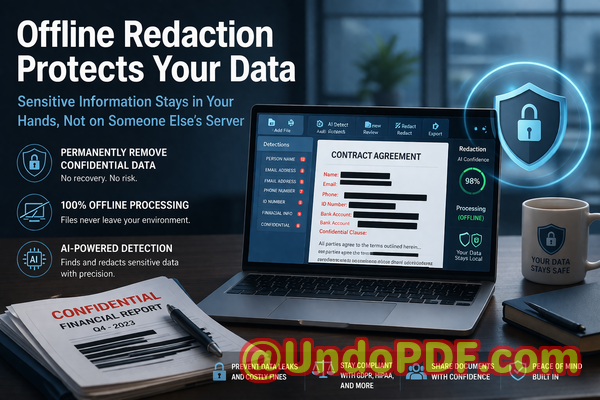
Hidden comments, tracked changes, and annotations can reveal sensitive info. Smart Redact Server cleans every trace before sharing, ensuring complete confidentiality

Secure Your PDFs: Remove Hidden Data and Protect Sensitive Information Before Sharing

Sharing PDFs is a routine part of businessbut it can be risky if hidden comments, tracked changes, or annotations contain sensitive information. Imagine sending a contract, financial report, or HR record, only to realize later that confidential details were exposed. Data leaks like this can lead to compliance violations, legal exposure, or reputational damage. Fortunately, AI-powered PDF redaction offers a practical, permanent solution to safeguard your documents before they leave your office.

Hidden comments, tracked changes, and annotations can reveal sensitive info Smart Redact Server cleans every trace befo

Last month, our team shared a PDF contract with a prospective partner. Everything looked clean at first glancebut after a closer review, we noticed hidden tracked changes and comments revealing employee names and compensation details. Had the partner overlooked these, it could have led to a serious GDPR violation and legal complications. This experience underscored a common business challenge: even visually “clean” PDFs may still contain sensitive data.

Businesses face multiple risks when sharing documents. One major pain point is the accidental exposure of personal information, financial data, or proprietary details embedded in PDF files. A seemingly innocuous comment or tracked change can reveal more than intended, putting your company at risk of regulatory fines or loss of client trust.

Another problem is manual redaction. Many employees attempt to black out confidential text using basic tools or annotations. While this may hide the text visually, the underlying information often remains accessible through copy-paste or specialized software. This incomplete redaction leaves sensitive data vulnerable to recovery and exploitation.

A third risk arises when employees use online PDF tools. Uploading sensitive files to third-party servers may seem convenient, but it exposes your business to unintentional data sharing. The moment a confidential document is uploaded externally, control over who can access that information is losta serious concern for legal teams and compliance officers.

This is where VeryPDF AI PDF Redaction Tool Command Line comes into play. Designed for business professionals, legal teams, HR departments, and anyone handling confidential documents, it addresses these risks directly.

Using AI, the tool automatically detects sensitive data such as names, emails, phone numbers, IDs, financial information, or legal clauses. Unlike manual redaction, it doesn’t just hide informationit permanently removes it, ensuring no one can recover it later.

An added advantage is full offline processing. Your documents never leave your computer, eliminating the risk of accidental uploads to external servers. For businesses handling GDPR-sensitive data or internal financial records, this offline capability provides peace of mind and ensures compliance with data privacy regulations.

Consider the story of a mid-sized consulting firm that needed to share client contracts for project approvals. Previously, they relied on manual redaction and online tools. A misstep once nearly exposed client names and contract terms to a third party. After switching to VeryPDF AI PDF Redaction Tool Command Line, the firm implemented a simple workflow: load the PDF, detect sensitive data, review suggested redactions, apply them, and export a fully sanitized document. Since then, every shared document has been fully protected, preventing potential legal and reputational issues.

For HR departments, the tool is invaluable when sharing employee records. Personal identifiable information (PII), salary data, and performance reviews can be automatically redacted, ensuring compliance with internal privacy policies and regulations like GDPR. Finance teams can safely circulate reports containing bank details or account numbers, confident that sensitive data is permanently removed. Legal teams can send contracts with annotations or negotiation notes fully redacted, avoiding accidental exposure of privileged information.

Here’s a practical step-by-step workflow for using the tool:

  • Load the PDF into the VeryPDF AI PDF Redaction Tool Command Line.

  • Enable AI detection for sensitive data categories relevant to your organization.

  • Review the detected items to ensure accuracy.

  • Apply permanent redactions.

  • Export the cleaned PDF for secure sharing.

Common types of data to redact include:

  • Personal identifiable information (PII) such as names, addresses, emails, and social security numbers.

  • Financial data like account numbers, payment details, or invoices.

  • Business secrets, including proprietary formulas, strategies, or confidential project plans.

  • Legal and contractual clauses that must remain private.

The benefits of this approach are tangible. By permanently removing confidential information, you prevent accidental data leaks that could result in fines or legal exposure. Offline processing ensures that no sensitive file is ever uploaded to a third-party server, protecting your privacy. Compliance is straightforward because every shared PDF meets the standards set by regulations like GDPR.

Another example involves a legal team managing contracts with multiple tracked changes and comments from negotiations. Instead of painstakingly reviewing each page manually, they now rely on AI to detect and redact all sensitive annotations automatically. This reduced errors and dramatically improved document security.

For companies still using online redaction services, switching to an offline, AI-powered solution is a game-changer. One financial services firm shared sensitive reports via an online tool and later realized the files were temporarily stored on a third-party server. After moving to VeryPDF’s offline solution, all data processing occurred internally, eliminating the exposure risk entirely.

Even in day-to-day operations, small mistakes can have serious consequences. Imagine an employee preparing a pitch deck that references internal metrics or client names. Sharing the deck without proper redaction could reveal confidential business information. With AI-powered PDF redaction, these errors are caught before the document is distributed, saving your company from potential embarrassment or competitive disadvantage.

I highly recommend this tool to any business professional who regularly shares sensitive PDFs. It’s easy to integrate into existing workflows, requires minimal training, and provides complete confidence that confidential information is permanently removed.

Try it now and securely redact your PDFs: https://veryutils.com/smart-redact-server-ai-powered-pdf-redaction-software

Start your free trial today and ensure your sensitive data is permanently removed before sharing.

Frequently Asked Questions

Q1: How can I permanently remove sensitive data from a PDF instead of just hiding it?

A1: The VeryPDF AI PDF Redaction Tool Command Line permanently removes text and metadata. Unlike simple blackouts, the information is erased from the file, making it unrecoverable.

Q2: Can others recover redacted information from my PDF?

A2: No. Properly applied AI redactions permanently delete sensitive data, including comments, tracked changes, and annotations.

Q3: Is it safe to use online PDF redaction tools?

A3: Online tools risk exposing your data because files may be temporarily uploaded to external servers. Offline solutions like VeryPDF ensure your documents never leave your system.

Q4: Does this tool work completely offline?

A4: Yes. All processing occurs locally on your computer, protecting privacy and compliance.

Q5: What types of sensitive data can be automatically detected and removed?

A5: The tool can detect personal identifiable information (PII), financial details, legal clauses, business secrets, tracked changes, annotations, and comments.

Q6: How can I ensure compliance with GDPR when sharing documents?

A6: By permanently redacting all personal and sensitive data before sharing PDFs, you meet GDPR requirements and reduce the risk of violations.

Q7: Can the tool handle large batches of PDFs?

A7: Yes. The command-line interface allows batch processing for multiple files, saving time for teams handling high volumes of documents.

Q8: How do I review redactions before finalizing them?

A8: The tool provides a review step, allowing you to confirm detected sensitive data before applying permanent redactions.

Q9: Are annotations and tracked changes fully removable?

A9: Yes. AI identifies and permanently removes hidden comments, tracked changes, and other embedded metadata.

Q10: Can I integrate this tool into existing workflows?

A10: Absolutely. Its command-line interface is ideal for integration with document management systems, automated workflows, and batch processing scripts.

Q11: Does it require special technical skills to use?

A11: No. The interface is straightforward, and clear instructions allow non-technical users to securely redact PDFs efficiently.

Q12: Will my documents remain in the original format after redaction?

A12: Yes. The tool maintains PDF formatting while ensuring all sensitive content is permanently removed.

Tags / Keywords:

redact sensitive data, remove confidential information, PDF redaction tool, protect privacy in PDFs, prevent data leaks, offline PDF redaction, secure document sharing, GDPR compliance, PII protection, business document security

UndoPDF

Enterprises often lack time and resources to manually redact thousands of PDFs. AI automation allows secure redaction at scale, saving time and reducing risk

How Businesses Can Safely Share PDFs by Redacting Sensitive Data at Scale

Last month, we shared a PDF contract with a new partner, only to realize later that it still contained unredacted employee emails and client details. That small oversight could have led to a serious GDPR violation and damaged our client’s trust. Situations like this happen far too oftensensitive information accidentally exposed in documents is a growing concern for businesses of all sizes. With thousands of PDFs circulating daily, manually redacting every file is not only time-consuming but also risky.

Enterprises often lack time and resources to manually redact thousands of PDFs AI automation allows secure redaction at

Imagine sending out an annual report containing employee salaries or client lists, only to discover later that someone could access the data easily. Or consider HR teams sharing medical records internally, thinking they’ve removed all identifiers, but failing to catch a few critical details. These scenarios aren’t hypotheticalthey happen frequently and have real consequences, from legal fines to reputational damage.

Common Risks Businesses Face When Sharing PDFs

1. Accidental Exposure of Sensitive Data

Sensitive dataincluding personal names, email addresses, financial details, social security numbers, and internal project informationcan easily be overlooked when preparing PDFs for sharing. Even one unredacted line in a contract, HR record, or financial statement can create a compliance nightmare. Businesses risk violating GDPR, CCPA, or other privacy regulations, potentially leading to fines that range from thousands to millions of dollars.

2. Manual Redaction Mistakes

Many companies still rely on manual redaction. Blacking out text in a PDF may look secure, but in reality, it’s often reversible. Copy-pasting or extracting the text from supposedly “blacked-out” areas can expose the hidden data. A single human error can undo hours of work, leaving confidential information accessible to anyone who knows how to extract it.

3. Unsafe Online Tools

Employees sometimes turn to free online PDF redaction tools for convenience. While tempting, these services often upload your files to external servers. This exposes sensitive information to unknown third parties, creating a major data security risk. Once uploaded, your confidential documents could be stored, cached, or even analyzed by a service without your consent.

A Practical Solution: AI-Powered PDF Redaction

This is where VeryPDF AI PDF Redaction Tool Command Line transforms document security. It addresses real business pain points while ensuring privacy and compliance.

Here’s how it works:

  • Automatic Detection of Sensitive Data: The tool uses AI to recognize personal names, emails, phone numbers, identification numbers, financial records, and more. You no longer have to hunt through every page manually.

  • Permanent Redaction: Unlike manual or cosmetic redactions, this tool removes confidential data completely. Once applied, the information cannot be recovered, copied, or extracted.

  • Offline Processing for Full Privacy: All operations happen locally on your computer. Sensitive documents never leave your network, protecting your business from accidental leaks or exposure to third-party servers.

How This Protects Your Business

Using AI-driven redaction not only saves time but also mitigates measurable risks:

  • Prevent Accidental Data Leaks: Every sensitive field is permanently removed before sharing, reducing the risk of compliance violations and potential fines.

  • Eliminate Third-Party Exposure: Because everything runs offline, there’s no risk of sensitive data being stored on an external server.

  • Ensure Compliance: By systematically removing personal and confidential information, your organization can confidently meet GDPR, HIPAA, and other data protection standards.

Real Business Scenarios

Scenario 1: HR Department Handling Employee Records

A mid-sized company needed to share medical leave documentation with a third-party HR consultancy. Previously, manual redaction left hidden patient names exposed. Switching to VeryPDF’s AI redaction tool allowed them to scan and clean all PDFs quickly, permanently removing any personal identifiers. The files were then safely shared without risk.

Scenario 2: Legal Teams Sharing Contracts

A law firm often shares contracts with multiple stakeholders. One contract included sensitive financial clauses and client identifiers. Using the offline AI redaction workflow, the firm ensured that all confidential sections were permanently removed before sending. This prevented potential legal exposure and preserved client confidentiality.

Scenario 3: Finance Departments Circulating Reports

A financial department had to distribute quarterly reports internally and externally. Some reports contained employee bonuses and sensitive client account numbers. By implementing automated redaction, they could remove all confidential information efficiently, protecting both the company and its clients.

Step-by-Step Workflow

  1. Load PDF: Open the document in VeryPDF AI PDF Redaction Tool Command Line.

  2. Detect Sensitive Data: Let the AI automatically identify personal and confidential information.

  3. Review Suggestions: Confirm or adjust which data should be redacted.

  4. Apply Redaction: Permanently remove selected sensitive data.

  5. Export Clean PDF: Share the redacted file safely with partners, clients, or internal teams.

Common Types of Data to Redact:

  • Personal Identifiable Information (PII) names, addresses, phone numbers, emails

  • Financial data bank accounts, salaries, invoices

  • Business secrets project details, internal strategies, trade secrets

  • Legal/confidential clauses contracts, NDAs, agreements

Benefits for Business Professionals

  • Saves Time: Automates tedious redaction tasks, enabling staff to focus on higher-value work.

  • Reduces Human Error: Eliminates the risk of accidentally leaving sensitive information exposed.

  • Strengthens Compliance: Helps your organization demonstrate regulatory diligence in audits and reporting.

  • Protects Reputation: Prevents leaks that could damage client trust or public perception.

Conclusion

I’ve seen firsthand how quickly sensitive information can slip through the cracks, even in well-managed organizations. Implementing VeryPDF AI PDF Redaction Tool Command Line changed the game for our team. It allows us to share documents confidently, knowing that confidential data is permanently removed and compliance requirements are met.

I highly recommend this to anyone who needs to share documents safely without risking data leaks or compliance issues. Try it now and securely redact your PDFs: https://veryutils.com/smart-redact-server-ai-powered-pdf-redaction-software

Start your free trial today and ensure your sensitive data is permanently removed before sharing.

Frequently Asked Questions

1. How can I permanently remove sensitive data from a PDF instead of just hiding it?

Using VeryPDF AI PDF Redaction Tool, sensitive data is fully deleted from the document, not just blacked out, ensuring it cannot be recovered.

2. Can others recover redacted information from my PDF?

No. Once the redaction is applied, the information is permanently removed and cannot be accessed or copied.

3. Is it safe to use online PDF redaction tools?

Online tools can pose privacy risks because your documents are uploaded to third-party servers. Offline solutions like VeryPDF ensure your data never leaves your system.

4. Does this tool work completely offline?

Yes. All processing is local, protecting sensitive information from exposure or leaks.

5. What types of sensitive data can be automatically detected and removed?

Names, emails, phone numbers, identification numbers, financial data, medical information, business secrets, and confidential legal clauses.

6. How can I ensure compliance with GDPR when sharing documents?

By using AI-powered redaction to permanently remove personal data before sharing, you reduce the risk of violating privacy regulations.

7. Can I batch process multiple PDFs at once?

Yes. The command-line tool supports batch processing, allowing large-scale redaction efficiently.

8. How accurate is the AI detection of sensitive information?

The AI is trained to detect a wide range of sensitive data with high accuracy, minimizing the chance of missed items.

9. Can I review redaction suggestions before applying them?

Absolutely. You can review and approve all redactions to ensure accuracy and avoid unnecessary removal of non-sensitive data.

10. Is this tool suitable for legal, HR, or finance teams?

Yes. It’s designed for any team handling sensitive documents, including legal contracts, HR records, financial reports, and medical documents.

11. How does this tool help prevent accidental data leaks?

By permanently removing sensitive information offline, it ensures that even if PDFs are shared externally, no confidential data can be exposed.

12. Does this solution require technical expertise to use?

No. It’s designed for business users and professionals. Basic familiarity with PDF handling is sufficient.

Keywords

redact sensitive data, remove confidential information, PDF redaction tool, protect privacy in PDFs, prevent data leaks, offline PDF redaction, secure document sharing, AI PDF redaction, GDPR compliance, permanent data removal