UndoPDF

Contract annexes and appendices often contain sensitive data. Smart Redact Server ensures all confidential content is securely redacted before sharing

Stop Data Leaks: Securely Redact Sensitive Information in PDFs Before Sharing

Protect your business from data leaks and compliance risks by using AI-powered PDF redaction to permanently remove confidential information before sharing.
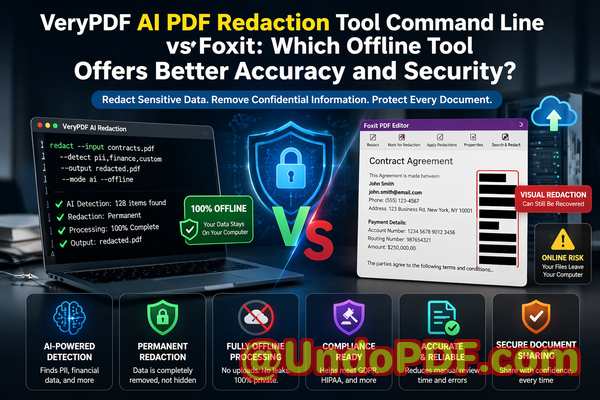
Contract annexes and appendices often contain sensitive data Smart Redact Server ensures all confidential content is se


Last month, we shared a contract PDF with a potential partner. It was a routine stepnothing unusual. Or so we thought. A few days later, someone on our legal team spotted it: buried deep in an annex was a spreadsheet containing employee email addresses and partial salary data. We had “redacted” it visually, but the text was still extractable. Anyone could copy and paste it.

That moment was a wake-up call. We weren’t just dealing with an embarrassing mistakewe were facing a potential compliance violation, reputational damage, and serious legal exposure. And the worst part? We had followed what we thought was a safe process.

If you work with contracts, reports, HR records, or any form of sensitive documentation, this scenario probably feels uncomfortably familiar.


The Hidden Risks Inside Everyday Documents

Most business professionals assume that once they black out text in a PDF, the information is gone. Unfortunately, that’s often not true. What looks secure on the surface can still expose critical data underneath.

Let me walk you through a few real-world pain points that many organizationsincluding ourshave faced.


1. Sensitive Data Is Still ThereEven After “Redaction”

One of the most common mistakes I’ve seen is using basic PDF editing tools to “hide” text. You draw a black box over confidential information and assume it’s gone.

But in reality:

  • The underlying text is still embedded in the file

  • Anyone can copy, paste, or extract it

  • Search functions can still reveal it

  • Metadata may still contain sensitive details

This creates a false sense of security.

In industries like legal, finance, or healthcare, that’s not just riskyit’s dangerous. A single exposed Social Security number, email list, or financial figure can lead to:

  • GDPR violations

  • Regulatory fines

  • Loss of client trust

  • Legal liability


2. Manual Redaction Is Error-Prone and Time-Consuming

We used to rely on manual review processes. Someone would open a document, scan for sensitive content, and redact it line by line.

Here’s what typically went wrong:

  • Important data hidden in appendices or annexes was missed

  • Human fatigue led to inconsistent results

  • Different team members applied different standards

  • Large documents took hours to process

In one case, a contract appendix containing bank account details slipped through simply because it was on page 47.

Manual processes don’t scaleand they don’t guarantee accuracy.


3. Online Tools Introduce a Whole New Risk

At one point, someone suggested using a free online PDF redaction tool. It seemed convenientupload, redact, download.

But think about what that actually means:

  • You’re uploading confidential documents to a third-party server

  • You don’t know how long they store your data

  • You don’t control who has access behind the scenes

  • You may be violating internal security policies without realizing it

For us, this was a hard stop.

Uploading sensitive contracts, HR files, or financial reports to unknown servers is a risk we simply couldn’t justify.


A Practical Solution That Actually Works

After dealing with these issues firsthand, we needed a better approachsomething reliable, scalable, and secure.

That’s when we started using VeryPDF AI PDF Redaction Tool Command Line.

What stood out immediately was that it wasn’t just another editing tool. It was designed specifically to permanently remove confidential information, not just hide it.


How AI-Powered Redaction Changes Everything

Instead of relying on manual scanning or basic overlays, this tool uses AI to detect and remove sensitive content automatically.

Here’s how it works in practice.


Step-by-Step Workflow

A typical workflow looks like this:

  1. Load your PDF document

  2. Run AI-based detection for sensitive data

  3. Review highlighted items (optional but recommended)

  4. Apply redaction

  5. Export a clean, secure PDF

That’s it.

No guesswork. No manual scanning of 50+ pages. No risk of hidden data lingering in the file.


What Types of Data Can Be Detected?

The AI is trained to identify a wide range of sensitive information, including:

  • Personal identifiable information (PII)

    • Names

    • Email addresses

    • Phone numbers

  • Financial data

    • Bank account numbers

    • Payment details

  • Identification data

    • Passport numbers

    • National IDs

  • Business-sensitive content

    • Internal project names

    • Confidential clauses

    • Pricing structures

This is especially useful for documents with complex layouts, such as:

  • Contract annexes

  • Legal appendices

  • Financial reports

  • HR records


Permanent Removal Means Zero Recovery Risk

One of the biggest advantagesand something I personally care aboutis that the tool doesn’t just hide data.

It completely removes it from the file.

That means:

  • The text cannot be copied

  • It cannot be recovered using software tools

  • It is not stored in metadata

  • It is not searchable

From a compliance standpoint, this is critical.

If regulators or auditors review your documents, you can confidently demonstrate that sensitive data has been fully removednot just visually obscured.


Fully Offline Processing: A Game Changer for Privacy

This was the deciding factor for us.

The VeryPDF solution runs entirely offline.

That means:

  • No file uploads

  • No external servers

  • No data leaving your organization

  • Full control over your documents

For industries with strict data governance policies, this is essential.

We no longer have to worry about:

  • Third-party data exposure

  • Cloud storage vulnerabilities

  • Unauthorized access

Everything stays within our own infrastructure.


Real Business Scenarios Where This Made a Difference

Let me share a few examples from our experience and from colleagues in other organizations.


Avoiding a GDPR Violation

A legal team was preparing to share a contract with an external partner. The document included multiple appendices containing client contact information.

Using AI redaction:

  • All personal data was automatically detected

  • The team reviewed flagged items

  • The final document was fully sanitized

Result:

  • No data leakage

  • Full GDPR compliance

  • Faster turnaround time


Replacing Unsafe Online Tools

A marketing team had been using an online PDF tool for redaction.

After switching to an offline solution:

  • They eliminated the risk of third-party data exposure

  • Improved internal security compliance

  • Reduced dependency on external platforms


Preventing Competitive Information Leaks

In one case, a company was sharing a proposal with a potential client.

Hidden within the document were:

  • Internal pricing models

  • Supplier details

AI redaction ensured these were completely removed before sharing.

Result:

  • Protected business intelligence

  • Maintained competitive advantage


Why This Matters More Than Ever

Data protection is no longer optional.

Regulations like GDPR have made it clear:

  • Businesses must protect personal data

  • Violations can lead to significant fines

  • Accountability is mandatory

But beyond compliance, there’s a bigger issuetrust.

Clients, partners, and employees expect their information to be handled responsibly.

A single mistake can damage that trust permanently.


Key Benefits at a Glance

From a business perspective, here’s what makes this approach so effective:

  • Accuracy: AI detects what humans often miss

  • Security: Fully offline processing ensures complete privacy

  • Compliance: Supports GDPR and other regulations

  • Efficiency: Reduces time spent on manual review

  • Reliability: Permanent data removal eliminates recovery risk


Practical Tips for Safer Document Sharing

If you’re handling sensitive documents regularly, here are a few best practices I recommend:

  • Always assume hidden data exists in PDFs

  • Avoid manual-only redaction processes

  • Never upload confidential files to unknown online tools

  • Use tools that permanently remove data, not just mask it

  • Review annexes and appendices carefullythey often contain the most sensitive information


Final Thoughts and Recommendation

After going through multiple close calls and one very real scare, I can say this with confidence:

Relying on visual redaction or manual processes is no longer enough.

We needed something that was accurate, secure, and designed for real-world business risksand that’s exactly what we found.

I highly recommend this to anyone who needs to share documents safely without risking data leaks or compliance issues.

Try it now and securely redact your PDFs:
https://veryutils.com/smart-redact-server-ai-powered-pdf-redaction-software

Start your free trial today and ensure your sensitive data is permanently removed before sharing.


Frequently Asked Questions

1. How can I permanently remove sensitive data from a PDF instead of just hiding it?

You need a tool that deletes the underlying data, not just overlays it. AI-powered redaction tools remove the content completely so it cannot be recovered.

2. Can others recover redacted information from my PDF?

If you used basic tools, yes. Proper redaction software ensures the data is permanently erased and unrecoverable.

3. Is it safe to use online PDF redaction tools?

In most cases, no. Uploading confidential documents to third-party servers introduces significant privacy and security risks.

4. Does this tool work completely offline?

Yes. It processes files locally, ensuring your documents never leave your environment.

5. What types of sensitive data can be automatically detected and removed?

It can detect names, emails, phone numbers, financial details, IDs, and other confidential information using AI.

6. How can I ensure compliance with GDPR when sharing documents?

Use tools that permanently remove personal data and maintain audit-ready processes for document handling.

7. Is manual redaction reliable enough for business use?

Not really. It’s prone to human error and often misses hidden or embedded data.

8. Can this tool handle large or complex documents?

Yes. It’s designed to process multi-page documents, including annexes and appendices.

9. Will redacted PDFs still look professional?

Yes. The output maintains document structure while removing sensitive content cleanly.

10. Is this suitable for legal and HR documents?

Absolutely. It’s ideal for contracts, employee records, financial reports, and compliance documents.

11. Does it remove metadata as well?

Yes. Proper redaction includes removing hidden metadata that could contain sensitive information.


Tags / Keywords

redact sensitive data, remove confidential information, PDF redaction tool, protect privacy in PDFs, prevent data leaks, offline PDF redaction, secure document sharing, AI redaction software, GDPR compliance, document security

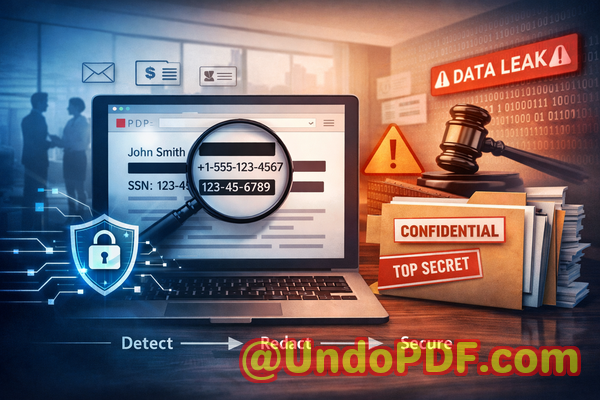
UndoPDF

Automated AI redaction allows enterprises to meet GDPR, HIPAA, and other regulations efficiently while eliminating the risk of human error in handling sensitive data

Stop Costly Data Leaks: AI PDF Redaction to Securely Remove Sensitive Information

Protect your business from data leaks and compliance risks by permanently removing confidential information from PDFs using AI-powered offline redaction.

Automated AI redaction allows enterprises to meet GDPR, HIPAA, and other regulations efficiently while eliminating the r


Last month, we shared a PDF contract with a new partner. Everything looked fineuntil a colleague noticed that personal email addresses and internal pricing notes were still visible beneath what we thought were “redacted” sections. That moment was uncomfortable, but more importantly, it exposed us to real risk: a potential compliance violation and a breach of trust with a partner we were trying to impress.

If you’ve ever handled contracts, HR files, financial reports, or client documents, you’ve probably faced a similar situation. You need to share informationbut not all of it. And the margin for error? Practically zero.

This is where many businesses struggle. Redacting sensitive data sounds simple, but doing it correctlyand permanentlyis far more complex than it appears.


The Hidden Risks of Sharing “Redacted” PDFs

In many organizations, document sharing is routine. Contracts go to partners, HR files circulate internally, reports are sent to clients. But inside these documents often lies sensitive data that must never be exposed.

Let’s break down the most commonand dangerouspain points.


1. “Redacted” Doesn’t Always Mean Removed

One of the biggest misconceptions is that covering text with a black box equals redaction. It doesn’t.

I’ve seen teams use basic PDF editors to draw rectangles over sensitive text. It looks secure. But in reality:

  • The original text is still embedded in the document

  • Anyone can copy and paste to reveal hidden data

  • Advanced tools can extract the underlying content

This creates a false sense of security. You think you’ve protected privacy, but the data is still therejust hidden visually.

The consequences can be severe:

  • GDPR violations due to exposed personal data

  • Legal liability from leaked confidential clauses

  • Damage to client trust


2. Manual Redaction Is Error-Prone

Even when using proper tools, manual redaction introduces human error.

Consider a legal team reviewing a 120-page contract. They must identify:

  • Names

  • Email addresses

  • Financial figures

  • Internal notes

Now imagine missing just one instance of sensitive data.

That’s all it takes.

In high-pressure environments, mistakes happen:

  • A missed phone number in an appendix

  • A hidden comment not removed

  • Metadata left intact

Manual processes simply don’t scale. The more documents you handle, the higher the risk.


3. Online Tools Create New Privacy Risks

Many professionals turn to free online PDF redaction tools for convenience. But this introduces another major issue: data exposure.

When you upload a document to an online service:

  • You lose control over where the file is stored

  • You don’t know how long it’s retained

  • You can’t verify who has access

For sensitive documentsHR records, legal agreements, financial statementsthis is a serious risk.

In some industries, it’s outright non-compliant.

I’ve personally seen companies unknowingly upload confidential contracts to third-party servers, thinking they were just “editing a PDF.”

That’s not just riskyit’s avoidable.


A Practical Solution: AI-Powered PDF Redaction That Actually Works

After dealing with these issues firsthand, I started looking for a solution that could:

  • Reliably detect sensitive data

  • Permanently remove it

  • Keep everything fully private

That’s where VeryPDF AI PDF Redaction Tool Command Line comes in.

This isn’t just another PDF editor. It’s designed specifically to solve the real problems businesses face when trying to protect sensitive information.


How It Solves Real Business Problems

Let’s walk through how this tool addresses the risks we’ve just discussed.


AI Detection of Sensitive Data

Instead of manually scanning documents, the tool uses AI to automatically identify sensitive information such as:

  • Names

  • Email addresses

  • Phone numbers

  • Identification numbers

  • Financial details

This dramatically reduces the chance of missing something critical.

In practice, this means:

  • Faster processing of large documents

  • Consistent detection across files

  • Reduced reliance on manual review

For teams handling hundreds of documents, this is a game changer.


Permanent Data Removal (Not Just Visual Masking)

This is the most important feature.

The tool doesn’t just hide textit removes it entirely from the document.

That means:

  • No recoverable underlying text

  • No hidden metadata leaks

  • No risk of copy-paste exposure

Once redacted, the sensitive data is gone for good.

This is essential for:

  • Legal compliance

  • Secure document sharing

  • Protecting intellectual property


Fully Offline Processing for Maximum Privacy

One of the biggest advantages is that everything runs locally.

Your documents:

  • Never leave your computer

  • Are not uploaded to external servers

  • Remain fully under your control

This eliminates an entire category of risk associated with online tools.

For industries like legal, healthcare, and finance, this is critical.


A Simple Workflow That Fits Into Any Business Process

One thing I appreciate is how straightforward the workflow is. You don’t need to overhaul your existing processes.

Here’s a typical example:

  1. Load your PDF document

  2. Run AI detection to identify sensitive content

  3. Review flagged areas

  4. Apply redaction

  5. Export a clean, secure PDF

That’s it.

You can integrate this into:

  • Legal review pipelines

  • HR document handling

  • Client report preparation

  • Compliance audits


What Should You Be Redacting?

If you’re unsure what qualifies as sensitive data, here’s a practical checklist.


Personal Identifiable Information (PII)

  • Full names

  • Email addresses

  • Phone numbers

  • Home addresses

  • ID numbers


Financial Data

  • Bank account details

  • Payment records

  • Salary information

  • Pricing structures


Business-Sensitive Information

  • Internal strategies

  • Confidential agreements

  • Proprietary data

  • Client lists


Legal and Compliance Data

  • Contract clauses

  • Case details

  • Regulatory information


Real Business Scenarios Where This Matters

Let me share a few examples that highlight the real-world impact.


Scenario 1: Avoiding a GDPR Violation

A mid-sized consulting firm needed to share project reports with a partner. These reports included employee names and internal notes.

Using manual redaction, they initially missed several references.

After switching to AI-powered redaction:

  • All personal data was automatically flagged

  • Sensitive sections were permanently removed

  • The final documents were fully compliant

They avoided what could have been a costly GDPR issue.


Scenario 2: Protecting Client Confidentiality

A legal team was preparing documents for a case involving multiple clients.

Previously, they used an online tooluntil they realized:

  • Confidential files were being uploaded externally

  • There was no guarantee of data deletion

By moving to an offline solution:

  • All processing stayed internal

  • Client confidentiality was fully protected

  • Risk exposure dropped to near zero


Scenario 3: Preventing Internal Data Leaks

An HR department needed to share employee reports with management.

These documents included:

  • Salary details

  • Personal information

  • Performance notes

Using AI redaction:

  • Sensitive fields were automatically identified

  • Only necessary information was shared

  • Internal privacy was maintained


Why This Matters More Than Ever

Data privacy regulations are tightening globally.

Whether it’s GDPR, HIPAA, or internal compliance policies, the expectation is clear:

You must protect sensitive informationor face consequences.

Those consequences aren’t theoretical:

  • Financial penalties

  • Legal action

  • Reputational damage

At the same time, businesses are sharing more documents than ever.

That combination creates risk.

The only reliable solution is to ensure that sensitive data is not just hiddenbut completely removed before sharing.


Key Benefits at a Glance

Here’s what stands out to me:

  • AI-powered detection reduces human error

  • Permanent redaction ensures data cannot be recovered

  • Offline processing guarantees full privacy

  • Easy integration into existing workflows

  • Scales for teams handling large volumes of documents


Final Thoughts and Recommendation

After dealing with the risks of manual redaction and the uncertainty of online tools, switching to an AI-powered, offline solution made a measurable difference.

It’s not just about convenienceit’s about eliminating real business risks.

If you regularly handle sensitive documents, this is not optional. It’s essential.

I highly recommend this to anyone who needs to share documents safely without risking data leaks or compliance issues.

Try it now and securely redact your PDFs:
https://veryutils.com/smart-redact-server-ai-powered-pdf-redaction-software

Start your free trial today and ensure your sensitive data is permanently removed before sharing.


Frequently Asked Questions

1. How can I permanently remove sensitive data from a PDF instead of just hiding it?

You need a tool that performs true redaction, not visual masking. AI-powered redaction tools remove the underlying data completely, ensuring it cannot be recovered.

2. Can others recover redacted information from my PDF?

If you used proper redaction (not just covering text), the data is permanently deleted and cannot be recovered.

3. Is it safe to use online PDF redaction tools?

Online tools can expose your documents to third-party servers. For sensitive data, offline solutions are significantly safer.

4. Does this tool work completely offline?

Yes, all processing is done locally on your machine, ensuring full privacy and control over your documents.

5. What types of sensitive data can be automatically detected?

It can detect names, emails, phone numbers, ID numbers, financial data, and other confidential information using AI.

6. How can I ensure compliance with GDPR when sharing documents?

By permanently removing personal data before sharing and using tools that guarantee no recoverable information remains.

7. Is manual redaction still reliable?

Manual redaction is prone to human error and often misses hidden data. AI-assisted tools provide a more reliable approach.

8. Can this tool handle large volumes of documents?

Yes, it is designed for scalability and can process multiple documents efficiently.

9. Will redacted PDFs still look professional?

Yes, the output documents are clean, properly formatted, and ready for secure sharing.

10. Does it remove metadata as well?

Yes, proper redaction includes removing hidden metadata that could contain sensitive information.

11. Who should use this tool?

Business owners, legal teams, HR departments, compliance officers, and anyone handling confidential documents.


Tags

redact sensitive data, remove confidential information, PDF redaction tool, protect privacy in PDFs, prevent data leaks, offline PDF redaction, secure document sharing, AI redaction software

UndoPDF

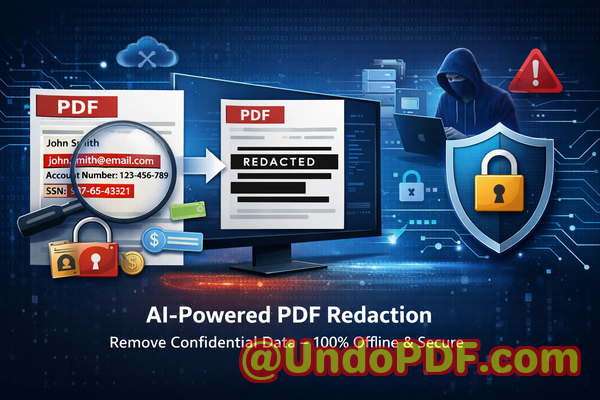
Hidden metadata and revision history in PDFs can leak confidential information. VeryPDF automatically detects and removes all sensitive content to ensure complete security

Your PDF Looks SafeUntil Hidden Data Triggers a Costly Leak

Protect sensitive data and prevent data leaks by removing hidden metadata and confidential information from PDFs before sharing.

Hidden metadata and revision history in PDFs can leak confidential information VeryPDF automatically detects and remove

Last month, a colleague of mine sent a seemingly harmless PDF proposal to a potential client. Everything looked cleannames blacked out, sensitive numbers hidden. But within hours, the client replied with questions about internal pricing structures that were supposedly removed. That’s when panic set in. The “redacted” information wasn’t actually gone. It was still embedded in the documentrecoverable, visible, and now exposed. What should have been a routine document share turned into a serious compliance concern and a potential breach of trust.

If you’ve ever shared PDFs externallycontracts, HR documents, financial reports, or legal filesyou’ve probably faced a similar risk without even realizing it. PDFs often carry more than what meets the eye. Hidden metadata, revision history, comments, and improperly redacted text can quietly expose confidential information. And in today’s regulatory landscape, that’s not just embarrassingit’s expensive.

Let’s talk about where things go wrong, and more importantly, how to fix it.


When “Redacted” Doesn’t Mean Removed

One of the most common misconceptions in business document handling is assuming that covering text with a black box equals security. It doesn’t.

Many professionals still rely on manual redaction methodshighlighting text, drawing shapes over it, or using basic PDF tools that only visually obscure content. The reality? That information often remains embedded in the file.

Here’s what can go wrong:

  • Text can still be copied and pasted from beneath the black overlay.

  • Search functions can reveal hidden content.

  • Metadata may include original author names, timestamps, or edits.

  • Revision history might expose previous versions of the document.

Imagine sending a contract to a vendor, believing you’ve removed internal negotiation notesonly for them to uncover everything with a simple copy-paste. That’s not just a mistake. It’s a liability.


The Real Business Risks Behind PDF Data Exposure

Let’s break down the actual consequences businesses face when confidential data leaks through improperly handled PDFs:

1. Compliance Violations (GDPR, HIPAA, etc.)

If your organization handles personal identifiable information (PII), you’re likely subject to strict data protection regulations. Sharing documents that still contain hidden personal dataeven unintentionallycan lead to:

  • Regulatory fines

  • Legal action

  • Mandatory breach disclosures

For example, an HR team sharing employee records with external consultants could accidentally expose Social Security numbers or addresses hidden in metadata.

2. Loss of Client Trust

Trust is hard to build and easy to lose. If a client discovers that your document exposes internal notes or sensitive data:

  • Your credibility takes a hit

  • Deals can fall through

  • Long-term relationships may be damaged

3. Intellectual Property Exposure

Businesses often share documents containing:

  • Product roadmaps

  • Pricing strategies

  • Internal communications

If hidden data reveals more than intended, competitors or partners may gain access to critical insights.

4. Risks from Online Redaction Tools

Many professionals turn to free online tools for quick fixes. But here’s the hidden danger:

  • You upload confidential documents to third-party servers

  • You have no control over how long files are stored

  • There’s no guarantee of data deletion

That’s a risk most organizations simply cannot afford.


A Smarter Way: AI-Powered PDF Redaction That Actually Works

After experiencing these risks firsthand, I started looking for a solution that doesn’t just “hide” informationbut completely removes it.

That’s where VeryPDF AI PDF Redaction Tool Command Line comes in.

This isn’t just another redaction tool. It’s designed specifically to address real-world business risks by combining AI-powered detection with permanent data removalall while keeping your documents fully private.


How It Solves the Problem (In Plain Terms)

Let’s walk through what makes this tool differentand why it matters.

1. AI Automatically Finds Sensitive Information

Instead of manually hunting for confidential data, the tool uses artificial intelligence to detect:

  • Names

  • Email addresses

  • Phone numbers

  • Identification numbers

  • Financial data

  • Legal references

This dramatically reduces human error.

Example:

A legal team reviewing hundreds of pages of contracts can automatically flag all personal data in secondssomething that would take hours manually.


2. Permanent Redaction (Not Just Visual Hiding)

This is critical.

The tool doesn’t just cover textit completely removes it from the document structure. That means:

  • No copy-paste recovery

  • No hidden layers

  • No metadata leaks

Once redacted, the data is gone for good.


3. Fully Offline Processing for Maximum Privacy

This is a game changer.

Unlike online tools, everything runs locally on your machine:

  • No file uploads

  • No external servers

  • No data exposure risks

For industries like legal, healthcare, or finance, this alone is worth the investment.


A Simple Workflow That Fits Into Any Business Process

You don’t need to be technical to use it effectively. The process is straightforward:

  1. Load your PDF document

  2. Let the AI scan for sensitive data

  3. Review the detected items

  4. Apply redaction

  5. Export a clean, secure PDF

That’s it.


What Should You Be Redacting?

Many businesses underestimate how much sensitive data exists in their documents. Here’s a quick checklist:

Personal Identifiable Information (PII):

  • Names

  • Addresses

  • Phone numbers

  • Email addresses

  • ID numbers

Financial Data:

  • Bank details

  • Payment records

  • Salary information

Business Confidentials:

  • Internal pricing

  • Strategy notes

  • Vendor agreements

Legal Content:

  • Confidential clauses

  • Case details

  • Client information

If it shouldn’t be seen by the recipientit should be permanently removed.


Real Business Scenarios Where This Tool Makes a Difference

Let me share a few practical examples that highlight its value.

Scenario 1: Avoiding a GDPR Violation

A European company needed to share customer service logs with an external analytics firm. The documents contained names, emails, and complaint details.

Before sending, they used the AI redaction tool to automatically detect and remove all PII.

Result:

  • Full compliance with GDPR

  • No risk of data exposure

  • Faster turnaround time


Scenario 2: Legal Team Preventing Information Leakage

A law firm was preparing case documents for public filing. The PDFs contained internal comments and revision history.

Using the tool, they:

  • Removed all metadata

  • Eliminated hidden annotations

  • Redacted sensitive client information

Result:

  • Clean, court-ready documents

  • Zero risk of exposing internal discussions


Scenario 3: Switching from Online Tools to Secure Offline Processing

A marketing agency previously used free online tools to redact client proposals. After realizing the privacy risks, they switched to an offline solution.

Result:

  • Full control over sensitive documents

  • Increased client trust

  • Compliance with internal data policies


Why This Matters More Than Ever

Data privacy is no longer optional. Regulations are tightening. Clients are more aware. And mistakes are more costly.

The difference between “hidden” and “removed” data is the difference between safety and exposure.

If your organization regularly shares PDFs, you need a reliable way to:

  • Redact sensitive data completely

  • Remove confidential information permanently

  • Protect privacy in PDFs

  • Prevent data leaks before they happen


Final Thoughts: A Practical Recommendation

After seeing how easy it is for hidden data to slip through the cracks, I’ve changed how I handle every document I share.

I no longer rely on visual fixes or online tools. Instead, I use a solution that guarantees the data is actually gone.

I highly recommend this to anyone who needs to share documents safely without risking data leaks or compliance issues.

Try it now and securely redact your PDFs:
https://veryutils.com/smart-redact-server-ai-powered-pdf-redaction-software

Start your free trial today and ensure your sensitive data is permanently removed before sharing.


Frequently Asked Questions

1. How can I permanently remove sensitive data from a PDF instead of just hiding it?

You need a tool that deletes the data at the structural level, not just visually covers it. AI-powered redaction tools ensure the content is completely removed and unrecoverable.

2. Can others recover redacted information from my PDF?

If you use basic tools, yes. Proper redaction software permanently deletes the data, making recovery impossible.

3. Is it safe to use online PDF redaction tools?

Not always. Uploading sensitive documents to third-party servers introduces privacy risks and potential data exposure.

4. Does this tool work completely offline?

Yes. It processes files locally, ensuring your documents never leave your environment.

5. What types of sensitive data can be automatically detected?

Names, emails, phone numbers, IDs, financial data, and more can be identified using AI.

6. How does this help with GDPR compliance?

By removing all personal data before sharing, you reduce the risk of unauthorized exposure and regulatory violations.

7. Can it remove metadata and revision history?

Yes. It detects and eliminates hidden metadata, comments, and document history.

8. Is it suitable for legal and financial documents?

Absolutely. It’s designed for high-risk, high-sensitivity environments.

9. Do I need technical expertise to use it?

No. The workflow is simple and designed for business users.

10. How accurate is the AI detection?

It significantly reduces human error by identifying sensitive data automatically, though manual review is always recommended.

11. Can it handle large volumes of documents?

Yes. The command-line interface makes it ideal for batch processing and enterprise use.


Tags and Keywords

redact sensitive data, remove confidential information, PDF redaction tool, protect privacy in PDFs, prevent data leaks, offline PDF redaction, secure document sharing, AI redaction software, GDPR compliance PDFs

UndoPDF

Manual redaction is slow, inconsistent, and error-prone. Smart Redact Server automates PDF redaction to maintain accuracy, consistency, and security

AI PDF Redaction That Prevents Data Leaks and Secures Confidential Documents

Protect your business from costly data leaks and compliance risks by using AI-powered PDF redaction that permanently removes sensitive information before sharing.

Manual redaction is slow, inconsistent, and error-prone Smart Redact Server automates PDF redaction to maintain accurac


Last month, we sent a contract draft to a partner for review. Everything looked cleannames blacked out, financial figures hidden, signatures covered. Or so we thought. A few days later, they replied with a question that referenced information we believed had been removed. That’s when it hit us: the “redacted” data was still there, just visually hidden.

That moment was more than embarrassing. It exposed us to potential legal risks and raised serious concerns about how we handle confidential information. If you’ve ever shared PDFs with clients, vendors, or stakeholders, you’ve probably faced a similar uneasy feelingwondering if sensitive data is truly gone or just covered up.

In today’s environment, where regulations like GDPR impose strict requirements and data breaches can lead to massive fines and reputational damage, simply “hiding” information isn’t enough. Businesses need a reliable way to permanently remove confidential data, not just mask it.


The Hidden Risks of Poor PDF Redaction

Most organizations underestimate how easy it is for sensitive information to slip through the cracks. From my experience working with teams across legal, HR, and finance departments, the risks usually come down to a few recurring issues.

1. Sensitive Data Still Exists Beneath the Surface

One of the most common mistakes is assuming that blacking out text equals removing it. In reality, many traditional methods only overlay a black box on top of the content.

This means:

  • Text can still be copied and pasted

  • Hidden metadata may contain confidential details

  • Advanced users can recover the original content

Imagine sending a legal document thinking client names are hidden, only for someone to extract them with a simple copy-paste. That’s not just a technical flawit’s a compliance nightmare.

2. Manual Redaction Is Inconsistent and Error-Prone

Manual redaction sounds straightforward until you scale it.

In practice, it leads to:

  • Missed sensitive fields in long documents

  • Inconsistent formatting across teams

  • Human errors under time pressure

I’ve seen teams spend hours reviewing documents line by line, only to miss a single email address or ID number buried in the text. That one oversight can trigger serious consequences.

3. Online Tools Introduce Privacy Risks

Many professionals turn to free online PDF tools for convenience. But there’s a hidden trade-off:

  • Files are uploaded to third-party servers

  • You lose control over where data is stored

  • There’s no guarantee of deletion after processing

For industries handling confidential contracts, employee records, or financial data, this is a major red flag. Uploading sensitive documents to unknown servers can violate internal policies and external regulations.


Why Businesses Need a Smarter Approach to Redaction

After experiencing these challenges firsthand, it became clear that traditional methods simply don’t meet modern security requirements.

What businesses actually need is:

  • Automated detection of sensitive data

  • Permanent removalnot visual masking

  • Full control over data processing

  • Consistency across large volumes of documents

This is where an AI-driven solution changes everything.


How VeryPDF AI PDF Redaction Tool Solves Real Business Problems

When I started using VeryPDF AI PDF Redaction Tool Command Line, the difference was immediate. Instead of relying on manual effort or risky online tools, the entire process became structured, reliable, and secure.

Let me break down how it addresses the exact problems we faced.

AI-Powered Detection of Sensitive Information

The tool automatically identifies sensitive content such as:

  • Names and personal identifiers

  • Email addresses and phone numbers

  • Financial data and account details

  • ID numbers and confidential references

Instead of manually scanning hundreds of pages, the AI does the heavy lifting. This dramatically reduces the chance of human error.

Permanent Removal of Confidential Data

This is the most critical feature.

Unlike basic tools, this solution doesn’t just cover textit completely removes it from the document structure.

That means:

  • No recovery through copy-paste

  • No hidden layers or metadata leaks

  • No risk of accidental exposure

Once redacted, the data is gone for good.

Fully Offline Processing for Maximum Privacy

One of the biggest advantages is that everything runs locally.

  • No file uploads

  • No external servers

  • No data leaving your environment

For us, this was a game changer. It eliminated the anxiety around using online tools and ensured full compliance with internal data policies.


Real Business Scenarios Where This Makes a Difference

To make this more concrete, here are a few situations where this approach has proven invaluable.

Avoiding a GDPR Violation in Client Contracts

A colleague in a legal team shared how they nearly sent out contracts containing personal data of third parties.

Using AI-based redaction:

  • All personal identifiers were automatically detected

  • Sensitive sections were permanently removed

  • The final document was safe for external sharing

This prevented a potential compliance issue that could have resulted in fines and reputational damage.

Securing HR Documents Before Sharing

HR departments regularly handle:

  • Employee records

  • Salary information

  • Performance reviews

Before adopting an offline redaction tool, they relied on manual editing. Now:

  • Sensitive fields are automatically flagged

  • Redaction is consistent across all documents

  • Confidential employee data stays protected

Protecting Financial Reports from Data Leaks

Finance teams often need to share reports with external stakeholders while keeping certain figures confidential.

With AI redaction:

  • Specific financial data is removed permanently

  • Reports remain readable and professional

  • No risk of hidden data exposure


A Simple Workflow That Anyone Can Follow

One of the reasons this tool works so well in business environments is its straightforward process.

Here’s a typical workflow:

  1. Load your PDF document

  2. Run AI detection to identify sensitive data

  3. Review flagged content for accuracy

  4. Apply redaction to permanently remove data

  5. Export the cleaned, secure PDF

This structured approach ensures nothing is overlooked while keeping the process efficient.


What Types of Data Should You Always Redact?

From experience, these are the most critical categories to focus on:

  • Personally identifiable information (PII)

  • Financial details and transaction data

  • Legal clauses and confidential agreements

  • Internal business strategies

  • Customer and client information

If a document is being shared externally, anything that could expose identity, financial status, or business strategy should be removed.


The Cost of Getting It Wrong

It’s easy to underestimate the impact of poor redaction until something goes wrong.

Potential consequences include:

  • Regulatory fines (especially under GDPR)

  • Legal disputes and liability

  • Loss of client trust

  • Damage to brand reputation

Even a single data leak can have long-term effects on a business.

That’s why investing in a reliable redaction process isn’t just a technical decisionit’s a strategic one.


Why Offline AI Redaction Is the Safer Choice

After comparing different approaches, the benefits of an offline AI-powered solution are clear:

  • Security: No external exposure of sensitive files

  • Accuracy: AI reduces human error

  • Compliance: Supports regulatory requirements

  • Efficiency: Saves time on manual review

  • Control: Full ownership of your data

For any organization handling confidential documents, these advantages are essential.


Final Thoughts and Recommendation

After dealing with the risks of manual redaction and the uncertainty of online tools, switching to an AI-powered, offline solution was one of the best decisions we made.

It transformed how we handle sensitive documents:

  • No more second-guessing whether data is truly removed

  • No more reliance on risky third-party platforms

  • No more costly mistakes from manual processes

I highly recommend this to anyone who needs to share documents safely without risking data leaks or compliance issues.

Try it now and securely redact your PDFs:
https://veryutils.com/smart-redact-server-ai-powered-pdf-redaction-software

Start your free trial today and ensure your sensitive data is permanently removed before sharing.


Frequently Asked Questions

1. How can I permanently remove sensitive data from a PDF instead of just hiding it?

You need a redaction tool that deletes the underlying content, not just overlays it. AI-powered tools ensure the data is completely removed from the file structure.

2. Can others recover redacted information from my PDF?

If you use basic methods, yes. But with proper redaction that permanently deletes data, recovery is not possible.

3. Is it safe to use online PDF redaction tools?

Online tools can expose your files to third-party servers, which may pose privacy and compliance risks.

4. Does this tool work completely offline?

Yes, it processes all documents locally, ensuring your data never leaves your environment.

5. What types of sensitive data can be automatically detected and removed?

Names, emails, phone numbers, financial data, ID numbers, and other personally identifiable information.

6. How can I ensure compliance with GDPR when sharing documents?

By permanently removing all personal data and using secure, offline processing methods.

7. Is manual redaction reliable for business use?

Manual redaction is prone to errors and inconsistencies, especially with large documents.

8. Can this tool handle large volumes of documents?

Yes, it’s designed for scalability and can process multiple files efficiently.

9. Does redaction affect the readability of the document?

No, it removes sensitive data while keeping the rest of the document intact and professional.

10. What industries benefit most from PDF redaction tools?

Legal, finance, healthcare, HR, and any industry handling confidential information.

11. How do I know if my current redaction method is secure?

Try copying and pasting redacted text. If it appears, your method is not secure.


Tags and Keywords

redact sensitive data, remove confidential information, PDF redaction tool, protect privacy in PDFs, prevent data leaks, offline PDF redaction, secure document sharing, AI PDF redaction, GDPR compliance, document security
UndoPDF

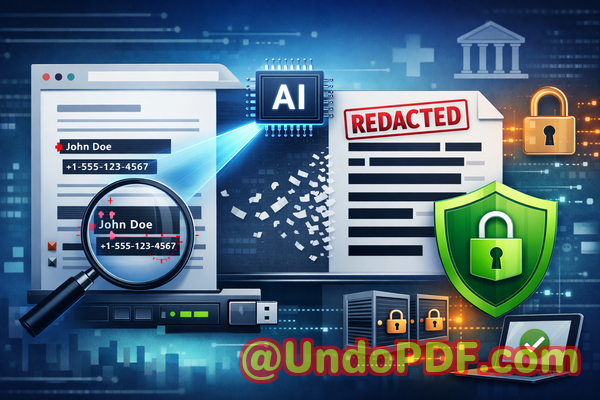
Sensitive project plans, proposals, and reports must be sanitized before distribution. AI-powered redaction guarantees complete and permanent removal of confidential data

Secure Your PDFs: Permanently Redact Sensitive Data to Prevent Leaks

Last month, we shared a PDF contract with a new partner, only to realize later that it still contained unredacted employee details and client emails. The realization hit hardone small oversight could have triggered a GDPR violation, damaged our client trust, and exposed our company to hefty fines. If you’ve ever worried about accidentally sharing confidential information in PDFs, you know exactly how stressful this can feel.

Sensitive project plans, proposals, and reports must be sanitized before distribution AI-powered redaction guarantees c

In business, sensitive data is everywhere: HR records, financial reports, strategic plans, legal agreements. A simple PDF can become a serious liability if not properly sanitized before distribution. Traditional redaction methodsblack boxes over text, manual scanning, or online toolsoften fail, leaving your company exposed. That’s where AI-powered PDF redaction comes in, giving you confidence that sensitive data is permanently removed and your documents remain secure.

One of the most common issues we see is sensitive information accidentally exposed in shared documents. Think client names, employee IDs, payroll figures, or confidential clauses in contracts. Manually blacking out text is not enoughsometimes hidden text can still be copied or recovered, and employees may unintentionally use free online tools that upload files to external servers, creating a whole new layer of risk.

The VeryPDF AI PDF Redaction Tool Command Line solves these problems in a way that’s practical, efficient, and fully secure. Here’s how it works: it scans your PDF offline, detects sensitive information like personal details, financial data, and confidential clauses, and permanently removes it. Unlike visual redaction, this process ensures the data is gonecompletely unrecoverable. Because the tool runs entirely on your computer, your documents never leave your network, eliminating the risk of accidental uploads to third-party servers.

Imagine this scenario: your legal team needs to send out quarterly financial reports to investors. With manual redaction, someone might miss an employee’s private information hidden in notes or footers. With VeryPDF AI PDF Redaction Tool, the sensitive details are automatically detected and securely removed before the file is shared. Compliance is maintained, client and employee privacy is protected, and your team can focus on strategic work rather than tedious document scrubbing.

The workflow couldn’t be simpler:

  • Load the PDF into the tool.

  • Run the AI scan to detect sensitive data.

  • Review and approve suggested redactions.

  • Apply redaction and export a clean, secure PDF.

Common types of data you’ll want to redact include:

  • Personally identifiable information (PII) names, addresses, emails, phone numbers.

  • Financial data account numbers, payroll information, revenue figures.

  • Business secrets product roadmaps, internal strategies, R&D plans.

  • Legal or confidential clauses contract details, arbitration agreements, sensitive client information.

One client we worked with recently avoided a potential compliance violation thanks to AI redaction. They had prepared a set of internal HR documents to share with a consulting firm. Manual redaction left some social security numbers visible, which could have led to a breach. Using the VeryPDF tool, every instance of sensitive data was automatically detected and permanently removed, allowing the documents to be shared safely.

Another company switched from free online PDF redaction tools to an offline solution and noticed an immediate improvement in data security. Previously, employees would upload sensitive financial reports to websites that promised redaction. While convenient, this practice introduced a massive risk: confidential information leaving the company’s network. Offline AI redaction removed that risk entirely.

By adopting AI-powered redaction, businesses not only protect themselves from fines and legal exposure, but also preserve their reputation. A single leaked PDF can harm client trust, employee confidence, and competitive advantage. Eliminating accidental data leaks before they happen is a tangible, measurable benefit.

Using this tool, you can:

  • Prevent accidental exposure of client or employee data.

  • Ensure compliance with GDPR, HIPAA, and other data protection regulations.

  • Maintain full control over your sensitive documents.

  • Reduce the workload on your team while improving accuracy.

The process is straightforward: run the scan, review suggested redactions, and export. The AI identifies data patterns you might overlook and ensures permanent removal. No hidden text, no manual oversights, no risky uploadsjust clean, secure PDFs ready for sharing.

I highly recommend this to anyone who handles sensitive documents regularly. Whether it’s contracts, HR files, financial statements, or strategic plans, securing your PDFs before distribution is no longer optionalit’s essential.

Try it now and securely redact your PDFs: https://veryutils.com/smart-redact-server-ai-powered-pdf-redaction-software

Start your free trial today and ensure your sensitive data is permanently removed before sharing.


Frequently Asked Questions

Q: How can I permanently remove sensitive data from a PDF instead of just hiding it?

A: VeryPDF AI PDF Redaction Tool Command Line uses AI to detect sensitive information and completely deletes it, ensuring it cannot be recovered.

Q: Can others recover redacted information from my PDF?

A: No. Unlike manual blacking out or some online tools, this software permanently removes the data, making it unrecoverable.

Q: Is it safe to use online PDF redaction tools?

A: Online tools can be risky since your documents are uploaded to external servers. For sensitive business documents, offline AI redaction is much safer.

Q: Does this tool work completely offline?

A: Yes. All processing is done locally on your computer, keeping your documents private and secure.

Q: What types of sensitive data can be automatically detected and removed?

A: The AI can identify PII, financial data, business secrets, legal clauses, emails, phone numbers, and more.

Q: How does this tool help with GDPR compliance?

A: By permanently removing personal data before sharing PDFs, it reduces the risk of accidental breaches and non-compliance.

Q: Can I review suggested redactions before they are applied?

A: Yes. The tool allows you to review and approve each suggested redaction to ensure accuracy.

Q: Does it work on multiple PDFs at once?

A: Yes, batch processing is supported, making it efficient for large document sets.

Q: Can I use it for contracts, HR files, or financial reports?

A: Absolutely. It’s designed for a wide range of sensitive business documents.

Q: Will the redacted PDF maintain its original format?

A: Yes, the tool preserves formatting while securely removing sensitive data.

Q: How fast is the redaction process?

A: The AI quickly scans and redacts documents, even for large PDFs, saving time compared to manual methods.


Keywords

redact sensitive data, remove confidential information, PDF redaction tool, protect privacy in PDFs, prevent data leaks, offline PDF redaction, secure document sharing, AI PDF redaction, permanent data removal, GDPR compliance