UndoPDF

How to Use Command Line PDF Redaction Tool for Continuous Integration and Automated Document Workflows

Secure Your PDFs: How to Permanently Redact Sensitive Data Before Sharing

Last month, we shared a PDF containing client contracts with a partner company. Later, we discovered that personal email addresses and financial identifiers were still visible, leaving us exposed to potential GDPR violations. The panic set indata breaches don’t just happen to other companies. Accidental exposure of sensitive information can cost thousands in fines, damage client trust, and create legal headaches that no one wants to deal with.
How to Use Command Line PDF Redaction Tool for Continuous Integration and Automated Document Workflows

If you’re like most businesses, you rely on PDFs for contracts, HR records, financial reports, and legal documents. These files often contain sensitive informationnames, email addresses, social security numbers, financial details, or proprietary business information. Sharing a PDF without proper protection can easily lead to data leaks, compliance issues, or even legal disputes. Even when redaction is attempted manually, the risk remains: blacked-out text in PDFs can sometimes be copied, recovered, or accidentally revealed. For companies that handle large volumes of sensitive documents, this is a critical risk.

Manual redaction isn’t just riskyit’s inefficient. Employees may unintentionally miss confidential information, and online tools often require uploading files to third-party servers, which can expose sensitive data to unknown parties. For companies serious about privacy, these risks are simply unacceptable.

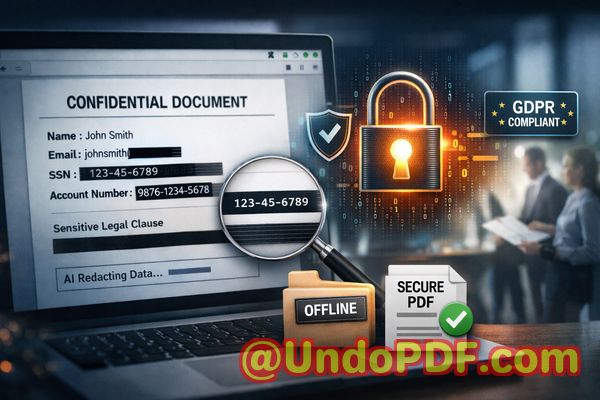
This is where VeryPDF AI PDF Redaction Tool Command Line becomes a game-changer. With its AI-powered detection and fully offline processing, this tool ensures that sensitive data is permanently removed before PDFs leave your computer. No accidental exposure, no risky uploads, and no chance of hidden information being recovered later.

Businesses face multiple visible pain points when handling sensitive PDFs:

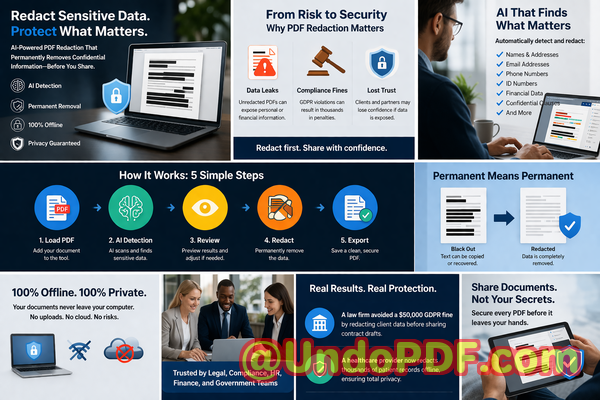
  • Accidental exposure of sensitive data: HR reports, contracts, and invoices often include personal and financial information. A single oversight could trigger compliance violations and fines. For example, a finance team accidentally shared a PDF of payroll records that included employee bank account details. Even though the sensitive sections were highlighted, the text was still recoverable, putting the company at risk.

  • Manual redaction errors: Traditional “blackout” methods can leave text behind. PDFs may appear redacted but still contain recoverable information. This is particularly dangerous for legal contracts where clauses or proprietary details must remain confidential.

  • Unsafe online tools: Many employees, looking for convenience, use online redaction tools. These tools upload documents to third-party servers, exposing sensitive data to unknown entities. In regulated industries like healthcare or finance, this can lead to severe penalties and reputational damage.

VeryPDF AI PDF Redaction Tool Command Line addresses these pain points with clear, practical solutions:

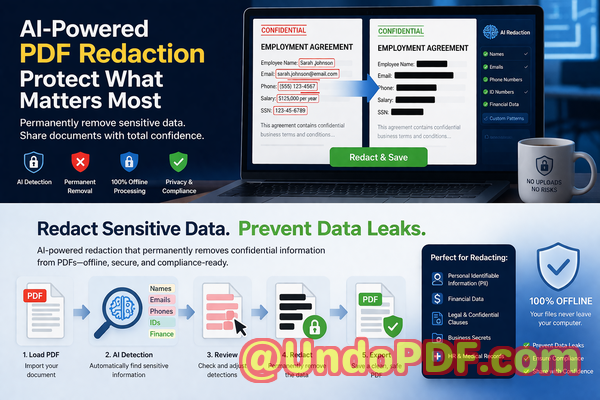
  • AI-powered detection: The tool automatically identifies sensitive informationnames, email addresses, phone numbers, social security numbers, financial data, and confidential clauses. You don’t have to comb through every page manually.

  • Permanent removal of confidential information: Unlike visual blackouts, this tool fully removes sensitive data. Once redacted, it cannot be copied or recovered.

  • Fully offline processing: Your documents never leave your computer. No servers, no cloud uploads100% privacy protection.

Implementing this tool is straightforward. A common workflow might look like this:

  1. Load your PDF into the command-line tool.

  2. Use AI detection to automatically identify sensitive data.

  3. Review flagged items to ensure accurate redaction.

  4. Apply redaction to permanently remove confidential information.

  5. Export a clean, shareable PDF safe for distribution.

The types of data you can redact include:

  • Personally identifiable information (PII): Names, addresses, phone numbers, emails, government IDs.

  • Financial data: Bank account details, invoices, salary records, credit card numbers.

  • Business secrets: Proprietary formulas, project plans, trade secrets.

  • Legal clauses: Confidential contract terms, merger and acquisition details, NDAs.

Real-life examples highlight the value of this approach:

  • A law firm avoided a compliance violation by switching to an offline AI redaction workflow. Sensitive client data was automatically detected and removed, reducing the risk of leaks.

  • A healthcare provider replaced online PDF redaction tools with VeryPDF’s offline solution, ensuring patient records never left the hospital network.

  • A tech company preparing R&D reports for investors used AI-powered redaction to remove sensitive technical details, preventing inadvertent exposure to competitors.

The privacy and security benefits are tangible:

  • Prevents accidental data leaks: Even if a PDF is shared widely, confidential information is permanently removed.

  • Eliminates online exposure risks: Offline processing ensures no sensitive data is uploaded or exposed.

  • Supports regulatory compliance: Helps businesses meet GDPR, HIPAA, and other data protection requirements without guesswork.

I’ve personally seen the difference this tool makes in day-to-day operations. Teams no longer spend hours manually redacting PDFs or worrying about missed information. Sharing documents becomes a safe, streamlined process. I highly recommend this to anyone who needs to protect sensitive information while maintaining operational efficiency.

Try it now and securely redact your PDFs: https://veryutils.com/smart-redact-server-ai-powered-pdf-redaction-software

Start your free trial today and ensure your sensitive data is permanently removed before sharing.

Frequently Asked Questions

How can I permanently remove sensitive data from a PDF instead of just hiding it?

VeryPDF AI PDF Redaction Tool Command Line fully deletes the selected content, so it cannot be copied or recovered.

Can others recover redacted information from my PDF?

No. Unlike visual blackout methods, the tool permanently removes data, making recovery impossible.

Is it safe to use online PDF redaction tools?

Online tools involve uploading files to third-party servers, which risks exposing sensitive data. Fully offline solutions like VeryPDF provide complete privacy.

Does this tool work completely offline?

Yes, all processing occurs on your computer. No files leave your system, ensuring 100% confidentiality.

What types of sensitive data can be automatically detected and removed?

The AI can detect PII, financial data, legal clauses, business secrets, emails, phone numbers, IDs, and other confidential information.

Can this tool help with GDPR compliance?

Absolutely. By permanently removing personal data before sharing, it reduces the risk of GDPR violations.

Is manual review still necessary?

A brief review is recommended to ensure all sensitive items are correctly identified, but the AI significantly reduces the workload.

Can this tool handle multiple PDFs in a batch process?

Yes, the command-line interface supports batch processing, making it ideal for automated workflows.

Will the redacted PDF maintain formatting and readability?

Yes, the original PDF layout is preserved, while sensitive content is permanently removed.

How quickly can sensitive data be redacted?

Processing is fast and efficient, even for large documents, thanks to the AI-powered detection engine.

Does this tool support legal and financial documents?

Yes, it’s designed for high-stakes business scenarios, including contracts, financial reports, HR files, and medical documents.

Tags or Keywords

redact sensitive data, remove confidential information, PDF redaction tool, protect privacy in PDFs, prevent data leaks, offline PDF redaction, secure document sharing, AI PDF redaction, GDPR compliance, sensitive data protection

UndoPDF

AI PDF Redaction Software That Helps Organizations Avoid Data Breaches and Regulatory Penalties

Redact Sensitive Data and Protect Your Business: AI PDF Redaction for Secure Document Sharing

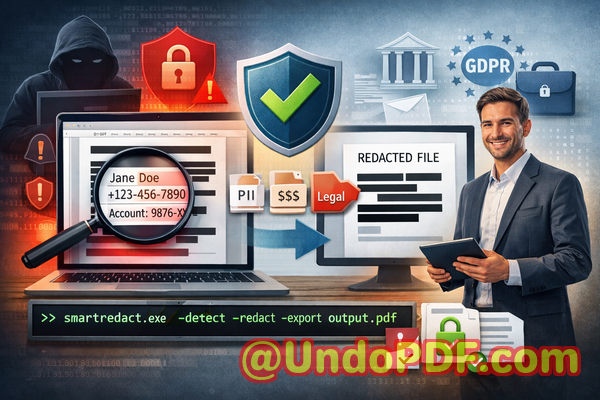
Last month, I almost caused a major compliance headache for my company. We shared a PDF contract with a new partner, only to discover later that it still contained unredacted personal data of employees and clients. The thought of a potential GDPR violationand the fines that could followkept me up that night. If this could happen to us, it could happen to any business that handles sensitive information.

AI PDF Redaction Software That Helps Organizations Avoid Data Breaches and Regulatory Penalties

In today’s digital workplace, PDFs are everywherecontracts, HR files, financial reports, medical documents, and legal agreements. But just because a document is “redacted” visually doesn’t mean it’s truly safe. A small oversight, a poorly applied black box, or an online redaction tool can lead to disastrous consequences: data leaks, legal exposure, regulatory penalties, and damaged reputation. That’s why a reliable, offline solution that permanently removes confidential information is no longer optionalit’s essential.

Why Traditional Redaction Often Fails

Many companies assume that blacking out text in a PDF is enough. In reality, this is just the tip of the iceberg. Here are the three most common pitfalls I’ve seen firsthand:

  • Sensitive data accidentally exposed: Names, emails, financial info, and IDs can remain embedded in the PDF even after visual redaction. One HR team I worked with thought they had removed employee personal data before sending a document externally. Within hours, a client could access hidden data because the text layer was still present.

  • Manual redaction errors: Redacting by hand or using generic tools often leads to mistakes. Missing a single row in a financial spreadsheet or a paragraph in a legal agreement could expose confidential strategies or personal information.

  • Unsafe online tools: Employees often turn to free online PDF redactors for convenience, unknowingly uploading sensitive files to third-party servers. One company’s confidential merger documents ended up temporarily stored on an unknown cloud serverexactly the kind of privacy breach every compliance officer fears.

These scenarios are more common than you think. And the consequences are real: GDPR fines, legal liability, loss of client trust, and reputational damage.

How AI PDF Redaction Solves These Problems

This is where the VeryPDF AI PDF Redaction Tool Command Line comes in. It’s designed specifically for businesses that cannot risk data leaks, accidental exposure, or compliance issues.

  • Automated detection of sensitive data: Using AI, it can scan your documents and identify personal data like names, emails, phone numbers, IDs, and even business-sensitive information such as contracts or financial figures.

  • Permanent removal, not just hiding: Unlike basic redaction tools that “cover” text, this software permanently deletes the sensitive information from the PDF. Once redacted, it cannot be recoveredeven by sophisticated data extraction methods.

  • Fully offline processing: All operations happen on your local machine. No data leaves your computer, eliminating risks associated with cloud-based redaction tools.

  • Compliance-friendly: Whether your company operates under GDPR, HIPAA, or other privacy regulations, you can confidently share PDFs knowing that sensitive data is securely removed.

Real-World Benefits

I’ve seen firsthand how switching to an AI-powered, offline redaction tool transforms document security. A few examples:

  • Avoiding compliance violations: A mid-sized consulting firm used the tool to clean thousands of HR and client files before a corporate audit. Thanks to accurate AI detection, they avoided potential GDPR fines.

  • Improved internal security: A financial services company replaced an online redaction workflow with offline AI processing. Sensitive reports no longer risk leaving the company’s secure network, reducing exposure to hackers or accidental leaks.

  • Peace of mind for legal teams: Lawyers drafting complex contracts can now ensure that any confidential clauses are fully removed before sharing drafts with external partners.

Step-by-Step Workflow for Safe PDF Redaction

To make it practical, here’s how I usually implement AI PDF redaction in a business setting:

  1. Load the PDF: Open the file in the VeryPDF AI PDF Redaction Tool Command Line.

  2. Detect sensitive data: Let the AI scan the document for PII, financial data, legal clauses, and other confidential information.

  3. Review suggestions: AI highlights all detected items for review, giving you control and accuracy.

  4. Apply redaction: Permanently remove the sensitive data from the document.

  5. Export clean PDF: The resulting file is safe to share externally, fully compliant, and audit-ready.

Types of data commonly redacted include:

  • Personal identifiable information (PII) names, addresses, emails, social security numbers

  • Financial data bank account details, credit card numbers, revenue figures

  • Business secrets trade plans, pricing strategies, internal reports

  • Legal clauses non-disclosure content, sensitive contract terms

Why Offline AI Redaction Matters

Using an offline solution isn’t just about convenienceit’s about risk mitigation. Every document you upload to a free online tool carries an unknown risk. One small lapse could expose sensitive data to third-party servers. By keeping the process offline:

  • You maintain full control over all documents.

  • You prevent accidental data leaks that could lead to fines or lawsuits.

  • You ensure compliance with privacy regulations.

In other words, offline AI PDF redaction gives you a level of privacy and security that traditional tools simply cannot match.

Common Business Scenarios

Consider these scenarios where AI redaction can save the day:

  • HR departments: Preparing employee records for audits, promotions, or transfers without exposing salaries or personal details.

  • Legal teams: Sharing draft contracts without revealing sensitive clauses that could compromise negotiations.

  • Financial reporting: Sending quarterly reports externally while permanently removing sensitive client or internal financial data.

  • Healthcare organizations: Sharing patient data for research or insurance purposes while staying HIPAA-compliant.

Conclusion

After using the VeryPDF AI PDF Redaction Tool Command Line in my own business, I can confidently say it’s indispensable for anyone who regularly handles sensitive documents. It automates detection, permanently removes confidential data, works offline, and gives complete peace of mind. I highly recommend this to anyone who needs to share documents safely without risking data leaks or compliance issues.

Try it now and securely redact your PDFs: https://veryutils.com/smart-redact-server-ai-powered-pdf-redaction-software

Start your free trial today and ensure your sensitive data is permanently removed before sharing.

Frequently Asked Questions

Q: How can I permanently remove sensitive data from a PDF instead of just hiding it?

A: The VeryPDF AI PDF Redaction Tool Command Line deletes sensitive information completely, making it unrecoverable.

Q: Can others recover redacted information from my PDF?

A: No, once redacted with AI PDF Redaction, the data is permanently removed and cannot be restored.

Q: Is it safe to use online PDF redaction tools?

A: Online tools carry risks since files are uploaded to third-party servers. Offline AI redaction ensures full privacy.

Q: Does this tool work completely offline?

A: Yes, all processing is done locally on your computer; no data is transmitted over the internet.

Q: What types of sensitive data can be automatically detected and removed?

A: Personal data (names, emails, IDs), financial info, legal clauses, and business secrets.

Q: How can I ensure compliance with GDPR when sharing documents?

A: By using AI redaction offline, you permanently remove personal data, which aligns with GDPR requirements.

Q: Can this tool handle large volumes of PDFs efficiently?

A: Yes, it is designed for batch processing, making it suitable for HR, legal, and finance departments.

Q: What happens if I miss some sensitive data during redaction?

A: The AI continuously scans for various data types, reducing human error and ensuring thorough coverage.

Q: Is technical expertise required to use this tool?

A: No, it is user-friendly, with a simple workflow for business professionals and teams.

Q: Can it be integrated into existing document workflows?

A: Yes, the command-line interface allows seamless integration into automated processes and internal systems.

Q: Does this solution support multi-language documents?

A: Yes, the AI can detect sensitive data in multiple languages, ensuring global compliance and security.

Tags or Keywords

redact sensitive data, remove confidential information, PDF redaction tool, protect privacy in PDFs, prevent data leaks, offline PDF redaction, secure document sharing, GDPR compliance, AI-powered PDF redaction, confidential document protection

UndoPDF

How to Compare AI PDF Redaction Tool with Adobe Acrobat Pro for Cost Efficiency and Data Security

Redact Sensitive Data in PDFs: How AI Tools Prevent Costly Data Leaks and Compliance Risks

Last month, our finance team shared a PDF containing quarterly reports with a new partner. A few days later, we discovered that the document still included personal client emails and internal budget notes. That one oversight could have led to a serious GDPR violation, not to mention the reputational damage if it had reached the wrong hands. Unfortunately, this isn’t an isolated incidentbusinesses routinely risk exposing sensitive information simply by sharing PDFs that haven’t been properly redacted.

How to Compare AI PDF Redaction Tool with Adobe Acrobat Pro for Cost Efficiency and Data Security

The good news is that modern AI-powered tools, like the VeryPDF AI PDF Redaction Tool Command Line, make it possible to permanently remove sensitive data from PDFs, ensuring documents are safe to share. Unlike traditional manual redaction, these tools automatically detect and redact confidential information, protect privacy, and prevent costly mistakes.


Why Businesses Risk Data Exposure Every Day

Even seemingly simple tasks, like sending a contract or financial report, can carry significant risks if sensitive data isn’t fully removed. Here are some common scenarios that often go unnoticed until it’s too late:

  • Unintended disclosure of personal or financial data: Names, emails, phone numbers, employee IDs, or client details often remain in PDFs after a superficial redaction. Regulatory breaches like GDPR or CCPA can result in hefty fines if this information is exposed.

  • Manual redaction errors: Highlighting text or placing black boxes over information may look secure, but savvy users can often copy, extract, or recover the hidden text. This leaves your documents vulnerable to accidental leaks or internal misuse.

  • Risky online redaction tools: Employees sometimes upload PDFs to free online services, unknowingly sharing confidential information with third-party servers. Even with the best intentions, this creates a major privacy and compliance hazard.

These risks are real, measurable, and often preventablebut only with the right approach.


How AI PDF Redaction Tools Solve Real Business Problems

The VeryPDF AI PDF Redaction Tool Command Line is designed to address exactly these challenges. Here’s how it protects sensitive information and streamlines secure document sharing:

  • AI-powered detection of sensitive data: Names, emails, phone numbers, addresses, ID numbers, financial data, and even legal clauses are automatically identified. No more manual searching or guesswork.

  • Permanent data removal: Unlike traditional blackouts, redacted information is permanently deleted. There’s no hidden text to recover, copy, or leak.

  • Offline processing: Everything happens on your local machine. Your documents never leave your network, eliminating risks associated with cloud uploads.

The benefits are tangible: fewer compliance violations, zero accidental leaks, and peace of mind when sharing sensitive business documents.


Real-World Examples of AI Redaction in Action

Consider a mid-sized law firm that routinely shared case files with external partners. Previously, they relied on employees manually redacting PDFs, which sometimes resulted in overlooked confidential clauses. After switching to VeryPDF’s AI redaction tool, they noticed immediate improvements:

  • Sensitive client information was automatically detected and removed before documents were shared.

  • Compliance with GDPR was consistently maintained, avoiding potential fines.

  • Staff saved hours each week by eliminating manual redaction tasks, reducing both human error and operational costs.

Another example comes from a financial services company handling client statements. Using online redaction tools led to accidental exposure of client banking information. After implementing an offline AI redaction solution, the risk of third-party data access was eliminated, and sensitive files could be shared confidently.


Step-by-Step Workflow for Secure PDF Redaction

Implementing AI redaction doesn’t have to be complicated. A typical workflow might look like this:

  1. Load PDF into the tool: Select the document you need to redact.

  2. Automatic detection: AI scans the PDF for PII, financial data, or confidential clauses.

  3. Review and approve: Verify suggested redactions to ensure nothing critical is missed.

  4. Apply redaction: The tool permanently removes the sensitive data.

  5. Export clean PDF: Share the sanitized document with partners, clients, or colleagues with confidence.

Common types of data to redact include:

  • Personal identifiable information (PII) such as names, emails, and phone numbers

  • Financial data like account numbers, invoices, or salaries

  • Business secrets, intellectual property, or internal strategies

  • Legal and confidential clauses in contracts or agreements


Why Offline AI Redaction is a Game-Changer

Many companies underestimate the risk of using online redaction tools. Even trusted services require file uploads, which can compromise confidentiality. With offline AI redaction:

  • Documents never leave your device

  • No accidental third-party access

  • 100% control over sensitive data

  • Compliance with GDPR, CCPA, and other regulations is easier to maintain

It’s not just about avoiding finesit’s about protecting trust, company reputation, and your clients’ confidence.


Practical Benefits for Your Business

Here’s what companies gain by adopting AI-powered offline PDF redaction:

  • Reduced compliance risk: Automatic detection ensures that no sensitive information slips through.

  • Time savings: AI does the heavy lifting, freeing up staff for higher-value tasks.

  • Error elimination: Permanent removal means no accidental data exposure from overlooked blackouts.

  • Improved trust: Clients and partners know that your documents are handled securely.


Conclusion

I’ve seen firsthand how a single overlooked detail in a PDF can result in compliance headaches or even legal exposure. Using the VeryPDF AI PDF Redaction Tool Command Line has completely changed the way our teams handle sensitive documents.

I highly recommend this to anyone who needs to share documents safely without risking data leaks or compliance issues. Try it now and securely redact your PDFs: https://veryutils.com/smart-redact-server-ai-powered-pdf-redaction-software. Start your free trial today and ensure your sensitive data is permanently removed before sharing.


Frequently Asked Questions

1. How can I permanently remove sensitive data from a PDF instead of just hiding it?

The AI redaction tool permanently deletes the data rather than masking it visually, making it unrecoverable.

2. Can others recover redacted information from my PDF?

No. Once applied, redacted data is fully removed and cannot be restored or copied.

3. Is it safe to use online PDF redaction tools?

Online tools carry the risk of exposing confidential files to third-party servers. Offline AI redaction eliminates this risk entirely.

4. Does this tool work completely offline?

Yes. All processing happens locally on your computer. No files are uploaded or transmitted.

5. What types of sensitive data can be automatically detected?

The tool can detect personal information, financial data, IDs, legal clauses, phone numbers, emails, and confidential business information.

6. How does this tool help with GDPR compliance?

By permanently removing sensitive data before sharing, it ensures documents meet GDPR standards for data protection and privacy.

7. Can I review suggested redactions before applying them?

Yes. The tool allows verification of detected data before permanent removal.

8. Does this tool support batch processing?

Yes. You can process multiple PDFs at once, saving time for larger projects.

9. What file formats are supported?

Primarily PDFs, including scanned and text-based documents.

10. Is training required to use the tool?

No. The interface is designed for business users with clear step-by-step workflows.

11. Can this tool redact legal contracts safely?

Absolutely. Legal clauses, confidential sections, and sensitive client information are automatically identified and removed.

12. Will using AI redaction affect the document’s layout?

No. The tool preserves the original format and layout while removing sensitive content.


Keywords: redact sensitive data, remove confidential information, PDF redaction tool, protect privacy in PDFs, prevent data leaks, offline PDF redaction, secure document sharing, GDPR compliance, AI PDF redaction, confidential PDF protection

UndoPDF

How to Redact Financial Information from PDF Reports Automatically Using Secure Offline AI Redaction Software

How to Permanently Redact Sensitive Data from PDFs and Protect Business Privacy

Last month, we sent a financial report to a partner firm, only to realize later that several client names and account numbers were still visible. That one oversight could have led to a serious compliance violation and damaged trust with both clients and partners. For businesses handling sensitive information daily, this scenario isn’t rareit’s a ticking time bomb that can lead to fines, data breaches, and reputational damage.

How to Redact Financial Information from PDF Reports Automatically Using Secure Offline AI Redaction Software

Accidentally exposing sensitive data in PDFs is more common than you think. Many teams still rely on manual redaction, using black boxes or whiteouts in PDF editors. But unless the data is truly removed, it can be copied, recovered, or indexed by search tools. Worse, employees sometimes upload confidential documents to free online tools, unaware that these files may be stored on third-party servers.

This is where AI-powered PDF redaction becomes essential. VeryPDF AI PDF Redaction Tool Command Line lets businesses permanently remove confidential data while keeping documents fully offline. No more worrying about accidental leaks or regulatory finessensitive information is gone for good, and your team can share documents safely.

The Real Risks of PDF Data Exposure

Businesses face several tangible risks when sensitive information in PDFs isn’t properly handled:

  • Accidental exposure of personal or financial data: Client names, emails, phone numbers, account details, and employee information often end up in PDFs that are shared externally. If not redacted correctly, this could violate GDPR, HIPAA, or internal privacy policies.

  • Ineffective manual redaction: Simply highlighting text or overlaying black boxes doesn’t remove the underlying data. Attackers, competitors, or even accidental recipients can copy or recover confidential information.

  • Unsafe online tools: Employees may use free online redaction services for convenience. While seemingly harmless, these uploads risk storing sensitive files on unknown servers, creating a major compliance and security exposure.

These scenarios are more than theoreticalthey happen in real offices every day. One misstep can lead to legal action, fines, or loss of client trust.

How AI PDF Redaction Solves the Problem

VeryPDF AI PDF Redaction Tool Command Line is designed to tackle these risks head-on. Here’s how it addresses each challenge:

  • Automatic sensitive data detection: Using AI, the tool identifies names, emails, phone numbers, IDs, financial data, and other confidential content. You don’t need to manually search through dozens of pages.

  • Permanent removal, not just masking: Redacted data is completely erased, ensuring it cannot be copied, recovered, or reconstructed.

  • Offline processing for total privacy: Everything happens on your computer. No files are uploaded to the cloud, eliminating exposure risks from third-party services.

In practice, this means a legal team can safely share contracts, HR can distribute employee records, and finance teams can circulate reports without fear of leaks.

Real-Life Examples

  1. Avoiding GDPR violations: A European consultancy was preparing a client report containing financial and personal data. By using VeryPDF AI PDF Redaction Tool, they automatically detected and permanently removed all sensitive information before sharing. This prevented a potential GDPR fine and safeguarded client trust.

  2. Moving from online tools to offline security: A small accounting firm relied on free online PDF redactors. After switching to VeryPDF’s offline tool, they eliminated the risk of uploading confidential documents to third-party servers, significantly improving their data security posture.

  3. Protecting sensitive business details: During a merger, a corporate legal team needed to share contracts containing trade secrets. Using AI-powered redaction, they removed confidential clauses while keeping the rest of the document intact, preventing sensitive business information from falling into competitor hands.

How to Redact PDFs Safely: Step-by-Step

Here’s a simple workflow you can adopt:

  1. Load your PDF: Open the document in the VeryPDF AI PDF Redaction Tool.

  2. Detect sensitive information: Let the AI automatically scan for PII, financial data, business secrets, and legal clauses.

  3. Review suggested redactions: Confirm the AI’s selections to ensure nothing is missed.

  4. Apply redaction: Permanently remove the sensitive data.

  5. Export the clean PDF: Share with confidence, knowing all confidential information is erased.

Common types of sensitive data to redact include:

  • Personal identifiable information (PII): Names, addresses, emails, phone numbers, IDs

  • Financial data: Account numbers, transaction details, credit card numbers

  • Business secrets: Proprietary processes, trade secrets, internal strategy

  • Legal/confidential clauses: Contract terms, non-disclosure information, compliance notes

This approach not only protects sensitive information but also ensures your business stays compliant with data protection regulations.

Benefits Beyond Data Removal

  • Prevent fines and legal exposure: Proper redaction protects you from penalties under GDPR, HIPAA, or industry-specific regulations.

  • Stop accidental leaks: With sensitive information fully erased, the risk of accidental exposure is eliminated.

  • Secure document sharing: Offline processing ensures that confidential files never leave your network, keeping your business data safe from prying eyes.

  • Streamlined workflow: Automating detection and redaction saves time, reduces human error, and ensures consistency across all documents.

Practical Scenarios

  • HR Departments: Sharing employee contracts or medical leave records without exposing personal information.

  • Finance Teams: Circulating reports with client financial data without risking leaks.

  • Legal Teams: Redacting sensitive clauses in contracts, NDAs, or settlement agreements.

  • Business Development: Sharing proposals or strategy documents safely with external partners.

By applying AI redaction, these teams maintain operational efficiency while eliminating data risks.

Conclusion: Why Every Business Needs AI PDF Redaction

For any business handling sensitive documents, the consequences of a single mistake can be severe. I’ve seen firsthand how VeryPDF AI PDF Redaction Tool Command Line transforms document handling: reducing risk, ensuring compliance, and enabling secure sharing.

I highly recommend this to anyone who needs to share documents safely without risking data leaks or compliance issues. Try it now and securely redact your PDFs: https://veryutils.com/smart-redact-server-ai-powered-pdf-redaction-software

Start your free trial today and ensure your sensitive data is permanently removed before sharing.

Frequently Asked Questions

Q1: How can I permanently remove sensitive data from a PDF instead of just hiding it?

A1: The VeryPDF AI PDF Redaction Tool erases the data completely, ensuring it cannot be copied, recovered, or extracted.

Q2: Can others recover redacted information from my PDF?

A2: No. With AI-powered permanent removal, redacted content is fully erased, unlike manual black-box redactions.

Q3: Is it safe to use online PDF redaction tools?

A3: Online tools pose a risk because documents may be stored on third-party servers. Offline tools like VeryPDF keep all data local and secure.

Q4: Does this tool work completely offline?

A4: Yes, all redaction processes happen on your computer, ensuring 100% privacy.

Q5: What types of sensitive data can be automatically detected and removed?

A5: Personal information (names, emails, phone numbers, IDs), financial data, business secrets, and legal clauses.

Q6: How can I ensure compliance with GDPR when sharing documents?

A6: By permanently removing personal and financial data before sharing PDFs, your business avoids accidental exposure that could violate GDPR.

Q7: Can I review what the AI redacts before finalizing?

A7: Yes, the tool allows you to review suggested redactions for accuracy before applying them.

Q8: Does the tool handle multiple PDFs at once?

A8: Yes, batch processing lets you redact several documents simultaneously, saving time for busy teams.

Q9: Will redaction affect the formatting of my PDF?

A9: No, VeryPDF AI PDF Redaction preserves the original layout and content, removing only sensitive data.

Q10: Can this tool be used for legal, HR, and financial documents alike?

A10: Absolutely. Its AI detection covers a wide range of sensitive information types, making it suitable for multiple departments.

Q11: Is there a trial version available to test before purchasing?

A11: Yes, you can start a free trial to experience offline AI redaction and verify its effectiveness.

Keywords

redact sensitive data, remove confidential information, PDF redaction tool, protect privacy in PDFs, prevent data leaks, offline PDF redaction, secure document sharing, AI-powered redaction, compliance-friendly PDFs, permanently erase sensitive information

UndoPDF

Best PDF Redaction Tool for Corporate Compliance Teams That Need Secure Offline Processing and Automation

Secure Your PDFs: AI-Powered Redaction to Prevent Data Leaks and Protect Privacy

Last month, I was preparing a batch of contracts to share with our international partners. Everything looked fine until I realized one of the PDFs still contained unredacted personal dataemails, phone numbers, even internal employee IDs. My heart sank. In one click, we could have exposed sensitive information, putting us at risk of GDPR violations, legal trouble, and irreparable reputational damage. If this scenario sounds familiar, you’re not alone. Many businesses face this hidden risk every day.

Best PDF Redaction Tool for Corporate Compliance Teams That Need Secure Offline Processing and Automation

In today’s fast-paced environment, documents flow between departments, clients, and external partners at lightning speed. A single oversight can turn confidential information into a public liability. Traditional redaction methodsblackout boxes, manual editing, or free online toolsoften fail silently, leaving recoverable data behind or exposing your files to third-party servers. That’s where AI-powered PDF redaction, like the VeryPDF AI PDF Redaction Tool Command Line, changes the game. It’s designed to automatically detect, permanently remove, and safeguard sensitive information while keeping your workflow secure and fully offline.

Real Business Risks from Poor Redaction

Consider these everyday challenges businesses face:

  • Accidental exposure of sensitive data: Names, emails, financial records, personal IDs, and even strategic business information often remain visible in shared PDFs. One misplaced file can trigger compliance violations, costly fines, and reputational damage.

  • Manual redaction errors: Simply blacking out text doesn’t remove the underlying data. Anyone with access to a PDF editor can copy, recover, or manipulate the hidden information. The “secure” redaction you think you applied might still be fully readable under the surface.

  • Unsafe online tools: Some employees turn to free online services to redact PDFs, unknowingly uploading confidential documents to third-party servers. The risk of unauthorized access, data harvesting, or leaks skyrockets.

Each of these risks has tangible consequences. GDPR fines can reach up to 20 million or 4% of annual global revenue. Leaked financial or legal data can compromise client trust, business deals, and even lead to litigation.

How AI PDF Redaction Solves These Problems

The VeryPDF AI PDF Redaction Tool Command Line provides a simple, foolproof solution to these challenges. Here’s how it works in practice:

  • Automated detection of sensitive data: AI scans your PDFs for names, emails, phone numbers, ID numbers, and other confidential information. No more manually hunting through hundreds of pages.

  • Permanent removal of confidential content: Unlike traditional methods, redacted information is completely erasednot just hidden under black boxes. Once processed, it cannot be recovered.

  • Fully offline processing: Your documents never leave your system, eliminating the risk of data being uploaded to the cloud or third-party servers. Privacy is guaranteed.

Real Scenarios Where AI Redaction Prevented Data Exposure

  1. Compliance-Driven HR Departments: One company regularly shared employee contracts across offices. Using manual redaction, they mistakenly sent personal employee IDs to external partners. After switching to VeryPDF AI PDF Redaction, the tool automatically removed all PII before any document left their system. Result: zero compliance violations and peace of mind.

  2. Financial Firms Sharing Reports: A mid-sized accounting firm once emailed quarterly reports with client financial information. With AI PDF redaction, every sensitive financial figure, account number, and internal note was permanently removed before distribution, preventing potential breaches.

  3. Legal Teams Handling Contracts: Law firms often need to share sensitive clauses with third-party vendors. Manual redaction risked leaving confidential legal language exposed. AI-powered redaction ensured that sensitive clauses were fully erased while leaving non-sensitive information intact, maintaining both privacy and workflow efficiency.

Step-by-Step Redaction Workflow

Implementing AI PDF redaction is simple and practical. Here’s an example workflow:

  1. Load PDF into the tool Open your document in VeryPDF AI PDF Redaction.

  2. Detect sensitive data AI identifies PII, financial info, legal clauses, and business secrets automatically.

  3. Review redaction suggestions Quickly confirm or adjust the areas to be redacted.

  4. Apply redaction Permanently remove all selected data.

  5. Export clean PDF Share confidently, knowing your document is fully secure.

Common types of sensitive data to redact:

  • Personal Identifiable Information (PII) names, emails, addresses, social security numbers

  • Financial data bank account numbers, credit card info, invoices

  • Business secrets strategy documents, pricing, internal memos

  • Legal/confidential clauses non-disclosure agreements, contract specifics

Tangible Privacy and Security Benefits

By using AI-powered offline redaction, businesses can:

  • Prevent accidental data leaks No more worrying about sensitive data being exposed in shared PDFs.

  • Eliminate cloud risks Documents stay local, so there’s no chance of unauthorized third-party access.

  • Ensure compliance AI redaction supports GDPR, HIPAA, and other data protection regulations, minimizing legal exposure.

  • Save time and reduce errors Automated detection removes the need for error-prone manual redaction.

Why Offline Processing Matters

Many online tools promise fast redaction but at a hidden cost: your confidential information may be temporarily stored or processed on external servers. For businesses handling contracts, financial reports, or employee data, this is unacceptable. Offline tools like VeryPDF AI PDF Redaction process everything on your local machine, ensuring 100% control over your data and zero exposure.

Practical Example: Avoiding a GDPR Fine

Imagine sending 500 employee contracts to a partner overseas. Using a traditional manual process, even one overlooked email or ID number could trigger a GDPR investigation. With AI redaction, every document is scanned, redacted, and exported safely, leaving no recoverable data behind. Not only do you avoid fines, but you also maintain employee trust and client confidence.

Switching from Online to Offline Solutions

Many companies initially rely on online redaction tools due to convenience. The transition to offline AI-powered redaction often results in:

  • Higher security No data leaves the internal network.

  • Increased confidence Redacted PDFs are fully compliant and irrecoverable.

  • Reduced workflow interruptions Integration with command-line workflows allows batch processing of multiple documents at once.

Conclusion

Protecting sensitive data in PDFs is no longer optionalit’s essential. The VeryPDF AI PDF Redaction Tool Command Line provides a reliable, offline, and automated solution that permanently removes confidential information while safeguarding your compliance and reputation.

I highly recommend this to anyone who needs to share documents safely without risking data leaks or compliance issues. Try it now and securely redact your PDFs: https://veryutils.com/smart-redact-server-ai-powered-pdf-redaction-software

Start your free trial today and ensure your sensitive data is permanently removed before sharing.

Frequently Asked Questions

Q1: How can I permanently remove sensitive data from a PDF instead of just hiding it?

A1: AI PDF redaction erases the underlying content, making it unrecoverable, unlike traditional blackout methods.

Q2: Can others recover redacted information from my PDF?

A2: No. With proper AI redaction, the data is permanently removed and cannot be accessed or copied.

Q3: Is it safe to use online PDF redaction tools?

A3: Online tools carry the risk of uploading sensitive documents to external servers, which may be insecure. Offline solutions are safer.

Q4: Does this tool work completely offline?

A4: Yes. All processing happens locally on your machine, ensuring maximum privacy and security.

Q5: What types of sensitive data can be automatically detected and removed?

A5: AI can detect PII, financial data, business secrets, confidential clauses, emails, phone numbers, and more.

Q6: How can I ensure compliance with GDPR when sharing documents?

A6: By permanently redacting all personal data before distribution, you minimize the risk of violations and potential fines.

Q7: Can this tool handle batch redaction of multiple PDFs?

A7: Yes, the command-line interface allows automated processing of large numbers of files efficiently.

Q8: Does it work for legal contracts and HR documents?

A8: Absolutely. AI redaction is ideal for contracts, employee records, financial reports, and any confidential business document.

Q9: Will redacted PDFs still be readable for non-sensitive content?

A9: Yes, only sensitive information is removed. Non-confidential text remains intact for readability.

Q10: How easy is it to integrate into existing workflows?

A10: Very easy. The command-line tool can be incorporated into automated document workflows for quick, repeatable redaction.

Q11: Can this tool detect hidden data like metadata or annotations?

A11: Yes. It scans and removes hidden elements that might contain sensitive information.

Q12: Is any technical expertise required to use the tool?

A12: Minimal. The interface is user-friendly, and guidance is provided for integrating into business processes.

Keywords

redact sensitive data, remove confidential information, PDF redaction tool, protect privacy in PDFs, prevent data leaks, offline PDF redaction, secure document sharing, AI PDF redaction, GDPR compliance, document security