UndoPDF

Best Alternative to PDFTron Redaction SDK for Offline AI PDF Redaction Without Expensive Licensing Costs

Secure Your PDFs: Permanently Remove Confidential Data and Prevent Costly Leaks

In a recent board meeting, we shared a PDF containing contract terms with a potential partner. Hours later, someone realized that personal email addresses and salary details were still in the document. The panic was immediateif that information had fallen into the wrong hands, it could have led to GDPR violations, reputational damage, and costly legal exposure. Situations like this happen more often than most businesses realize, especially when handling sensitive documents like contracts, HR records, and financial reports.
Best Alternative to PDFTron Redaction SDK for Offline AI PDF Redaction Without Expensive Licensing Costs

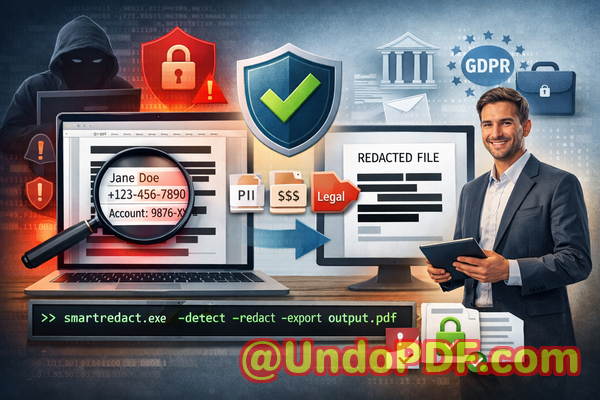
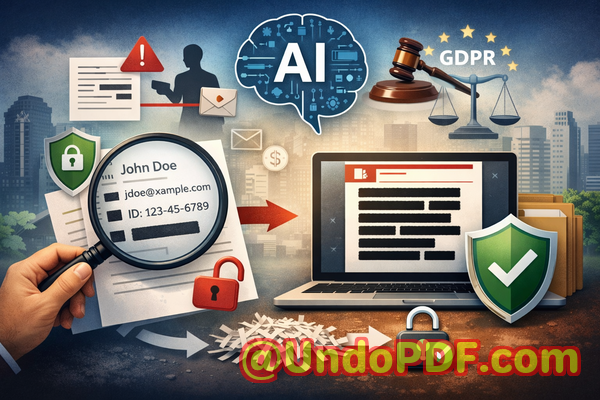
The reality is that simply blacking out text in a PDF or using an online redaction tool isn’t enough. Hidden data can still be copied, recovered, or leaked online, creating risks that range from fines and compliance violations to loss of client trust. For businesses that want to securely share documents without compromising sensitive information, a reliable, offline, AI-powered PDF redaction solution is critical.


Why Businesses Struggle With Sensitive Data in PDFs

Accidental exposure of confidential information in PDFs is a common problem that can have serious consequences. Here are some of the most pressing pain points we’ve seen in real-world business scenarios:

  • Accidental disclosure of sensitive data: Names, email addresses, phone numbers, financial information, or ID numbers often remain in documents when shared with partners, clients, or vendors. In regulated industries, this can result in compliance violations and hefty fines.

  • Ineffective manual redaction: Many employees still rely on manually blacking out text using PDF editors. The problem? The underlying text is not truly removedanyone with access to the file can copy or extract it, leaving the company exposed.

  • Risky online tools: Some teams turn to free online redaction services to save time. Unfortunately, uploading sensitive documents to third-party servers creates a new security risk: your confidential files may be stored, copied, or intercepted by malicious actors.

These scenarios demonstrate that businesses cannot rely on visual redaction alone or cloud-based services if they want true privacy and compliance protection.


AI-Powered PDF Redaction: The Practical Solution

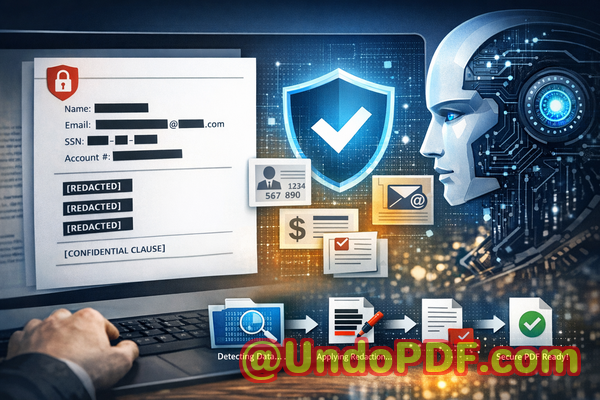
This is where the VeryPDF AI PDF Redaction Tool Command Line comes in. Designed for business professionals, legal teams, HR departments, and compliance officers, it addresses these risks with a secure, offline solution that permanently removes sensitive information.

Here’s how it works in practice:

  • Automatic detection of sensitive data: Using AI, the tool scans your PDF to identify personal identifiable information (PII), financial details, phone numbers, emails, social security numbers, and even confidential business clauses.

  • Permanent removal, not just hiding: Unlike traditional redaction methods that only obscure text visually, this tool completely eliminates the underlying data. Once redacted, sensitive information cannot be recovered.

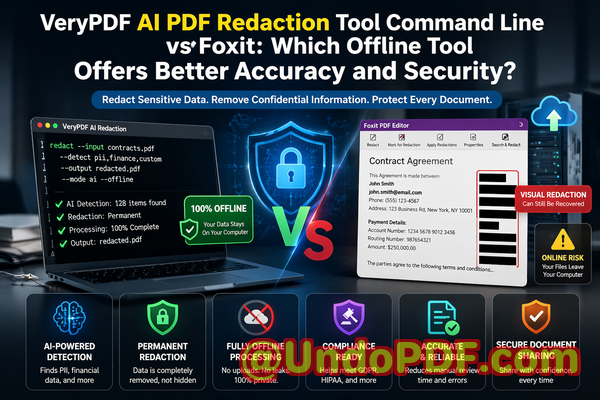
  • Offline processing for maximum security: All redactions happen locally on your computer. No document ever leaves your system, eliminating risks associated with cloud-based tools or external servers.

For example, a mid-sized consulting firm once had to share client contracts with several subcontractors. By using this tool, they were able to automatically redact client names, addresses, and financial data, ensuring that the shared files were safe and fully compliant with GDPR regulations.


Real-World Scenarios Where Offline AI PDF Redaction Protects Your Business

  • Preventing compliance violations: A healthcare provider needed to share medical reports with insurance partners. Using manual redaction, they risked exposing patient names and treatment details. By switching to AI-powered offline redaction, they permanently removed PII and ensured full compliance with HIPAA and GDPR.

  • Securing internal financial documents: An accounting team preparing a quarterly financial report needed to share documents with external auditors. Instead of manually removing bank account numbers and salary data, the AI tool automated the process, preventing accidental leaks.

  • Protecting confidential contracts and legal clauses: A law firm frequently shares contracts and NDAs with clients. AI-powered redaction ensured that sensitive clauses and internal notes were removed permanently before distribution, avoiding potential legal disputes or competitive exposure.


How to Redact PDFs Safely and Efficiently

The workflow for using VeryPDF AI PDF Redaction Tool Command Line is straightforward, even for busy professionals:

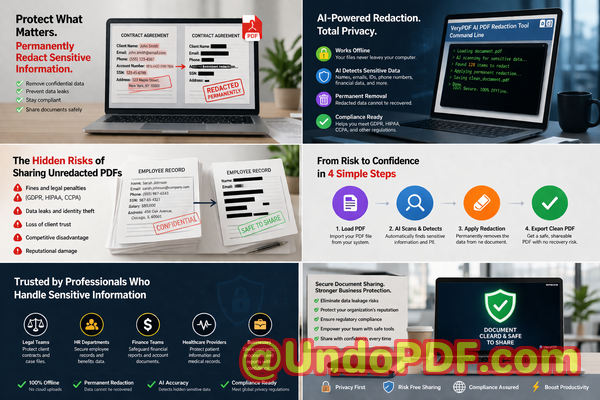
  1. Load the PDF Open the document containing sensitive data.

  2. Detect sensitive information The AI automatically identifies PII, financial data, and confidential clauses.

  3. Review detected items Verify that the AI has captured all relevant sensitive information.

  4. Apply redaction Permanently remove the data.

  5. Export the clean PDF Share the document confidently, knowing all sensitive information is gone.

Common types of data businesses typically redact include:

  • Personal identifiable information (names, emails, phone numbers, addresses)

  • Financial information (account numbers, salaries, invoices)

  • Confidential business information (trade secrets, internal project details)

  • Legal clauses and sensitive contract terms

By following this process, businesses can avoid accidental leaks, reduce legal risk, and maintain trust with clients and partners.


Benefits of Offline AI PDF Redaction

The advantages of this approach are concrete:

  • Eliminate accidental leaks: Sensitive data is permanently removed before a document leaves your system.

  • Ensure full privacy: Offline processing means your confidential files never touch external servers.

  • Maintain compliance: GDPR, HIPAA, and other regulations are easier to meet when sensitive information is fully erased.

  • Save time and reduce errors: AI-powered detection reduces reliance on manual redaction and minimizes human mistakes.

A real example: A multinational HR department once struggled with manually redacting hundreds of employee contracts. After adopting this tool, they completed redactions in minutes, ensured PII was fully removed, and avoided the risk of accidental exposure that could have resulted in compliance penalties.


Conclusion

Sharing documents doesn’t have to be a risky business. VeryPDF AI PDF Redaction Tool Command Line solves real business pain points by automatically detecting and permanently removing sensitive informationall offline, ensuring privacy, compliance, and peace of mind.

I highly recommend this to anyone who needs to share documents safely without risking data leaks or compliance issues.

Try it now and securely redact your PDFs: https://veryutils.com/smart-redact-server-ai-powered-pdf-redaction-software

Start your free trial today and ensure your sensitive data is permanently removed before sharing.


Frequently Asked Questions (FAQs)

  1. How can I permanently remove sensitive data from a PDF instead of just hiding it?

    The AI tool completely erases the underlying text and metadata, so redacted data cannot be recovered.

  2. Can others recover redacted information from my PDF?

    No. Once the AI redaction is applied offline, the sensitive data is permanently removed.

  3. Is it safe to use online PDF redaction tools?

    Not always. Uploading sensitive documents to third-party servers can expose them to security risks. Offline tools are safer.

  4. Does this tool work completely offline?

    Yes. All detection and redaction happen locally on your computer.

  5. What types of sensitive data can be automatically detected and removed?

    PII, financial information, legal clauses, business secrets, and more.

  6. How can I ensure compliance with GDPR when sharing documents?

    Use AI-powered redaction to permanently remove personal data before distribution. Offline processing ensures privacy.

  7. Is manual review required after AI detection?

    Yes. The tool allows a review step to confirm that all sensitive data is correctly identified before final redaction.

  8. Can it handle large batches of PDFs?

    Absolutely. Command-line functionality makes batch processing efficient for businesses with high-volume needs.

  9. Does the tool work on all types of PDFs?

    It works on text-based PDFs and scanned documents, thanks to AI detection and OCR capabilities.

  10. Will this tool help prevent accidental data leaks during file sharing?

    Yes. By permanently removing sensitive information offline, it significantly reduces the risk of leaks.

  11. Can it redact both visible and hidden metadata?

    Yes. The tool ensures both visible text and metadata containing sensitive information are permanently removed.

  12. Is it suitable for legal and financial documents?

    Absolutely. It’s designed to handle sensitive information across contracts, HR records, financial reports, and legal agreements.


Keywords and Tags

redact sensitive data, remove confidential information, PDF redaction tool, protect privacy in PDFs, prevent data leaks, offline PDF redaction, secure document sharing, AI-powered PDF redaction, GDPR compliance, permanently remove sensitive data
UndoPDF

How to Use AI PDF Redaction Command Line Tool for Secure Document Handling in DevOps Environments

Stop Data Leaks: Secure PDF Sharing by Permanently Redacting Sensitive Information with AI

Sensitive data leaks rarely happen because of hackersthey often happen because of small, preventable mistakes.

How to Use AI PDF Redaction Command Line Tool for Secure Document Handling in DevOps Environments

Last month, a colleague shared a PDF contract with a new partner. Everything looked fine at first glance. Key clauses were blacked out, personal details seemed hidden. But a few days later, someone copied text from the “redacted” sectionand the supposedly hidden information appeared in plain text. Names, email addresses, and internal pricing details were all exposed. What looked like a simple oversight quickly turned into a serious compliance risk, with potential GDPR implications and reputational damage.

If you’ve ever shared documents externallycontracts, reports, HR recordsyou’ve probably faced this same anxiety:
“Did I really remove all sensitive data or just hide it?”

That distinction matters more than most people realize.


The Hidden Risks Behind Everyday Document Sharing

In many organizations, sharing PDFs is routine. But beneath that routine lies a set of risks that can quietly escalate into major problems.

Let me walk you through a few scenarios I’ve personally seenor heard from teams dealing with real consequences.

1. “Redacted” Data That Isn’t Actually Removed

One of the most common mistakes is relying on visual redactiondrawing black boxes over sensitive text.

It looks secure. It feels secure. But it often isn’t.

In many cases:

  • The underlying text is still embedded in the document.

  • Anyone can copy and paste it into another file.

  • Even worse, some tools allow extraction of hidden layers.

This means:

  • Confidential client names can be exposed.

  • Financial figures can be recovered.

  • Legal clauses can be revealed.

And suddenly, what you thought was a safe document becomes a liability.

2. Accidental Exposure of Personally Identifiable Information (PII)

Think about how many documents contain:

  • Names

  • Email addresses

  • Phone numbers

  • National IDs

  • Bank details

Now imagine sending those documents externally without properly removing that data.

That’s not just a mistakeit’s a compliance risk.

Under regulations like GDPR:

  • You can face fines for improper handling of personal data.

  • You may be required to report the breach.

  • Your organization’s credibility can take a serious hit.

I’ve seen teams scramble to recall documents after realizing sensitive information was still inside. By then, it’s often too late.

3. Risky Use of Online Redaction Tools

Another common practice is using free online tools to redact PDFs.

On the surface, they’re convenient:

  • Upload your file

  • Apply redaction

  • Download the result

But here’s the problem:

  • You’re uploading confidential documents to third-party servers.

  • You often have no visibility into how those files are stored or processed.

  • There’s no guarantee the data is deleted.

For businesses handling:

  • Legal contracts

  • Financial statements

  • Medical records

  • HR documents

This introduces a completely new layer of risk.

You’re not just trying to protect datayou’re potentially exposing it in the process.


Why Traditional Redaction Methods Fall Short

Before diving into solutions, it’s important to understand why so many existing approaches fail.

Most teams rely on:

  • Basic PDF editors

  • Manual processes

  • Visual masking techniques

These methods are:

  • Time-consuming

  • Error-prone

  • Inconsistent across teams

More importantly, they lack two critical capabilities:

  1. Reliable detection of sensitive information

  2. Permanent removal of that information

Without both, you’re essentially guessing.

And in business, guessing with confidential data is dangerous.


A Smarter Approach: AI-Powered PDF Redaction That Actually Removes Data

This is where the VeryPDF AI PDF Redaction Tool Command Line changes the game.

Instead of relying on manual effort or superficial masking, it introduces a structured, automated, and secure way to handle document redaction.

Let’s break down how it addresses the real problems businesses face.


Automatically Detect Sensitive Data with AI

One of the biggest challenges in redaction is knowing what to remove.

Sensitive information isn’t always obviousespecially in large documents.

The tool uses AI to automatically identify:

  • Names and personal identifiers

  • Email addresses and phone numbers

  • Financial data

  • ID numbers

  • Custom-defined keywords (e.g., internal project names)

This means:

  • You don’t have to manually scan hundreds of pages.

  • You reduce the risk of missing critical information.

  • You gain consistency across all documents.

For example, in a legal team:

  • Every contract can be scanned for client data before sharing.

  • Redaction becomes standardized instead of subjective.


Permanently Remove Confidential Information

Here’s the key difference:
This isn’t visual maskingit’s actual data removal.

Once redaction is applied:

  • The underlying text is completely deleted.

  • It cannot be copied, extracted, or recovered.

  • The document is safe for distribution.

This eliminates one of the most dangerous assumptions in document handlingthat blacked-out text equals security.

It doesn’t.

Only permanent removal does.


Fully Offline Processing for Maximum Privacy

This is one of the most critical advantages.

Unlike online tools:

  • Documents are processed entirely on your local system.

  • Nothing is uploaded to external servers.

  • You maintain full control over your data.

For organizations dealing with:

  • Confidential client information

  • Legal documents

  • Financial reports

  • Internal strategies

This is non-negotiable.

It ensures:

  • Zero exposure to third-party risks

  • Full compliance with internal data policies

  • Peace of mind when handling sensitive files


Designed for Real Business Workflows

What I appreciate most is how practical the workflow is.

It’s not complicated or overly technical.

A typical process looks like this:

  1. Load your PDF document

  2. Run AI detection for sensitive data

  3. Review identified elements

  4. Apply redaction rules

  5. Export a clean, secure PDF

This can be integrated into:

  • DevOps pipelines

  • Document management systems

  • Automated compliance workflows

For teams handling large volumes of documents, this is a major efficiency gain.


Common Types of Data You Should Always Redact

From experience, here are the categories that most often create risk:

  • Personally Identifiable Information (PII)

    • Names

    • Addresses

    • Contact details

    • Identification numbers

  • Financial Information

    • Bank account numbers

    • Payment details

    • Salary data

  • Business-Sensitive Data

    • Pricing structures

    • Internal communications

    • Strategic plans

  • Legal and Confidential Clauses

    • Proprietary agreements

    • Confidential terms

    • Non-public disclosures

If even one of these slips through, it can lead to serious consequences.


Real-World Example: Avoiding a Compliance Violation

A mid-sized consulting firm needed to share project reports with an external partner.

The reports included:

  • Client names

  • Internal cost structures

  • Staff assignments

Initially, they used manual redaction in a standard PDF editor.

During a routine check, they discovered:

  • Hidden text was still extractable

  • Sensitive data remained embedded

They switched to an AI-powered redaction workflow.

Result:

  • All sensitive fields were automatically detected

  • Data was permanently removed

  • Reports were safely shared without compliance concerns

That one change likely saved them from:

  • A potential data breach

  • Regulatory scrutiny

  • Client trust issues


Another Scenario: Moving Away from Online Tools

An HR department was regularly redacting employee records using online tools.

They didn’t realize:

  • Files were being uploaded externally

  • There was no clear deletion policy

After reviewing internal security policies, they transitioned to an offline solution.

The impact:

  • Full control over employee data

  • No external exposure

  • Improved compliance with internal and legal standards

Sometimes, the biggest risk isn’t what you seeit’s what happens behind the scenes.


Why This Matters More Than Ever

Data privacy is no longer optional.

With increasing regulations and growing awareness:

  • Clients expect their data to be protected

  • Regulators expect strict compliance

  • Businesses are held accountable for mistakes

A single document leak can lead to:

  • Financial penalties

  • Legal complications

  • Reputational damage

And most of the time, it’s preventable.


Practical Tips for Safer Document Handling

If you’re serious about protecting sensitive data, here are a few best practices:

  • Never rely on visual redaction alone

  • Always verify that data is permanently removed

  • Avoid uploading confidential files to online tools

  • Standardize redaction processes across teams

  • Use automated detection to reduce human error

These steps may seem simple, but they make a significant difference.


Final Thoughts: A Safer Way to Share Documents

At the end of the day, document sharing is unavoidable in business.

But data leaks don’t have to be.

What matters is how you handle sensitive information before hitting “send.”

From my perspective, the biggest shift is moving from:

  • Manual, error-prone processes

    to

  • Automated, reliable, and secure workflows

That’s exactly what the VeryPDF AI PDF Redaction Tool Command Line enables.

It doesn’t just make redaction easierit makes it trustworthy.

I highly recommend this to anyone who needs to share documents safely without risking data leaks or compliance issues.

Try it now and securely redact your PDFs:
https://veryutils.com/smart-redact-server-ai-powered-pdf-redaction-software

Start your free trial today and ensure your sensitive data is permanently removed before sharing.


Frequently Asked Questions

1. How can I permanently remove sensitive data from a PDF instead of just hiding it?

You need a tool that deletes the underlying text layer, not just visually masks it. AI-powered redaction tools ensure the data is completely removed and unrecoverable.

2. Can others recover redacted information from my PDF?

If you use basic redaction methods, yes. But with proper AI-based redaction that removes data permanently, recovery is not possible.

3. Is it safe to use online PDF redaction tools?

Not always. Uploading confidential documents to third-party servers introduces privacy risks and potential data exposure.

4. Does this tool work completely offline?

Yes. The VeryPDF AI PDF Redaction Tool Command Line processes documents locally, ensuring full privacy and control.

5. What types of sensitive data can be automatically detected and removed?

It can detect names, emails, phone numbers, IDs, financial data, and custom-defined sensitive keywords.

6. How can I ensure compliance with GDPR when sharing documents?

By permanently removing all personal data before sharing and avoiding external processing tools, you significantly reduce compliance risks.

7. Is manual redaction still reliable?

Manual redaction is prone to human error and often fails to remove underlying data completely.

8. Can this tool handle large volumes of documents?

Yes. It’s designed for scalable workflows and can be integrated into automated systems.

9. What industries benefit most from AI PDF redaction?

Legal, healthcare, finance, HR, and any sector handling confidential information benefit significantly.

10. How does AI improve redaction accuracy?

AI identifies patterns and sensitive data automatically, reducing the chance of missed information.

11. Can I customize what gets redacted?

Yes. You can define specific keywords or data types based on your business needs.

12. Does redaction affect document quality?

No. The output PDF remains clean and professional while ensuring sensitive data is removed.


Tags and Keywords

redact sensitive data, remove confidential information, PDF redaction tool, protect privacy in PDFs, prevent data leaks, offline PDF redaction, secure document sharing, AI PDF redaction, GDPR compliance, document security

UndoPDF

Best Alternative to Adobe Acrobat Redaction Tool for Offline Use with AI Automation and No Subscription Fees

Best Way to Redact Sensitive Data in PDFs Offline Without Subscriptions

Last month, we were preparing to share a contract with a potential partner, and I thought everything was ready. But a quick review revealed that the PDF still contained unredacted personal emails and financial details. My heart sankone wrong click, and we could have faced a GDPR violation or worse, leaked sensitive business information to a competitor. If you’ve ever been in this situation, you know the frustration: hours spent manually blacking out text, hoping nothing can be recovered, and worrying about sending confidential information through online tools.

Best Alternative to Adobe Acrobat Redaction Tool for Offline Use with AI Automation and No Subscription Fees

Accidental exposure of sensitive data is more common than most businesses realize. Even something as simple as a staff roster, HR report, or client invoice can contain enough personal or financial information to trigger legal action, fines, or loss of trust. That’s why using the right tools to permanently remove confidential information is not just a convenienceit’s a necessity.

One tool I’ve come to rely on is the VeryPDF AI PDF Redaction Tool Command Line. It solves exactly this problem by automatically detecting sensitive data, permanently removing it, and doing everything offline. Let me walk you through why this matters and how it can save your business from serious risks.


Accidentally exposing sensitive information can happen in multiple ways. Here are the scenarios that keep business owners and compliance officers up at night:

  • Hidden compliance risks A PDF you think is safe may still contain emails, personal IDs, or financial data that regulatory bodies consider sensitive. Sharing it without proper redaction can trigger GDPR or HIPAA violations.

  • Manual redaction errors Highlighting and blacking out text manually seems straightforward, but the text underneath can often still be copied, searched, or recovered, leaving confidential information exposed.

  • Unsafe online tools Many employees turn to free online PDF redactors out of convenience. The problem? Your documents are uploaded to unknown servers, potentially exposing sensitive contracts, HR files, or client lists to third parties.

These aren’t hypothetical risksthey happen in real businesses every day. In one case, a company nearly shared a PDF with client social security numbers still embedded. Fortunately, they caught it before sending. In another, a legal team relied on a free online tool and unknowingly uploaded confidential merger details to a cloud server outside their control.

This is where the VeryPDF AI PDF Redaction Tool Command Line comes in. It is designed to eliminate these risks by providing a fully offline, AI-powered solution that permanently removes sensitive information.


Here’s how it works in practical terms:

  1. Automatic detection of sensitive data The tool scans your PDF for common types of confidential information, including:

    • Names and personal identifiers (emails, phone numbers, social security numbers)

    • Financial data (bank details, salaries, invoices)

    • Legal clauses and confidential agreements

    • Business secrets or proprietary information

  2. Permanent removal, not just hiding Unlike manual redaction where black boxes may only cover the text visually, this tool completely removes the underlying content. Once redacted, sensitive information cannot be recovered, copied, or extracted.

  3. Fully offline processing All scanning and redaction happen on your local machine. No documents are sent to external servers, ensuring 100% privacy and reducing the risk of accidental leaks.

  4. Easy workflow Even for busy managers or legal teams, the process is straightforward:

    • Load your PDF into the tool

    • Let AI detect sensitive data automatically

    • Review redaction suggestions

    • Apply redactions and export the clean PDF

This workflow not only saves time but gives peace of mind. I’ve personally seen how switching from online tools to an offline solution significantly improved data security within our department.


Real-life scenarios highlight the importance:

  • A mid-sized HR firm avoided a GDPR fine when they realised payroll PDFs still contained employee IDs. Using VeryPDF’s tool, they redacted sensitive data completely before sending it to auditors.

  • A law office handling confidential merger documents switched from manual redaction to this offline AI tool. They could securely share contracts with external partners without worrying about information leaks.

  • A finance team reviewing sensitive invoices with client banking information reduced risk dramatically by automatically removing sensitive fields before distributing reports internally.

In all these cases, the common thread was the ability to act fast, avoid human error, and ensure that sensitive data never left the secure environment of the company.


Step-by-step example workflow:

  1. Open the PDF in VeryPDF AI PDF Redaction Tool Command Line.

  2. Run the automatic detection scan for sensitive data.

  3. Review AI suggestions and confirm any redactions.

  4. Apply the redactions, permanently removing all confidential content.

  5. Export the clean PDF for sharing or archiving.

Common types of data you can redact include:

  • Personally identifiable information (PII) Names, addresses, emails, phone numbers

  • Financial data Bank account numbers, invoices, payment records

  • Business secrets Internal strategies, pricing models, client lists

  • Legal or confidential clauses Contractual obligations, sensitive agreements

By following this process, teams can confidently share PDFs without the fear of unintentional data exposure.


I highly recommend this to anyone who needs to share documents safely without risking data leaks or compliance issues. The combination of AI-powered detection, permanent removal, and offline operation makes it a must-have for legal teams, HR departments, finance professionals, and business managers alike.

Try it now and securely redact your PDFs: https://veryutils.com/smart-redact-server-ai-powered-pdf-redaction-software

Start your free trial today and ensure your sensitive data is permanently removed before sharing.


Frequently Asked Questions

  1. How can I permanently remove sensitive data from a PDF instead of just hiding it?

    The VeryPDF AI PDF Redaction Tool completely removes text or data, not just overlaying black boxes. Once applied, the content cannot be recovered.

  2. Can others recover redacted information from my PDF?

    No. Unlike manual redactions, AI-powered redaction ensures the underlying data is permanently deleted.

  3. Is it safe to use online PDF redaction tools?

    Online tools pose privacy risks because your documents are uploaded to third-party servers. Offline solutions like VeryPDF keep everything on your computer.

  4. Does this tool work completely offline?

    Yes. All scanning and redaction happen locally, so confidential documents never leave your system.

  5. What types of sensitive data can be automatically detected and removed?

    Names, emails, phone numbers, financial data, IDs, business secrets, and confidential clauses are all supported.

  6. Can it help with GDPR compliance?

    Yes. Permanently removing personal data before sharing ensures your documents meet GDPR and other privacy regulations.

  7. Is the AI detection accurate?

    VeryPDF’s AI scans for a wide range of sensitive information with high accuracy, reducing the chance of missed data.

  8. Can I review redactions before applying them?

    Absolutely. You can review and approve all suggested redactions before finalising the PDF.

  9. Can it handle multiple PDFs at once?

    Yes, batch processing is supported, saving time for teams working with large volumes of documents.

  10. What formats are supported?

    Primarily PDFs, including contracts, HR records, financial reports, and legal documents.

  11. Is it suitable for small businesses or only large enterprises?

    Both. Small businesses benefit from its simplicity and privacy, while enterprises gain efficiency and compliance assurance.


Keywords / Tags:

redact sensitive data, remove confidential information, PDF redaction tool, protect privacy in PDFs, prevent data leaks, offline PDF redaction, secure document sharing, GDPR compliance, AI PDF redaction, confidential document protection

UndoPDF

AI PDF Redaction Tool That Supports Custom Detection Rules for Industry Specific Compliance Requirements

Stop Data Leaks: Securely Redact Sensitive Data in PDFs with AI

Protect your business from data leaks and compliance risks by permanently removing sensitive information from PDFs using AI-powered redaction before sharing.

AI PDF Redaction Tool That Supports Custom Detection Rules for Industry Specific Compliance Requirements


Last month, a colleague shared a PDF contract with an external partner. Everything looked fine at first glancekey clauses were blacked out, and the document appeared safe. But within hours, the partner replied with a concerning note: they could still copy and paste the “hidden” text. Sensitive client details, including email addresses and financial figures, were fully exposed.

That moment was a wake-up call.

If you work with contracts, HR documents, financial reports, or any form of sensitive data, you’ve probably faced a similar fear: What if something slips through? What if a document you thought was safe ends up leaking confidential information? And more importantlywhat would that cost your business?

For many organizations, the consequences are severe: GDPR violations, reputational damage, legal disputes, and even financial penalties. Yet, despite these risks, many teams still rely on outdated or unsafe methods to redact sensitive data.

Let’s unpack why this happensand how to fix it with a smarter, safer approach.


The Hidden Risks Behind Everyday PDF Sharing

Most professionals assume that redacting a PDF is as simple as drawing a black box over text. Unfortunately, that assumption is where the problem begins.

In reality, many commonly used methods don’t actually remove confidential informationthey just hide it visually. That means anyone with basic tools can recover the data underneath.

Here are three real-world pain points I’ve seen repeatedly across businesses:


1. “Redacted” Data That Isn’t Actually Removed

A legal team prepares a contract for external review. They black out client names and financial terms using a standard PDF editor. It looks securebut the underlying text is still there.

Anyone can:

  • Copy and paste the hidden text

  • Extract it using PDF tools

  • Reveal it by changing background colors

This isn’t just a technical flawit’s a compliance nightmare.

If you’re handling personally identifiable information (PII), financial data, or confidential agreements, this kind of mistake can directly violate regulations like GDPR.


2. Manual Redaction Is Error-Prone and Time-Consuming

Let’s be honestmanual processes don’t scale.

Imagine reviewing a 200-page document, trying to identify every instance of:

  • Names

  • Email addresses

  • Phone numbers

  • Bank details

  • Internal codes

Even the most meticulous professional can miss something.

And all it takes is one overlooked detail to create a data leak.

I’ve seen HR teams accidentally expose employee records. I’ve seen finance departments leak sensitive numbers in reports. These aren’t rare incidentsthey’re common, especially under tight deadlines.


3. Online Tools Create New Privacy Risks

In search of convenience, many employees turn to free online PDF tools.

It feels easy:

  • Upload the file

  • Redact sensitive parts

  • Download the result

But here’s the real question: Where does your document go after upload?

Most online tools process files on external servers. That means:

  • Your confidential data leaves your control

  • Files may be stored temporarilyor longer

  • You have no visibility into how data is handled

For industries dealing with legal, financial, or medical documents, this is a serious risk.

In fact, using such tools can itself violate compliance requirements.


A Smarter Approach: AI-Powered PDF Redaction That Actually Works

After encountering these issues firsthand, I started looking for a solution that could:

  • Automatically detect sensitive data

  • Permanently remove it (not just hide it)

  • Keep all processing offline for maximum privacy

That’s when I discovered VeryPDF AI PDF Redaction Tool Command Line.

This tool fundamentally changes how document redaction worksespecially for businesses dealing with high volumes of sensitive information.


How It Solves Real Business Problems

Instead of relying on manual effort or unsafe online tools, this solution uses AI to identify and remove confidential data at scale.

Here’s what stood out to me.


Automatic Detection of Sensitive Information

The tool uses AI to scan documents and detect:

  • Names and personal identifiers

  • Email addresses and phone numbers

  • Financial data and account numbers

  • IDs, passport numbers, and more

You don’t have to manually hunt for every instance. The system does the heavy lifting.

For example:

A compliance officer reviewing hundreds of contracts can quickly identify all sensitive fields across documentssomething that would take hours (or days) manually.


Permanent Removal (Not Just Visual Redaction)

This is critical.

When the tool redacts data, it doesn’t just cover itit completely removes it from the document.

That means:

  • No copy-paste recovery

  • No hidden metadata leaks

  • No risk of exposure through technical workarounds

Once redacted, the data is gone.

This alone eliminates one of the biggest risks businesses face.


Fully Offline Processing for Maximum Privacy

One of the biggest advantages is that everything runs locally.

No uploads. No external servers. No third-party access.

Your documents stay within your environment.

This is especially valuable for:

  • Legal teams handling confidential agreements

  • HR departments managing employee records

  • Finance teams working with sensitive reports

In my experience, switching to an offline workflow immediately improves data security and compliance confidence.


Real Business Scenarios Where This Makes a Difference

Let me walk you through a few practical examples where this approach has proven invaluable.


Scenario 1: Avoiding a GDPR Violation

A European company needed to share customer data with a third-party analytics provider.

Before sending the files, they used AI-powered redaction to remove:

  • Names

  • Email addresses

  • Phone numbers

The result?

They stayed compliant with GDPR while still enabling meaningful data analysis.

Without proper redaction, this could have resulted in significant fines.


Scenario 2: Securing Legal Documents Before Sharing

A law firm regularly shares contracts with external parties.

Previously, they relied on manual redactionslow and risky.

After adopting AI-based redaction:

  • They reduced review time by over 70%

  • Eliminated human error in identifying sensitive clauses

  • Ensured all confidential terms were permanently removed

The confidence boost alone was worth it.


Scenario 3: Eliminating Risks from Online Tools

An HR department used to rely on free online tools for redacting resumes and employee records.

After a security audit, they realized this exposed sensitive data to third-party servers.

Switching to an offline solution:

  • Eliminated external data exposure

  • Improved internal compliance policies

  • Built trust with employees regarding data handling


A Simple Workflow Anyone Can Follow

You don’t need to be technical to use this effectively.

Here’s a straightforward process that works in most business environments:


Step 1: Load Your PDF

Import the document you want to process.


Step 2: Detect Sensitive Data

Use AI detection to automatically identify:

  • Personal identifiable information (PII)

  • Financial details

  • Confidential business content


Step 3: Review and Adjust

Quickly review detected items.

You can:

  • Approve suggested redactions

  • Add custom rules for industry-specific needs


Step 4: Apply Redaction

Execute the redaction process.

All sensitive data is permanently removed.


Step 5: Export a Clean, Safe Document

Share your PDF confidently, knowing it’s secure.


What Should You Always Redact?

From a practical standpoint, here’s a checklist I recommend:


Personal Identifiable Information (PII)

  • Names

  • Addresses

  • Email addresses

  • Phone numbers


Financial Data

  • Bank account numbers

  • Credit card details

  • Salary information


Business-Sensitive Information

  • Internal strategies

  • Pricing models

  • Confidential agreements


Legal and Compliance Data

  • Contract clauses

  • Case details

  • Regulatory information


If you’re unsure, it’s better to redact more than less.


Why This Matters More Than Ever

Data privacy isn’t just a technical issueit’s a business-critical concern.

A single mistake can lead to:

  • Regulatory fines

  • Loss of client trust

  • Legal consequences

  • Brand damage

And the reality is, traditional methods are no longer enough.

AI-powered redaction, combined with offline processing, gives businesses a reliable way to:

  • Prevent data leaks

  • Protect privacy in PDFs

  • Ensure secure document sharing


Final Thoughts and Recommendation

After dealing with the risks and limitations of manual and online redaction methods, switching to an AI-powered, offline solution was a turning point.

It’s not just about efficiencyit’s about confidence.

Knowing that sensitive data is truly gone before sharing a document changes how you operate. It removes uncertainty and significantly reduces risk.

I highly recommend this to anyone who needs to share documents safely without risking data leaks or compliance issues.

Try it now and securely redact your PDFs:
https://veryutils.com/smart-redact-server-ai-powered-pdf-redaction-software

Start your free trial today and ensure your sensitive data is permanently removed before sharing.


Frequently Asked Questions

1. How can I permanently remove sensitive data from a PDF instead of just hiding it?

You need a tool that performs true redaction, meaning it deletes the underlying data layer. AI-powered redaction tools ensure the information is completely removed, not just visually obscured.


2. Can others recover redacted information from my PDF?

If you use basic tools that only cover text visually, yes. However, with proper redaction that removes data permanently, recovery is not possible.


3. Is it safe to use online PDF redaction tools?

In most cases, no. Online tools upload your documents to external servers, which can expose sensitive information and create compliance risks.


4. Does this tool work completely offline?

Yes. It processes documents locally, ensuring your files never leave your environment.


5. What types of sensitive data can be automatically detected and removed?

It can detect names, emails, phone numbers, financial data, IDs, and other confidential information using AI.


6. How can I ensure compliance with GDPR when sharing documents?

By removing all personally identifiable information before sharing and using tools that guarantee permanent deletion of sensitive data.


7. Can I customize what the tool detects?

Yes. You can define custom detection rules based on your industry or compliance requirements.


8. Is this suitable for legal and financial documents?

Absolutely. It’s designed for high-stakes environments where data privacy is critical.


9. How does AI improve the redaction process?

AI automates the detection of sensitive data, reducing human error and significantly speeding up the process.


10. What happens to metadata in the document?

Proper redaction tools remove sensitive metadata along with visible content, ensuring complete data protection.


11. Can this handle large volumes of documents?

Yes. The command-line interface is ideal for batch processing and enterprise workflows.


Tags and Keywords

redact sensitive data, remove confidential information, PDF redaction tool, protect privacy in PDFs, prevent data leaks, offline PDF redaction, secure document sharing, AI redaction software, GDPR compliance PDF, document data protection

UndoPDF

How to Redact Sensitive Data from PDF Files Before Uploading to Cloud Storage Using AI Tool

Stop Data Leaks: Securely Redact Sensitive Information in PDFs Before Cloud Sharing

Protect your business from data leaks and compliance risks by using AI-powered PDF redaction to permanently remove sensitive information before sharing documents online.

How to Redact Sensitive Data from PDF Files Before Uploading to Cloud Storage Using AI Tool


Last month, we nearly made a costly mistake. A contract we were about to upload to a shared cloud folder still contained client email addresses, internal pricing notes, and even a scanned ID number buried deep in the appendix. It looked fine at a glancethe sensitive parts were “blacked out.” But when someone tried copying the text, everything was still there.

That moment was a wake-up call.

In today’s business environment, sharing PDFs is routine. Contracts, HR files, financial reports, legal agreementseverything flows through cloud storage and email. But what many teams underestimate is how easily sensitive data can slip through, even when it looks hidden.

And when it does, the consequences aren’t minor. We’re talking about compliance violations, reputational damage, legal exposure, and sometimes even financial penalties.

Let’s talk about why this happensand how to fix it properly.


The Hidden Risks Behind “Redacted” PDFs

At first glance, redacting a PDF seems simple. Open the file, draw black boxes over sensitive areas, save, and send. That’s what many teams do.

The problem? That’s not real redaction.

Here are some of the most common (and dangerous) business pain points I’ve seen:


1. “Blacked-Out” Text That Isn’t Actually Removed

One of the biggest misconceptions is that covering text visually equals removing it.

In reality:

  • The underlying text often remains intact

  • Anyone can copy-paste or extract it

  • Some tools allow full recovery of “hidden” content

This creates a false sense of security. I’ve personally seen contracts where confidential clauses were still retrievableeven though they looked completely redacted.

That’s not just a technical flawit’s a legal risk.


2. Accidental Exposure of Sensitive Data

Businesses handle all kinds of sensitive information daily:

  • Personally identifiable information (PII)

  • Financial details

  • Internal pricing strategies

  • Legal notes and comments

When documents are shared externallyespecially via cloud storageany missed detail becomes a potential leak.

Imagine:

  • Sending a client proposal that still contains internal margin calculations

  • Sharing HR documents with unredacted employee IDs

  • Uploading legal files with confidential annotations

These aren’t hypothetical scenariosthey happen more often than people admit.


3. Unsafe Online Redaction Tools

This is another major risk I see teams overlook.

Many people turn to free online tools to redact PDFs quickly. It’s convenientbut extremely risky.

Here’s why:

  • Files are uploaded to third-party servers

  • You have no control over data storage or retention

  • Sensitive documents could be logged, cached, or exposed

For industries dealing with legal, medical, or financial data, this is a compliance nightmare.

If your documents contain confidential information, uploading them to unknown servers is the last thing you want to do.


Why Traditional Methods Fall Short

Before we found a better solution, our workflow looked like this:

  • Manually scan documents for sensitive data

  • Use basic PDF editors to cover content

  • Double-check everything (and still miss things)

It was slow, error-prone, and stressful.

Even with careful review, we couldn’t guarantee that:

  • All sensitive data was found

  • Nothing was recoverable

  • The document was truly safe to share

That’s when we started looking for something more reliable.


A Smarter Way: AI-Powered PDF Redaction That Actually Works

What changed everything for us was switching to VeryPDF AI PDF Redaction Tool Command Line.

Instead of relying on manual effort or unsafe tools, this solution uses AI to detect and permanently remove sensitive datacompletely offline.

Let me break down why this matters.


Automatic Detection of Sensitive Information

One of the most powerful features is AI-based detection.

The tool can identify:

  • Names and personal identifiers

  • Email addresses and phone numbers

  • Financial information

  • IDs, account numbers, and more

This eliminates one of the biggest risks: human oversight.

Instead of manually scanning hundreds of pages, the system does the heavy lifting for you.


Permanent Removal (Not Just Visual Hiding)

This is the critical difference.

With proper redaction:

  • The data is completely removed from the file

  • It cannot be copied, extracted, or recovered

  • The document is safe for distribution

This is what compliance standards expectand what most basic tools fail to deliver.


100% Offline Processing

This was a non-negotiable requirement for us.

With VeryPDF’s command-line tool:

  • Files never leave your system

  • No uploads to external servers

  • Full control over your data

This alone eliminates a huge category of risk.

For industries bound by strict data protection regulations, offline processing isn’t just a featureit’s essential.


Real Business Scenarios Where This Matters

Let me share a few real-world examples that highlight the impact.


Scenario 1: Avoiding a GDPR Violation

A colleague in a legal team was preparing documents for external review. The files included:

  • Client names

  • Contact details

  • Internal notes

Using traditional methods, some of this information would likely have slipped through.

With AI redaction:

  • All personal data was automatically flagged

  • Sensitive sections were permanently removed

  • The final document was fully compliant

That one step potentially avoided a serious GDPR issue.


Scenario 2: Protecting Internal Business Secrets

In another case, a company was sharing a proposal with a potential partner.

The document included:

  • Pricing structures

  • Internal cost breakdowns

  • Negotiation notes

Before sending, they used AI redaction to remove:

  • Confidential financial data

  • Internal comments

  • Strategic details

The result? A clean, professional document with zero risk of exposing sensitive information.


Scenario 3: Moving Away from Online Tools

We used to rely on browser-based tools for quick edits.

But once we realized the risks, we switched to an offline workflow:

  • No uploads

  • No third-party access

  • Complete data ownership

This change alone significantly improved our security posture.


A Simple, Practical Workflow

One of the things I appreciate most is how straightforward the process is.

Here’s a typical workflow:

  1. Load the PDF into the system

  2. Run AI detection to identify sensitive content

  3. Review flagged areas

  4. Apply redaction

  5. Export a clean, secure PDF

That’s it.

No complicated setup. No guesswork.


What Should You Always Redact?

If you’re handling business documents, here are the key categories to watch:

  • Personal identifiable information (PII)

    • Names, addresses, phone numbers

  • Financial data

    • Bank details, invoices, pricing

  • Legal content

    • Confidential clauses, annotations

  • Internal business information

    • Strategies, margins, proprietary data

  • Identification numbers

    • Passports, employee IDs, account numbers

If it’s sensitive, it should be removednot hidden.


Why This Matters More Than Ever

With remote work, cloud collaboration, and digital workflows becoming standard, document sharing is constant.

But so are the risks.

A single oversight can lead to:

  • Data breaches

  • Compliance violations

  • Loss of client trust

  • Legal consequences

And the worst part? Most of these incidents are preventable.


A Better Standard for Secure Document Sharing

After implementing AI-powered redaction, our approach changed completely.

We no longer ask:

“Did we hide everything?”

Instead, we ask:

“Is this data permanently removed and safe?”

That shift makes all the difference.


Final Thoughts and Recommendation

If your business regularly shares PDFsand let’s be honest, most doyou cannot afford to rely on manual redaction or online tools.

From my experience, using VeryPDF AI PDF Redaction Tool Command Line solves the core problems:

  • It detects sensitive data automatically

  • It removes it permanently

  • It keeps everything offline and secure

I highly recommend this to anyone who needs to share documents safely without risking data leaks or compliance issues.

Try it now and securely redact your PDFs:
https://veryutils.com/smart-redact-server-ai-powered-pdf-redaction-software

Start your free trial today and ensure your sensitive data is permanently removed before sharing.


Frequently Asked Questions

1. How can I permanently remove sensitive data from a PDF instead of just hiding it?

You need a tool that performs true redaction, meaning it deletes the underlying data layer. AI-powered tools like VeryPDF ensure the information is completely removed, not just visually covered.

2. Can others recover redacted information from my PDF?

If you use basic methods like drawing black boxes, yes. Proper redaction tools permanently erase the data, making recovery impossible.

3. Is it safe to use online PDF redaction tools?

In most cases, no. Uploading sensitive documents to third-party servers introduces privacy and security risks, especially for confidential business data.

4. Does this tool work completely offline?

Yes. VeryPDF AI PDF Redaction Tool Command Line processes files locally, ensuring your data never leaves your system.

5. What types of sensitive data can be automatically detected and removed?

It can detect names, emails, phone numbers, financial data, identification numbers, and other sensitive content using AI.

6. How does this help with GDPR compliance?

By permanently removing personal data before sharing, you reduce the risk of unauthorized exposure, which is a key requirement under GDPR.

7. Is manual redaction still necessary?

Manual review can complement AI detection, but relying solely on manual redaction increases the risk of missing sensitive information.

8. Can I use this tool for large batches of documents?

Yes. The command-line interface is ideal for processing multiple files efficiently, making it suitable for enterprise workflows.

9. What industries benefit most from this solution?

Legal, healthcare, finance, HR, and any business handling confidential data benefit significantly from secure redaction.

10. Does redaction affect document quality or formatting?

No. Proper redaction removes sensitive content while preserving the overall structure and readability of the document.

11. How do I know if my current redaction method is ?

Try copying text from a redacted area. If it’s still accessible, your method is not secure.

12. Can this tool help prevent internal data leaks?

Absolutely. By removing sensitive internal information before sharing, it reduces the risk of accidental exposure to clients or partners.


Tags and Keywords

redact sensitive data, remove confidential information, PDF redaction tool, protect privacy in PDFs, prevent data leaks, offline PDF redaction, secure document sharing, AI PDF redaction, GDPR compliance, document security