UndoPDF

Best Offline AI PDF Redaction Software for Confidential Business Reports and Internal Documents

Stop Costly Data Leaks: Securely Redact Sensitive Data in PDFs Before Sharing

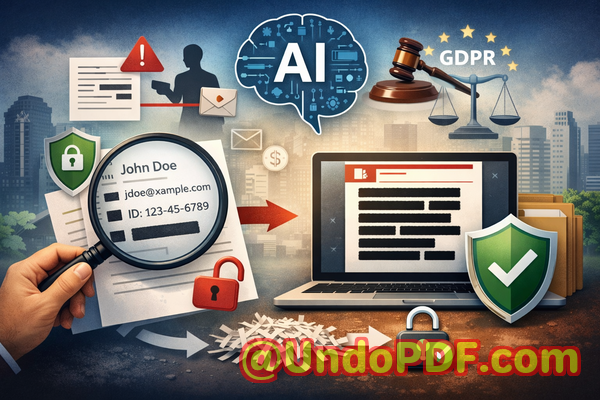
Sharing documents should be routine. But in many organizations, it’s anything but safe. One overlooked detailone unredacted name, ID number, or financial figurecan trigger a cascade of consequences: regulatory fines, reputational damage, or even legal action. This article explores how businesses can confidently redact sensitive data, remove confidential information permanently, and protect privacy in PDFs using a practical, offline AI-powered solution.
Best Offline AI PDF Redaction Software for Confidential Business Reports and Internal Documents

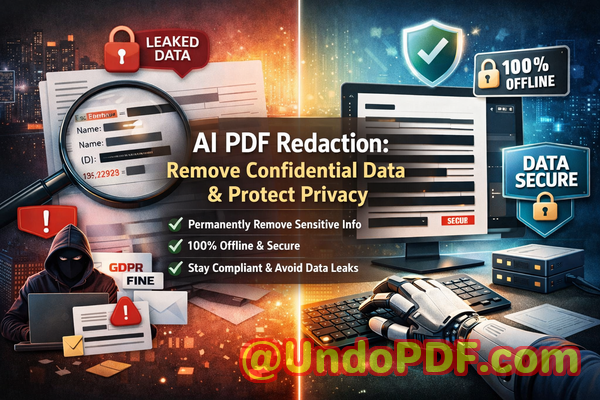
Protect your business from data leaks and compliance risks by permanently removing sensitive information from PDFs using secure, offline AI redaction.


Last month, we shared a PDF contract with a partner, confident everything sensitive had been removed. A few days later, we realized something alarmingthe document still contained employee personal data hidden beneath a black box. Anyone with basic tools could copy and paste the text and reveal everything. That moment changed how we approach document security forever.

If you’ve ever handled contracts, HR files, financial reports, or internal documents, you’ve probably faced the same anxiety: “Did we really remove all confidential information?” Not hide itremove it completely.

Because in today’s environment, mistakes are expensive. A single data leak can violate regulations like GDPR, expose private information, and damage trust that took years to build.

Let’s break down the real business risksand how to eliminate them with confidence.


The Hidden Risks Behind Everyday PDF Sharing

Most organizations deal with sensitive data daily. But the tools and processes used to manage that data often lag behind the risks.

Here are some of the most common (and dangerous) pain points I’ve seen across teams:

1. Accidental Exposure of Sensitive Data

It sounds simple: remove names, emails, or financial details before sharing a document. But in practice, it’s easy to miss something.

Consider these scenarios:

  • A legal team shares a contract but forgets to remove a client’s personal ID.

  • HR exports employee records but leaves salary data visible.

  • Finance sends reports that still contain internal account numbers.

These aren’t hypotheticalthey happen all the time.

And the consequences?

  • GDPR fines

  • Legal disputes

  • Loss of client trust

  • Internal compliance violations

The problem isn’t negligence. It’s that manual processes are unreliable.

2. “Fake” Redaction That Doesn’t Actually Remove Data

This is one of the most misunderstood risks.

Many people think drawing a black box over text equals redaction. It doesn’t.

In reality:

  • The original text often remains embedded in the PDF.

  • Anyone can copy and paste to reveal it.

  • Advanced tools can extract hidden layers.

I’ve personally tested documents where “redacted” information was fully recoverable in seconds.

That’s not redactionthat’s a liability.

3. Unsafe Online Redaction Tools

When teams are under pressure, they often turn to quick online tools to redact PDFs.

It feels convenient:

  • Upload file

  • Redact

  • Download

But here’s the hidden risk:

You’re uploading confidential business data to a third-party server.

That includes:

  • Contracts

  • Financial records

  • Legal documents

  • Personal employee data

And once uploaded, you lose control.

Questions you should be asking:

  • Where is the data stored?

  • Is it encrypted?

  • Is it logged or analyzed?

  • Who has access?

In many cases, the answers are unclearor worse, unacceptable for compliance standards.


A Practical Solution: AI-Powered PDF Redaction That Actually Works

After experiencing these risks firsthand, I started looking for a solution that could:

  • Automatically detect sensitive data

  • Permanently remove it

  • Work completely offline

  • Scale across large document volumes

That’s where VeryPDF AI PDF Redaction Tool Command Line comes in.

This isn’t just another PDF editor. It’s a purpose-built tool designed to eliminate the exact risks businesses face when sharing documents.

Let’s break down how it solves real problems.


How It Eliminates Data Leakage Risks

AI-Powered Detection of Sensitive Information

One of the biggest challenges is knowing what to redact.

VeryPDF uses AI to automatically identify:

  • Names

  • Email addresses

  • Phone numbers

  • Social security or ID numbers

  • Financial data

  • Addresses

  • Custom-defined patterns

Instead of manually scanning hundreds of pages, the system highlights sensitive content for you.

This is especially valuable for:

  • Legal teams reviewing contracts

  • HR departments handling employee records

  • Compliance officers auditing documents

It reduces human error significantly.

Permanent Removal (Not Just Visual Hiding)

This is critical.

The tool doesn’t just cover textit deletes it from the document structure.

That means:

  • No copy-paste recovery

  • No hidden layers

  • No metadata leaks

Once redacted, the data is gone.

This is what true compliance requires.

100% Offline Processing

This is a game changer.

Unlike online tools, everything runs locally:

  • No uploads

  • No external servers

  • No data exposure

Your documents never leave your environment.

For industries like legal, healthcare, and finance, this is non-negotiable.


Real Business Scenarios Where This Makes a Difference

Let me share a few practical examples that highlight the impact.

Scenario 1: Avoiding a GDPR Violation

A mid-sized consulting firm was preparing to share a client report externally. The document included:

  • Client names

  • Contact details

  • Internal notes

Initially, they used a standard PDF editor to black out sensitive sections.

Before sending, they ran the document through an AI redaction process.

Result?

It flagged multiple overlooked data pointsincluding metadata.

They applied permanent redaction and avoided what could have been a serious GDPR violation.

Scenario 2: Switching from Online Tools to Secure Offline Processing

A legal team was using a popular online redaction tool for speed.

After an internal audit, they realized:

  • They had uploaded confidential contracts to third-party servers

  • There was no clear data retention policy

They immediately switched to an offline solution.

Outcome:

  • Full control over document security

  • Improved compliance posture

  • Increased client confidence

Scenario 3: Preventing Competitive Information Leaks

A company was sharing a proposal with a potential partner.

The document included internal pricing logic and margin data.

Using AI detection, they identified and removed:

  • Hidden financial formulas

  • Internal notes

  • Strategic assumptions

The final document was clean, secure, and safe to share.


A Simple Workflow That Fits Into Any Business Process

One of the strengths of this tool is how straightforward it is to use.

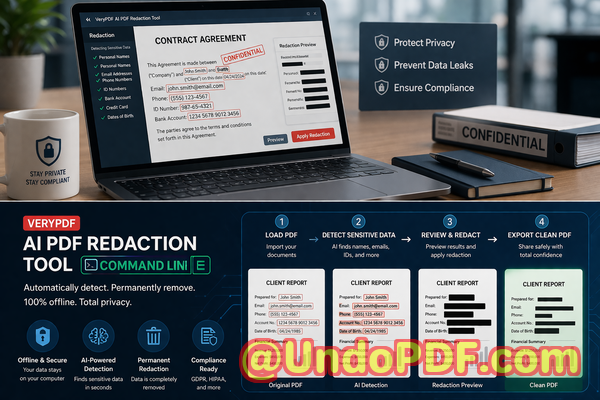
Here’s a typical workflow:

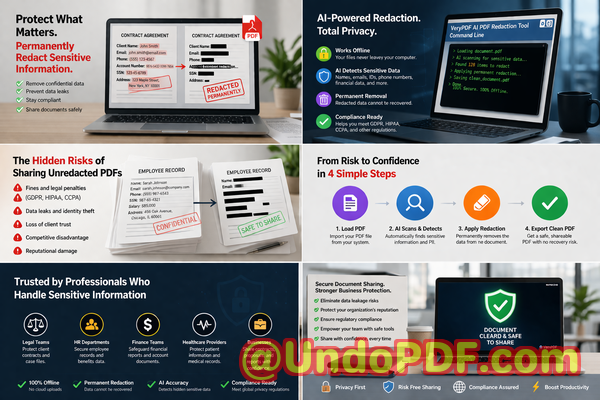
  1. Load the PDF document

  2. Run AI detection to identify sensitive data

  3. Review flagged items

  4. Apply redaction rules

  5. Export a clean, secure PDF

That’s it.

No complex setup. No guesswork.


What Types of Data Should You Always Redact?

From experience, these categories should always be reviewed before sharing any document:

  • Personally identifiable information (PII)

    • Names

    • Emails

    • Phone numbers

    • ID numbers

  • Financial data

    • Bank account details

    • Salary information

    • Revenue figures

  • Business-sensitive information

    • Internal strategies

    • Pricing models

    • Confidential agreements

  • Legal and compliance data

    • Contract clauses

    • Case references

    • Regulatory identifiers

Missing even one of these can create risk.


Why Offline Redaction Is Becoming a Business Standard

More organizations are moving toward offline toolsand for good reason.

Here’s why:

  • Data sovereignty: Keep sensitive information within your infrastructure

  • Compliance alignment: Meet strict regulatory requirements

  • Risk reduction: Eliminate exposure to third-party services

  • Audit readiness: Maintain clear control over document handling

In sectors like healthcare, legal, and finance, this isn’t optional anymoreit’s expected.


The Cost of Doing Nothing

It’s easy to underestimate the risk until something goes wrong.

But consider the potential impact:

  • GDPR fines reaching millions

  • Legal action from affected individuals

  • Loss of business relationships

  • Damage to brand reputation

All from a single document.

Now compare that to implementing a reliable redaction process.

It’s not just a technical decisionit’s a business safeguard.


Why I Recommend This Approach

After testing multiple tools and workflows, I’ve come to a simple conclusion:

If your organization shares documents externally, you need a reliable way to:

  • Redact sensitive data accurately

  • Remove confidential information permanently

  • Protect privacy in PDFs

  • Prevent data leaks before they happen

For me, VeryPDF AI PDF Redaction Tool Command Line checks all those boxes.

It’s practical, secure, and designed for real-world business use.

I highly recommend this to anyone who needs to share documents safely without risking data leaks or compliance issues.

Try it now and securely redact your PDFs:
https://veryutils.com/smart-redact-server-ai-powered-pdf-redaction-software

Start your free trial today and ensure your sensitive data is permanently removed before sharing.


Frequently Asked Questions

How can I permanently remove sensitive data from a PDF instead of just hiding it?

You need a tool that deletes the underlying content, not just overlays it. AI-powered redaction tools remove data from the document structure entirely.

Can others recover redacted information from my PDF?

If you used simple black boxes or highlighting, yes. Proper redaction permanently removes the data, making recovery impossible.

Is it safe to use online PDF redaction tools?

Not always. Uploading sensitive documents to external servers introduces risk. Offline tools are significantly safer.

Does this tool work completely offline?

Yes. VeryPDF AI PDF Redaction Tool Command Line processes files locally, ensuring full data privacy.

What types of sensitive data can be automatically detected and removed?

Names, emails, phone numbers, IDs, financial data, and custom patterns can all be identified and redacted.

How can I ensure compliance with GDPR when sharing documents?

By permanently removing personal data and ensuring documents are processed securelypreferably offline.

What industries benefit most from PDF redaction tools?

Legal, healthcare, finance, HR, and any organization handling confidential information.

Can I redact large batches of documents efficiently?

Yes. Command-line tools are especially useful for automating redaction across multiple files.

What happens to metadata in redacted PDFs?

Proper redaction tools remove or clean metadata to prevent hidden data leaks.

Is manual redaction still reliable?

It’s prone to human error. AI-assisted redaction significantly improves accuracy and consistency.

How do I verify that a PDF is fully redacted?

Try copying text, inspecting layers, or using extraction tools. If nothing appears, the redaction is effective.


Tags and Keywords

redact sensitive data, remove confidential information, PDF redaction tool, protect privacy in PDFs, prevent data leaks, offline PDF redaction, secure document sharing, AI redaction software, GDPR compliance tools
UndoPDF

How to Replace Manual PDF Redaction Processes with AI Automation for Faster and Safer Results

Stop Risking Data Leaks: Use AI to Securely Redact Sensitive PDFs

Protect your business from data leaks and compliance risks by using AI-powered PDF redaction to permanently remove confidential information before sharing.

How to Replace Manual PDF Redaction Processes with AI Automation for Faster and Safer Results


Last month, we shared a PDF contract with a potential partner. Everything looked fineclean formatting, professional presentation, and key clauses highlighted. But a week later, during a routine review, we discovered something alarming: buried within the document were unredacted personal details, including email addresses and internal pricing notes that were never meant to leave our organization.

That moment stuck with me. Not because it caused immediate damage, but because it easily could have. A simple oversight could have resulted in a serious GDPR violation, reputational damage, or even legal consequences. And the truth is, this kind of mistake is far more common than most businesses are willing to admit.

If you regularly share PDFscontracts, HR records, financial documents, or internal reportsyou are sitting on a potential risk. The question is not whether you redact sensitive data, but whether you’re doing it properly.

Let’s talk about the real issues businesses face and how AI-powered PDF redaction is changing the game.


The Hidden Risks in Everyday Document Sharing

In most organizations, PDF sharing is routine. Legal teams send agreements, HR departments distribute employee documents, finance teams share reports, and sales teams exchange proposals. But beneath this routine lies a significant and often underestimated risk: exposure of sensitive data.

Here are some of the most commonand costlypain points I’ve encountered.


1. Accidental Exposure of Sensitive Information

It only takes one overlooked detail.

A legal contract might still contain:

  • Client names or addresses

  • Bank account details

  • Internal comments or negotiation notes

  • Email threads embedded in the document

An HR report could include:

  • Employee IDs

  • Salary details

  • Personal contact information

When these documents are shared externallyeven with trusted partnersyou risk exposing confidential information.

And the consequences are real:

  • GDPR fines for mishandling personal data

  • Breach of confidentiality agreements

  • Loss of client trust

  • Internal compliance violations

What makes this worse is that many of these exposures are accidental. Someone simply didn’t realize the data was still there.


2. The Illusion of “Black Box” Redaction

I used to think that drawing a black rectangle over text in a PDF was enough.

It’s not.

Many manual redaction methods only hide the text visually. The underlying data remains intact. Anyone with basic tools can:

  • Copy and paste the “hidden” text

  • Extract it using PDF readers

  • Reveal it by removing the overlay

This creates a false sense of security. You think the data is gonebut it’s actually still embedded in the file.

There have been real-world cases where sensitive government or legal documents were leaked simply because redaction was done incorrectly.

If your current process relies on visual masking, you’re not actually protecting your data.


3. Risky Use of Online Redaction Tools

When teams are under pressure, they often turn to quick online tools.

Upload a PDF redact download done.

But here’s the problem: where does your document go?

When you upload sensitive files to an online service:

  • Your data is transmitted over the internet

  • It may be stored temporarilyor permanentlyon external servers

  • You have limited control over how it’s processed or secured

For businesses handling confidential data, this introduces a major vulnerability.

Imagine uploading:

  • Legal agreements

  • Financial statements

  • Medical records

  • Internal strategy documents

Now imagine those files being stored on unknown servers.

That’s not just riskyit’s unacceptable in many regulated industries.


A Smarter, Safer Approach: AI-Powered PDF Redaction

After dealing with these challenges firsthand, I started looking for a solution that could:

  • Automatically detect sensitive information

  • Permanently remove it from documents

  • Work entirely offline for maximum privacy

That’s when I came across the VeryPDF AI PDF Redaction Tool Command Line.

And honestly, it changed how we handle document security.


How AI Redaction Solves Real Business Problems

Let me break this down in practical terms.

This isn’t about flashy featuresit’s about eliminating real risks.


Automatic Detection of Sensitive Data

Instead of manually scanning documents line by line, the tool uses AI to identify sensitive content such as:

  • Names

  • Email addresses

  • Phone numbers

  • Identification numbers

  • Financial data

  • Custom-defined keywords

This is especially valuable when dealing with large or complex documents.

For example, we once had a 120-page contract archive. Manually reviewing it would have taken hoursand still left room for error.

With AI detection, we were able to:

  • Scan the entire document in minutes

  • Highlight all sensitive elements

  • Review and confirm before redaction

It dramatically reduced both time and risk.


Permanent Removal of Confidential Information

This is the most critical feature.

Unlike manual redaction, which often just hides text, this tool:

  • Completely removes the underlying data

  • Ensures it cannot be recovered

  • Produces a clean, secure PDF

Once redacted, the information is gonenot just hidden.

This is essential for compliance and legal protection.


Fully Offline Processing for Maximum Privacy

One of the biggest advantages is that everything runs locally.

That means:

  • No file uploads

  • No external servers

  • No data exposure during processing

For organizations dealing with sensitive information, this is a game-changer.

We no longer worry about where our documents are being sent or stored.

Everything stays within our control.


A Practical Workflow You Can Follow

Here’s how we typically use the tool in our daily operations.

  1. Load the PDF document

  2. Run AI detection to identify sensitive content

  3. Review flagged items

  4. Apply redaction rules

  5. Export a clean, secure PDF

That’s it.

No complicated setup. No risky uploads. Just a streamlined, secure process.


What Should You Be Redacting?

If you’re unsure where to start, here’s a quick checklist of common data types that should always be reviewed:

Personal Identifiable Information (PII):

  • Names

  • Addresses

  • Phone numbers

  • Email addresses

Financial Data:

  • Bank account numbers

  • Credit card details

  • Salary information

Business Confidential Information:

  • Pricing strategies

  • Internal communications

  • Trade secrets

Legal and Compliance Data:

  • Contract clauses

  • Case details

  • Sensitive legal references

If your document contains any of the above, it should be properly redacted before sharing.


Real-World Example: Avoiding a Compliance Violation

One situation stands out.

We were preparing a set of documents for an external audit. These included internal reports that referenced employee data and financial figures.

Initially, the plan was to manually redact the documents using standard PDF tools.

But after a quick test, we realized something concerning: the “redacted” text could still be copied.

That’s when we switched to AI-based redaction.

Within a short time:

  • All sensitive fields were identified

  • Data was permanently removed

  • Clean versions were generated for sharing

The audit went smoothly, and we avoided what could have been a serious compliance issue.


Another Scenario: Moving Away from Online Tools

A colleague once used an online tool to redact a contract quickly before sending it to a client.

Later, they realized the document contained confidential pricing structures.

The bigger concern? The file had been uploaded to a third-party server.

There was no way to guarantee it had been deleted.

After that incident, the entire team moved to an offline solution.

Since then, we’ve had complete peace of mind knowing that sensitive documents never leave our environment.


Why This Matters More Than Ever

Data protection regulations are becoming stricter.

Clients are more aware of privacy issues.

And businesses are increasingly held accountable for how they handle information.

Failing to properly redact sensitive data isn’t just a technical mistakeit’s a business risk.

You could face:

  • Financial penalties

  • Legal action

  • Loss of trust

  • Long-term reputational damage

Investing in proper redaction tools is not optional anymoreit’s essential.


Final Thoughts and Recommendation

After experiencing the risks of manual redaction and unreliable tools, switching to an AI-powered, offline solution was one of the best decisions we made.

The VeryPDF AI PDF Redaction Tool Command Line addresses the exact challenges businesses face:

  • It detects sensitive data automatically

  • It removes information permanently

  • It keeps everything offline and secure

If you’re handling documents that contain confidential informationand most businesses arethis is something you should seriously consider.

I highly recommend this to anyone who needs to share documents safely without risking data leaks or compliance issues.

Try it now and securely redact your PDFs:
https://veryutils.com/smart-redact-server-ai-powered-pdf-redaction-software

Start your free trial today and ensure your sensitive data is permanently removed before sharing.


Frequently Asked Questions

1. How can I permanently remove sensitive data from a PDF instead of just hiding it?

You need a tool that deletes the underlying content, not just overlays it. AI-powered redaction tools ensure the data is completely removed and cannot be recovered.

2. Can others recover redacted information from my PDF?

If you use manual or visual redaction methods, yes. Proper redaction tools permanently erase the data, making recovery impossible.

3. Is it safe to use online PDF redaction tools?

Online tools can expose your files to external servers, creating privacy risks. Offline solutions are much safer for confidential documents.

4. Does this tool work completely offline?

Yes, it processes all documents locally, ensuring that your files never leave your system.

5. What types of sensitive data can be automatically detected and removed?

It can detect names, emails, phone numbers, IDs, financial data, and other sensitive information using AI.

6. How can I ensure compliance with GDPR when sharing documents?

By permanently removing all personal data and ensuring no recoverable information remains in the document.

7. Is AI detection accurate enough for legal or financial documents?

Yes, but it’s always recommended to review flagged items before finalizing redaction for maximum accuracy.

8. Can I customize what gets redacted?

Yes, you can define specific keywords or patterns to target business-specific confidential data.

9. Is this suitable for large-scale document processing?

Absolutely. The command-line interface allows for batch processing and automation.

10. What industries benefit most from this solution?

Legal, finance, healthcare, HR, and any business handling sensitive information.

11. Does redaction affect the formatting of the document?

No, the tool preserves the structure and readability while removing sensitive content.


Tags and Keywords

redact sensitive data, remove confidential information, PDF redaction tool, protect privacy in PDFs, prevent data leaks, offline PDF redaction, secure document sharing, AI PDF redaction, GDPR compliance, document security

UndoPDF

AI PDF Redaction Tool for Financial Institutions That Need High Accuracy and Secure Local Processing

Securely Redact Sensitive PDFs: Prevent Data Leaks and Protect Confidential Information

Last month, our legal team sent a PDF contract to a partner, only to discover afterward that it still contained unredacted client names and financial details. A simple oversight like this could have triggered a GDPR violationand potentially serious fines. It made me realise how easy it is for sensitive data to slip through the cracks, even when you think your redaction process is solid.

AI PDF Redaction Tool for Financial Institutions That Need High Accuracy and Secure Local Processing

In today’s fast-paced business environment, sharing documents is unavoidable. Contracts, financial reports, HR records, and internal policies all need to circulatebut each carries sensitive information that, if leaked, can create legal, financial, and reputational damage. Many businesses rely on manual redaction or online tools, assuming the data is safe. Unfortunately, blacking out text in a PDF doesn’t always remove the underlying information, and uploading files to online services introduces another layer of risk.

I’ve seen companies face real consequences: confidential employee details accidentally exposed to external vendors, sensitive financial reports sent to the wrong clients, and intellectual property visible to competitors. That’s why securing documents with AI-powered redaction that permanently removes sensitive information has become a non-negotiable necessity.

Sensitive data leaks happen more often than you might think. Here are a few scenarios I’ve witnessed firsthand:

  • A finance department sent quarterly reports to external auditors, only to find that Social Security numbers and employee salaries were still extractable from the PDFs. The embarrassment and risk to employee privacy could have been catastrophic.

  • A law firm used a “blackout” redaction tool for case files, assuming that blocked text was gone. Months later, a savvy recipient recovered the underlying information, putting client confidentiality at risk.

  • HR teams often resort to free online PDF editors to remove personal employee data. Unbeknownst to them, these documents were uploaded to third-party serverspotentially exposing sensitive information to unknown parties.

Manual redaction or relying on online services is no longer enough. This is where VeryPDF AI PDF Redaction Tool Command Line shines. By combining AI-driven detection with secure local processing, it solves real, visible business problems without compromising privacy.

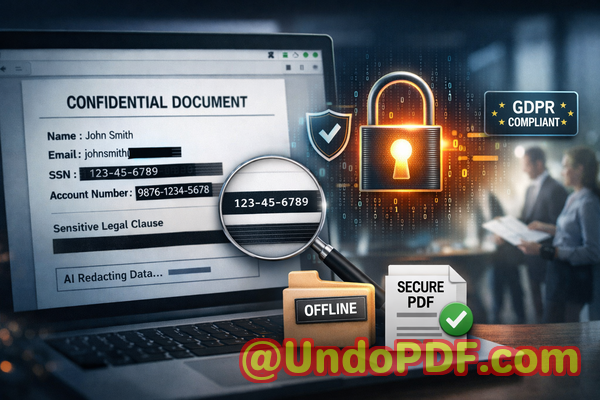
Imagine this workflow: you load your PDF, the AI scans for sensitive datalike names, email addresses, phone numbers, financial records, IDs, and other confidential information. You review the results, apply redaction, and export a clean, permanently redacted PDF. It’s that simple. No sensitive data remains hidden behind black boxesit’s gone for good.

What makes it especially powerful for businesses is its offline processing. Your confidential files never leave your computer. There’s no risk of exposing sensitive client data to a cloud server or a third-party service. You maintain full control, ensuring compliance with regulations like GDPR, HIPAA, or any internal privacy policy.

I’ve seen how using this tool prevents costly mistakes. For example, a mid-sized consultancy needed to send financial reports to investors. Using traditional redaction, one document mistakenly retained client names in metadata. Switching to VeryPDF’s AI redaction tool, every file was thoroughly cleansed before sharing, avoiding any legal exposure or loss of trust. Another company moved HR records from an online editor to this offline solution and immediately reduced risksensitive employee data was no longer at the mercy of external servers.

To give a clearer picture, here’s what a typical redaction process looks like with VeryPDF:

  1. Load the PDF into the tool.

  2. AI scans and identifies sensitive data:

    • Personal identifiable information (PII) like names, addresses, IDs

    • Financial records including bank account numbers and salaries

    • Proprietary business information or trade secrets

    • Legal clauses or confidential contract terms

  3. Review detected items and confirm redactions.

  4. Apply redaction permanently.

  5. Export a clean, secure PDF ready for safe sharing.

This process doesn’t just prevent accidental data leaksit protects your company from legal liabilities, fines, and reputational damage. Employees no longer need to guess what’s safe to share, and managers can confidently circulate documents knowing that sensitive information is fully removed.

I highly recommend implementing an AI-powered, offline PDF redaction tool in any business where confidentiality matters. Whether you’re in finance, legal, HR, or operations, the benefits are tangible:

  • You eliminate the risk of exposing sensitive data to third parties.

  • Compliance becomes simplerevery shared PDF meets privacy regulations.

  • Productivity improves by removing the need for painstaking manual redaction.

  • Peace of mind knowing that all confidential information is permanently removed.

In real terms, it’s about avoiding scenarios like:

  • Accidentally sending employee Social Security numbers to external auditors.

  • Sharing contracts with clients that still contain competitor-sensitive clauses.

  • Exposing financial records to vendors due to incomplete redaction.

By securing your PDFs with AI-powered redaction, you control exactly what leaves your organizationand what doesn’t.

Frequently Asked Questions

  1. How can I permanently remove sensitive data from a PDF instead of just hiding it?

    The VeryPDF AI PDF Redaction Tool Command Line fully deletes sensitive content, ensuring it cannot be recovered or copied from the document.

  2. Can others recover redacted information from my PDF?

    No. Unlike visual blackouts, AI redaction removes the underlying data completely.

  3. Is it safe to use online PDF redaction tools?

    Online tools can pose risks because your files are uploaded to external servers. Confidential information could be exposed or stored without your knowledge.

  4. Does this tool work completely offline?

    Yes. All processing happens locally on your computer, giving you 100% control over sensitive information.

  5. What types of sensitive data can be automatically detected and removed?

    Personal identifiers (names, addresses, IDs), financial information, business secrets, confidential legal clauses, emails, and phone numbers.

  6. Can this tool help with GDPR compliance?

    Absolutely. By permanently removing sensitive personal data before sharing, you minimize risk of regulatory violations.

  7. Is it easy to use for non-technical staff?

    Yes. The tool is designed for business professionals, with a simple workflow: load PDF, detect data, review, apply redaction, export clean document.

  8. Does it support batch processing of multiple PDFs?

    Yes, making it ideal for companies handling large volumes of documents.

  9. Will metadata or hidden content be redacted as well?

    Yes. The tool ensures both visible and hidden data are removed.

  10. Can I trust this tool with highly confidential documents?

    Yes. All processing is offline, ensuring that sensitive information never leaves your system.

  11. What types of businesses benefit most from this tool?

    Legal firms, financial institutions, HR departments, consultancies, and any company dealing with confidential client or employee information.

Try it now and securely redact your PDFs: https://veryutils.com/smart-redact-server-ai-powered-pdf-redaction-software

Start your free trial today and ensure your sensitive data is permanently removed before sharing.

Tags/Keywords:

redact sensitive data, remove confidential information, PDF redaction tool, protect privacy in PDFs, prevent data leaks, offline PDF redaction, secure document sharing, AI PDF redaction, compliance-friendly PDFs, permanent data removal

UndoPDF

How to Redact Contracts, Agreements, and Legal Files Automatically Using AI Without Manual Intervention

Securely Redact Sensitive PDF Data Automatically Without Risking Leaks

Last month, we shared a PDF contract with a partner, only to realize later that it still contained unredacted personal dataputting us at risk of a serious GDPR violation. It’s a nightmare scenario that any business dealing with contracts, agreements, or confidential files can relate to. One wrong click, and sensitive client or employee information could be exposed, leading to compliance fines, legal disputes, and damaged trust. This is exactly why properly redacting PDFs is no longer optionalit’s critical for protecting your business and your clients.

How to Redact Contracts, Agreements, and Legal Files Automatically Using AI Without Manual Intervention

In many companies, manual redaction is still the default. Employees black out text with PDF editors, but it’s surprisingly easy for this information to be recovered. Worse, some teams resort to free online tools, unknowingly uploading highly confidential files to unknown servers. The risk isn’t hypotheticalit’s real, measurable, and potentially very costly.

The Risks of Traditional PDF Redaction

Sensitive data leaks often happen in ways that are easy to overlook:

  • Accidental exposure of personal and financial information Names, emails, phone numbers, social security numbers, and bank details often sit in contracts, HR documents, and financial reports. A single shared PDF with this information unredacted can trigger GDPR or HIPAA violations.

  • Manual redaction errors Black boxes in PDFs may look safe, but the underlying text is often still embedded in the document. Anyone can copy, search, or extract it.

  • Unsafe online redaction tools Many teams use free online PDF editors to “remove” sensitive data. Unfortunately, these tools upload your documents to cloud servers, meaning confidential files could be accessed by third parties, competitors, or hackers.

For business owners, legal teams, and compliance officers, these are not minor inconveniencesthey’re real threats to your bottom line and reputation.

Why AI PDF Redaction is a Game-Changer

This is where VeryPDF AI PDF Redaction Tool Command Line makes a huge difference. By combining AI intelligence with offline processing, it solves these common issues with a reliable, privacy-focused approach:

  • Automatically detect sensitive data AI scans your documents for names, emails, phone numbers, social security numbers, IDs, and other personal or confidential information. You don’t have to manually search or guess what needs redacting.

  • Permanently remove information Unlike traditional black boxes, the data is fully erased, ensuring no one can recover it later.

  • Fully offline processing Your documents never leave your computer, meaning there’s zero risk of uploading sensitive information to external servers.

Real Business Scenarios Where AI Redaction Saves You

Consider these real examples from businesses who adopted AI-powered redaction:

  • A legal firm was preparing a batch of contracts for multiple clients. Using traditional methods, they had repeatedly found unredacted personal data in shared PDFs. Switching to VeryPDF AI redaction ensured all client names, emails, and confidential clauses were automatically detected and removed. The firm avoided potential GDPR violations and legal headaches.

  • A finance department frequently shared quarterly reports with external partners. With sensitive financial data at risk, they initially used online redaction tools, but after migrating to offline AI redaction, the risk of accidental exposure disappeared entirely.

  • An HR team needed to share employee evaluation documents with external consultants. AI redaction allowed them to permanently remove personally identifiable information (PII) before sending, preventing accidental leaks that could have triggered complaints or legal scrutiny.

How It Works Step by Step

Here’s a typical workflow for securing your PDFs using AI-powered redaction:

  1. Load your PDF Open the document you need to redact in the VeryPDF tool.

  2. Detect sensitive data Let the AI automatically scan for personal, financial, or confidential information.

  3. Review suggestions Confirm which items need redaction. AI highlights them for easy review.

  4. Apply redaction Permanently remove the detected information with one click.

  5. Export the clean PDF Share your document safely, confident that no sensitive data remains.

Types of Data You Can Automatically Redact

  • Personal identifiable information (PII) Names, addresses, phone numbers, emails, SSNs

  • Financial data Bank accounts, credit card numbers, payroll details

  • Business secrets Intellectual property, strategy documents, internal notes

  • Legal or confidential clauses Sensitive contract terms, NDA details

The Business Case for AI PDF Redaction

Using AI for PDF redaction isn’t just about convenienceit’s about tangible business benefits:

  • Prevent data leaks and fines By permanently removing sensitive data, you eliminate the risk of accidental exposure that could result in GDPR or HIPAA violations.

  • Avoid reputational damage Clients and partners trust that your company handles confidential information responsibly.

  • Reduce human error AI ensures nothing is missed, avoiding mistakes that manual redaction often creates.

  • Keep documents private Offline processing means your PDFs never leave your device, protecting your business from unintended access or cloud security risks.

Why Offline Matters

Online redaction tools are temptingthey’re quick and easybut uploading confidential documents to unknown servers is risky. VeryPDF’s fully offline solution ensures:

  • Your documents remain on your computer at all times.

  • There’s no third-party exposure of sensitive data.

  • Compliance with strict data privacy policies.

Making Redaction Part of Your Workflow

Implementing AI redaction can seamlessly fit into your team’s workflow:

  • Legal teams: Automatically redact client names and sensitive clauses before sending contracts externally.

  • HR departments: Remove personal identifiers from employee evaluations and payroll documents.

  • Finance teams: Redact account numbers and confidential transaction details in reports.

  • Project managers: Protect intellectual property and business secrets in shared project documents.

Step-by-Step Benefits in Practice

Time saved: No more manually searching for confidential info.
Accuracy improved: AI reduces human error.
Security ensured: Files remain offline until redaction is complete.
Compliance maintained: Meets GDPR, HIPAA, and other regulatory requirements.

I’ve seen firsthand how switching to AI-powered PDF redaction transformed document handling in my company. Files we used to worry about now leave our systems safely, without exposing private information. It’s peace of mind that translates into measurable business security.

Conclusion Why You Should Act Now

Sharing sensitive PDFs without proper redaction is too risky to ignore. With VeryPDF AI PDF Redaction Tool Command Line, you can:

  • Automatically detect and remove sensitive data.

  • Permanently redact information so it cannot be recovered.

  • Keep documents fully offline for maximum privacy.

I highly recommend this to anyone who needs to share documents safely without risking data leaks or compliance issues. Try it now and securely redact your PDFs: https://veryutils.com/smart-redact-server-ai-powered-pdf-redaction-software. Start your free trial today and ensure your sensitive data is permanently removed before sharing.

FAQs

  1. How can I permanently remove sensitive data from a PDF instead of just hiding it?

    Use AI-powered redaction that deletes the data from the file, not just visually blocks it.

  2. Can others recover redacted information from my PDF?

    With AI redaction using VeryPDF, the data is permanently removed and cannot be recovered.

  3. Is it safe to use online PDF redaction tools?

    Not always. Online tools upload your files to third-party servers, creating privacy and compliance risks.

  4. Does this tool work completely offline?

    Yes, all processing happens locally on your computer, keeping documents private.

  5. What types of sensitive data can be automatically detected and removed?

    Names, emails, phone numbers, IDs, financial info, legal clauses, and business secrets.

  6. Can this help with GDPR compliance?

    Absolutely. Permanent offline redaction ensures personal data isn’t accidentally shared.

  7. Is AI redaction faster than manual redaction?

    Yes. AI detects sensitive data automatically, saving significant time and reducing errors.

  8. Can I review what will be redacted before applying it?

    Yes, the tool highlights detected sensitive information for your review before final redaction.

  9. Does it work on multiple PDFs at once?

    Yes, batch processing is supported for efficiency with large document sets.

  10. What file types are supported?

    Primarily PDFs, including contracts, HR records, financial reports, and other legal or confidential documents.

  11. How do I ensure my redacted PDFs are shareable and safe?

    After AI redaction, export the clean PDF and confirm that all sensitive data is permanently removed before sharing.

Keywords / Tags

redact sensitive data, remove confidential information, PDF redaction tool, protect privacy in PDFs, prevent data leaks, offline PDF redaction, secure document sharing, AI PDF redaction, GDPR compliant redaction, business document security

UndoPDF

Offline AI PDF Redaction Tool for Healthcare Providers to Ensure Patient Data Protection and HIPAA Compliance

Securely Redact PDFs Offline to Protect Sensitive Business Data and Ensure Compliance

Last month, we had a near-miss at my company. We needed to share a set of contracts with a partner, but later discovered the PDFs still contained unredacted personal datanames, emails, and even partial financial information. The thought of potential GDPR fines and reputational damage sent shivers down my spine. I knew we needed a reliable way to permanently remove sensitive information before any document left our office.

Offline AI PDF Redaction Tool for Healthcare Providers to Ensure Patient Data Protection and HIPAA Compliance

Accidental exposure of confidential data is more common than most business leaders realise. Whether it’s a legal contract, a financial report, or an HR file, a single overlooked field in a PDF can put a company at serious risk. I’ve seen teams struggle with manual redaction methods that only hide the text visually, leaving it recoverable. Others resort to online tools, unknowingly sending sensitive files to third-party serverseffectively handing over control of their own data.

This is exactly why I started using VeryPDF AI PDF Redaction Tool Command Line. It’s an offline solution that permanently removes sensitive data from PDFs, protecting privacy and ensuring compliance.

Real Business Pain Points That Put Companies at Risk

  1. Accidental Exposure of Sensitive Data

    Even simple documents like invoices or HR records often contain names, emails, phone numbers, and identification numbers. Sharing a PDF without proper redaction can easily violate GDPR or HIPAA, depending on your industry. One colleague of mine once shared a financial summary with an external partner, only to realise later that employees’ personal phone numbers were still visible. The potential fines and trust issues could have been catastrophic.

  2. Ineffective Manual Redaction

    Blackening out text with a PDF editor may look secure, but it’s often not permanent. Tools like Adobe Acrobat sometimes leave the underlying text intact, meaning it can be copied, extracted, or recovered. One of our legal teams experienced this firsthandsensitive clauses thought to be removed were later discovered during an internal audit.

  3. Risks of Online Tools

    Many employees use free online PDF redactors to save time, not realising that their documents are uploaded to external servers. For legal or medical documents, this is a serious privacy breach. Even if the service promises deletion, you can never be 100% sure.

How VeryPDF AI PDF Redaction Tool Solves These Problems

VeryPDF AI PDF Redaction Tool Command Line tackles these risks head-on. Here’s how it works:

  • AI-Powered Detection The tool automatically scans your PDFs to detect sensitive data such as personal identifiable information (PII), emails, phone numbers, financial records, and confidential clauses.

  • Permanent Redaction Unlike manual blackouts, it completely removes the underlying data from the file. Once applied, sensitive information cannot be recovered.

  • Fully Offline Operation All processing happens locally on your computer. No files are sent to external servers, guaranteeing 100% privacy and security.

Tangible Privacy and Security Benefits

Using this tool has transformed the way our team shares documents:

  • Prevent Accidental Leaks Every redacted PDF is safe to send externally, protecting against fines, lawsuits, and reputational damage.

  • Eliminate Third-Party Risks Offline processing ensures no sensitive documents leave your control.

  • Maintain Regulatory Compliance Whether GDPR, HIPAA, or internal corporate policies, you can confidently meet redaction standards without guesswork.

I recall a moment when a competitor requested a set of HR records for benchmarking. Using our previous online method could have risked exposure of personal employee data. With VeryPDF’s offline AI redaction, we confidently shared only the necessary informationcompletely stripped of sensitive identifiers.

Practical Workflow for Secure Redaction

Redacting PDFs doesn’t have to be complicated. Here’s a step-by-step example of how we handle sensitive documents now:

  1. Load the PDF Open the file in the VeryPDF command line tool.

  2. Detect Sensitive Data Run the AI detection to identify all names, emails, IDs, phone numbers, financial figures, and confidential clauses.

  3. Review Confirm that all detected items are correct and mark any additional items manually if needed.

  4. Apply Redaction Execute the redaction process. The tool permanently removes the data from the PDF.

  5. Export Clean PDF Save the redacted file ready for secure sharing.

Common types of data to redact:

  • Personal identifiable information (PII)

  • Financial data (bank accounts, invoices, payroll information)

  • Business secrets and internal strategies

  • Legal or confidential clauses in contracts

Real-Life Example of Risk Mitigation

A legal firm I consult for recently avoided a compliance violation thanks to this tool. They needed to share hundreds of contracts containing client names, addresses, and payment details with an external auditor. Using VeryPDF’s AI redaction offline, they ensured that every PDF was stripped of sensitive identifiers before sharingcompletely mitigating any risk of exposure.

Switching from online tools to an offline solution also improved data security dramatically. Employees no longer had to worry about uploading documents to unknown servers, which used to be a daily stress point in the office.

Why Offline AI Redaction is Essential for Businesses

Many companies underestimate the risk of sensitive data leakage. In industries like legal, healthcare, or finance, even a minor breach can result in costly fines, regulatory scrutiny, and lost client trust. Offline AI redaction provides an extra layer of protection:

  • No accidental uploads to external servers

  • Permanent removal of sensitive content

  • Confidence in compliance with privacy regulations

I often tell managers and compliance officers: “It’s not just about redacting a document; it’s about protecting your business from preventable risks.”

Conclusion

VeryPDF AI PDF Redaction Tool Command Line has become an essential part of our document management process. It addresses real business pain points: accidental data exposure, ineffective manual redactions, and unsafe online tools.

I highly recommend this to anyone who needs to share documents safely without risking data leaks or compliance issues. The combination of AI-powered detection, permanent offline redaction, and complete privacy control makes it a must-have for modern businesses.

Try it now and securely redact your PDFs: https://veryutils.com/smart-redact-server-ai-powered-pdf-redaction-software

Start your free trial today and ensure your sensitive data is permanently removed before sharing.

Frequently Asked Questions

Q: How can I permanently remove sensitive data from a PDF instead of just hiding it?

A: VeryPDF AI PDF Redaction Tool Command Line removes the underlying data entirely, so it cannot be recovered.

Q: Can others recover redacted information from my PDF?

A: No. Once redaction is applied, all sensitive data is permanently removed from the file.

Q: Is it safe to use online PDF redaction tools?

A: Online tools pose a risk because your files are uploaded to third-party servers, which could lead to accidental data exposure.

Q: Does this tool work completely offline?

A: Yes, all processing happens locally on your computer. Your sensitive documents never leave your device.

Q: What types of sensitive data can be automatically detected and removed?

A: Personal identifiable information, financial data, phone numbers, emails, business secrets, and legal clauses can all be detected.

Q: How can I ensure compliance with GDPR when sharing documents?

A: By using AI-powered redaction to permanently remove sensitive information before sharing, you can meet GDPR standards effectively.

Q: Can this tool handle large volumes of PDFs?

A: Yes, the command line interface is designed for batch processing, making it ideal for companies that need to redact multiple files efficiently.

Q: How accurate is the AI detection?

A: The AI is trained to recognise a wide range of sensitive information types, reducing the chance of human error during redaction.

Q: Is it suitable for legal and medical documents?

A: Absolutely. It supports sensitive data in any sector, including healthcare, legal, finance, and HR.

Q: What is the workflow for redacting a document?

A: Load the PDF detect sensitive data review apply redaction export clean PDF.

Q: Can I manually adjust redactions if needed?

A: Yes, the tool allows for manual review and adjustments to ensure complete accuracy before exporting.

Tags / Keywords

redact sensitive data, remove confidential information, PDF redaction tool, protect privacy in PDFs, prevent data leaks, offline PDF redaction, secure document sharing, AI-powered PDF redaction, GDPR compliance, HIPAA compliance