UndoPDF

How to Redact Confidential Customer Information from PDF Invoices Using AI Automation Tool

How to Safely Redact Confidential Customer Data from PDF Invoices Using AI

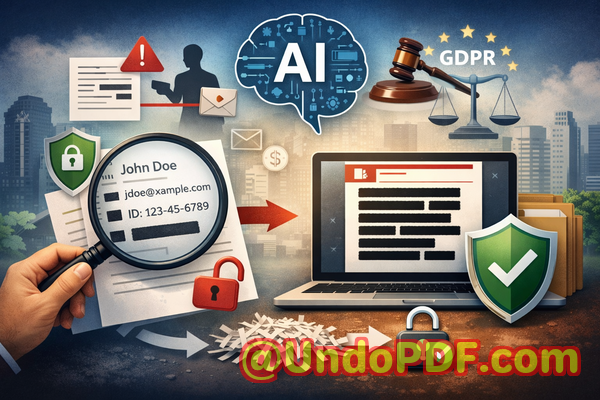
Last month, our finance team shared a batch of PDF invoices with a key partner, only to realize afterward that several documents still contained unredacted customer emails and financial details. The thought of potentially violating GDPR and exposing client data kept me awake at night. Many businesses face the same invisible risk every daythinking a document is safe to share, only to discover sensitive information can still be accessed. Accidental data leaks are more common than we realize, and the consequences can be severe, from fines to lost trust and legal complications.
How to Redact Confidential Customer Information from PDF Invoices Using AI Automation Tool

For professionals managing contracts, invoices, HR files, or any sensitive documents, finding a reliable solution to permanently remove confidential information is essential. That’s where AI-powered PDF redaction comes in, and today I want to share how VeryPDF’s AI PDF Redaction Tool Command Line can help your team securely handle sensitive data without risking privacy breaches.


In many organizations, sensitive information ends up in PDFs that are meant to be shared internally or externally. Here are some real business pain points I’ve observed:

  • Accidental exposure of sensitive data: Names, emails, social security numbers, financial information, or IDs often appear in invoices, contracts, or reports. If these PDFs are shared without proper redaction, businesses risk GDPR violations, HIPAA non-compliance, or internal policy breaches.

  • Manual redaction errors: Many teams rely on blacking out text in a PDF, assuming it’s enough. In reality, hidden text can sometimes be copied, extracted, or recovered by savvy usersleaving confidential data exposed.

  • Online redaction tools and privacy risks: Employees might be tempted to use free online PDF redactors. Uploading documents containing customer information to a third-party server introduces the risk of unauthorized access or accidental leaks.

Each of these situations represents a tangible risk with real consequences. Fines for GDPR violations can reach tens of thousands of euros, and leaked business secrets can erode client trust and harm your brand reputation.


This is where VeryPDF AI PDF Redaction Tool Command Line offers a practical solution. Unlike traditional redaction methods, it is designed to handle sensitive information with precision, security, and efficiency:

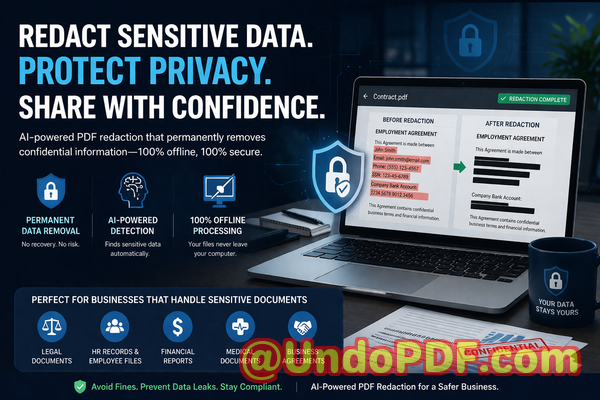
  • Automatic AI detection of sensitive data: The tool identifies personal identifiable information (PII), emails, phone numbers, financial data, IDs, and other confidential content automatically. You don’t need to search manually, reducing the risk of missing critical information.

  • Permanent removal, not just visual hiding: Once redacted, the data is irretrievably removed from the document. This eliminates the possibility of recovery by copy-pasting or using data extraction software.

  • Fully offline processing: Your files never leave your computer. There’s zero exposure to external servers, ensuring 100% privacy.

Imagine the difference in a practical scenario: you need to share a PDF invoice with a partner. With manual methods, you might black out customer names and amounts, but an enterprising user could extract that data. With VeryPDF AI PDF Redaction Tool Command Line, you can:

  1. Load the PDF into the tool.

  2. Let AI detect sensitive data automatically.

  3. Review the selections to ensure accuracy.

  4. Apply redaction.

  5. Export a clean, secure PDF ready to share.

The benefits are immediate and visible:

  • Prevent accidental data leaks: Avoid sending confidential information to unintended recipients, protecting your company from fines and legal exposure.

  • Enhance internal compliance: Automated detection ensures your documents meet regulatory standards like GDPR, HIPAA, or industry-specific confidentiality requirements.

  • Eliminate reliance on risky online tools: Offline redaction keeps all sensitive information in-house, minimizing external risks.


I’ve seen this solution in action in real business scenarios:

  • A legal team avoided a potential GDPR violation by using AI-powered redaction to remove client names from case documents before sharing with external counsel.

  • A marketing department switched from free online PDF redactors to VeryPDF’s offline tool, eliminating the risk of confidential customer lists being uploaded to unknown servers.

  • A financial company successfully prevented sensitive financial figures from being accidentally sent to partners by fully automating the redaction process.

The tool is flexible and can be applied to any type of sensitive document:

  • Personal identifiable information (PII): Names, addresses, emails, phone numbers, social security numbers.

  • Financial data: Bank details, credit card numbers, transaction records.

  • Business secrets: Strategic plans, internal reports, client lists.

  • Legal or confidential clauses: Non-disclosure agreements, contracts, HR records.

By integrating AI-powered PDF redaction into your workflow, you remove human error, enforce compliance, and protect your company from preventable data leaks.


Here’s a quick step-by-step workflow I recommend for business teams:

  1. Identify PDFs for redaction: Contracts, invoices, HR files, financial reports.

  2. Load the PDF into VeryPDF AI PDF Redaction Tool Command Line.

  3. AI automatically detects sensitive information: Review for accuracy.

  4. Apply redaction: Data is permanently removed.

  5. Export and share: Secure, clean PDFs ready for internal or external use.

This process is straightforward and scalable, making it ideal for teams of any size. Whether you handle five PDFs a week or hundreds, the tool ensures your sensitive information stays private.


From my perspective, the peace of mind is invaluable. Knowing that confidential data is permanently removed before sharing allows your team to focus on actual business work instead of worrying about potential exposure.

I highly recommend this to anyone who needs to share documents safely without risking data leaks or compliance issues.

Try it now and securely redact your PDFs: https://veryutils.com/smart-redact-server-ai-powered-pdf-redaction-software

Start your free trial today and ensure your sensitive data is permanently removed before sharing.


Frequently Asked Questions

  1. How can I permanently remove sensitive data from a PDF instead of just hiding it?

    VeryPDF AI PDF Redaction Tool Command Line ensures sensitive data is permanently deleted, not just visually hidden, so it cannot be recovered.

  2. Can others recover redacted information from my PDF?

    No. Once the AI applies redaction, the content is irretrievably removed, protecting your documents from unauthorized access.

  3. Is it safe to use online PDF redaction tools?

    Using online tools poses risks because your documents may be uploaded to third-party servers. Offline tools like VeryPDF eliminate that exposure.

  4. Does this tool work completely offline?

    Yes. All processing happens on your computer, ensuring full privacy and no data leaves your network.

  5. What types of sensitive data can be automatically detected and removed?

    Names, emails, phone numbers, social security numbers, bank details, business secrets, confidential clauses, and more.

  6. How does this help with GDPR compliance?

    By permanently removing personal data before sharing documents, you minimize the risk of accidental exposure and fines under GDPR.

  7. Can I review the detected data before redaction?

    Yes, the tool allows you to review AI-detected sensitive information before finalizing redaction.

  8. Is this suitable for large batches of PDFs?

    Absolutely. The command-line interface supports automated workflows for multiple files, saving time and ensuring consistency.

  9. Will the tool affect the layout of my PDF?

    No, it maintains the original layout and formatting while securely redacting confidential data.

  10. Can I use it for contracts, HR files, and financial reports?

    Yes, it’s ideal for any document containing sensitive or confidential information.

  11. Do I need technical expertise to use the command-line tool?

    Basic familiarity with command-line operations is sufficient, and comprehensive guides make setup straightforward for business users.

  12. Can it detect hidden metadata or embedded information?

    Yes, it can detect and remove hidden metadata, ensuring that no sensitive data is accidentally retained.


Tags/Keywords

redact sensitive data, remove confidential information, PDF redaction tool, protect privacy in PDFs, prevent data leaks, offline PDF redaction, secure document sharing, GDPR compliance, AI PDF redaction, permanent data removal


This approach ensures your business documents are safe to share, your compliance obligations are met, and your sensitive data is permanently protected. By integrating AI-powered redaction, you safeguard your company against human error and external risksturning a high-stakes problem into a manageable workflow.
UndoPDF

Offline AI PDF Redaction Software That Eliminates Human Errors in Sensitive Data Removal Processes

Secure Your PDFs: AI-Powered Redaction to Permanently Remove Sensitive Data

Last month, we shared a PDF contract with a new partner, only to realize later that it still contained unredacted personal dataputting us at risk of a serious GDPR violation. The anxiety that followed was real: clients trust us to protect their information, legal teams stress about compliance, and one small oversight could have turned into a costly data breach. For any business handling sensitive documents, this scenario is all too familiar. The question is: how do you ensure every PDF you share is truly safe, without relying on manual processes that are prone to human error?

Offline AI PDF Redaction Software That Eliminates Human Errors in Sensitive Data Removal Processes

Many companies still underestimate the hidden dangers in document sharing. Even when redactions look correct on screen, the underlying data may still exist in the file, recoverable by anyone with the right tools. On top of that, employees often turn to online redaction tools for convenience, unknowingly exposing confidential files to third-party servers. These risks are not hypotheticalthey’re happening right now in offices across the globe, from legal firms to HR departments.

This is where AI-powered PDF redaction, especially fully offline solutions like VeryPDF AI PDF Redaction Tool Command Line, becomes a game-changer. It addresses real business pain points by automatically detecting sensitive information, permanently removing it, and keeping your documents safely on your own computer.

Imagine this: instead of manually blacking out names, email addresses, phone numbers, or financial data, you run your PDF through a smart tool that identifies every sensitive element and redacts it permanently. No accidental exposures, no uncertainty about whether the data can be recovered, and no risk of sending documents to a server you don’t control. For businesses that prioritize privacy, this is the only way to confidently share documents with clients, partners, or regulators.

One common scenario is HR departments sending employee reports or payroll PDFs. Even a single unredacted Social Security number can lead to serious identity theft risks and potential regulatory penalties. Legal teams handling contracts face similar dangers: confidential clauses or client information accidentally left visible can breach attorney-client confidentiality or trigger contractual liabilities. Financial institutions, meanwhile, risk compliance violations if account numbers or transaction details leak through poorly redacted statements.

Manual redaction methods are not only slow but unreliable. Highlighting text in black or covering it with shapes might look secure, but underlying text layers in PDFs often remain. Anyone with basic PDF tools can copy and paste the “hidden” information. Worse, employees using free online redaction tools often upload sensitive company data to unknown servers, risking exposure or misuse.

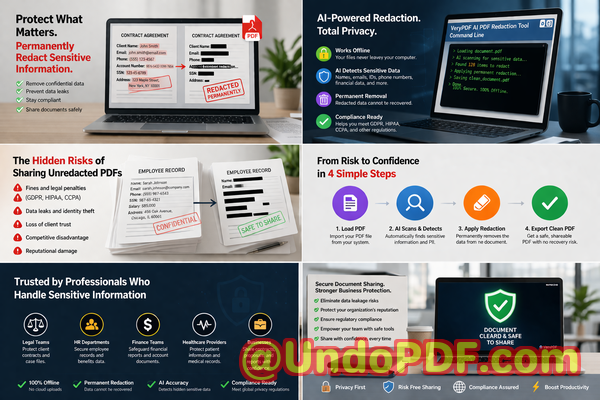
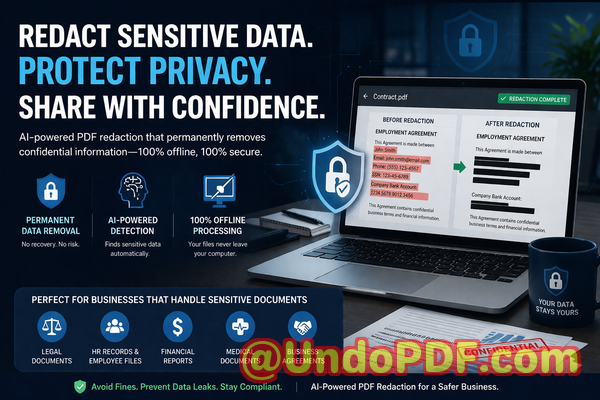
VeryPDF’s AI PDF Redaction Tool Command Line solves these problems with a straightforward workflow: load your PDF, let the AI detect sensitive data, review the suggested redactions, apply them, and export a clean, fully redacted PDF. Sensitive informationlike personally identifiable information (PII), financial records, legal clauses, and proprietary business secretsis permanently removed, not just visually hidden.

Because it works entirely offline, your documents never leave your local system. There’s no cloud storage, no third-party access, and no accidental data leaks. Your team can securely process PDFs knowing the information remains private and compliant with regulations like GDPR, HIPAA, and corporate confidentiality policies.

Consider a real-life example: a mid-sized legal firm previously relied on employees to manually redact contracts. One employee mistakenly left several client names visible, almost causing a breach of confidentiality. After switching to VeryPDF’s AI PDF Redaction Tool Command Line, the firm now automatically detects and removes all PII in seconds. No manual guesswork, no risk of incomplete redactions, and the team can confidently send documents externally without fear.

Another success story comes from a financial advisory company that shared investment reports with clients. Using an online redaction tool previously, sensitive account numbers were temporarily uploaded to a third-party server, raising privacy concerns. Switching to the offline AI solution not only eliminated this risk but also streamlined the workflow. Staff can now process multiple PDFs at once, automatically redacting client names, account details, and email addresses, while keeping all data local and secure.

Here’s a typical workflow for secure document redaction using the tool:

  • Load the PDF document into the software.

  • AI scans and identifies sensitive content, such as:

    • Personal identifiable information (names, emails, phone numbers, addresses)

    • Financial data (bank accounts, credit card numbers, transaction details)

    • Legal clauses or confidential business information

  • Review and confirm suggested redactions to ensure accuracy.

  • Apply redactions to permanently remove the sensitive information.

  • Export the fully redacted PDF, ready for secure sharing.

This process is efficient and foolproof. It removes the uncertainty of manual methods, prevents human errors, and ensures your company complies with strict privacy regulations.

The consequences of not redacting properly are serious. Data leaks can result in:

  • Hefty fines for GDPR, HIPAA, or other regulatory violations.

  • Loss of client trust and reputational damage.

  • Legal exposure for accidentally shared proprietary information.

  • Potential identity theft for individuals whose data was exposed.

Switching to an offline, AI-powered redaction tool mitigates all these risks. It allows you to maintain compliance while empowering teams to share documents confidently.

I highly recommend this to anyone who needs to share documents safely without risking data leaks or compliance issues. The peace of mind knowing every PDF is permanently cleansed of sensitive information is invaluable for legal teams, HR departments, financial institutions, and any business handling confidential data.

Try it now and securely redact your PDFs: https://veryutils.com/smart-redact-server-ai-powered-pdf-redaction-software

Start your free trial today and ensure your sensitive data is permanently removed before sharing.

Frequently Asked Questions

  1. How can I permanently remove sensitive data from a PDF instead of just hiding it?

    The tool uses AI to detect sensitive information and permanently removes it from the document, not just visually blacking it out.

  2. Can others recover redacted information from my PDF?

    No. Once applied, the redaction permanently deletes the sensitive content from the file.

  3. Is it safe to use online PDF redaction tools?

    Using online tools may expose confidential information to third-party servers, which is risky for compliance and privacy.

  4. Does this tool work completely offline?

    Yes, all processing occurs on your local computer. No files are uploaded to the cloud, ensuring full privacy.

  5. What types of sensitive data can be automatically detected and removed?

    AI can detect names, emails, phone numbers, addresses, financial details, legal clauses, business secrets, and other personally identifiable information.

  6. How can I ensure compliance with GDPR when sharing documents?

    By permanently removing personal data before sharing PDFs, you minimize the risk of accidental breaches and maintain GDPR compliance.

  7. Can I process multiple PDFs at once?

    Yes, batch processing is supported, making it efficient for HR, legal, and financial departments managing large volumes of documents.

  8. Do I need technical expertise to use this tool?

    No. The command-line interface is straightforward, and step-by-step guides make it accessible for non-technical users.

  9. Will redaction affect the readability of non-sensitive content?

    No. Only identified sensitive data is removed; all other content remains intact.

  10. Can I review redactions before finalizing them?

    Yes, the tool provides a review step to ensure accuracy before permanent removal.

  11. What industries benefit most from this solution?

    Legal, financial, HR, healthcare, consulting, and any business handling confidential documents benefit greatly.

Tags / Keywords

redact sensitive data, remove confidential information, PDF redaction tool, protect privacy in PDFs, prevent data leaks, offline PDF redaction, secure document sharing, GDPR compliance, AI PDF redaction, permanent data removal

UndoPDF

How to Implement Secure PDF Redaction Workflows in Enterprises Using AI Command Line Tool

Secure Your PDFs: Permanently Redact Sensitive Data to Prevent Business Risks

Last month, we shared a PDF contract with a new partner, only to realize hours later that it still contained unredacted personal dataemails, phone numbers, and internal notes meant to stay confidential. The thought of a potential GDPR violation, fines, and reputational damage hit immediately. As a business professional handling sensitive documents daily, I know this scenario isn’t unique. Many companies underestimate the hidden risks in sharing PDFs, assuming that blacking out text or using an online tool is enoughbut it’s not.

How to Implement Secure PDF Redaction Workflows in Enterprises Using AI Command Line Tool

The reality is, sensitive informationranging from employee records to client contractscan be recovered from poorly redacted PDFs. This can lead to accidental leaks, compliance violations, or even legal exposure. Fortunately, with AI-powered solutions like VeryPDF AI PDF Redaction Tool Command Line, businesses can permanently remove confidential information while keeping the process fully offline and secure.

Why Businesses Struggle with PDF Privacy

Sharing documents safely is more complicated than it seems. Even with precautions, three major pain points keep organizations at risk:

1. Accidental Exposure of Sensitive Data

Think about contracts, financial reports, HR files, or medical records. These PDFs often contain names, emails, phone numbers, ID numbers, or financial details. If even one file is shared incorrectly, sensitive data can slip into the wrong hands. In regulated industries, this isn’t just inconvenientit’s a compliance nightmare. GDPR, HIPAA, and other privacy laws impose strict requirements, and fines can be significant.

2. Manual Redaction Errors

Many teams still rely on manually highlighting or blacking out text in PDFs. The problem? Redaction that only hides text visually doesn’t remove it from the file. Someone with basic PDF knowledge or recovery tools can copy, extract, or search the hidden data. A simple oversight can turn a supposedly “safe” document into a serious data leak.

3. Risks of Online Tools

Some employees turn to free online PDF editors to redact sensitive information. While convenient, these tools often upload documents to unknown servers. For a legal team sharing contracts or an HR department handling employee data, this is a serious risk. Once the data leaves your environment, you no longer have control over its security.

How VeryPDF AI PDF Redaction Tool Command Line Solves These Problems

VeryPDF’s AI-powered PDF Redaction Tool Command Line addresses these challenges directly with an enterprise-friendly solution. Here’s how it helps:

Automatic Detection and Redaction of Sensitive Data

Instead of manually hunting for emails, phone numbers, IDs, or financial information, the tool scans documents and identifies sensitive data automatically. AI algorithms recognize patterns and ensure nothing slips through.

Permanent Removal, Not Just Hiding

Unlike visual redaction methods, the AI tool removes the data entirely from the PDF. Once processed, there’s no way to recover redacted information, reducing the risk of accidental leaks or regulatory penalties.

Fully Offline Processing

All work happens locally on your computer or server. No documents are uploaded to third-party servers, guaranteeing full privacy protection and compliance with internal security policies.

Practical Example in a Business Workflow:

  1. Load PDF Add documents to the tool.

  2. Detect Sensitive Data AI scans and highlights PII, financial data, or confidential clauses.

  3. Review Confirm which items need redaction.

  4. Apply Redaction Permanently remove all sensitive content.

  5. Export Clean PDF Safely share with clients, partners, or stakeholders.

Real Business Scenarios Where AI Redaction Prevented Issues

Scenario 1: Legal Team Avoids Compliance Violation

A mid-sized law firm needed to share client contracts with an external partner. Using traditional black-out methods, a small section containing personal IDs remained visible in the file’s metadata. Switching to VeryPDF AI PDF Redaction Tool ensured all sensitive content was permanently removed, preventing a potential GDPR violation.

Scenario 2: HR Department Secures Employee Records

HR teams often handle spreadsheets and PDFs full of employee salaries, tax IDs, and personal contacts. One accidental email could have leaked confidential information. By using offline AI redaction, the department could safely share performance reports and payroll summaries without exposing private data.

Scenario 3: Finance Team Shares Reports Safely

Financial reports contain sensitive client and internal data. A company previously used free online redaction tools, risking exposure on third-party servers. Moving to an offline AI-powered solution eliminated that risk entirely. The finance team could confidently send reports to auditors and partners without compromising security.

Common Types of Data to Redact

  • Personal Identifiable Information (PII): Names, email addresses, phone numbers, social security numbers, government IDs.

  • Financial Data: Bank details, account numbers, revenue or salary figures.

  • Business Secrets: Internal strategies, pricing models, vendor information.

  • Legal or Confidential Clauses: Terms in contracts, NDAs, or internal memos.

Why Offline AI Redaction is the Smart Choice

  • Data Never Leaves Your Environment: Protects sensitive information from third-party exposure.

  • Reduces Risk of Accidental Leaks: AI ensures nothing is missed, even in complex documents.

  • Supports Compliance: Helps meet GDPR, HIPAA, and internal security policies.

  • Saves Time and Effort: Automated detection means less manual review and fewer human errors.

Steps to Implement a Secure PDF Redaction Workflow

  1. Identify all PDFs requiring redaction (contracts, reports, HR files).

  2. Load them into the VeryPDF AI PDF Redaction Tool Command Line.

  3. Let AI detect sensitive content across all pages.

  4. Review highlighted areas and confirm items for removal.

  5. Apply redaction and export finalized PDFs.

  6. Safely share the cleaned PDFs with partners, clients, or regulators.

This workflow ensures that every document leaving your organization is clean, safe, and compliant.

Conclusion

Data breaches, compliance risks, and accidental leaks are not hypotheticalthey happen every day in businesses that underestimate the danger of poorly handled PDFs. VeryPDF AI PDF Redaction Tool Command Line provides a practical, fully offline solution to permanently remove sensitive information. From legal teams to HR and finance departments, it protects privacy, prevents data leaks, and ensures regulatory compliance.

I highly recommend this to anyone who needs to share documents safely without risking data leaks or compliance issues. Try it now and securely redact your PDFs: VeryPDF Smart Redact AI-Powered PDF Redaction Software. Start your free trial today and ensure your sensitive data is permanently removed before sharing.

Frequently Asked Questions

1. How can I permanently remove sensitive data from a PDF instead of just hiding it?

Use AI-powered redaction tools like VeryPDF, which remove data entirely from the file, not just visually hide it.

2. Can others recover redacted information from my PDF?

When using proper AI redaction offline, the data is permanently deleted and cannot be recovered.

3. Is it safe to use online PDF redaction tools?

Not always. Online tools often upload documents to third-party servers, creating a potential privacy and compliance risk.

4. Does this tool work completely offline?

Yes. VeryPDF’s solution processes documents locally, ensuring 100% privacy.

5. What types of sensitive data can be automatically detected and removed?

PII, financial data, business secrets, legal clauses, emails, phone numbers, IDs, and more.

6. How can I ensure compliance with GDPR when sharing documents?

Permanently redact all personal and sensitive information before sharing, and ensure no documents are uploaded to untrusted servers.

7. Can AI redaction handle large batches of PDFs?

Yes, the command line tool is optimized for batch processing, saving time and ensuring consistency.

8. Do I need technical skills to use this tool?

Basic familiarity with command line operations is sufficient, and the workflow is straightforward.

9. Will the redacted PDF remain readable for authorized users?

Yes. Only sensitive data is removed; the document’s content, formatting, and readability remain intact.

10. Can this tool help prevent accidental data leaks during email or client sharing?

Absolutely. By permanently removing confidential information before sharing, it eliminates the risk of accidental leaks.

11. Are there scenarios where AI redaction is better than manual redaction?

Yes, especially for large or complex documents where manual redaction is error-prone and time-consuming.

12. Is this suitable for legal, HR, and financial departments?

Yes. Any department handling sensitive PDFs benefits from automated, offline redaction.

Keywords

redact sensitive data, remove confidential information, PDF redaction tool, protect privacy in PDFs, prevent data leaks, offline PDF redaction, secure document sharing, AI PDF redaction, GDPR compliance, business document security

UndoPDF

AI PDF Redaction Tool for Auditors to Securely Process Financial Documents Without Data Exposure

Securely Share PDFs by Redacting Sensitive Data to Prevent Costly Leaks

Last month, our finance team shared a quarterly report with a partner company, only to realize afterward that unredacted client names and payment details were still visible in the PDF. The panic was immediate: we faced potential GDPR violations, reputational damage, and the very real risk of a data breach. Situations like this are more common than many businesses realize, and the consequences can be severe. For professionals handling sensitive informationwhether legal documents, contracts, HR records, or financial reportsensuring that confidential data is permanently removed before sharing is not just best practice, it’s essential.

AI PDF Redaction Tool for Auditors to Securely Process Financial Documents Without Data Exposure

Many organizations rely on manual redaction or online tools, but these approaches leave critical gaps. Manual redaction is prone to human error, and many online services store or transmit your documents, creating a new layer of risk. That’s why AI-powered PDF redaction tools like VeryPDF’s command-line solution are becoming a business necessitythey detect, remove, and secure sensitive information efficiently, offline, and permanently.

The Risks of Improper PDF Redaction

Business professionals face several real and measurable risks when sensitive data isn’t properly protected in PDFs. Here are the most common scenarios:

  • Accidental exposure of sensitive information: Names, emails, phone numbers, financial account details, or employee IDs can be accidentally shared when a PDF is sent externally. Even seemingly minor oversights can trigger compliance violations under GDPR, HIPAA, or other data protection laws.

  • Manual redaction errors: Simply blacking out text in a PDF doesn’t remove it. Anyone with the right tools can copy, extract, or recover the underlying content, leaving your business vulnerable to leaks and legal exposure.

  • Use of unsecured online tools: Employees may turn to free online PDF redaction services for convenience. While this may save time, it can also expose confidential documents to third-party servers, creating a hidden risk of unauthorized access, intellectual property theft, or client data exposure.

In short, poorly managed redaction doesn’t just risk sensitive datait can jeopardize compliance, client trust, and even your company’s financial standing.

How VeryPDF AI PDF Redaction Tool Command Line Solves These Problems

VeryPDF’s AI-powered PDF Redaction Tool Command Line is specifically designed to eliminate these risks while streamlining document workflows. Here’s how it addresses each major pain point:

  • Automatic detection of sensitive data: The tool uses AI to identify names, emails, phone numbers, financial details, IDs, and other confidential information. This reduces human error and ensures nothing is accidentally missed.

  • Permanent removal of confidential content: Unlike simple blacked-out PDFs, VeryPDF’s redaction tool completely removes sensitive information from the file. There’s no way to recover the hidden data, offering true privacy protection.

  • Fully offline operation: Documents are processed locally on your computer. No cloud uploads or third-party servers are involved, eliminating risks of unauthorized access or data leaks.

Real-Life Benefits in Business Scenarios

Consider these examples:

  • Avoiding compliance violations: A law firm was preparing contracts for multiple clients. By using VeryPDF’s redaction tool, they automatically removed sensitive client data before sending drafts to external parties, avoiding potential GDPR penalties.

  • Improving security over online tools: An HR department previously relied on an online service to redact employee information. By switching to an offline solution, they eliminated the risk of sensitive personnel data being exposed or stored on unknown servers.

  • Protecting intellectual property: A product development company needed to share internal specifications with partners. Using AI-powered redaction ensured that confidential clauses were permanently removed, preventing competitors from gaining access to trade secrets.

Step-by-Step Workflow for Redacting PDFs

For professionals looking for clarity and control, the process is straightforward:

  1. Load the PDF: Open the document using the VeryPDF AI PDF Redaction Tool Command Line.

  2. Detect sensitive data: Use the AI detection function to identify names, emails, phone numbers, financial data, IDs, and other confidential information.

  3. Review identified data: Verify the detected content and make adjustments if necessary.

  4. Apply redaction: Permanently remove the sensitive information.

  5. Export the clean PDF: Share the redacted file confidently, knowing confidential data cannot be recovered.

Common Types of Data to Redact

Businesses frequently need to secure the following types of information:

  • Personally identifiable information (PII): Names, addresses, emails, phone numbers, social security numbers.

  • Financial data: Bank account numbers, payment details, invoices, transaction records.

  • Business secrets: Product designs, internal strategies, pricing models, trade secrets.

  • Legal and confidential clauses: Contract terms, non-disclosure agreements, employee agreements.

Using AI-powered redaction ensures that these categories are not just hidden but permanently removed from documents.

Privacy and Compliance Advantages

The security benefits of this tool are tangible:

  • Prevent accidental data leaks: Redaction is permanent, so confidential information cannot be recovered.

  • Eliminate exposure to third-party servers: Offline processing ensures sensitive documents never leave your local environment.

  • Ensure regulatory compliance: GDPR, HIPAA, and other privacy frameworks require that sensitive data is properly protected. Proper redaction is an essential part of compliance.

Conclusion: Protect Your Business and Reputation

I highly recommend this to anyone who needs to share documents safely without risking data leaks or compliance issues. The VeryPDF AI PDF Redaction Tool Command Line transforms a previously risky process into a secure, streamlined workflow. From sensitive financial reports to legal contracts, this solution ensures that confidential data is permanently removed and your business remains protected.

Try it now and securely redact your PDFs: https://veryutils.com/smart-redact-server-ai-powered-pdf-redaction-software

Start your free trial today and ensure your sensitive data is permanently removed before sharing.

Frequently Asked Questions

1. How can I permanently remove sensitive data from a PDF instead of just hiding it?

VeryPDF’s AI PDF Redaction Tool Command Line removes the data entirely, not just visually, so it cannot be copied or recovered.

2. Can others recover redacted information from my PDF?

No. The redaction is permanent, ensuring sensitive content is irretrievable.

3. Is it safe to use online PDF redaction tools?

Online tools can expose confidential documents to third-party servers, posing privacy and compliance risks. Offline AI-powered solutions are safer.

4. Does this tool work completely offline?

Yes. All processing occurs locally on your computer, keeping your data private.

5. What types of sensitive data can be automatically detected and removed?

The tool detects names, emails, phone numbers, financial information, IDs, and other confidential data.

6. How can I ensure compliance with GDPR when sharing documents?

By permanently redacting all personal data and processing files offline, you minimize the risk of accidental exposure and comply with data protection regulations.

7. Can I review the detected data before applying redaction?

Yes. The tool provides a review step to verify and adjust the detected sensitive content before finalizing redaction.

8. Does the tool support batch processing of multiple PDFs?

Yes. You can automate redaction across multiple documents, saving time while maintaining security.

9. Is technical expertise required to use this tool?

No. The command-line interface is designed to be user-friendly for business professionals, with clear step-by-step instructions.

10. What industries benefit most from this solution?

Legal, financial, HR, healthcare, and corporate sectors handling sensitive contracts, reports, and employee records.

11. How does AI improve the accuracy of redaction?

AI identifies sensitive data patterns, reducing human error and ensuring nothing is missed, even in complex documents.

12. Can this tool be integrated into existing workflows?

Yes. The command-line interface allows easy integration into document processing systems and automation pipelines.

Keywords

redact sensitive data, remove confidential information, PDF redaction tool, protect privacy in PDFs, prevent data leaks, offline PDF redaction, secure document sharing, GDPR compliance, AI-powered PDF redaction, permanent data removal

UndoPDF

How to Redact Personal Data from Employee Records Using AI PDF Redaction Tool Command Line

Redacting Sensitive Data from Employee Records: How AI PDF Tools Keep Your Business Safe

Sharing employee records, contracts, or financial documents might seem routineuntil a small oversight exposes confidential data. Imagine sending a PDF with performance reviews, salaries, or personal identifiers, only to realize later that the document still contains unredacted personal information. One wrong click, and your organization could face a GDPR violation, legal penalties, or the loss of employee trust.

How to Redact Personal Data from Employee Records Using AI PDF Redaction Tool Command Line

Data protection isn’t just about avoiding finesit’s about maintaining credibility and ensuring that sensitive business information doesn’t leak to unintended parties. Yet, many companies struggle to safely share PDFs because manual redaction is error-prone, and online tools often expose your documents to third-party servers. This is where an AI-powered, offline PDF redaction solution like VeryPDF AI PDF Redaction Tool Command Line becomes indispensable.

The Real Risks Businesses Face with Unprotected PDFs

Many organizations underestimate how easy it is to accidentally leak sensitive information. Here are the top scenarios where risks are highest:

  • Exposing Personal Data: HR departments regularly share employee files containing names, addresses, social security numbers, and salaries. If even a small piece of data is left visible in a PDF, it can lead to compliance violations and personal privacy breaches.

  • Manual Redaction Mistakes: Traditional “blackout” methods often only hide text visually. Skilled individuals can still copy, search, or recover hidden data, leaving companies vulnerable to leaks.

  • Unsafe Online Tools: Employees may turn to free online redaction tools without realizing that uploading confidential files to third-party servers could inadvertently expose sensitive information to external parties.

Each of these scenarios can lead to real-world consequences: regulatory fines, legal actions, reputational damage, or exposure of proprietary business information.

How AI PDF Redaction Solves These Pain Points

VeryPDF AI PDF Redaction Tool Command Line is designed for businesses that prioritize privacy and compliance. Unlike manual methods or online tools, it provides a secure, automated approach to permanently remove sensitive data from PDFs.

Here’s how it works in practice:

  • Automatic Detection of Sensitive Information: Using AI, the tool scans documents for names, emails, phone numbers, social security numbers, financial data, and other personally identifiable information (PII).

  • Permanent Redaction: Once detected, the data is removed completelynot just hidden. This ensures that redacted content cannot be recovered or copied.

  • Offline Processing: All files are processed locally, so sensitive documents never leave your network. This guarantees 100% privacy and prevents accidental exposure to third-party servers.

Real-Life Scenarios Illustrating Its Importance

  1. HR Compliance Check: A mid-sized company was preparing employee records for an internal audit. Using manual redaction, a few social security numbers remained visible. Switching to VeryPDF’s AI PDF Redaction Tool Command Line, they automatically removed all PII before sharing, preventing a potential GDPR violation.

  2. Client Contract Security: A consulting firm needed to send contracts containing sensitive pricing data and client names. Using an offline AI redaction tool ensured that confidential clauses were permanently removed, eliminating the risk of accidental leaks through email.

  3. Internal Data Sharing: A finance department frequently shares PDF reports with external accountants. By implementing AI-powered redaction, they ensured financial details and employee identifiers were permanently removed while preserving the readability of the remaining document.

Step-by-Step Workflow for Safe Document Sharing

To make this process concrete, here’s a practical workflow using the AI PDF Redaction Tool:

  1. Load the PDF: Open your document in the tool.

  2. Detect Sensitive Data: The AI automatically identifies PII, financial information, and confidential clauses.

  3. Review Findings: Quickly verify the detected data to ensure accuracy.

  4. Apply Redaction: Permanently remove all sensitive data.

  5. Export the Clean PDF: Share your document safely, confident that no confidential information remains.

Common Types of Data You Should Redact

  • Personal identifiable information (names, emails, phone numbers, IDs)

  • Financial data (salaries, bank details, tax information)

  • Business secrets (pricing, strategic plans, trade secrets)

  • Legal and confidential clauses (non-disclosure agreements, contracts)

Privacy and Security Benefits

Using an AI-powered, offline tool isn’t just about convenienceit directly impacts your risk profile:

  • Prevent Data Breaches: Eliminates the chance of accidental leaks that can lead to regulatory fines or reputational damage.

  • Maintain Compliance: GDPR and other data protection regulations require permanent removal of sensitive data before sharing.

  • Control Sensitive Files: Offline processing ensures no confidential documents leave your network, unlike online redaction tools.

Why Switching from Manual or Online Redaction Matters

Many businesses rely on outdated methods, assuming black boxes or third-party platforms are sufficient. But a single oversight can be costly. Moving to an AI-powered, offline solution gives peace of mind: every sensitive element is identified, removed, and unrecoverable, protecting both your company and your clients.

Conclusion: Protect Your Business with AI PDF Redaction

Redacting PDFs manually or using online tools is risky and inefficient. VeryPDF AI PDF Redaction Tool Command Line provides a practical, secure solution for business professionals who need to share documents without fear of data leaks or compliance violations. I highly recommend this to anyone who needs to share documents safely without risking legal exposure or breaches of confidentiality.

Try it now and securely redact your PDFs: https://veryutils.com/smart-redact-server-ai-powered-pdf-redaction-software

Start your free trial today and ensure your sensitive data is permanently removed before sharing.

Frequently Asked Questions

  1. How can I permanently remove sensitive data from a PDF instead of just hiding it?

    The AI PDF Redaction Tool removes sensitive information entirely, making it unrecoverable.

  2. Can others recover redacted information from my PDF?

    No. Permanent redaction ensures that all confidential data is completely erased.

  3. Is it safe to use online PDF redaction tools?

    Online tools can expose your files to third-party servers, risking data leaks. Offline AI redaction is safer.

  4. Does this tool work completely offline?

    Yes. All processing happens locally on your computer.

  5. What types of sensitive data can be automatically detected and removed?

    Names, emails, phone numbers, social security numbers, financial data, business secrets, and confidential clauses.

  6. How does this tool help with GDPR compliance?

    By permanently removing PII before sharing, it prevents violations and ensures privacy regulations are met.

  7. Can it handle large batches of documents efficiently?

    Yes. Command-line functionality allows automated processing of multiple PDFs.

  8. Is technical expertise required to use the tool?

    Minimal. The AI handles detection, and the command-line interface supports easy batch operations.

  9. Can I review what will be redacted before finalizing?

    Yes. You can verify detected sensitive data and approve redactions.

  10. Does redaction affect the readability of the remaining content?

    No. Non-sensitive content remains intact and readable while confidential information is permanently removed.

  11. Can it be used across departments like HR, Legal, and Finance?

    Absolutely. Any team handling confidential documents benefits from permanent, AI-powered redaction.

Keywords

redact sensitive data, remove confidential information, PDF redaction tool, protect privacy in PDFs, prevent data leaks, offline PDF redaction, secure document sharing, GDPR compliance, PII removal, AI PDF redaction