Locklizard vs Modern Security Why Anti-AI Screen Capture and Dynamic Identity Overlay are the new standards in document safety
Locklizard vs Modern Security Why Anti-AI Screen Capture and Dynamic Identity Overlay are the new standards in document safety
Professors are losing control of course PDFs. Learn why modern DRM with anti-screen capture and identity overlays is now essential for secure teaching materials.
I still remember the exact moment I realized I had lost control of my own teaching materials.
It was the middle of the semester. I had spent weeks refining a set of lecture PDFscarefully written explanations, original diagrams, and examples I had developed over years of teaching. One afternoon, a colleague emailed me and asked, “Did you know your slides are being shared in a private student group? Someone uploaded them as Word files.”
That sinking feeling is something many professors know too well.
As educators, we want to help students learn. We want them to access materials easily. But we also worryconstantlythat our lecture PDFs might be shared, converted, printed, or reused without permission. In recent years, this problem has only gotten worse. AI-powered screen capture tools, automated PDF converters, and file-sharing platforms have made traditional document protection almost meaningless.
For a long time, tools like Locklizard or basic password-protected PDFs felt “good enough.” Today, they simply are not. Modern document safety requires a different approachone that assumes students are tech-savvy, tools are powerful, and old security models are easy to bypass.
That is where modern DRM, especially solutions like VeryPDF DRM Protector, completely changes the conversation.
Why traditional PDF protection no longer works in real classrooms
Most of us started with simple solutions.
Password-protected PDFs.
Restricted printing.
A polite message that says “Do not share.”
In theory, that should be enough. In practice, it never is.
Students share passwords.
They screenshot pages.
They convert PDFs to Word with free online tools.
They print to PDF, upload files, and pass them around.
Even secure data rooms, which are often marketed to universities, have serious weaknesses. Once a student can see a document on their screen, they can record it, photograph it, or share login credentials with someone else. The document may be “secure” on the server, but not in the real world.
I learned this the hard way when I discovered that a supposedly protected PDF of mine had been screen-recorded during an online class. The watermark was static. The student was never identified. I had no proof of who leaked it.
That experience made one thing very clear: modern document security must protect what happens on the screen, not just the file.
The real teaching pain points we all face
Let me be honest about the challenges that come up again and again in education.
Students sharing PDFs outside the class
Lecture slides intended for enrolled students end up in shared folders, forums, or messaging apps. Sometimes they are sold. Sometimes they are given away. Either way, control is gone.
Unauthorized printing, copying, and conversion
Students convert PDFs to Word or images so they can edit, reuse, or redistribute them. Even when printing is disabled, “print to PDF” often still works with basic tools.
Loss of control over paid or restricted content
If you sell courses, offer premium materials, or teach professional programs, piracy becomes a serious issue. Once content leaks, you cannot pull it back.
AI-assisted copying and screen capture
This is the new threat. Modern AI tools can automatically extract text from screenshots, record screens invisibly, and reconstruct documents with frightening accuracy.
Traditional DRM tools were not built for this world.
Why modern DRM standards matter more than ever
The key difference between older tools like Locklizard and modern DRM solutions is simple: enforcement.
Modern DRM does not rely on JavaScript, browser tricks, or passwords. It enforces security at the viewer level. That means:
-
No screen sharing through Zoom or WebEx
-
No screenshots using Print Screen or third-party tools
-
No printing to PDF or image printers
-
No easy way to convert content to Word or Excel
This is not about making life harder for students. It is about protecting the integrity of teaching materials and respecting the work educators put into creating them.
VeryPDF DRM Protector was designed with exactly these realities in mind.
How VeryPDF DRM Protector fits into real teaching workflows
What impressed me first was how practical it felt.
There are no complicated policy systems. No confusing dashboards. You protect the PDF, decide how it can be used, and distribute it however you likeemail, USB, learning platforms, or web links.
Here is how it addresses real classroom scenarios.
Restrict access to enrolled students only
Each student gets access that is locked to their device. There are no usernames or passwords to share. Decryption keys are tied to the device itself, which immediately stops credential sharing.
Prevent copying, printing, and conversion
Students can read the material, take notes, and study. But they cannot copy text, print without permission, or convert the PDF into another format.
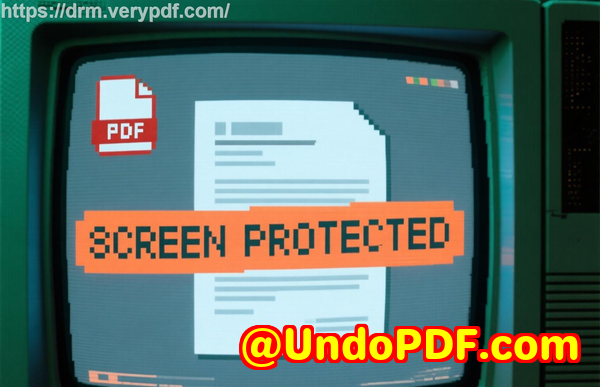
Stop screen sharing and screenshots completely
This was a game changer for me. During online lectures, protected PDFs cannot be shared or recorded through meeting software. Screen capture tools simply do not work.
Apply dynamic identity overlays
Every student sees their own name, email, and timestamp on the document. If someone tries to photograph the screen or print the file, their identity is permanently visible. This alone discourages misuse.
Expire or revoke access instantly
When the semester ends, access ends. If a student drops the course, access is revoked immediatelyeven if the file was already downloaded.
A simple example from my own classes
Last year, I distributed homework PDFs that included original problem sets. Previously, these assignments would appear online within days.
After switching to VeryPDF DRM Protector, something changed.
Students could still read everything clearly. They could still study offline. But the files stopped circulating. When I asked a class why, one student said, “Honestly, it’s not worth it. My name is all over the file.”
That single sentence says more than any feature list.
Anti-piracy protection that actually works
When we talk about PDF piracy in education, we are not accusing students of bad intentions. We are acknowledging reality.
Files are easy to copy.
AI tools make extraction trivial.
Weak DRM invites abuse.
VeryPDF DRM Protector focuses on prevention, not reaction.
-
It prevents unauthorized distribution by locking files to devices.
-
It stops AI-assisted screen capture by blocking screenshots and recording.
-
It prevents conversion to Word, Excel, or images.
-
It allows audits to identify where leaks come from.
Unlike browser-based viewers, there is no JavaScript to modify, no plugin to bypass, and no simple trick to remove protections.
For educators who care about protecting course PDFs, this matters.
Step-by-step: protecting lecture materials without stress
Here is how I now handle my materials each semester:
-
Prepare the PDF as usual
No changes to how I teach or design content.
-
Protect it locally
Unprotected files never leave my computer.
-
Set simple controls
Allow viewing. Disable copying. Control printing. Set expiry.
-
Add dynamic watermarks
Student identity appears automatically.
-
Distribute confidently
Email, LMS, or USBit does not matter.
The entire process takes minutes, not hours.
Why this is better than secure data rooms for educators
Secure data rooms sound appealing, but they assume trust in the user. Education cannot rely on that assumption.
With VeryPDF DRM Protector:
-
Students never enter credentials they can share.
-
Documents are protected before distribution.
-
Security is enforced even offline.
-
Screen sharing and screenshots are blocked.
For teaching environments, this approach is simply more realistic.
The emotional side of document control
This part is rarely discussed, but it matters.
When I know my lecture materials are secure, I teach differently. I share more. I include deeper explanations. I am less guarded.
That confidence improves the classroom experiencefor me and for my students.
Protecting lecture materials is not about mistrust. It is about sustainability. If educators cannot protect their work, they stop creating high-quality resources.
Final thoughts and recommendation
After years of dealing with leaked PDFs, unauthorized conversions, and silent frustration, switching to a modern DRM solution changed everything for me.
VeryPDF DRM Protector addresses the real problems educators face todaynot the problems we had ten years ago.
If you distribute PDFs to students, sell courses, or share proprietary teaching materials, I genuinely believe this is one of the most effective tools available.
I highly recommend it to anyone who wants to protect course PDFs, prevent students sharing homework, and secure lecture materials without complicating their workflow.
Try it now and protect your course materials: https://drm.verypdf.com
Start your free trial today and regain control over your PDFs.
Frequently asked questions
How can I limit student access to PDFs?
You can lock PDFs to specific devices and set expiry dates. Access automatically ends when the course finishes or when you revoke it.
Can students still read the PDFs normally?
Yes. Students can read clearly, zoom, and study offline if allowed. They just cannot copy, print, or convert without permission.
Does it stop PDF piracy completely?
While no system can stop every possible misuse, blocking screen capture, printing, and conversion dramatically reduces piracy and makes leaks traceable.
How do I know who accessed a document?
Dynamic identity overlays display user information directly on the document, making leaks easy to identify.
Is it difficult to distribute protected lecture slides?
No. You distribute them just like regular PDFsby email, LMS, USB, or web download.
Can I revoke access after sharing files?
Yes. You can revoke documents or users instantly, even if files were already downloaded.
Does this prevent AI-based copying?
By blocking screen capture, recording, and text extraction at the viewer level, it significantly limits AI-assisted copying.
Tags / Keywords:
protect course PDFs, prevent PDF piracy, stop students sharing homework, secure lecture materials, prevent DRM removal, anti-conversion PDF DRM, educational DRM software